
A number calls. Who is it? What did you promise last week? What was their budget? The basic dialer knows none of it, so every call starts from zero.
Business Call Management (Your Phone App)
RMDialer replaces your phone app, so every call starts with the full customer story on screen and ends with the lead updated in 2 taps.
What does a business dialer do that the normal phone dialer does not?
The stock dialer was built for personal calls: it shows a number and nothing else. RMDialer replaces it and shows who is calling from your own data, what the last conversation was about, and what stage the deal is at, then lets you save what happened in two taps when the call ends.
- Caller name, status and last note on the call screen
- Save what happened in two taps after every call
- Filterable call log: missed, connected, unique, paid, lost
- Dual SIM: choose which SIM makes business calls
See it working, step by step
Set RMDialer as your phone app
One tap. Calls, contacts, and history work exactly like before.

Know who is calling
The call screen shows who this is, their status, and the last conversation.

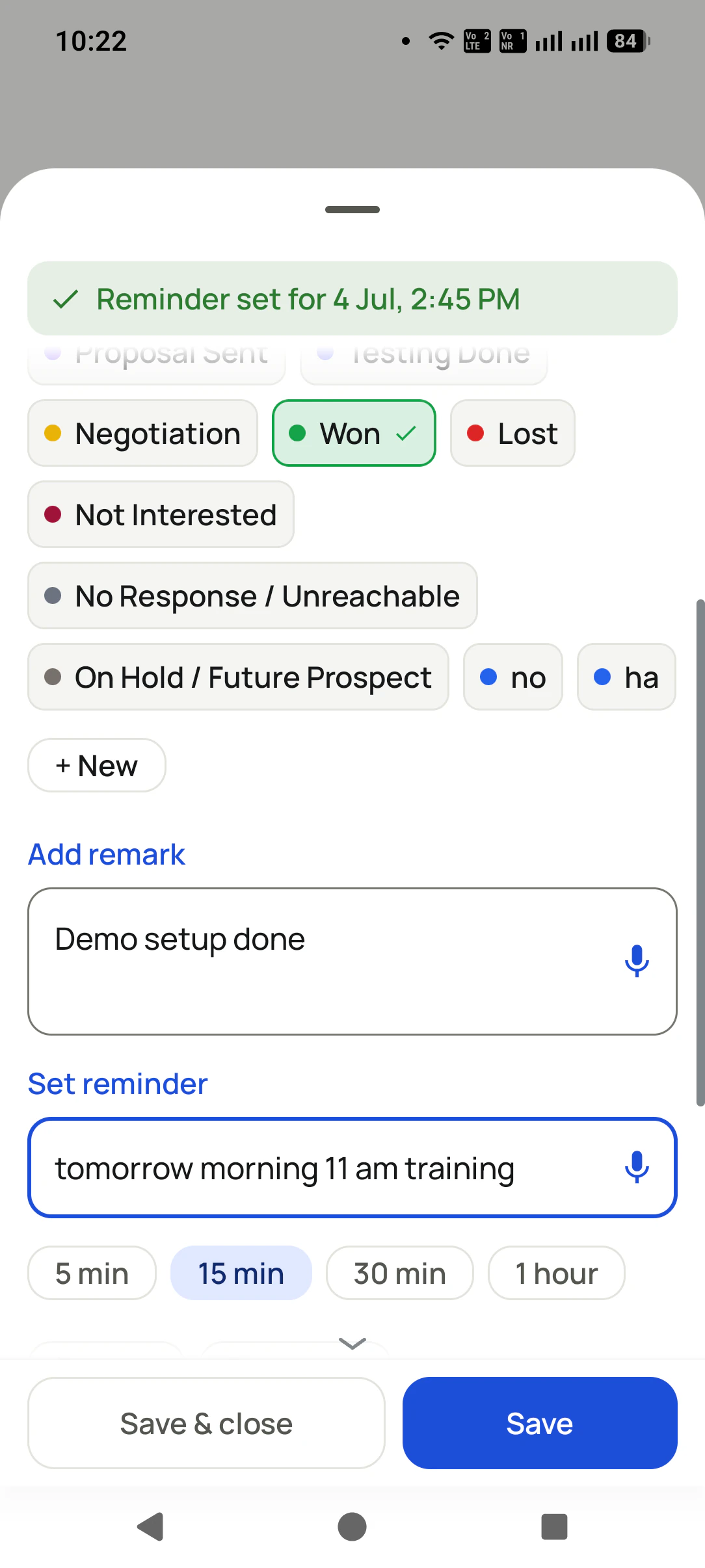
Close the loop in 2 taps
After the call: status updated, remark saved, follow-up set.
Business Call Management (Your Phone App), in detail
Full-screen business call UI
Caller name, lead status, and your last remark on the call screen itself, even over the lockscreen.
After-call sheet
The moment a call ends: update status, write a remark, set a follow-up. Two taps, done.
Dual SIM done right
Choose the SIM per call or set a default SIM for business dialing.
A call log that answers questions
Filter by missed, connected, rejected, unique, paid clients, or lost leads.
Everything a dialer must do
Conference calls, smart search keypad, contacts, and one-tap call-back from notifications. Nothing you use today is lost.
One app. Every feature. One price.
Whether you are one person or one thousand, every RMDialer user gets the complete feature set. No tiers, no locked buttons, no "upgrade to unlock".
Works even better with
See Lead Details During the Call
See and open the caller's full lead record while you are still on the call.
Update the Lead When the Call Ends
The moment a call ends, log a remark, change status, or set a follow-up in 2 taps.
Dual SIM: Choose Which SIM Calls
Pick the SIM per call, or set a default SIM for all business dialing.
Questions, answered
Will my normal calls change?
No. RMDialer is a full phone app: dialing, receiving, contacts, dual SIM, and conference calls all work as before. The business layer is added on top.
Does it work with both SIMs?
Yes. You can pick a SIM for each call or set a default SIM for dialing.
What do I see when a customer calls?
The full-screen call UI shows their name, lead status, and your last remark, even over the lockscreen, so you know who it is before you say hello.
What happens right after a call ends?
The after-call sheet appears: update the status, type or dictate a remark, set a follow-up. You can change how long it stays open, in Settings.
Can I filter the call log by what happened on the call?
Yes: missed, incoming, outgoing, connected, rejected, blocked, spam, unique numbers, paid clients, and lost leads. Tapping a metric ring in Analytics applies the same filters.
What happens when I miss a call?
RMDialer posts a rich missed-call notification with one-tap call-back (with SIM choice) and a WhatsApp action, so the lead gets a response even before you are free.
Business karte ho? Business Dialer chahiye.
Set it as your phone app in one tap. Everything works like before, and then it starts working FOR you.