
Leads live in a notebook, numbers live in the phone, promises live in your head. When the customer calls back, nothing is connected and you sound like you forgot them. Because you did.
Lead Management CRM Inside the Dialer
In RMDialer the call IS the CRM entry. Every number becomes a lead with a status, your own custom fields, remarks after each call, and a complete history you can open mid-call.
Can a dialer app work as a CRM?
Yes. RMDialer keeps the lead record on the phone that makes the call, so the CRM is not a separate app someone has to remember to open. Every number carries its status, source, remarks, custom fields and full history, and those appear on screen while the phone is still ringing.
- Status, source and remarks on every number
- Your own custom fields, including a GPS location field
- Whole customer history on one screen
- Works offline. Syncs when the network returns
See it working, step by step
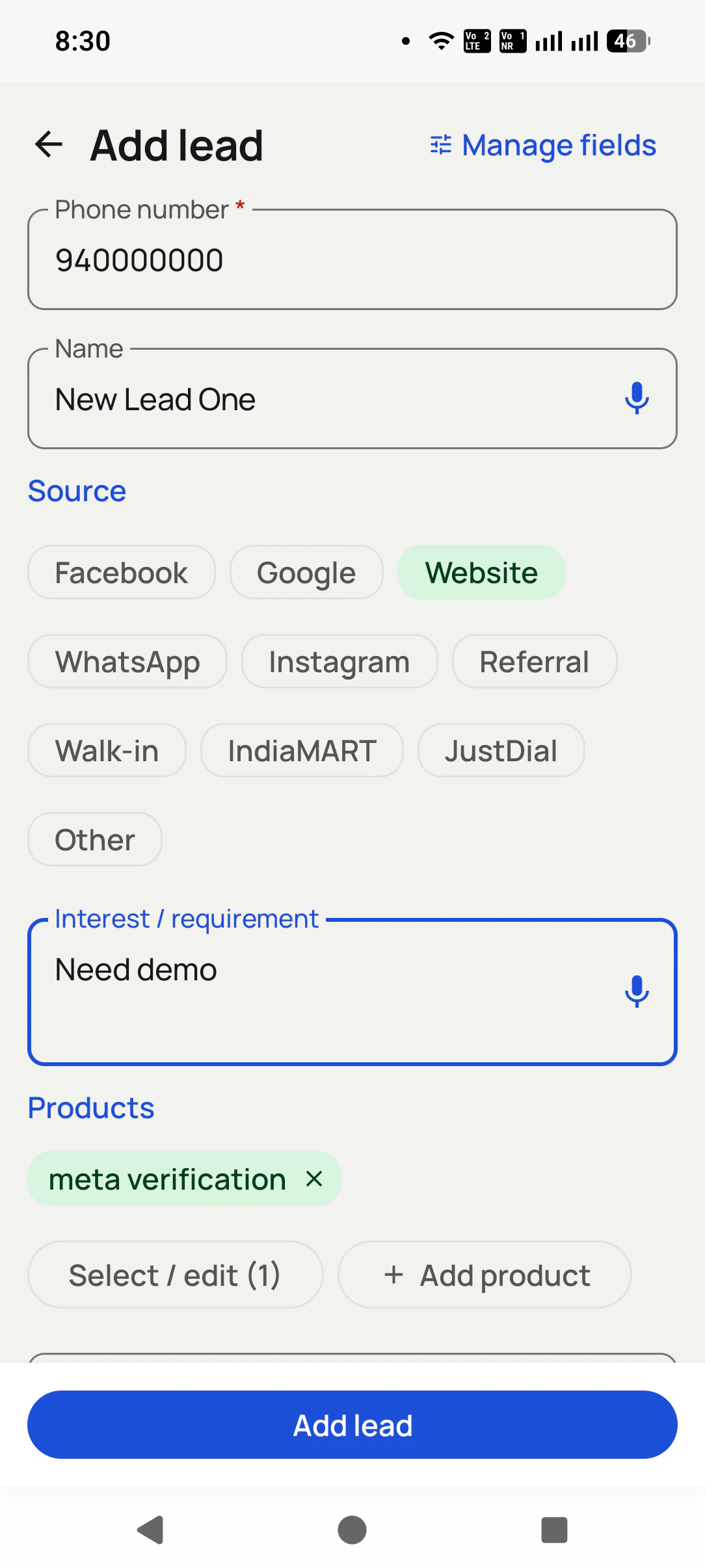
Add a lead in seconds
Only the phone number is required. Tag the source (Facebook, Google, Website, IndiaMART...), dictate their requirement, attach products, and save.
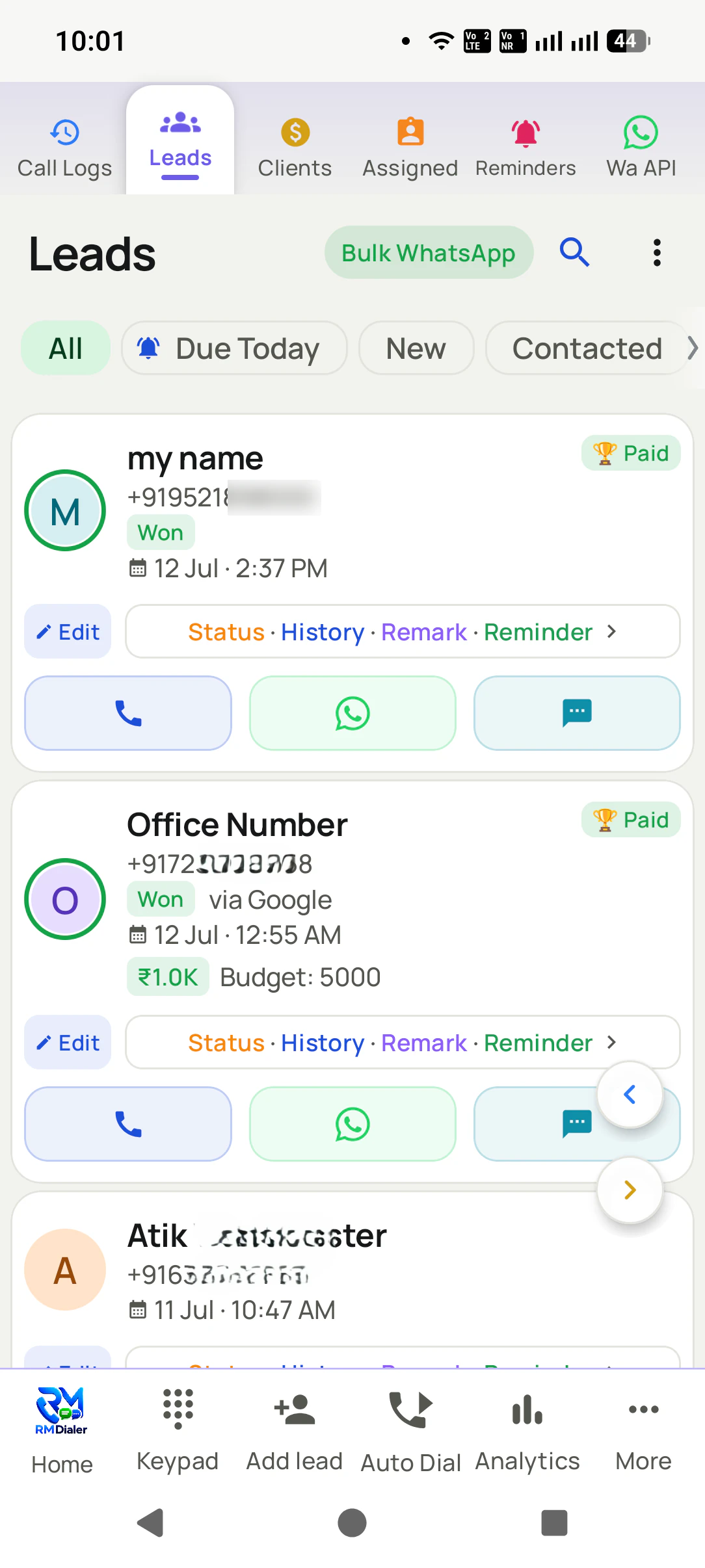
Work your pipeline
Filter by status, search anything, call or WhatsApp from the list.
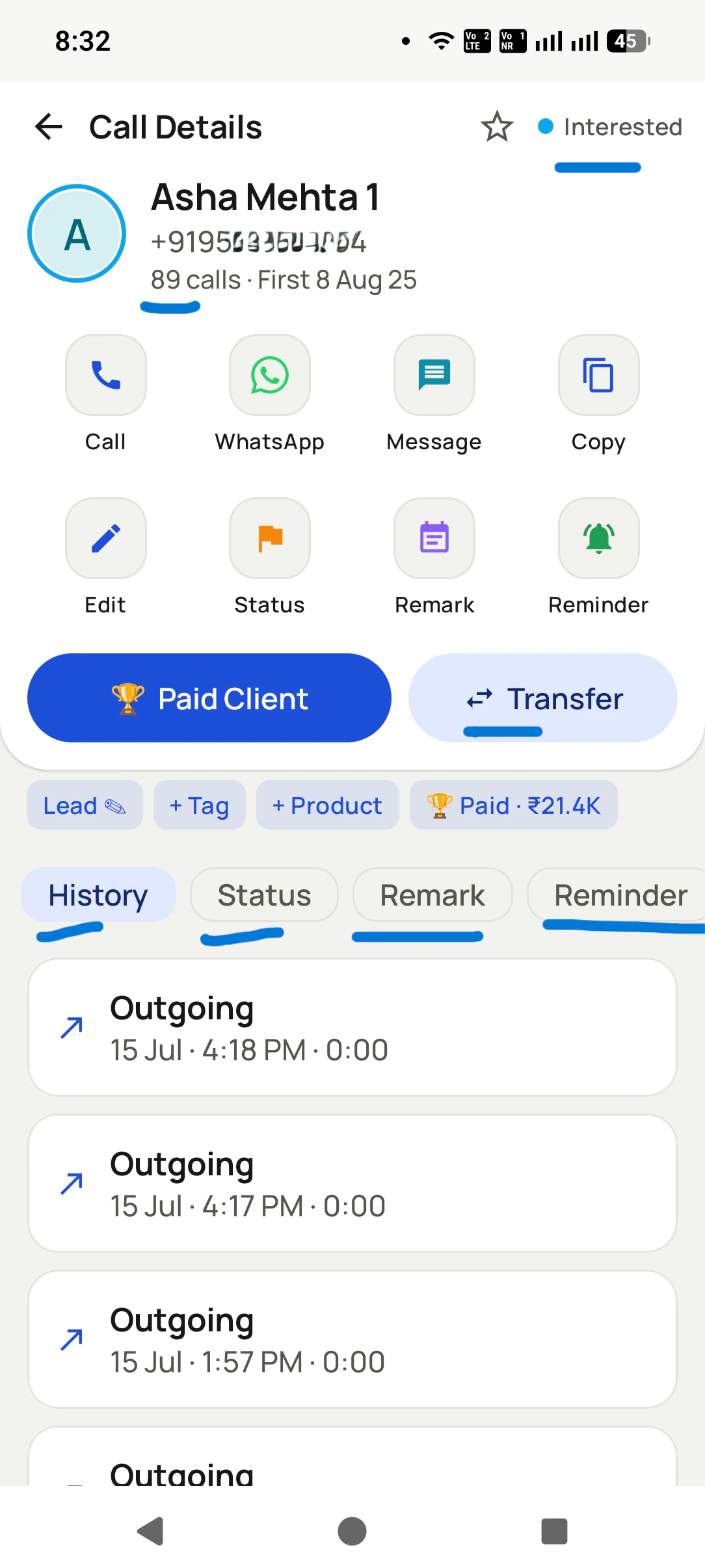
Update as you talk
One screen: status, remark, reminder, transfer, or mark them a Paid Client, with every past call listed below.
Lead Management CRM Inside the Dialer, in detail
Your pipeline, your statuses
Create the exact stages your business uses: New, Interested, Hot, Site Visit, Won, Lost, anything.
Know where every lead came from
Tag the source with one tap: Facebook, Google, Website, WhatsApp, Instagram, Referral, Walk-in, IndiaMART, JustDial, or your own. Then you finally know which channel actually pays.
Custom fields, and voice input
Add the fields that matter to you (budget, city, product, GPS location), and dictate the name or requirement instead of typing while you talk.
Attach what they want to buy
Link products to the lead and write their interest or requirement, so the next call starts exactly where the last one stopped.
Remarks that stick to the number
Write what happened after each call. It shows up on the next call automatically.
One screen with the whole story
Call, WhatsApp, message, edit, status, remark, reminder, transfer, and the full call history for that customer, all on one screen.
Turn a lead into a paid client
One tap converts a lead into a paying client with the amount recorded, and lost leads stay in their own list, ready for a win-back.
One app. Every feature. One price.
Whether you are one person or one thousand, every RMDialer user gets the complete feature set. No tiers, no locked buttons, no "upgrade to unlock".
Works even better with
Add a Lead in Seconds (Number Only)
Capture a lead with just a mobile number, tag its source, and dictate the requirement instead of typing.
Know Which Channel Brought the Lead
Tag every lead as Facebook, Google, Website, WhatsApp, Instagram, Referral, Walk-in, IndiaMART, JustDial, or your own source.
Create Your Own Lead & Client Fields
Define your own fields on leads and clients, including a GPS location field.
Questions, answered
Can I import my existing leads?
Yes. Import from CSV, Excel, or JSON files, share a file straight into the app, or connect a Google Sheet or API to import automatically.
Can I create my own fields and statuses?
Yes. Both lead statuses and lead fields are fully customizable, including a location field with GPS.
Can I track where leads come from?
Yes. Every lead can carry a source: Facebook, Google, Website, WhatsApp, Instagram, Referral, Walk-in, IndiaMART, JustDial, or Other. It is one tap while adding, and it tells you which channel is worth your money.
What is the minimum needed to save a lead?
Just the mobile number. Name, source, products, and custom fields can come later, so capturing a lead mid-call takes seconds. You can also dictate the name and requirement instead of typing.
Can I record what the customer wants to buy?
Yes. Attach products to the lead and write their interest or requirement, so the next call opens with exactly what they asked for.
What happens when a lead finally buys?
One tap on Paid Client turns them into a paying customer with the amount recorded, so revenue and renewals are tracked from the same screen.
Do my remarks show up when the customer calls again?
Yes. The last remark appears on the call screen itself, so every conversation continues instead of restarting.
Is there one place to see everything about a customer?
Yes, the 360-degree contact view: calls, WhatsApp chat, remarks, reminders, and lead details in tabs on one screen.
Can I get my data out?
Yes. Export your lead lists to CSV any time. The data is yours.
What about duplicate numbers?
Numbers are cleaned up (country codes handled) and duplicates are dropped on import, so the same person does not become three leads.
Business karte ho? Business Dialer chahiye.
Set it as your phone app in one tap. Everything works like before, and then it starts working FOR you.