
Tell staff in writing
A short policy: work phones, business calls, attendance punches, what is recorded and why. Signed once, it removes the feeling of being watched in secret.
NewRMDialer is now on iPhone as well as Android · every feature except the call log
White label employee monitoring software
Most employee monitoring software watches computers. The staff who lose a business the most customers, telecallers, receptionists, field sales and collection agents, work on phones. Partners can sell monitoring for that phone side under their own brand: every business call, every missed customer and every punch in.
Free personal dialer. Paid features include a 3-day trial; no card required.
Team plans: ₹159/user/month, billed yearly + taxes →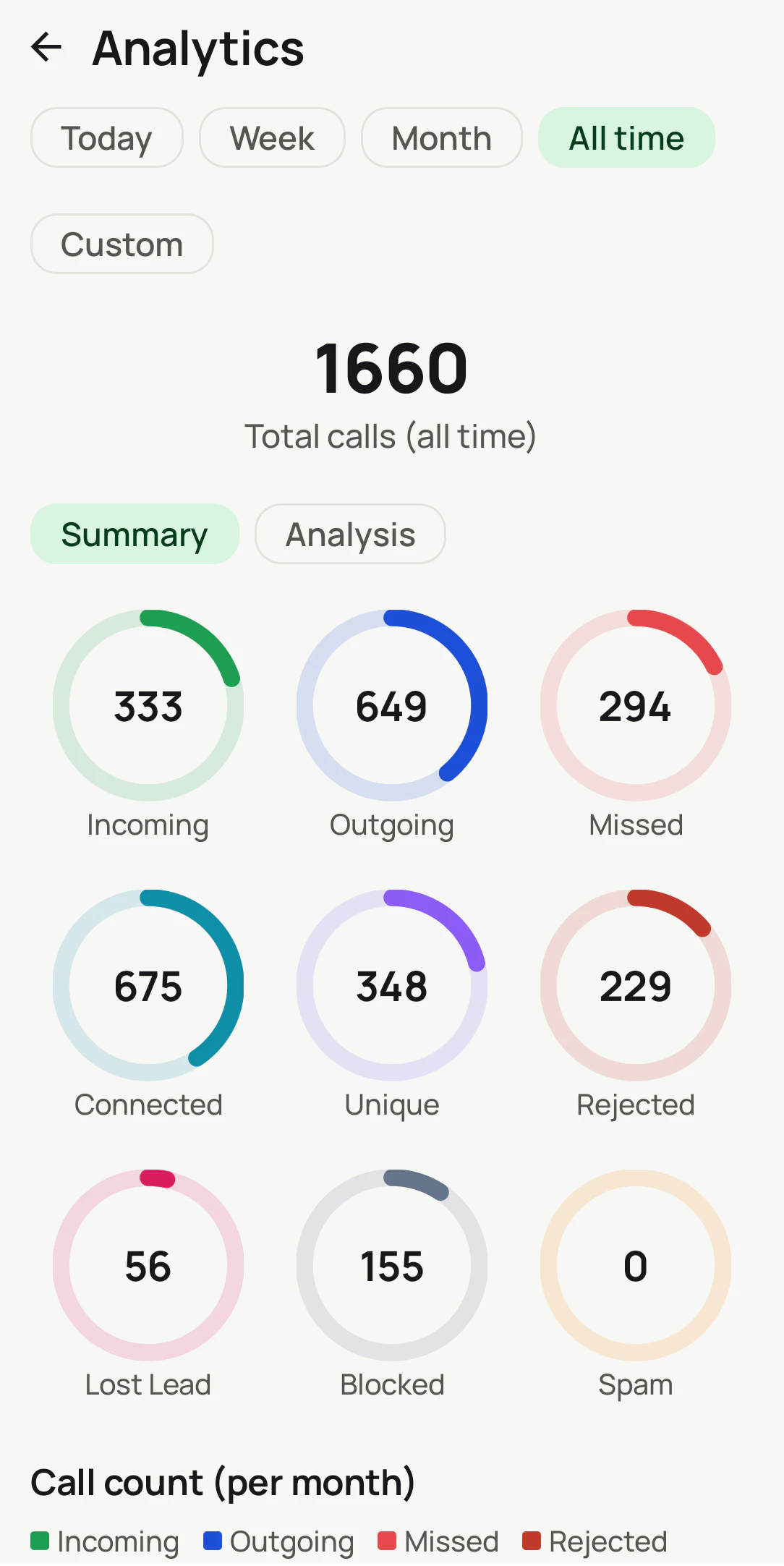
Desktop monitoring stops where the customer conversation starts.
Short answer
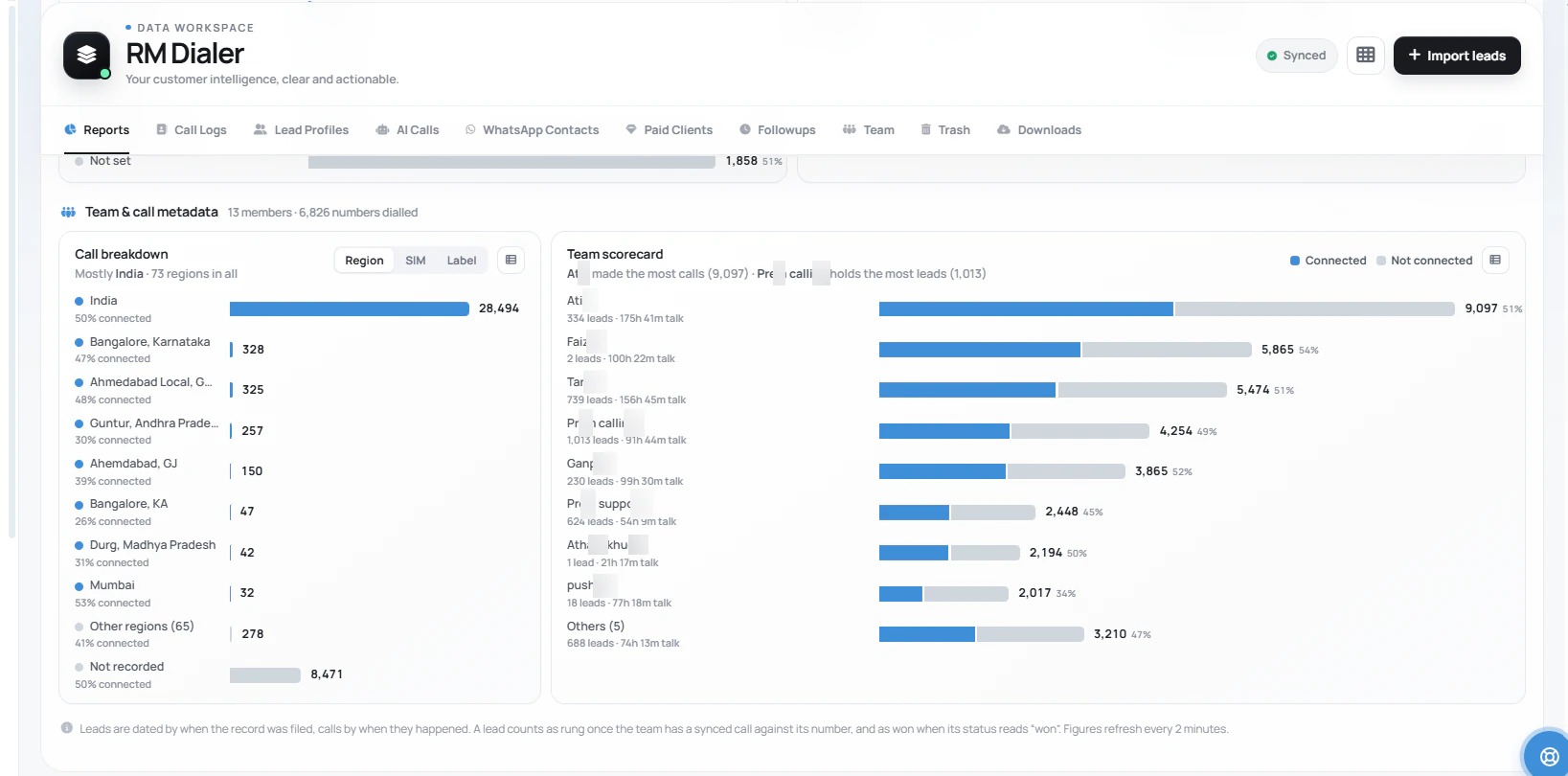
It tracks what employees do on work phones: calls made and received with duration and outcome, customers who called and were not called back, leads each employee is holding and attendance punches with a selfie and location check. RMDialer does this under the partner’s brand and does not monitor computer screens, emails or personal messages.
Key takeaways
Seven questions owners ask
Set expectations in the first meeting. Clients who believe they bought screen tracking will be disappointed; clients who know they bought call and attendance visibility renew for years. Write the “No” rows into your proposal as well as the “Yes” rows, so nobody remembers the sales call differently three months later.
| The owner asks | Covered | How, or what else is needed |
|---|---|---|
| How many calls each employee made | Yes | Calls, connected calls and talk time per person, per day |
| Customers who called and were never called back | Yes | Missed and lost-lead counts that open as a list |
| Whether staff came to work on time | Yes | Punch in and out with a live selfie, checked against the office area |
| Which leads an employee is sitting on | Yes | Assigned leads with their last call and next reminder |
| What is on an employee’s computer screen | No | Needs a desktop monitoring tool |
| Employees’ emails or WhatsApp messages | No | Not read; only business WhatsApp API chats in the shared inbox |
| Live location all day | No | Location is checked only at the moment of a punch |
The gap in most monitoring
Desktop monitoring was built for office work: which applications are open, how long a spreadsheet was edited, whether the mouse moved. It answers those questions well. But a telecaller’s work is a conversation, a receptionist’s is answering the ringing phone, and a field salesperson may not open a laptop all day. On a desktop report, all three look idle while doing exactly what they are paid for.
The opposite problem is worse. An employee can look busy on a computer while customers’ calls go unanswered on the phone in their pocket. Owners discover this months later, when a regular customer mentions that nobody returned three calls. That lost customer is the real cost of monitoring the wrong device.
So when a client asks for employee monitoring, ask one question first: where does the customer conversation happen? If it happens on the phone, call monitoring is what they need, and a desktop tool is at most a companion. If it happens at a desk in email and documents, a desktop tool is the right sale, and you should say so.
A payroll and HR firm in Raipur
Picture a firm in Raipur that runs payroll and HR compliance for about ninety small businesses across Chhattisgarh: steel traders, hospitals, car dealers and coaching centres. Every month, owners asked it the same two questions: are my people actually working, and why do customers say nobody called them back?
The firm already held the attendance data for payroll, but nothing about calls. It launched call monitoring under its own brand, sold first to owners of front-desk and sales teams. The monthly payroll pack now carries a second page: calls per employee, customers missed and attendance, all from the same app the staff use to call.
Owners who had argued with the firm about salary deductions for late arrivals stopped arguing, because the punch records came with a selfie and a time. Two hospitals then asked for the same report for their appointment desks, where unanswered calls had been costing them patients. The firm and its clients are an illustration of the model, not a named partner.
Monitoring that staff accept
How monitoring is introduced decides whether it improves a team or poisons it. Partners who hand clients this four-step routine get fewer complaints and longer renewals.
A short policy: work phones, business calls, attendance punches, what is recorded and why. Signed once, it removes the feeling of being watched in secret.
Employees who can see their calls and punches trust the data, and good performers like having proof of their work.
Owners who check every hour create anxiety. A weekly review of calls, missed customers and attendance is enough to change habits.
Open every review with the customers who were missed, not with who called least. It keeps the conversation on the business.
The buyer’s view of the same software is on employee call monitoring software. Partners focused on attendance can read white label attendance app.
Try it with your own workflow
Tell us whether you serve owners through payroll, HR, IT or accounting, and roughly how many. We reply with monitoring partner terms and a demo team to show them.
Team features, one plan
₹159/user/month
₹1,908 per user, billed yearly, plus taxes.
The personal dialer, call log and personal analytics are free forever. Team access and saved lead workflows require a plan. SIM charges and any WhatsApp provider charges are separate.
Compare free and paid features →Employee monitoring software that a partner sells under their own name. Products under this label usually track computer activity; RMDialer is the phone-side kind, covering business calls on work phones and attendance, sold with the partner’s brand on the app and dashboard.
No. It does not take screenshots, record apps or read email. If a client needs computer activity monitoring, pair a desktop tool with it; this software covers the phone calls and attendance that desktop tools miss.
Business calls made and received on the work phone through the app’s calling, with direction, duration and outcome, plus WhatsApp and internet calls recorded in the phone’s call log where available. Each call is linked to the lead or customer.
Monitoring work calls on work phones is common business practice when employees are told about it in writing. Clients should state it in the employment agreement or a policy, and use the data for work performance, not personal life.
The owner sees calls logged from the work phone and gaps such as a telecaller with few calls on a working day. Tell clients to treat the numbers as a starting point for a conversation, not as automatic proof of wrongdoing.
Owners of sales, service and collection teams who cannot sit beside every employee: clinics, dealerships, distributors, education counsellors and field sales firms. They usually buy from someone they already trust for payroll, HR or IT.
Yes. Employees punch in and out in the same app with a live selfie, and the punch records whether they were inside the office area. Punches sync when the phone is online and retry in the background if it is not.
Yes. The Web CRM shows team call logs and a scorecard per employee under the partner’s brand, so owners review the team’s calls without asking anyone to send a report. Punches are sent to the account from each phone.
Where the phone’s own dialer records calls, the recording can be attached to the call. Coverage depends on the handset, and clients should tell customers when calls are recorded.
Lead with customers, not suspicion: the number of callers who were never called back, and leads left untouched for a week. Owners buy to stop losing customers; employees accept it when it is presented as a record of their good work.
Partners always sell the complete app, so clients receive monitoring together with the dialer, leads and reminders their staff use daily. That daily use is what makes the monitoring data accurate.