Working samples, open source · Token in Setup, Outbound API · Full call log API reference
Your own SIM, no virtual number · Android and iPhone apps + Web CRM in one plan · No card for the trial
RAKPS3,500+ businesses on Wappblaster tools · listed on G2, Capterra, SoftwareSuggest
Sheet polled3 new rows, 3 leads
call.endedwebhook in 180 ms
CRM two-wayleads in, calls out
Open on GitHubcopy, run, adapt
Short answer
How to integrate RMDialer with your CRM or lead source by API?
RMDialer connects to a CRM or lead source in three ways, from no-code to a full API: a Google Sheet or REST source for leads in, the Call Logs API for calls out, and the Dialer API for two-way sync. Feed leads in from a Google Sheet or any REST endpoint the app polls, with columns mapped to lead fields by name. Read every call, lead, remark and follow-up out through the Call Logs API. Or connect a CRM two-way through the Dialer API, pushing leads and assignments into your users' dialer queues. Working samples for each are on GitHub under the MIT licence.
Key takeaways
RMDialer connects to your CRM or lead source by Google Sheet, REST source, Call Logs API or Dialer API.
A lead sheet needs only a phone column; name, city and source columns map by their headers.
The app checks each connected lead source every 30 minutes by default.
The sample pages, scripts and payload examples are free to copy under the MIT licence.
Your API token and base URL are in the Web CRM under Setup, then Outbound API.
RMDialer developer connections and what each does
The three routes, from no-code to a full API. Working samples for each are on GitHub under the MIT licence.
RMDialer developer routes: lead source, Call Logs API and Dialer API compared
Route
Direction
What it does
Best for
Google Sheet or REST lead source
Leads in
The app checks the source every 30 minutes by default and maps columns to lead fields by name
No-code lead feeds from forms and ads
Call Logs API
Calls out
Reads every call, lead, remark and follow-up with read-only GET requests
Reporting in your own system
Dialer API
Both ways
Pushes leads and assignments into your users’ dialer queues and streams events back
A CRM that wants a built-in call layer
Customer reviews
RMDialer reviews from business users
Real businesses, real numbers: how owners and sales teams across India and 12+ countries use RMDialer every day.
Rated 4.9 by customers 4.7 on Google Play 5K+ downloads India + 12+ countries
“We connected our website form and a Google Sheet as lead sources. New sign-ups appear in RMDialer within 15 minutes, get assigned round robin and dialled the same hour. Speed to lead went from a day to under an hour, and demo bookings roughly doubled. The call logs API pushes everything back into our own dashboard.”
RKRohan KulkarniCo-founder · SaaS startupPune
“We use RMDialer as the dialer layer under our own CRM through the API. Our system pushes the lead and the assignment, the agent's phone dials it, and every call event comes back by webhook with duration, outcome and remark. Integration took our developer about two days with the GitHub samples.”
“Telecaller software that my counsellors actually open, because it is the phone app itself. Demo bookings from the website land in the queue, get dialled the same hour, and the WhatsApp with the course link goes out after each call. Four stars: the Excel import wanted the number column named exactly, so my first upload took two tries.”
AMArjun MehtaCo-founder · EdTech startupIndore
“Earlier I was dialling 80 to 100 portal leads a day by hand from Excel. With RMDialer auto dialer app I import the sheet, press start and it calls one by one from my own Jio SIM. Between calls I mark Interested or Site visit in two taps and the follow-up rings me on time. Closed 3 flats last month from leads I would have forgotten.”
“Most CRM tools here are built for a desk. Our brokers sell from their phones, so a telecalling CRM inside the dialer made sense. Leads from Facebook ads land in the app, the auto dialer calls them, and the tripping schedule rings each broker. Tagalog interface, own Globe SIM, no VoIP number for clients to distrust.”
MSMaria SantosOperations lead · Real estate brokerageManila, Philippines
“Membership renewals were slipping. Now every member's expiry date rings the front desk 7 days before and a WhatsApp offer goes out automatically. Trial visitors who did not join are in the lost leads list and get a call at month end. Renewals up about 25% since we started.”
SJShalini JoshiFranchise owner · Gym and fitness studioBhopal
Reviews are collected from customers on WhatsApp and on this website.
Share yours on WhatsApp
Open on GitHub
RMDialer API samples on GitHub
Copy them into your project. Each file's header says what it does and how to set it up.
Point the app at a public Google Sheet or any GET endpoint that returns a JSON array. Columns map to lead fields by name (phone, name, city, interest, source, budget, and your custom fields). New rows are ready to auto-dial, and a sheet connected under Live Sheets in the Web CRM shares them round-robin.
RMDialer is the dialer on the phone, so the log already exists: direction, duration, outcome, the employee and the lead. One GET request per page, with incremental sync by updated_since.
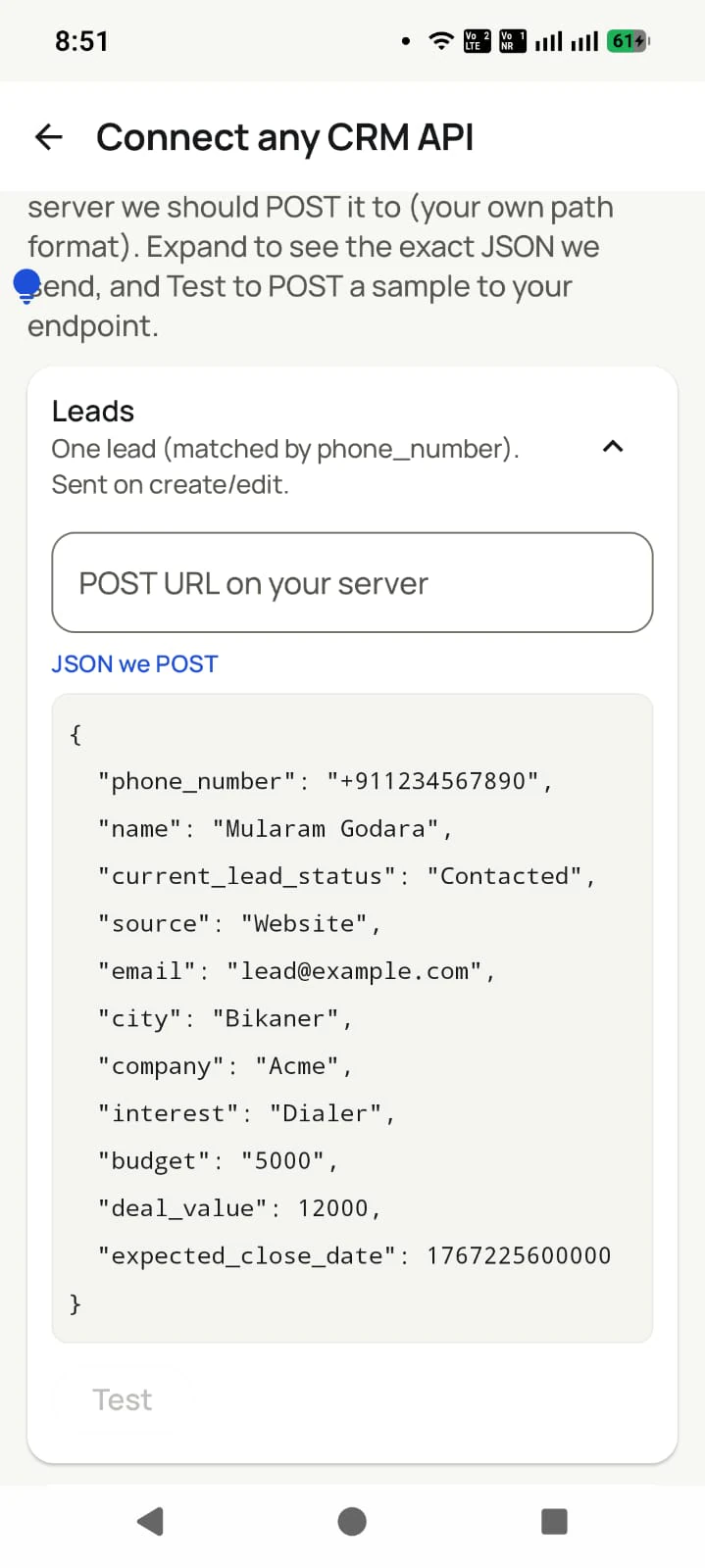
Two-way: read calls, leads, remarks and WhatsApp events, and push leads and assignments back into your users' dialer queues. One integration covers every brand on the platform.
Your token is in the Web CRM under Setup, then Outbound API. Tell us what you are building and an engineer will help you wire it up.
Talk to an engineer
Your details arrive prefilled in WhatsApp.
Opens WhatsApp with your details prefilled. Nothing is stored on this site: your details go straight into the chat, nowhere else.
Data safety & security
Your customer list is your business. We treat it that way.
A dialer sees everything. That is exactly why every part of this app is built to keep your data yours.
Nothing uploads without your yes
Backup starts only after you sign in and give explicit consent. You review which SIMs are included and which numbers are excluded BEFORE the first upload. Logged out, nothing leaves the phone.
Personal stays personal
Mark any number as excluded: it is never uploaded, never messaged automatically, never touched. Choose per SIM what backs up, so a personal SIM can stay completely out.
Encrypted on the phone
The app database is encrypted on your device, and API details are locked with the Android Keystore, so even a lost phone does not hand over your customer list.
Encrypted in transit
Every sync runs over HTTPS to your own account. A transparent sync log shows exactly what ran and when, and you can make it sync everything again any time.
Your data is not the product
We do not sell your data or your customers' data, do not show ads, and never share contact lists with advertisers. You export to CSV any time. It is yours.
Compliant WhatsApp
Bulk and automated messages go through the official Meta WhatsApp Business API with approved templates and your own API details. We do not read your personal WhatsApp chats.
Read the full privacy policy · Every permission the app asks for is explained there, in plain language.
Questions
RMDialer FAQ
Is the app source code open?
No. The app is proprietary. What is open, under the MIT licence, is the integration material: sample pages, lead-source scripts and API payload examples, so you can copy them into your own project.
Do I need the API to get leads into RMDialer?
No. A public Google Sheet or any GET endpoint returning a JSON array works as a lead source straight from the app, with no credentials on our side. The API is for reading calls and leads back out, and for pushing assignments.
How do I get API credentials?
In the RMDialer Web CRM, open Setup, then Outbound API: it shows your base URL and API token. The call log API reference lists every parameter and response field.
Can the same integration serve a whitelabel brand?
Yes. Every brand published on the platform talks to the same backend and the same API, so one integration covers RMDialer and any brand you run on it.
Which phone number formats are accepted?
Any. Numbers with a country code keep their country; bare local numbers get the country you set on the source; leading zeros are treated as trunk prefixes. Rows whose number cannot be made valid are listed as skipped, not silently dropped.
Can I connect RMDialer to my existing CRM?
Yes, in two ways. The simplest: point the app at your CRM's lead export (Google Sheet or REST endpoint) so leads flow in and get dialled. The full way: use the dialer API so calls, statuses, remarks and WhatsApp events flow back into your CRM by webhook, with leads and assignments pushed the other way.
Can I auto dial numbers from an Excel sheet?
Yes. Save the sheet as Excel or CSV with a mobile number column (name and any other columns are optional), import it in the app, and start a session. The dialer calls the rows in order and lets you mark each outcome. The same works from a Google Sheet, which can also be connected as a live source so new rows import themselves.
How do I assign leads to telecallers automatically?
Import or connect the lead source once, then turn on round-robin assignment: each new lead goes to the next active employee in rotation, their phone pings, and the lead appears in their assigned queue with the auto dialer ready. Managers can reassign or transfer a lead any time and the transfer history stays on the record.
How do I track which lead source brings the most customers?
Tag every lead with its source when it arrives (Facebook, JustDial, IndiaMART, website, referral, walk-in) and let the calls carry that tag through to the outcome. The analytics then show calls, connects and won or lost per source, so you can see which platform produces buyers rather than enquiries and move budget there.
How can I import leads from Facebook lead ads into a dialer?
Connect the Google Sheet that Facebook writes leads into as a lead source. Rows are checked on a schedule you set, every 30 minutes by default, then de-duplicated and tagged with the source, so the enquiry reaches a rep's calling queue the same hour instead of waiting in a spreadsheet until someone exports it. Connect the same sheet under Live Sheets in the Web CRM to share new rows across your callers in turn.
Can leads from JustDial and IndiaMART be called automatically?
Yes. Export or connect the portal's lead list (most portals email or expose leads by sheet or API), let the app import new enquiries on a schedule, and set the fresh leads to auto dial first. Speed to lead is what wins portal enquiries: the first supplier to call usually gets the order.
Is there an API to get call logs from Android phones?
Yes, when the dialer on the phone provides one. RMDialer's call logs API streams every call on each user's SIM (direction, duration, outcome, the lead, the remark, the follow-up) to your own system by REST and webhooks, and accepts leads and assignments back. Working samples are open on GitHub.
Which CRM is best for real estate agents in India?
One that runs on the phone, because property selling is calling: portal leads from 99acres, MagicBricks and Housing imported and called within minutes, the buyer's budget and location on the call screen, site-visit reminders that ring, and the brochure sent on WhatsApp after the call. A desktop CRM that brokers stop opening does not help.
What is an auto dialer app?
An auto dialer app calls a list of phone numbers one after another so the caller never types a number. On Android, an app like RMDialer runs the session on the phone itself using the SIM already in it: you pick a list from Excel, a Google Sheet, an API or assigned leads, press start, and the app dials each number in turn while you mark the outcome between calls.
No trial clock on the dialer
RMDialer free plan vs paid plan
The business dialer is free forever with no account and no expiry: the keypad, contacts, caller ID, the call log and your call analytics, plus free WhatsApp sends every day. A plan adds the customer record after every call, follow-up reminders, list auto dialing, your team and WhatsApp automation.
Free forever
₹0, no expiry
Your phone app: keypad, contacts, call log and caller ID
Spam and unknown-number screening on every incoming call
Call analytics: your day counted, by outcome, and by who you called
Missed calls kept in their own list, so nothing is returned late
Sending WhatsApp from a call, free every day
Free WhatsApp sends every day with a free account: 15 a day for your first 15 days, then 3 a day. The dialer itself needs no login at all.
On a plan
₹159/user/month, yearly
$29 per user per year, or $12 per user for 3 months, outside India
The customer record: lead status and remarks saved against every call
Follow-up reminders that ring like an alarm on the day you set
Auto dialing a whole list without touching the phone
Your team: seats, assigned calling lists and per-person reports
Automatic WhatsApp after calls, bulk sending and the WhatsApp API inbox
Backup and restore, so a new phone carries on where the old one stopped
Leads arriving on their own from Google Sheets, APIs and lead portals
Try it free for 3 days: unlimited use, no credit card required. Prices are per user, exclusive of taxes.
Start with the samples
Clone a repo, paste a sheet link, and watch the first lead dial.
₹159/user/month on yearly in India, $29/user/year elsewhere · every feature included · Prices are per user, exclusive of taxes.
Free forever: the business dialer never expires, and needs no account
Call recording supported · our team sets it up with you during training
On iPhone and Android. The iPhone app has every feature except the native call log.