Bulk Calling App · Call 100 Numbers From Excel on Your Own SIM
Bulk Calling App Is RMDialer
A bulk calling app works through a whole list of numbers without anyone typing them. RMDialer does it on Android: import 100 numbers from Excel, press start, and each one rings from your own SIM while you talk.
Import the list, press Start · Pause, skip, resume · Every call saved
Your own SIM, no virtual number · Android and iPhone apps + Web CRM in one plan · No card for the trial
RAKPS3,500+ businesses on Wappblaster tools · listed on G2, Capterra, SoftwareSuggest
List imported100 numbers from Excel
Dialing 37 of 100next call in 5 s
Outcome savedbetween calls, two taps
Your own SIMnormal number, normal rates
Updated
Short answer
What is a bulk calling app?
A bulk calling app is a phone app that calls every number on a list, such as an Excel sheet, one after another, so nobody types the numbers by hand. RMDialer is one for Android: it dials from your own SIM, one live call at a time, saves each outcome in two taps, and costs ₹159 per user a month on yearly billing in India, or $29 per user per year, or $12 per user for 3 months, outside India.
Key takeaways
RMDialer places one live call at a time, so you talk to every person who picks up.
The next number waits until the result of the last call is saved.
A paused RMDialer session carries on where it stopped.
Only the phone number column is needed to import a list.
Plain calling is free for good with no login, and list dialing needs the 3-day trial or a paid plan.
What changes
Bulk calling app benefits
Six things a caller with a long Excel list notices in the first session.
1
Your Excel sheet becomes the calling list
Import the file you already keep. The phone number is the only column needed; names and notes come along if they are there.
2
No dead time between calls
The next number rings by itself after the seconds you set, so the gap between conversations stops being spent on the keypad.
3
A person on every call
One live call at a time and no recorded message, so whoever answers hears you, not a machine reading out an offer.
4
Your own number and normal call rates
Calls leave from the SIM in your phone. There is no virtual number for caller-ID apps to flag and no per-minute bill.
5
Nobody on the list skipped by mistake
Every dialled number is marked, so the ones that did not answer can be filtered out and rung again in a fresh session.
6
Stop today, carry on tomorrow
Pause the session for lunch or close the app for the night; it resumes at the number where it stopped.
How it works
Bulk calling app workflow
What you do, and what the app does.
Step
You
RMDialer
Import
Pick the Excel, sheet or list
Reads the numbers, normalises them for your country, drops duplicates already in your leads
Settings
Choose SIM, gap, completion rule
Remembers them for the next session
Start
Tap Start
Dials the first number from your SIM, exactly as if you had typed it
Between calls
Tap a status, type a word, set a follow-up
Saves it against the lead and dials the next number after the gap
No answer
Start a fresh session on those numbers later
Marks every dialled number done, so the no-answers are easy to filter and ring again
End
Stop, or let the list finish
Shows calls placed, connected, talk time and what is left; the session resumes later if paused
How it works
Bulk calling app session, start to finish
1
Import the list
Excel, CSV, a Google Sheet, a pasted list, or leads assigned to you. Columns map by name; only the number is required.
2
Set the SIM and the gap
Pick which SIM dials, the seconds between calls, and what counts as a completed call.
3
Press Start and talk
It dials one number after another. Skip any number you do not want today, and two taps save the outcome between calls.
Customer reviews
Bulk calling app reviews from business users
Real businesses, real numbers: how owners and sales teams across India and 12+ countries use RMDialer every day.
Rated 4.9 by customers 4.7 on Google Play 5K+ downloads India + 12+ countries
“Bulk calling app was the search that brought me here. 300 dealer numbers pasted from Excel, SIM 2 selected, 6 second gap, and my two boys finished the list in a day and a half. The ones who did not pick up, we ran again in the evening. Earlier same list used to take a week with a notebook.”
APAmit PatelDirector · Textile tradingSurat
“Hindi mein app chalta hai, yeh sabse badi baat. Season shuru hone se pehle 400 kisaan ki list auto dial ho jaati hai, aur jo bole "baad mein call karna" uska reminder set. Excel se auto call kaise kare, yeh Google pe dhoondh ke yahan aaya tha. Ab do saal se use kar raha hoon.”
“Earlier I was dialling 80 to 100 portal leads a day by hand from Excel. With RMDialer auto dialer app I import the sheet, press start and it calls one by one from my own Jio SIM. Between calls I mark Interested or Site visit in two taps and the follow-up rings me on time. Closed 3 flats last month from leads I would have forgotten.”
“Telecaller app for Android that my staff actually use. Enquiry list is assigned to each telecaller, the auto dialer calls it from their own SIM, and test ride bookings come to me live. Punjabi interface for the girls at the desk. Price is honest, everything included, no per-user surprises.”
“We connected our website form and a Google Sheet as lead sources. New sign-ups appear in RMDialer within 15 minutes, get assigned round robin and dialled the same hour. Speed to lead went from a day to under an hour, and demo bookings roughly doubled. The call logs API pushes everything back into our own dashboard.”
RKRohan KulkarniCo-founder · SaaS startupPune
“We needed an auto dialer app that works on our own MTN and Airtel lines, not a call centre subscription in dollars. RMDialer runs on the phones my agents already have, dials the enquiry list, and the WhatsApp follow-up goes out after every call. Calls still go out on the SIM when data drops, and the notes sync once we are back on the network.”
GOGrace OkaforManaging director · Travel agencyLagos, Nigeria
Reviews are collected from customers on WhatsApp and on this website.
Share yours on WhatsApp
Same words, different tools
Bulk calling app vs robocalling
Three products share the phrase. Only one of them is a person talking to a person.
Robocall / voice broadcast
A recorded message blasted to thousands at once over a cloud platform. Nobody talks; needs DLT registration in India; the customer sees a random number.
Predictive dialer
Call-centre software that fires several cloud calls at once and hands whoever answers to a free agent. Needs virtual numbers, agents at desks and per-minute billing.
Bulk calling app (this page)
One live call at a time from your own SIM, just without the typing and the gaps. You talk to every person who answers. Normal call cost, your real number.
Bulk calling app with the record attached
Dialing fast is the easy half. The list is only worth calling again if every call left a
status, a remark and a follow-up behind, which is why the bulk dialer in RMDialer is the
same app as the lead CRM, the reminders and the auto WhatsApp, not a separate dialer you
export from.
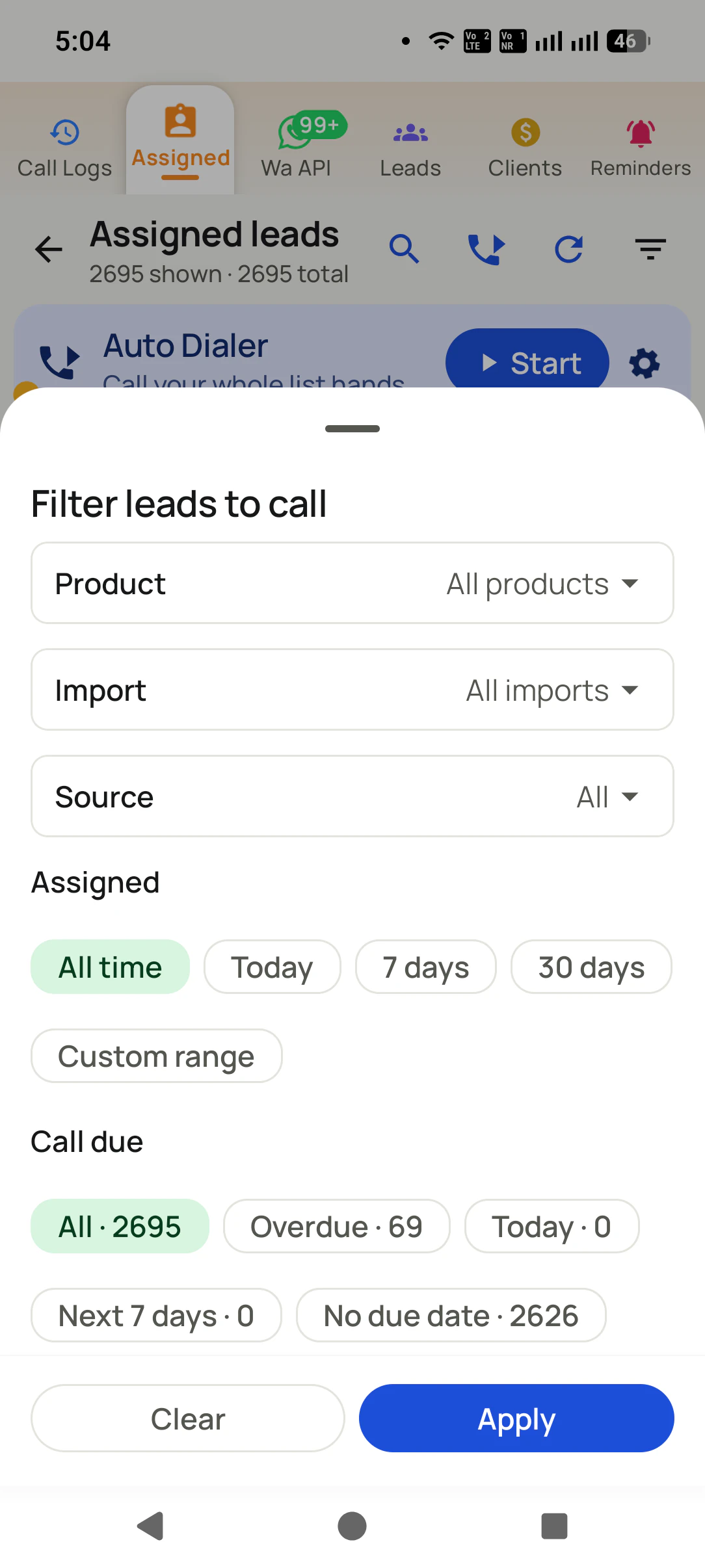
You import a list, choose the SIM and the seconds between calls, and press start. RMDialer then calls every number in sequence from your own SIM while you only talk, and each call ends with a two-tap outcome before the next number rings. A paused session picks up where it stopped.
Is bulk calling the same as a robocall or voice broadcast?
No. A robocall plays a recording to thousands of numbers at once over a cloud platform; a bulk calling app places one live call at a time from your phone and you speak to whoever answers. RMDialer does the second, which is why it needs no DLT registration and shows your normal number.
Can I bulk call from an Excel sheet on Android?
Yes. Import the Excel or CSV into RMDialer, confirm the phone column, press Start, and it dials the whole list from your SIM. A Google Sheet works the same way and can be re-polled so new rows get dialed automatically.
Does bulk calling need a virtual number or work on my own SIM?
RMDialer works on the SIM already in your phone, so customers see your real mobile number, calls cost your normal operator rate, and there is no virtual number or per-minute charge. Cloud bulk-calling tools issue a virtual number that Indian caller-ID apps increasingly flag.
Is bulk calling legal in India?
Calling people who enquired with you, from your own number, about their enquiry, is normal business calling. TRAI restricts unsolicited promotional calls, especially to DND numbers. Use your own leads, honour do-not-call requests and do not buy lists; RMDialer logs every call so you have the record.
How many calls can I make a day with a bulk calling app?
With RMDialer a telecaller typically makes 150 to 250 calls a day, against 60 to 100 by hand, because the next call places itself and the after-call update takes two taps. The ceiling is talk time, not dialing time.
Can a bulk calling app call one number 100 times?
Not RMDialer. Bulk calling rings each number on a list once, one live call at a time. For one busy number, auto redial tries it 3, 5 or 10 times and stops the moment someone answers. Ringing one person 100 times is how business numbers get reported as spam.
Is RMDialer a bulk calling app?
Yes. RMDialer is a bulk calling app and business dialer for Android. It imports a list from Excel or a Google Sheet, rings each number from your own SIM while you talk, and saves every outcome against the lead.
How much does a bulk calling app cost with RMDialer?
A seat of RMDialer costs ₹159 a month when paid for a year, or ₹249 a month on the 3-month plan, plus taxes ($29 per user per year, or $12 per user for 3 months, outside India). The list dialer comes with the customer records, callback alarms, automatic WhatsApp and each caller's report in that one price, and the calls themselves cost only your SIM plan. Three days are free, no card.
Where do I download a bulk calling app for Android?
RMDialer is on Google Play: https://play.google.com/store/apps/details?id=com.wappblaster.rmdialer. Install it, make it your phone app in one tap, import your list, and the free 3-day trial covers the whole first session.
No trial clock on the dialer
Bulk calling app free plan vs paid plan
The business dialer is free forever with no account and no expiry: the keypad, contacts, caller ID, the call log and your call analytics, plus free WhatsApp sends every day. A plan adds the customer record after every call, follow-up reminders, list auto dialing, your team and WhatsApp automation.
Free forever
₹0, no expiry
Your phone app: keypad, contacts, call log and caller ID
Spam and unknown-number screening on every incoming call
Call analytics: your day counted, by outcome, and by who you called
Missed calls kept in their own list, so nothing is returned late
Sending WhatsApp from a call, free every day
Free WhatsApp sends every day with a free account: 15 a day for your first 15 days, then 3 a day. The dialer itself needs no login at all.
On a plan
₹159/user/month, yearly
$29 per user per year, or $12 per user for 3 months, outside India
The customer record: lead status and remarks saved against every call
Follow-up reminders that ring like an alarm on the day you set
Auto dialing a whole list without touching the phone
Your team: seats, assigned calling lists and per-person reports
Automatic WhatsApp after calls, bulk sending and the WhatsApp API inbox
Backup and restore, so a new phone carries on where the old one stopped
Leads arriving on their own from Google Sheets, APIs and lead portals
Try it free for 3 days: unlimited use, no credit card required. Prices are per user, exclusive of taxes.
Aaj ki list, aaj hi khatam
Import the sheet, press Start, and see what a gap-free calling hour feels like.
₹159/user/month on yearly in India, $29/user/year elsewhere · every feature included · Prices are per user, exclusive of taxes.
Free forever: the business dialer never expires, and needs no account
Call recording supported · our team sets it up with you during training
On iPhone and Android. The iPhone app has every feature except the native call log.