Auto Lead Import · Google Sheets & Any API Into the Dialer, on Your Schedule
Auto Import Leads From Google Sheets and APIs With RMDialer
RMDialer auto-imports leads from a Google Sheet or any API: point it at the source once, it checks by itself, imports only new numbers, and the leads are ready to dial.
Checks every 30 minutes by default · Only new numbers imported · Skip reasons shown
Your own SIM, no virtual number · Android and iPhone apps + Web CRM in one plan · No card for the trial
RAKPS3,500+ businesses on Wappblaster tools · listed on G2, Capterra, SoftwareSuggest
Sheet polled3 new rows, 3 leads
Assigned to Amanround robin
Auto dialerfresh leads first
Skipped 1duplicate number
Short answer
How to auto import leads from Google Sheets and Facebook into a dialer?
To auto import leads into a dialer, connect the Google Sheet your forms or ads fill, or a REST API, once. RMDialer then pulls leads from it on a schedule, and takes Excel and CSV uploads for one-off lists. New rows arrive as leads ready to dial, so nobody copies numbers between apps. Speed matters here more than it first sounds: an enquiry from an ad or a portal is worth the most in the first hour, and if those enquiries sit in a sheet somebody checks twice a day, you are calling fourth and the first caller has already booked the meeting. Column mapping means an existing sheet does not have to be reformatted to fit the app. Duplicates are matched on the phone number, so re-importing an overlapping list updates the lead that already exists instead of creating a second copy of the same person.
Key takeaways
RMDialer checks saved lead sources in the background on a schedule.
RMDialer shows the reason for every skipped row.
RMDialer reads local numbers correctly with a country setting per source.
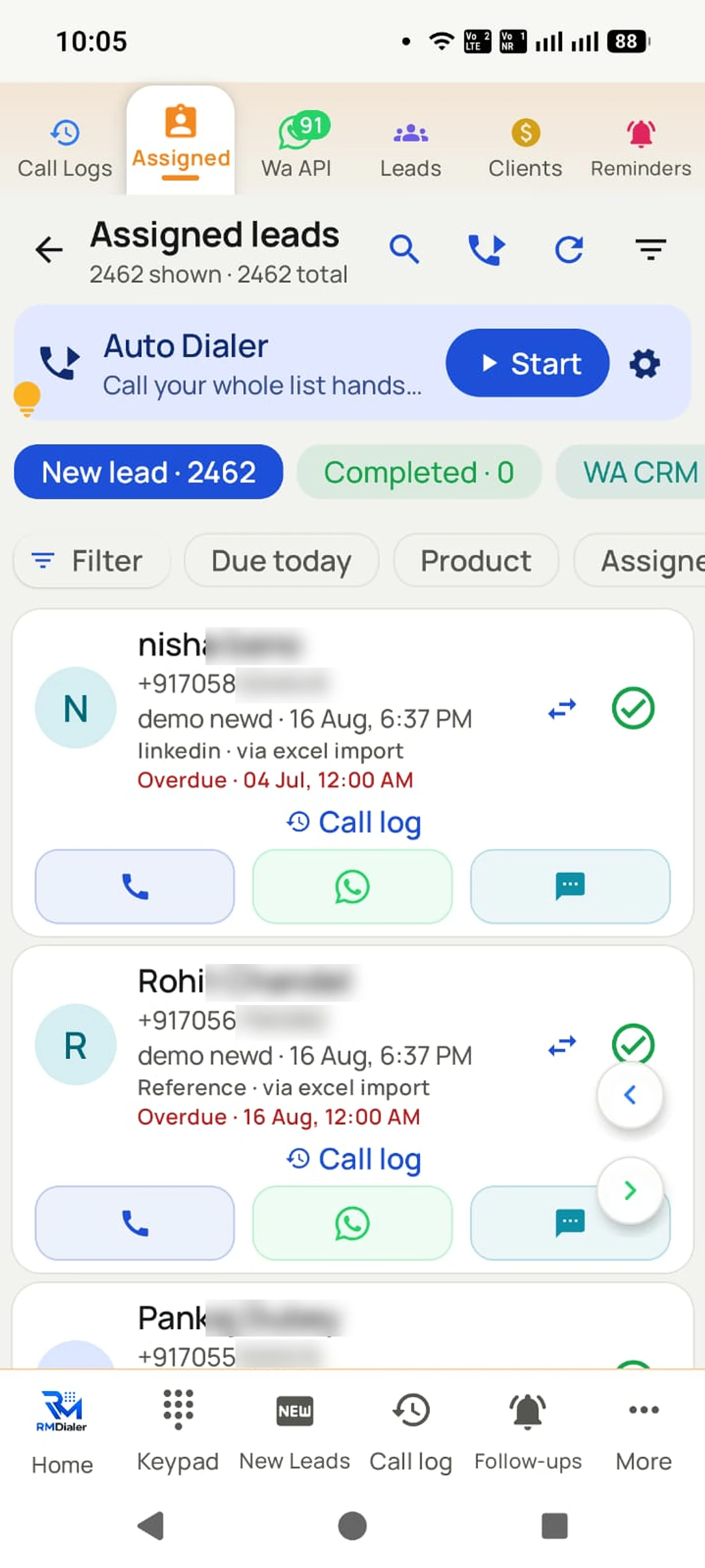
RMDialer shows the valid and invalid rows of a source as lead cards.
RMDialer splits new leads by round robin through Live Sheets in the Web CRM.
Diagram racing a hand-copied enquiry against an auto-imported one.
How it works
Automatic lead import setup in RMDialer, step by step
1
Paste the sheet or API link
RMDialer detects columns and suggests a mapping.
2
Map fields once
Source columns to your lead fields, country code included.
3
Leads arrive on their own
New rows import automatically and sync to your account.
What you get
Automatic lead import features in RMDialer
What automatic lead import in RMDialer includes, part by part
Part
What it does
Google Sheets and REST APIs
Any shared sheet or JSON/CSV link becomes a lead source.
Field mapping to YOUR fields
Map source columns to built-in and custom lead fields, with per-source country code handling.
Clean imports only
Phone numbers are checked and duplicates are dropped. Skipped rows show the exact reason.
Inspect before you trust
Open a source to see its valid and invalid rows as real lead cards, and remove test data.
Customer reviews
RMDialer reviews from business users
Real businesses, real numbers: how owners and sales teams across India and 12+ countries use RMDialer every day.
Rated 4.9 by customers 4.7 on Google Play 5K+ downloads India + 12+ countries
“We connected our website form and a Google Sheet as lead sources. New sign-ups appear in RMDialer within 15 minutes, get assigned round robin and dialled the same hour. Speed to lead went from a day to under an hour, and demo bookings roughly doubled. The call logs API pushes everything back into our own dashboard.”
RKRohan KulkarniCo-founder · SaaS startupPune
“We use RMDialer as the dialer layer under our own CRM through the API. Our system pushes the lead and the assignment, the agent's phone dials it, and every call event comes back by webhook with duration, outcome and remark. Integration took our developer about two days with the GitHub samples.”
“Earlier I was dialling 80 to 100 portal leads a day by hand from Excel. With RMDialer auto dialer app I import the sheet, press start and it calls one by one from my own Jio SIM. Between calls I mark Interested or Site visit in two taps and the follow-up rings me on time. Closed 3 flats last month from leads I would have forgotten.”
“Telecaller software that my counsellors actually open, because it is the phone app itself. Demo bookings from the website land in the queue, get dialled the same hour, and the WhatsApp with the course link goes out after each call. Four stars: the Excel import wanted the number column named exactly, so my first upload took two tries.”
AMArjun MehtaCo-founder · EdTech startupIndore
“Most CRM tools here are built for a desk. Our brokers sell from their phones, so a telecalling CRM inside the dialer made sense. Leads from Facebook ads land in the app, the auto dialer calls them, and the tripping schedule rings each broker. Tagalog interface, own Globe SIM, no VoIP number for clients to distrust.”
MSMaria SantosOperations lead · Real estate brokerageManila, Philippines
“We tried two telecalling CRM software before this and my counsellors stopped filling them within a week. RMDialer is the phone app itself, so every admission enquiry gets logged whether they like it or not. The auto WhatsApp after call sends the fee structure by itself. I see all 4 counsellors' calls on the web CRM every evening.”
PNPriya NairOwner · Coaching instituteKochi
Reviews are collected from customers on WhatsApp and on this website.
Share yours on WhatsApp
One app. Every feature. One price.
Whether you are one person or one thousand, every RMDialer user gets the complete feature set. No tiers, no locked buttons, no "upgrade to unlock".
Related
RMDialer features that work with automatic lead import
The app is split in two: the dialer and everything needed to place, take and review calls costs nothing permanently, and the features that remember customers or move data between phones and people are what a plan pays for.
Free forever
₹0, no expiry
Your phone app: keypad, contacts, call log and caller ID
Spam and unknown-number screening on every incoming call
Call analytics: your day counted, by outcome, and by who you called
Missed calls kept in their own list, so nothing is returned late
Sending WhatsApp from a call, free every day
Free WhatsApp sends every day with a free account: 15 a day for your first 15 days, then 3 a day. The dialer itself needs no login at all.
On a plan
₹159/user/month, yearly
$29 per user per year, or $12 per user for 3 months, outside India
The customer record: lead status and remarks saved against every call
Follow-up reminders that ring like an alarm on the day you set
Auto dialing a whole list without touching the phone
Your team: seats, assigned calling lists and per-person reports
Automatic WhatsApp after calls, bulk sending and the WhatsApp API inbox
Backup and restore, so a new phone carries on where the old one stopped
Leads arriving on their own from Google Sheets, APIs and lead portals
Try it free for 3 days: unlimited use, no credit card required. Prices are per user, exclusive of taxes.
Questions
RMDialer FAQ
How fresh are the leads?
Sources are checked automatically in the background, and instantly when you open the app or tap Import now, so fresh leads are ready to dial without anyone exporting a sheet.
What about duplicates?
Numbers are cleaned up and checked against the leads you already have. You choose per source whether repeats are skipped or update the lead.
What happens to invalid rows?
They are skipped, never saved as garbage, and the result shows a breakdown of WHY rows were skipped, with an example value, so you can fix the sheet.
My sheet has local numbers without country codes. Will they work?
Yes. Each source has its own country setting, so bare local numbers are normalized correctly per source.
Can I map sheet columns to my own custom fields?
Yes. Map any source column to built-in or custom lead fields. The mapping is remembered per source.
Can I inspect a source before trusting it?
Yes. Open a saved source to see its valid and invalid rows as full lead cards, and select and remove test data in bulk.
Do file imports work too?
Yes: CSV, Excel, or JSON files, and you can share a file from WhatsApp or mail straight into the app.
Can I connect RMDialer to my existing CRM?
Yes, in two ways. The simplest: point the app at your CRM's lead export (Google Sheet or REST endpoint) so leads flow in and get dialled. The full way: use the dialer API so calls, statuses, remarks and WhatsApp events flow back into your CRM by webhook, with leads and assignments pushed the other way.
Can I auto dial numbers from an Excel sheet?
Yes. Save the sheet as Excel or CSV with a mobile number column (name and any other columns are optional), import it in the app, and start a session. The dialer calls the rows in order and lets you mark each outcome. The same works from a Google Sheet, which can also be connected as a live source so new rows import themselves.
How do I assign leads to telecallers automatically?
Import or connect the lead source once, then turn on round-robin assignment: each new lead goes to the next active employee in rotation, their phone pings, and the lead appears in their assigned queue with the auto dialer ready. Managers can reassign or transfer a lead any time and the transfer history stays on the record.
How do I track which lead source brings the most customers?
Tag every lead with its source when it arrives (Facebook, JustDial, IndiaMART, website, referral, walk-in) and let the calls carry that tag through to the outcome. The analytics then show calls, connects and won or lost per source, so you can see which platform produces buyers rather than enquiries and move budget there.
How can I import leads from Facebook lead ads into a dialer?
Connect the Google Sheet that Facebook writes leads into as a lead source. Rows are checked on a schedule you set, every 30 minutes by default, then de-duplicated and tagged with the source, so the enquiry reaches a rep's calling queue the same hour instead of waiting in a spreadsheet until someone exports it. Connect the same sheet under Live Sheets in the Web CRM to share new rows across your callers in turn.
Can leads from JustDial and IndiaMART be called automatically?
Yes. Export or connect the portal's lead list (most portals email or expose leads by sheet or API), let the app import new enquiries on a schedule, and set the fresh leads to auto dial first. Speed to lead is what wins portal enquiries: the first supplier to call usually gets the order.
Is there an API to get call logs from Android phones?
Yes, when the dialer on the phone provides one. RMDialer's call logs API streams every call on each user's SIM (direction, duration, outcome, the lead, the remark, the follow-up) to your own system by REST and webhooks, and accepts leads and assignments back. Working samples are open on GitHub.
Lead automation
Leads from 15+ platforms → auto-assigned round robin → auto dialed → updated. On its own.
Facebook, JustDial, IndiaMART, portals, sheets, Excel: every lead gets an owner and a
place on a calling list, then reports its own outcome.