Telecalling CRM for Sales Teams · Rep Queues, Manager View, Own SIMs
Telecalling CRM for Sales Teams Is RMDialer
A telecalling CRM for sales teams makes each rep's phone part of one company system, where every call records itself. RMDialer does it on the reps' own SIMs, so the manager sees every call without chasing anyone.
Every call visible to managers · Zero forced data entry · WhatsApp on every rep's phone
Your own SIM, no virtual number · Android and iPhone apps + Web CRM in one plan · No card for the trial
RAKPS3,500+ businesses on Wappblaster tools · listed on G2, Capterra, SoftwareSuggest
2 to 1,000 repsone company system
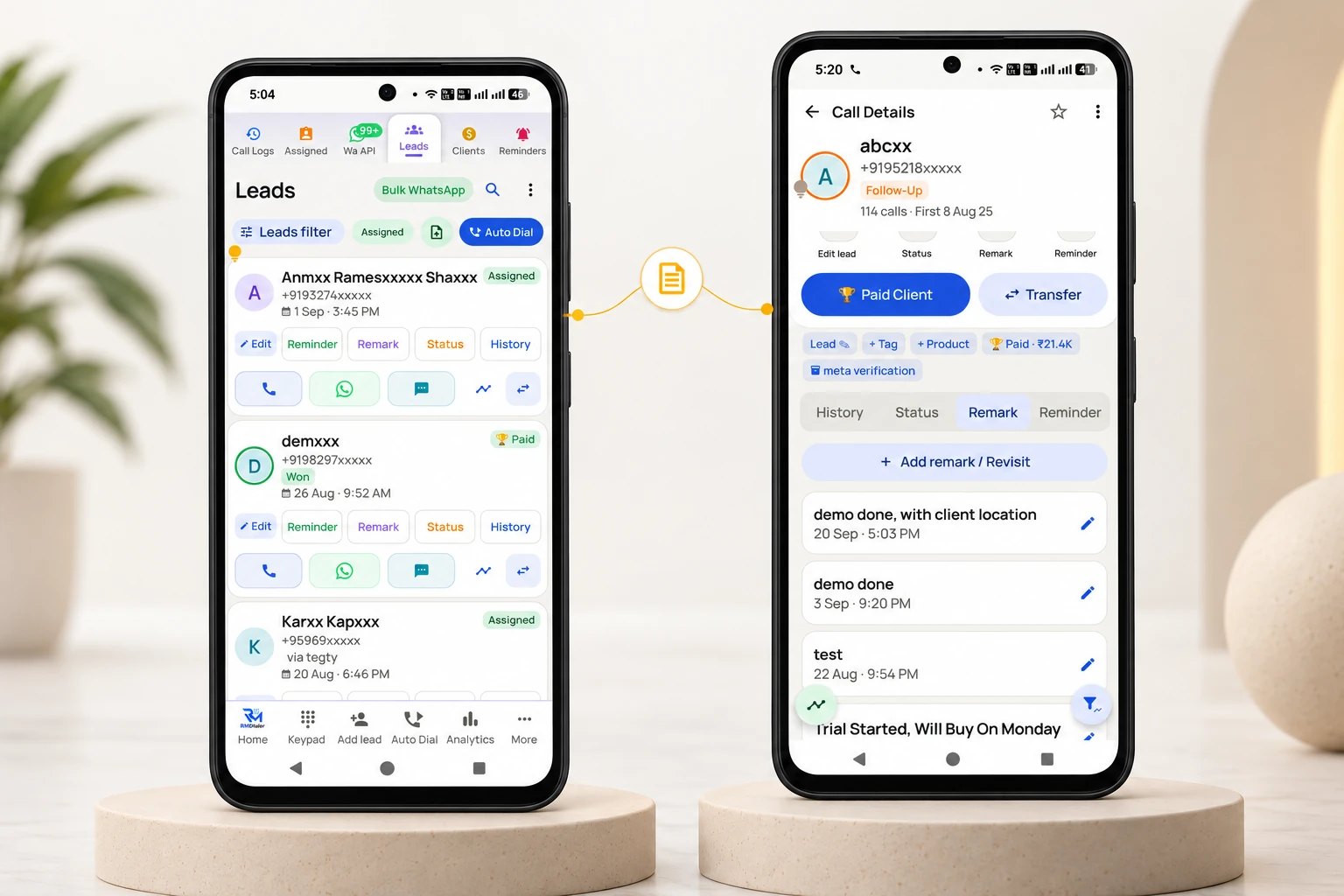
Call logged itselfstatus + remark, two taps
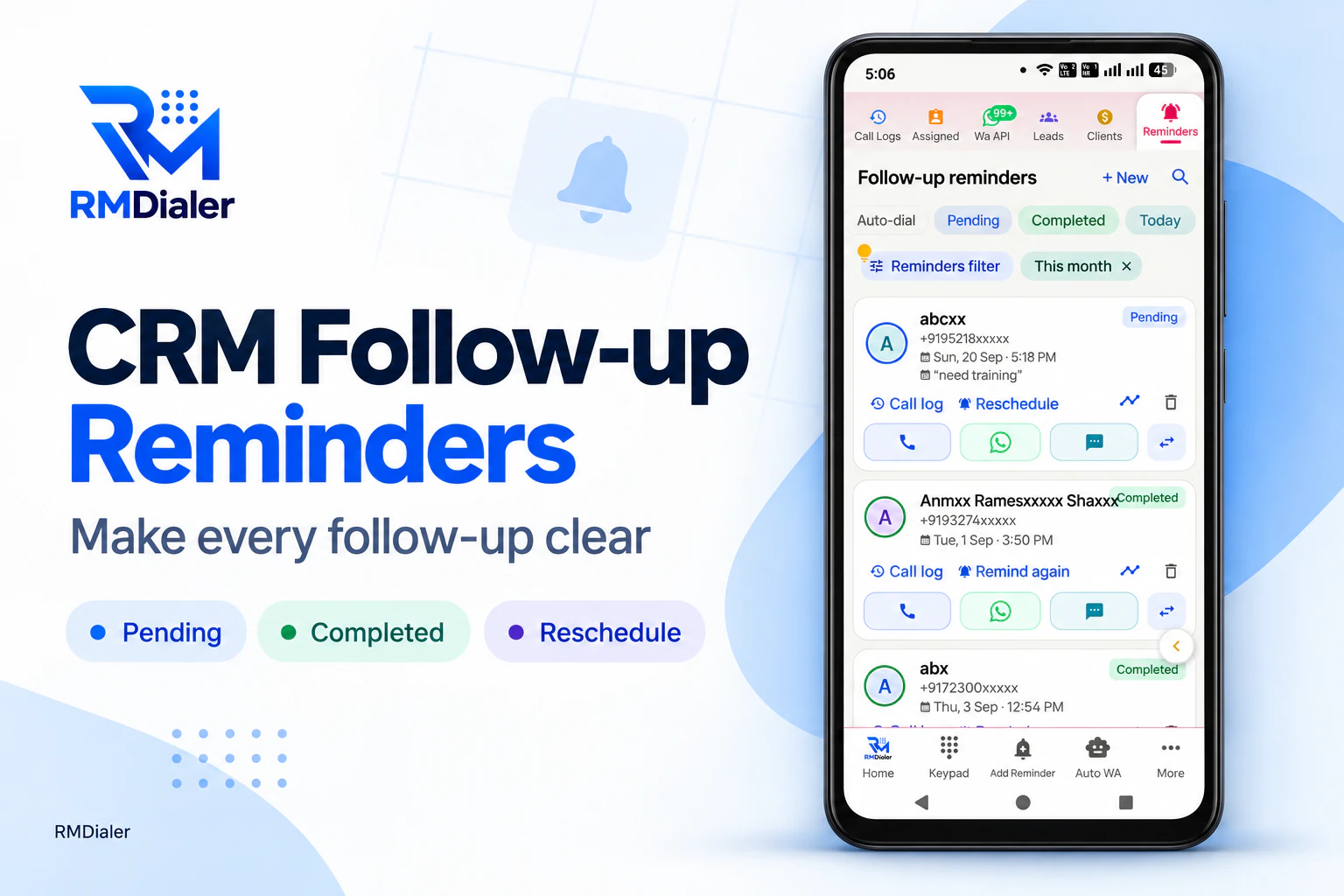
Follow-up ringsTuesday 11:00, on the rep phone
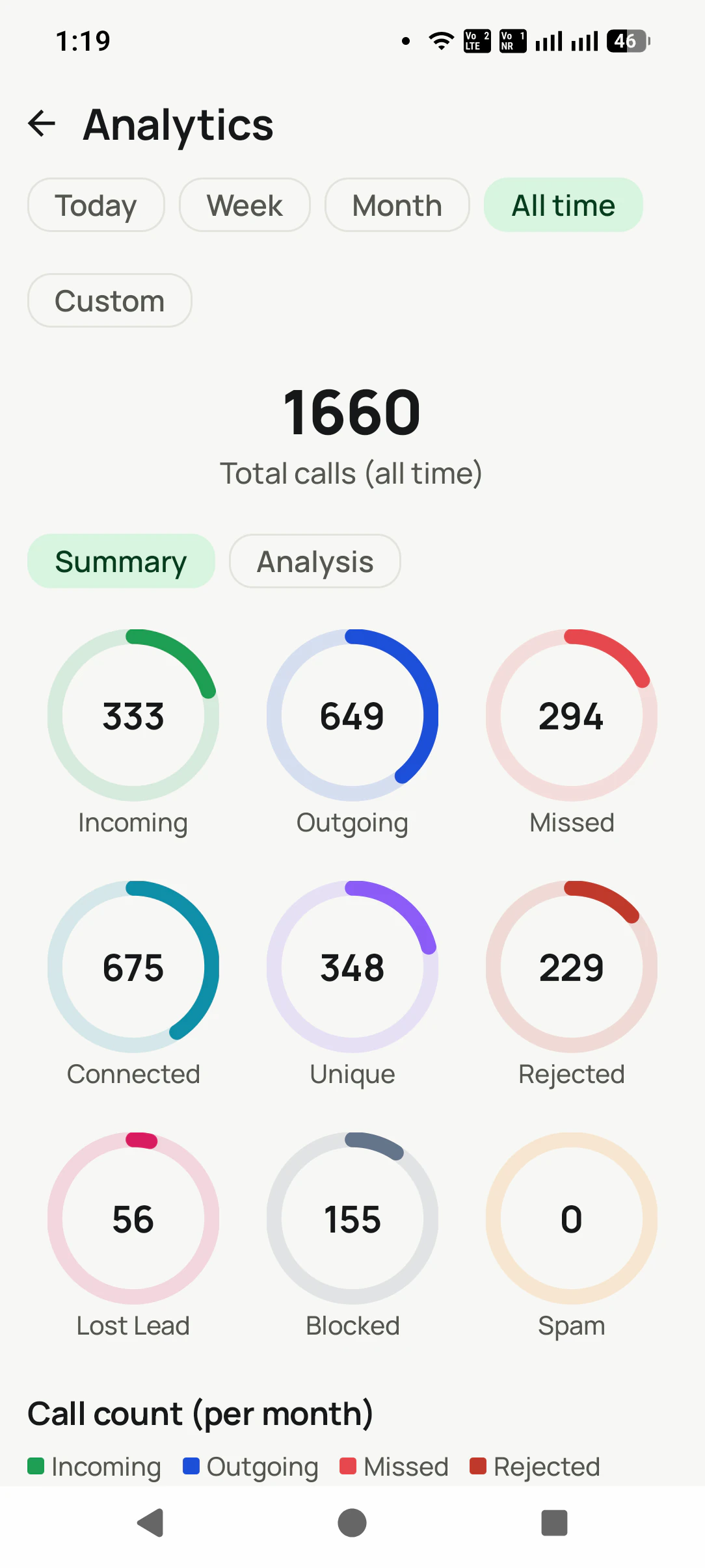
Web CRM, live24,796 calls · 12,343 connected
Updated
Short answer
What is a telecalling CRM for sales teams?
A telecalling CRM for sales teams is software that gives every rep their own lead queue on their phone and saves each call's outcome and follow-up to one company account, so the manager sees the whole team's calling without asking for reports. RMDialer is one: reps call from their own SIMs, and it costs ₹159 per user a month on the yearly plan in India, or $29 per user per year, or $12 per user for 3 months, outside India.
Key takeaways
RMDialer lets an owner reassign a departing rep's leads in bulk, with the full history attached.
Permissions for each employee control who can delete, export or reassign leads.
Remote reps are managed like an office team, because every phone syncs to one account.
Every user gets every feature, with no enterprise tier.
Each phone can keep chosen numbers out of the backup, reviewed at consent time.
Built for sales managers
Telecalling CRM for sales teams benefits
Control without policing: the record builds itself, so no rep has to be chased.
1
Assigned lead queues
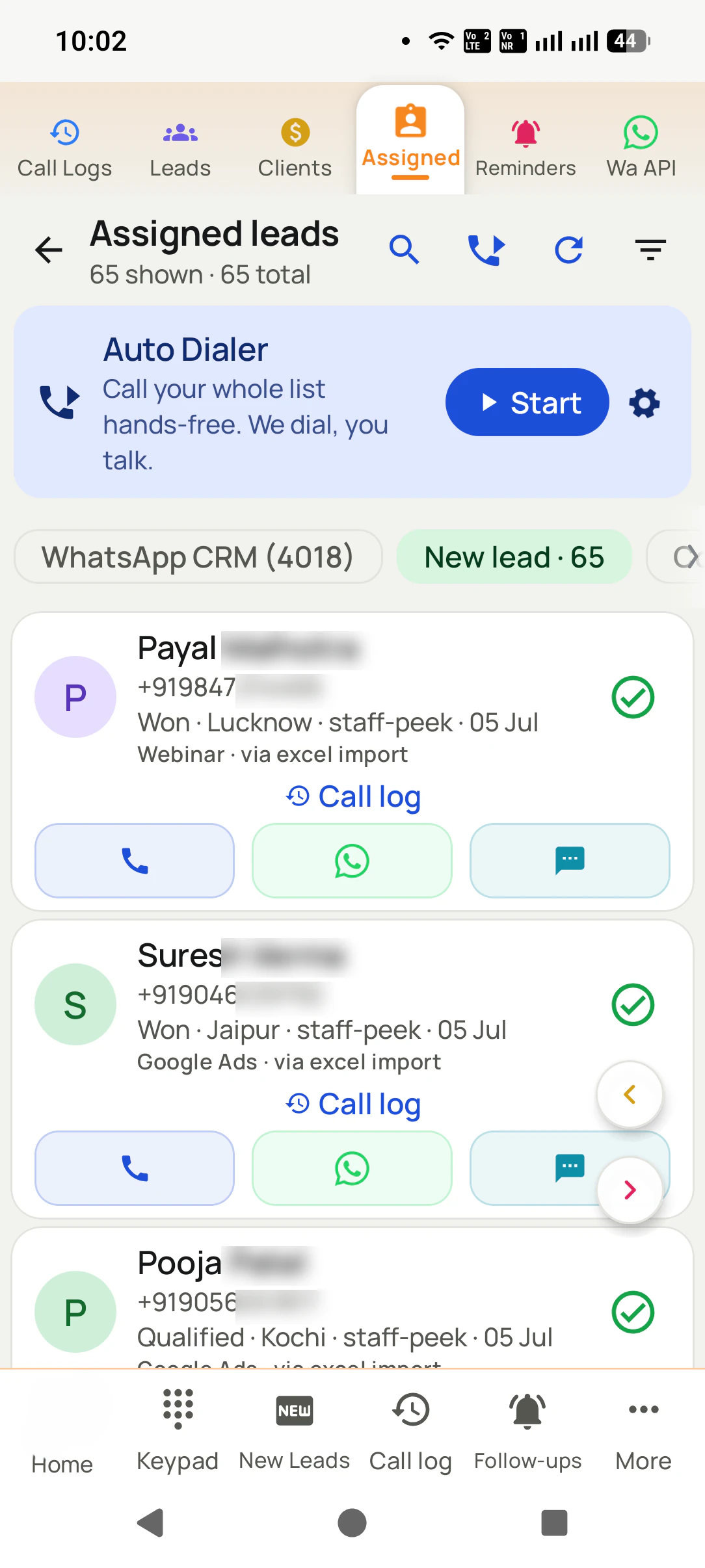
Every rep gets their own leads on their own phone. No fights over numbers, no leads falling between chairs.
2
See everything, ask nothing
Every call, status change, remark, and follow-up syncs to the company account. No end-of-day reports to chase.
3
Transfers with history
A rep leaves? Reassign their leads in bulk. The entire conversation history travels along.
4
Auto dialer for campaigns
Give a rep a list, they call through it hands-free, with the CRM updating between calls.
5
One WhatsApp machine
Bulk campaigns to filtered lists, auto messages after every rep call, all under company templates.
6
Leads flow in by themselves
Connect your ad sheets and website APIs. New leads land in reps' queues automatically, no exporting, no forwarding.
What a manager gets without chasing anyone: every promised callback on the rep’s phone, marked pending or completed.
Diagram of leads assigned down to reps and call records reporting back up automatically.
What each rep works from: the lead list, and one tap away the customer’s whole story of calls and remarks.
How it works
Telecalling CRM for sales teams setup
1
Roll out in a day
Reps install RMDialer as their phone app. No new hardware, no training week.
2
Reps just make calls
The work itself creates the record: statuses, remarks, and follow-ups captured in the calling flow.
3
You watch it live
Team call logs, lead stages, and follow-ups due today, all in one place.
Customer reviews
RMDialer reviews from business users
Real businesses, real numbers: how owners and sales teams across India and 12+ countries use RMDialer every day.
Rated 4.9 by customers 4.7 on Google Play 5K+ downloads India + 12+ countries
“We looked for telecalling software for a nine-person loan team and every quote came with cloud seats and per-minute bills. RMDialer telecalling software runs on the callers' own Jio SIMs: the lead list dials itself, the remark goes on the number, and I get dials, connects and talk time per caller every evening. Cost is one flat price per user.”
KIKavita IyerOperations head · Loan DSAChennai
“We tried two telecalling CRM software before this and my counsellors stopped filling them within a week. RMDialer is the phone app itself, so every admission enquiry gets logged whether they like it or not. The auto WhatsApp after call sends the fee structure by itself. I see all 4 counsellors' calls on the web CRM every evening.”
PNPriya NairOwner · Coaching instituteKochi
“Best CRM dialer we have used for a small team. Call comes in, the lead card is already on screen with the last remark, and the status change is two taps. Only complaint: the web CRM export could use more filters. Otherwise our 6 person sales team lives in it.”
NSNeha SrivastavaFounder · Digital marketing agencyLucknow
“Telecaller app for Android that my staff actually use. Enquiry list is assigned to each telecaller, the auto dialer calls it from their own SIM, and test ride bookings come to me live. Punjabi interface for the girls at the desk. Price is honest, everything included, no per-user surprises.”
“Good telecalling CRM for a small Saudi team. Arabic app, calls from our STC SIMs, and the manager report per employee is what we bought it for. Four stars because I want a desktop app for the manager too, not only the web. Support fixed our SIM selection question the same day.”
AAAhmed Al-QahtaniSales supervisor · Car rental companyRiyadh, Saudi Arabia
“Every visa enquiry moves through counselling, documents and filing as lead statuses, and the counsellor's phone rings for each follow-up. What I check daily is the employee call logs report: calls, connected, talk time per counsellor, on my phone. The register we used to maintain is gone.”
Reviews are collected from customers on WhatsApp and on this website.
Share yours on WhatsApp
One app. Every feature. One price.
Whether you are one person or one thousand, every RMDialer user gets the complete feature set. No tiers, no locked buttons, no "upgrade to unlock".
Team demo
Telecalling CRM for sales teams: every caller on one screen
Tell us your team size and we will show you how leads are given out, what you get to see, and how WhatsApp goes out by itself, on a live account.
Book a team demo
Share your team size and continue on WhatsApp. We walk you through it live.
Opens WhatsApp with your details prefilled. Nothing is stored on this site: your details go straight into the chat, nowhere else.
Data safety & security
Your customer list is your business. We treat it that way.
A dialer sees everything. That is exactly why every part of this app is built to keep your data yours.
Nothing uploads without your yes
Backup starts only after you sign in and give explicit consent. You review which SIMs are included and which numbers are excluded BEFORE the first upload. Logged out, nothing leaves the phone.
Personal stays personal
Mark any number as excluded: it is never uploaded, never messaged automatically, never touched. Choose per SIM what backs up, so a personal SIM can stay completely out.
Encrypted on the phone
The app database is encrypted on your device, and API details are locked with the Android Keystore, so even a lost phone does not hand over your customer list.
Encrypted in transit
Every sync runs over HTTPS to your own account. A transparent sync log shows exactly what ran and when, and you can make it sync everything again any time.
Your data is not the product
We do not sell your data or your customers' data, do not show ads, and never share contact lists with advertisers. You export to CSV any time. It is yours.
Compliant WhatsApp
Bulk and automated messages go through the official Meta WhatsApp Business API with approved templates and your own API details. We do not read your personal WhatsApp chats.
Read the full privacy policy · Every permission the app asks for is explained there, in plain language.
Questions
Telecalling CRM for sales teams FAQ
Which is the best telecalling CRM for sales teams?
The best telecalling CRM for a sales team is the one your reps cannot forget to update, which in practice means the dialing and the CRM are the same app. Check whether calls attach themselves to leads, whether follow-ups ring on each rep's phone, whether leads can be assigned and transferred with history, and whether the sales manager gets per-rep reports without chasing anyone. RMDialer does all of that from the team's own SIMs.
How do I set up a telecalling CRM for my sales team?
Add your reps as users and give each one the permissions you want them to have. Import or connect your leads, then assign them round robin or by hand so every lead has one owner. Each rep opens their assigned queue on their own phone and either calls through it or presses Start for auto dialing. Every call saves its own status, remark and follow-up in two taps, and you watch calls, connected rates, outcomes and lost leads per rep, per source and per day in the Web CRM.
How much does a telecalling CRM for sales teams cost per rep?
RMDialer is ₹159 per user per month on the yearly plan and ₹249 per user per month on the 3-month plan, plus taxes ($29 per user per year, or $12 per user for 3 months, outside India), with the mobile app, the Web CRM, team features and every other feature included. Price is per rep, so a five-person sales team is five seats. There are no tiers, no per-lead charges and no per-minute call charges, because calls go through each rep's own SIM. The free 3-day trial needs no card.
How is a telecalling CRM for sales teams different from call centre software?
A telecalling CRM for sales teams is where reps keep leads, statuses, remarks, call history and follow-ups, with the dialing built in so the record fills itself from the calls. Call centre software is a different animal: cloud lines, virtual numbers, IVR menus and agents at desks, priced per minute or per seat. RMDialer is built for sales teams calling from their own Android phones and SIMs, so there is no telephony to buy and the customer sees a real mobile number.
How is this different from the CRM we already have?
Your CRM depends on reps typing into it, which is why it is empty. RMDialer IS the phone they call from, so the record creates itself. You can also connect your CRM via our API to get everything.
What does it cost for a team?
Less per user the bigger the team, on the yearly plan: ₹1599 a user for 10, ₹1400 a user for 20, ₹1300 a user for 30, ₹1200 a user for 50, plus taxes, with a custom quote above 50 (team rates are in rupees; $29 per user per year, or $12 per user for 3 months, outside India). Every user gets every feature. No enterprise tier, no feature gates.
Can we control what gets backed up?
Yes. Per-SIM backup choice and excluded numbers, reviewed at consent time on each device.
From what team size does this make sense?
From two people up. Giving out leads, transferring them, and seeing what happened work the same at every size.
Which telecaller app is best for a sales team in India?
The one each telecaller cannot forget to update. RMDialer is the phone app the team calls from, so the lead record fills itself after every SIM call and the manager sees it live.
Is RMDialer a sales dialer for teams or only a CRM?
Both. Each rep's queue auto-dials from their own SIM, and the same app is the lead management CRM where status, remark and follow-up are saved.
How does lead automation work for a team?
New leads from a Google Sheet or API are assigned round-robin, the rep's phone is notified, and the lead is queued for the next auto dial session.
Does it work as a call tracking app for managers?
Yes. Calls, connected calls, talk time, missed calls and follow-ups per employee per day, on the app and the Web CRM, without asking for reports.
Can one sales team on the telecalling CRM work across several branches?
Yes. Each rep calls from their own Android phone in any branch or city; data syncs to one account, so a team spread over several offices is managed the same way as one floor.
How do I distribute leads to my telecallers automatically?
RMDialer assigns new leads round-robin, or you assign by hand, and each rep's queue updates on their phone at once.
How do I get a daily call report from my team without asking?
The owner dashboard in RMDialer shows each employee's calls, connected calls, talk time and follow-ups per day, on the app and the Web CRM.
Can I stop employees from deleting or exporting leads?
Yes. RMDialer permissions control delete, export and reassignment per employee, so the lead list stays the company's.
What happens to the leads when a telecaller leaves?
Their leads and full call history stay in your RMDialer account and are reassigned to another rep in one step.
Does it work for a work-from-home telecalling team?
Yes. Each rep calls from their own phone anywhere, and RMDialer syncs everything to one account the owner can see.
Where does the team download the app?
Every rep installs RMDialer from Google Play (https://play.google.com/store/apps/details?id=com.wappblaster.rmdialer) and signs in with the number you added; the free 3-day trial covers the whole team.
Telecalling CRM for sales teams, from the manager's side
Updated 29 October 2026
A telecalling CRM for sales teams is where a phone-selling team keeps leads, statuses, remarks,
call history and follow-ups, with the dialing built in so the record fills itself from the calls.
The reason most desktop CRMs fail a sales team on the phone is simple: updating them is separate
work that happens after the call, and busy reps stop doing separate work by the second week. If
the CRM is the dialer, there is nothing to remember. The product itself, part by part, is on
telecalling CRM.
For the manager that changes what is knowable without asking anyone. Leads are assigned round
robin or by hand, each caller opens their own queue, and every call reports itself: who called
whom, how long it lasted, what the outcome was, what was promised and when the follow-up is
due. Per-employee permissions control who can export, transfer or edit; transfers carry the
full history so a reassigned lead does not restart from zero; and the Web CRM shows calls,
connected rates, outcomes and lost leads per employee, per source and per day in any browser.
It runs on the phones the team already has. Each caller uses their own SIM and their own
number, so customers call back to the right person, there are no per-minute cloud charges, and
nobody needs a headset or a desk. That makes RMDialer a telecalling CRM for sales teams of two
to a thousand rather than call centre software: the same record and the same reports, without the
telephony bill.
Telecalling CRM for sales teams vs call centre software
A telecalling CRM for sales teams compared with call centre software on calls, numbers, data entry, price and fit
What you compare
Telecalling CRM for sales teams (RMDialer)
Call centre software
Calls go through
each caller's own SIM and number
cloud lines, virtual numbers, IVR
Customer sees
a real mobile number they can call back
an unknown virtual number, often flagged as spam
Data entry
the call saves its own status, remark and follow-up
agents type into a separate CRM after the call
Price
per user, ₹159 a month on the yearly plan, no per-minute charges
per seat plus per-minute telephony
Right for
teams of two or more calling from their own phones
25 or more desk agents on headsets
No trial clock on the dialer
RMDialer free plan vs paid plan
The business dialer is free forever with no account and no expiry: the keypad, contacts, caller ID, the call log and your call analytics, plus free WhatsApp sends every day. A plan adds the customer record after every call, follow-up reminders, list auto dialing, your team and WhatsApp automation.
Free forever
₹0, no expiry
Your phone app: keypad, contacts, call log and caller ID
Spam and unknown-number screening on every incoming call
Call analytics: your day counted, by outcome, and by who you called
Missed calls kept in their own list, so nothing is returned late
Sending WhatsApp from a call, free every day
Free WhatsApp sends every day with a free account: 15 a day for your first 15 days, then 3 a day. The dialer itself needs no login at all.
On a plan
₹159/user/month, yearly
$29 per user per year, or $12 per user for 3 months, outside India
The customer record: lead status and remarks saved against every call
Follow-up reminders that ring like an alarm on the day you set
Auto dialing a whole list without touching the phone
Your team: seats, assigned calling lists and per-person reports
Automatic WhatsApp after calls, bulk sending and the WhatsApp API inbox
Backup and restore, so a new phone carries on where the old one stopped
Leads arriving on their own from Google Sheets, APIs and lead portals
Try it free for 3 days: unlimited use, no credit card required. Prices are per user, exclusive of taxes.
Give every rep a Business Dialer
Rolls out in a day. Every feature for every user, priced per seat.
₹159/user/month on yearly in India, $29/user/year elsewhere · every feature included · Prices are per user, exclusive of taxes.
Free forever: the business dialer never expires, and needs no account
Call recording supported · our team sets it up with you during training
On iPhone and Android. The iPhone app has every feature except the native call log.