Telecalling CRM · Leads, Dialer, Follow-Ups and WhatsApp in One App
Telecalling CRM With Auto Dialer and WhatsApp Is RMDialer
RMDialer is a telecalling CRM that runs as your team's phone app: leads arrive and share themselves out, the list dials itself, and every call ends with a status and a next date.
Seven parts, one app · Android and Web CRM · Free for 3 days
Your own SIM, no virtual number · Android and iPhone apps + Web CRM in one plan · No card for the trial
RAKPS3,500+ businesses on Wappblaster tools · listed on G2, Capterra, SoftwareSuggest
Lead came infrom the enquiry sheet
Dialled from own SIMlead on the ringing screen
Callback setrings Thursday, 11 am
Quote senttemplate, after the call
Short answer
What is a telecalling CRM, and what does RMDialer put in one?
A telecalling CRM is the system a phone sales team works in all day: leads come in, get shared out, get called, and every call leaves a status, a remark and a next date behind it. RMDialer is a telecalling CRM that runs as the phone app on each caller’s Android, so calls go out from their own SIM and the lead is on screen while it rings. It comes as seven parts in one plan: a lead inbox that fills itself from sheets, portals and forms; an auto dialer; the call screen; an after-call sheet; follow-up alarms; WhatsApp templates with a shared inbox; and a Web CRM where the owner reads every caller’s numbers. It costs ₹159 per user a month on the yearly plan, before tax, and the whole thing can be tried free for 3 days.
Key takeaways
RMDialer is a telecalling CRM whose app is the phone dialer itself.
Seven parts come in one plan: lead inbox, auto dialer, call screen, after-call sheet, alarms, WhatsApp and the Web CRM.
Calls leave from each telecaller’s own SIM, so no virtual number or per-minute bill is involved.
A team is usually calling on real lists within two or three days of installing.
The product, part by part
What comes inside the RMDialer telecalling CRM?
Seven parts, all in one app and one plan. A team that has only some of them ends up doing the missing part by hand, usually in a register.
Lead inbox
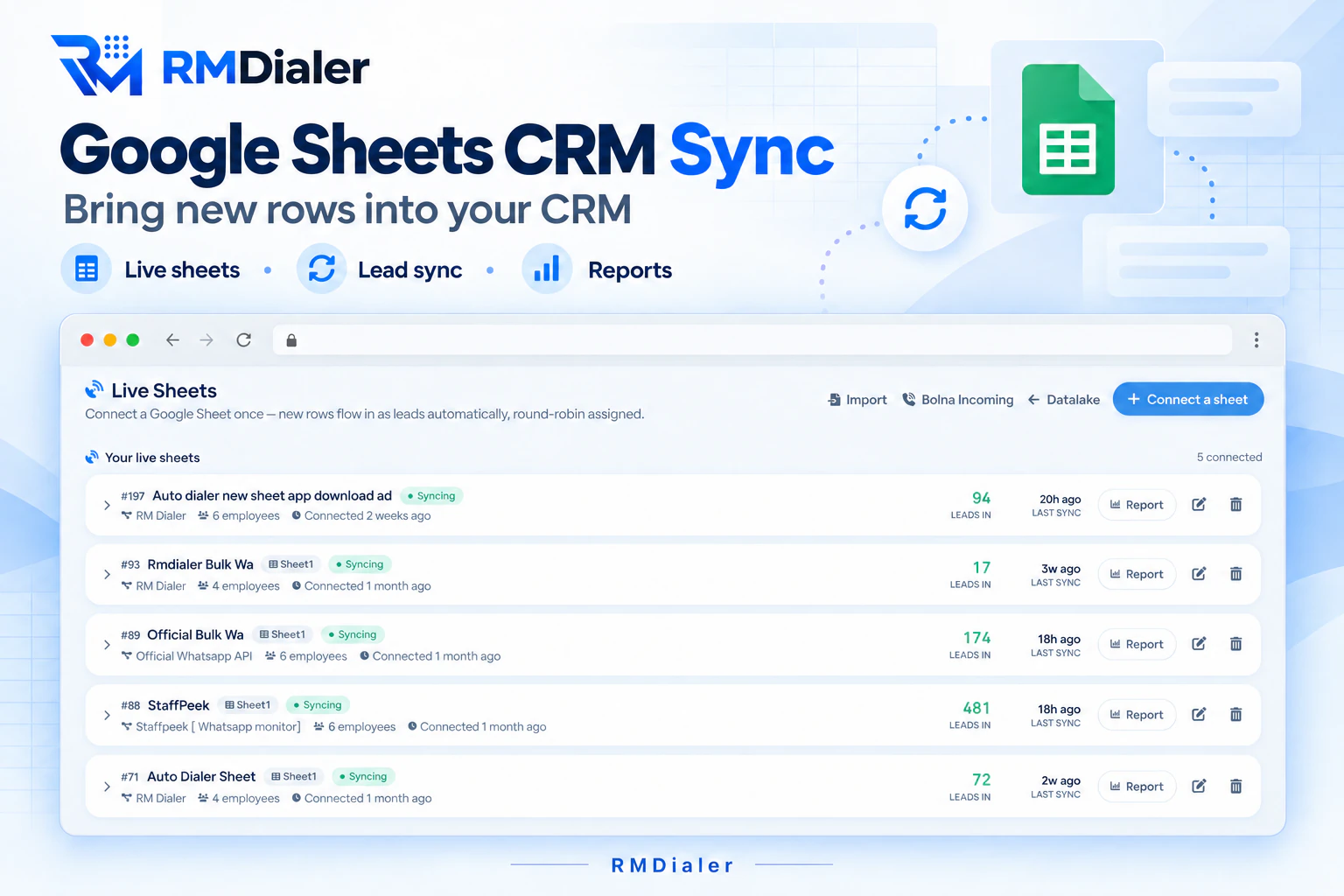
Enquiries arrive by themselves from live Google Sheets, the IndiaMART push API, Facebook lead forms, a webhook or an Excel upload, and each one lands with an owner.
Calling list and auto dialer
Each telecaller opens their own list and presses Start. The phone rings the next number after the gap they set, from the SIM already in the handset.
Call screen with the lead on it
Because RMDialer is the phone app, the name, stage and last remark show while the number is still ringing, for outgoing and incoming calls alike.
After-call sheet
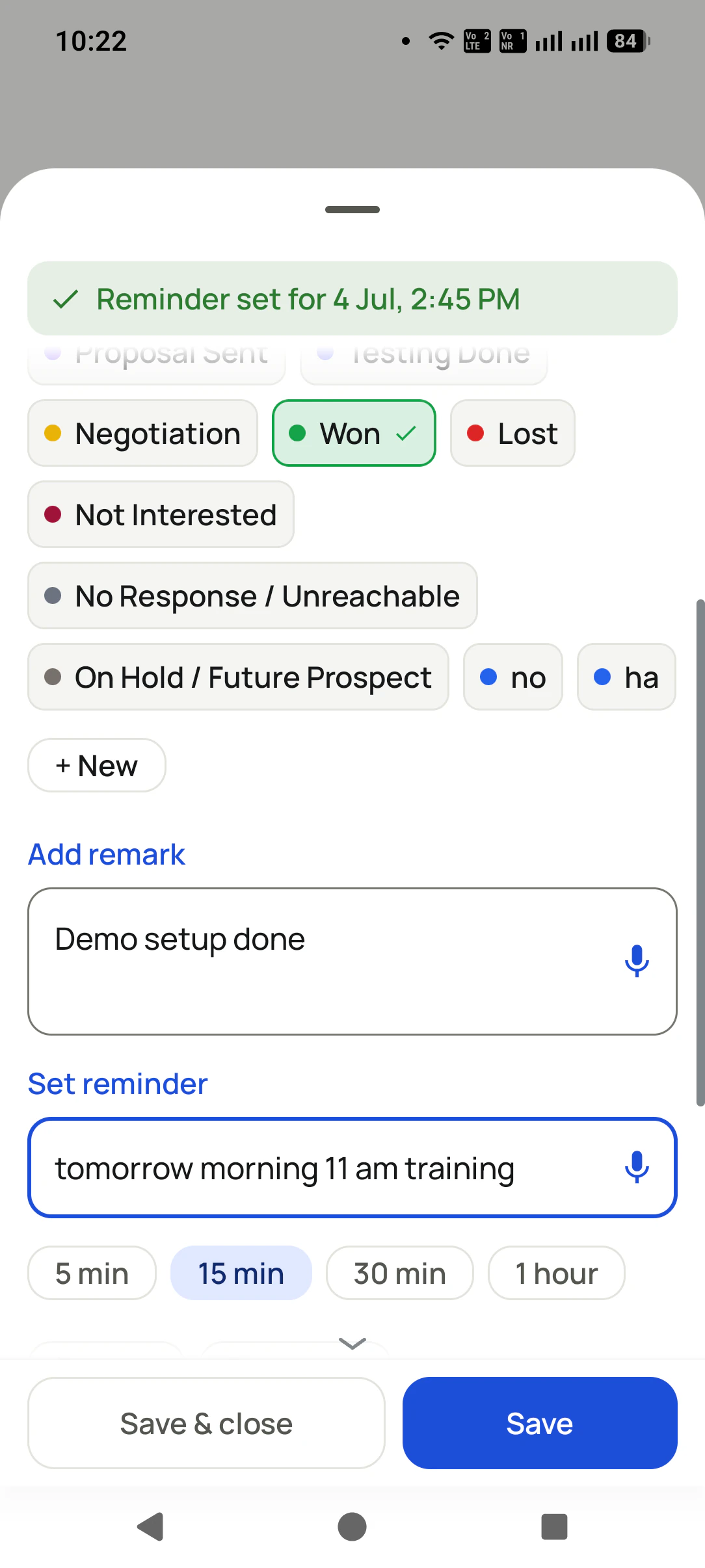
When the call ends, one sheet asks for the new status, a line of remark and the next date. Saving it moves the dialer on to the next lead.
Follow-up alarms
A promised callback rings full screen on the day and time the caller picked, with the history loaded, so nobody depends on a diary.
WhatsApp from the same app
Templates can go out on their own after a call or a status change, bulk campaigns reach a filtered list, and replies sit in one inbox.
Owner’s Web CRM
In any browser the owner sees calls, connects, talk time and outcomes per telecaller, reassigns leads and exports the lot to CSV.
The lead inbox of a telecalling CRM: connect a sheet once and every new row arrives as a lead, already shared out between callers.
Customer reviews
What businesses say about RMDialer
Real businesses, real numbers: how owners and sales teams across India and 12+ countries use RMDialer every day.
Rated 4.9 by customers 5.0 on Google Play 1K+ downloads India + 12+ countries
“We tried two telecalling CRM software before this and my counsellors stopped filling them within a week. RMDialer is the phone app itself, so every admission enquiry gets logged whether they like it or not. The auto WhatsApp after call sends the fee structure by itself. I see all 4 counsellors' calls on the web CRM every evening.”
PNPriya NairOwner · Coaching instituteKochi
“We needed an auto dialer app that works on our own MTN and Airtel lines, not a call centre subscription in dollars. RMDialer runs on the phones my agents already have, dials the enquiry list, and the WhatsApp follow-up goes out after every call. Calls still go out on the SIM when data drops, and the notes sync once we are back on the network.”
GOGrace OkaforManaging director · Travel agencyLagos, Nigeria
“Walk-in customers who "will come back Sunday" now get a reminder call on Saturday, and the sofa photos they liked go on WhatsApp from the app. Caller ID with the customer's name and last remark means my staff greet them properly. Simple business dialer, does the job.”
KGKiran GowdaOwner · Furniture showroomMysore
“Event dates are the deadline for every enquiry, so follow-ups run on the date, not on memory. The reminder rings with the enquiry details, and the WhatsApp with our package PDF goes right after the call. Lost enquiries from last season became this season's calling list. Good lead management app for a small team.”
“We looked for telecalling software for a nine-person loan team and every quote came with cloud seats and per-minute bills. RMDialer telecalling software runs on the callers' own Jio SIMs: the lead list dials itself, the remark goes on the number, and I get dials, connects and talk time per caller every evening. Cost is one flat price per user.”
KIKavita IyerOperations head · Loan DSAChennai
“Telecaller software that my counsellors actually open, because it is the phone app itself. Demo bookings from the website land in the queue, get dialled the same hour, and the WhatsApp with the course link goes out after each call. Four stars: the Excel import wanted the number column named exactly, so my first upload took two tries.”
AMArjun MehtaCo-founder · EdTech startupIndore
Reviews are collected from customers on WhatsApp and on this website.
Share yours on WhatsApp
Where each part runs
Where does each part of a telecalling CRM run, and what does it replace?
Telecallers live on the phone and owners live in a browser, so a telecalling CRM has to be split the same way. This is how RMDialer splits it.
Each part of the RMDialer telecalling CRM, where it runs, what it replaces and whether it is in the plan
Part
Runs on
What it replaces
In the plan
Lead inbox
Web CRM, with new leads pushed to phones
Forwarding portal emails and sheets on WhatsApp groups
Yes
Calling list and auto dialer
The telecaller’s Android phone
Typing numbers one by one from a printout
Yes
Call screen with the lead on it
The telecaller’s Android phone
Asking the customer to repeat what they said last time
Yes
After-call sheet
The telecaller’s Android phone
The evening register and the Excel update
Yes
Follow-up alarms
The telecaller’s phone, iPhone included
Callback dates written in a diary
Yes
WhatsApp templates and inbox
Phone and Web CRM
Copy-pasting the price list after every call
Yes; messages paid to Meta or your API provider
Owner’s Web CRM and reports
Any browser
Asking each caller for a daily count
Yes
Go-live
How long does it take to start a team on a telecalling CRM?
Usually a week from install to a full calling day that reports itself. The order matters more than the speed: phones first, lead sources second, wording third.
Day 1
Install and set as the phone app
Every telecaller installs RMDialer from Google Play and makes it the default phone app. Their call history attaches to leads straight away, so day one already has data.
Day 2
Connect the lead sources
The owner links the enquiry sheet or portal once, maps the columns, and switches on round robin. From here new enquiries share themselves out.
Day 3
Set the stages and WhatsApp templates
Rename the stages to the words your team already says, add the two or three messages callers send most, and choose which ones go automatically.
Days 4 to 7
Run full lists and read the numbers
Callers work their lists with the auto dialer; each evening the owner reads connects and follow-ups kept per person, and fixes whatever stage nobody is using.
Price
How much does a telecalling CRM cost per user in India?
RMDialer sells one plan with everything in it, priced per telecaller. The owner’s Web CRM login needs no extra seat.
Yearly: ₹159 per user a month, billed as ₹1908 per user for the year.
Three months: ₹747 per user, which works out to ₹249 a month.
Teams of 10 or more: the yearly rate starts at ₹1599 per user per year and keeps falling as the team grows.
Outside India: $29 per user per year, or $12 per user for 3 months, outside India.
Before you pay: 3 days of the full product with no card, and the basic phone dialer free with no login at all.
Prices are per user, exclusive of taxes. WhatsApp API conversations are paid to Meta or your API provider directly. Full table on the pricing page.
Straight answers
What does the RMDialer telecalling CRM not do?
Worth knowing before a trial, so the three days go on the things it is built for.
No IVR menu or inbound call queue. RMDialer is built for teams who call out and call back from their own phones.
No predictive dialing that rings several numbers per agent at once. It dials one number at a time, per caller.
No rented virtual numbers or per-minute cloud telephony. Calls cost whatever the caller’s SIM plan costs.
On iPhone the app runs leads, remarks, reminders and team work, but iOS does not let it read the phone’s call log automatically.
If your work is mainly inbound support through a menu, a cloud call centre suits it better. If your team rings enquiries, follow-ups and old customers from mobiles, this is the shape of product it needs.
A worked example
How does a packers and movers firm in Hyderabad run its enquiries on a telecalling CRM?
An illustration with round numbers, following one busy week.
Picture a packers and movers firm in Hyderabad with five telecallers and roughly sixty enquiries a day, from
its website form, a Facebook campaign and a moving portal. Before the telecalling CRM, the enquiries reached a
WhatsApp group, whoever saw one first called it, and two callers often rang the same family within the hour.
After go-live, all three sources feed the lead inbox and round robin gives each telecaller about twelve a day.
The stages read the way the team talks: new enquiry, survey visit fixed, quote sent, shifting date confirmed,
truck booked, lost. The shifting date sits in a date field, so the list for any weekend can be pulled in two
taps.
A caller finishes a survey visit call, picks "quote sent", and the quote template for household goods goes out
on WhatsApp on its own. A reminder is set for two days later. When it rings, the remark "wants AC and fridge
packed separately" is on screen before the customer says hello.
On Saturday the owner opens the Web CRM and sees one caller with many calls but very few survey visits fixed.
Opening that caller's calls shows most were under thirty seconds. The fix is a coaching conversation on Monday,
not a longer register, and the numbers for it came from the calls themselves.
Telecalling software, telecaller software, CRM for telecalling: one product, several names
Owners type "telecalling crm software" or plain "telecalling software" when they are comparing, telecallers type
"telecaller software" or "telecalling crm app" when a manager has told them to install one, and a requirement
sheet may say "software for telecalling" or "crm for telecalling". Google shows the same products for all of
them, and they all mean the product on this page: the app your callers dial from, with the lead record, the next
follow-up and WhatsApp built into it, and a browser view for whoever runs the team. What one lead record should
hold is covered on the tele calling CRM record page,
the India buying checks on the best telecalling CRM software in India,
and running a whole sales floor on telecalling CRM for sales teams.
You will also see it called telecalling crm software, telecalling crm app, crm for telecalling, telecalling crm system, telecalling software, telecaller software, tele calling software and software for telecalling. They describe the same thing, so whichever phrase
brought you here, this is the page for it.
What happens in the telecalling CRM when a call ends?
1
A call ends, the sheet opens
Status, remark and next date are picked on one screen before the next number rings.
2
The customer’s full story, one tap away
Every earlier call, remark and status change on the same lead, in date order.
3
Tomorrow’s list builds itself
Follow-ups due, fresh enquiries and missed calls are already waiting when the shift starts.
Questions
Telecalling CRM: questions buyers ask
What is included in the RMDialer telecalling CRM?
Seven parts in one app and one plan: a lead inbox fed by sheets, portals and forms, a calling list with an auto dialer, a call screen that shows the lead while it rings, an after-call sheet, follow-up alarms, WhatsApp templates with a shared inbox, and a Web CRM where the owner reads every caller’s numbers.
Is a telecalling CRM an app or a website?
Both, split by who uses it. Telecallers work in the Android app, because the calls happen on the phone. The owner or manager works in the Web CRM in a browser, where leads are assigned, sources are connected and reports are read. In RMDialer the two stay in sync on their own.
Can I use my existing phone numbers with a telecalling CRM?
Yes, with a SIM-based one. RMDialer places every call from the SIM already inside each telecaller’s phone, so customers see the same mobile number they have always seen. There is no new number to buy, no port-in and no call charge beyond the operator’s plan.
How do leads get into a telecalling CRM automatically?
In RMDialer you connect each source once: a Google Sheet that keeps syncing, the IndiaMART push API, Facebook lead ads, a webhook for your website form, or a one-time Excel or CSV upload. New rows become leads within minutes, with the source recorded on each one.
How are new leads shared between telecallers?
Round robin hands each new lead to the next caller in turn, either across everyone on the account or only among the people you tick. A manager can still move any lead by hand, and the lead keeps its whole history when it changes owner.
What does a telecaller see on the phone during a call?
The lead’s name, current stage and most recent remark, on the ringing screen itself, whether the customer called in or the telecaller dialled out. After the call, the status, remark and next reminder are chosen on one sheet without opening any other app.
Does a telecalling CRM send WhatsApp messages after a call?
RMDialer can. You set a template for a missed, outgoing or incoming call, or for a move into a particular stage, and it goes out on the official WhatsApp API without the caller typing anything. The messages are paid for per conversation to Meta or your API provider; RMDialer adds nothing for connecting an API you already have.
Can the owner see every telecaller’s calls without asking for a report?
Yes. The Web CRM counts calls made, calls connected, talk time and outcomes for each person, per day, from the calls themselves. Nobody fills in an evening sheet, and a number that looks off can be opened down to the individual call.
Can a telecaller take the company’s leads when they leave?
Not if you switch it off. Per-employee permissions in RMDialer control who can delete leads and who can export them. When someone leaves, the owner reassigns their open leads to another caller, remarks and reminders included.
How long does it take to set up a telecalling CRM for a team?
Most teams are calling on real lists within two or three days. Install and set the phone app on day one, connect the lead source on day two, name the stages and WhatsApp templates on day three, then run full lists for the rest of the week while the owner watches the numbers.
Does the RMDialer telecalling CRM work on iPhone?
There is an iPhone app for leads, remarks, reminders, WhatsApp and team work. The one gap is the call log: iOS does not let any app read it, so calls made on an iPhone are not attached to leads automatically the way they are on Android.
How much does the RMDialer telecalling CRM cost per user?
₹159 per user per month on the yearly plan, which is ₹1908 a year, or ₹747 per user for three months, both before tax. From 10 users the yearly rate drops further. Outside India it is $29 per user per year. Every part on this page is inside that one price.
Is there a free trial of the telecalling CRM?
Yes. The full product, lead inbox and auto dialer included, is free for 3 days with no card. The basic phone dialer stays free after that and does not even need a login, so a single caller can keep using it while the owner decides.
Can I move my Excel leads into the telecalling CRM?
Yes. Upload the Excel or CSV file, match its columns to the lead fields, choose the default country for numbers written without a code, and pick who gets the rows. Numbers already in the CRM can be skipped or updated, so an old list does not create duplicates.
Can the telecalling CRM track payments from customers who bought?
Yes. When a lead turns into a sale, RMDialer records it under Clients with the amount paid and the amount still due, and each later sale to the same customer is its own record. That keeps the calling list and the collection list in one app.
No trial clock on the dialer
What is free forever, and what a plan adds
The business dialer is free forever with no account and no expiry: the keypad, contacts, caller ID, the call log and your call analytics, plus free WhatsApp sends every day. A plan adds the customer record after every call, follow-up reminders, list auto dialing, your team and WhatsApp automation.
Free forever
₹0, no expiry
Your phone app: keypad, contacts, call log and caller ID
Spam and unknown-number screening on every incoming call
Call analytics: your day counted, by outcome, and by who you called
Missed calls kept in their own list, so nothing is returned late
Sending WhatsApp from a call, free every day
Free WhatsApp sends every day with a free account: 15 a day for your first 15 days, then 3 a day. The dialer itself needs no login at all.
On a plan
₹159/user/month, yearly
The customer record: lead status and remarks saved against every call
Follow-up reminders that ring like an alarm on the day you set
Auto dialing a whole list without touching the phone
Your team: seats, assigned calling lists and per-person reports
Automatic WhatsApp after calls, bulk sending and the WhatsApp API inbox
Backup and restore, so a new phone carries on where the old one stopped
Leads arriving on their own from Google Sheets, APIs and lead portals
Try it free for 3 days: unlimited use, no credit card required. Prices are per user, exclusive of taxes.
Business karte ho? Business Dialer chahiye.
Set it as your phone app in one tap. Everything works like before, and then it starts working FOR you.
₹159/user/month on yearly · every feature included · Prices are per user, exclusive of taxes.
Free forever: the business dialer never expires, and needs no account
Call recording supported · our team sets it up with you during training
On iPhone and Android. The iPhone app has every feature except the native call log.