
Start marker and end marker
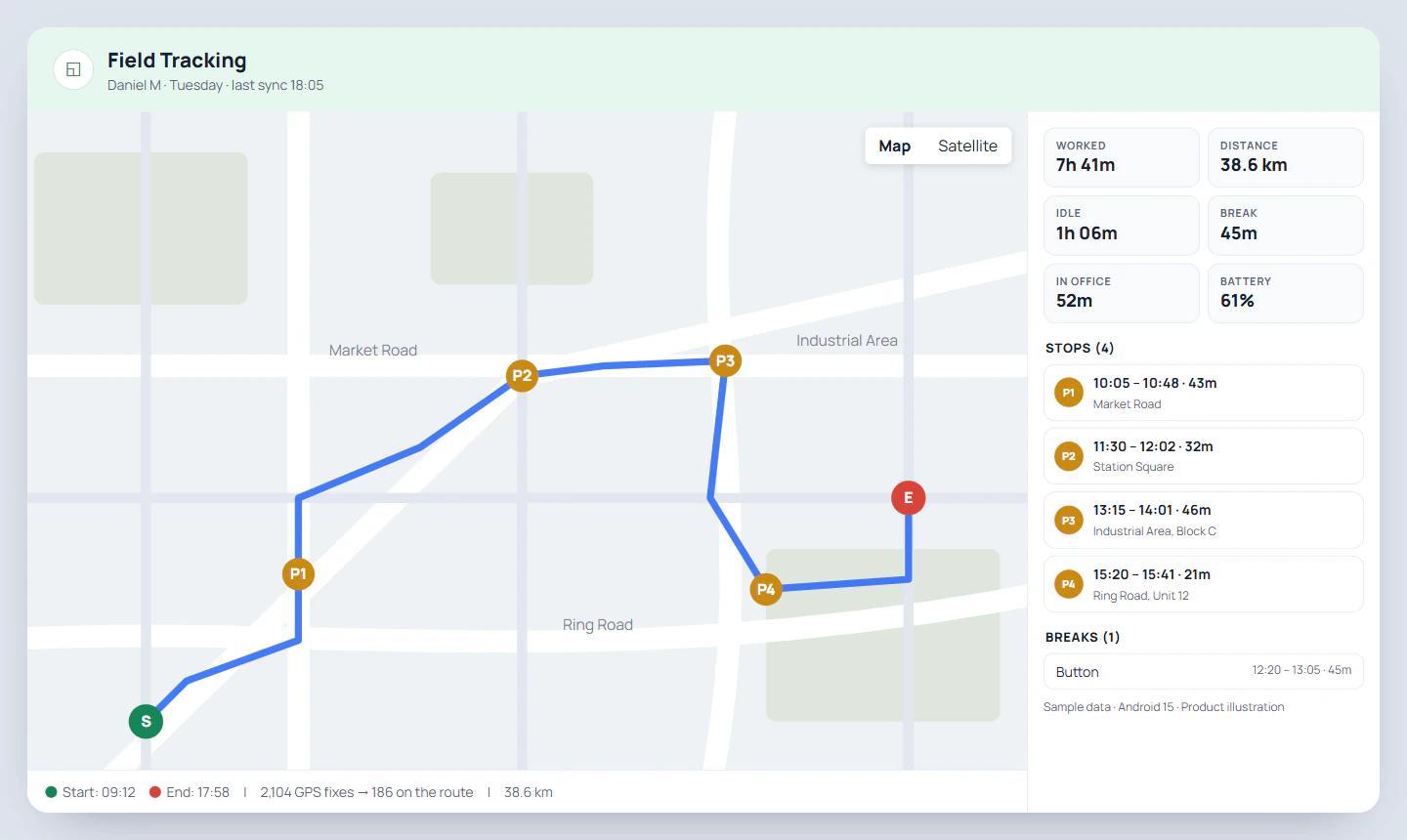
Where the day began and where it ended, with the times. A satellite view sits next to the street map for places with few street names.
Employee location tracking app
An employee location tracking app records where field staff are while they are on duty, so the owner can see the day as a route instead of asking for updates. RMDialer does it from punch in to punch out: a point every 15 seconds, sent to the office every five minutes, drawn on a map with each stop, the kilometres and the breaks.
Free personal dialer. Paid features include a 3-day trial; no card required.
Team plans: ₹159/user/month in India, $29/user/year elsewhere, billed yearly + taxes →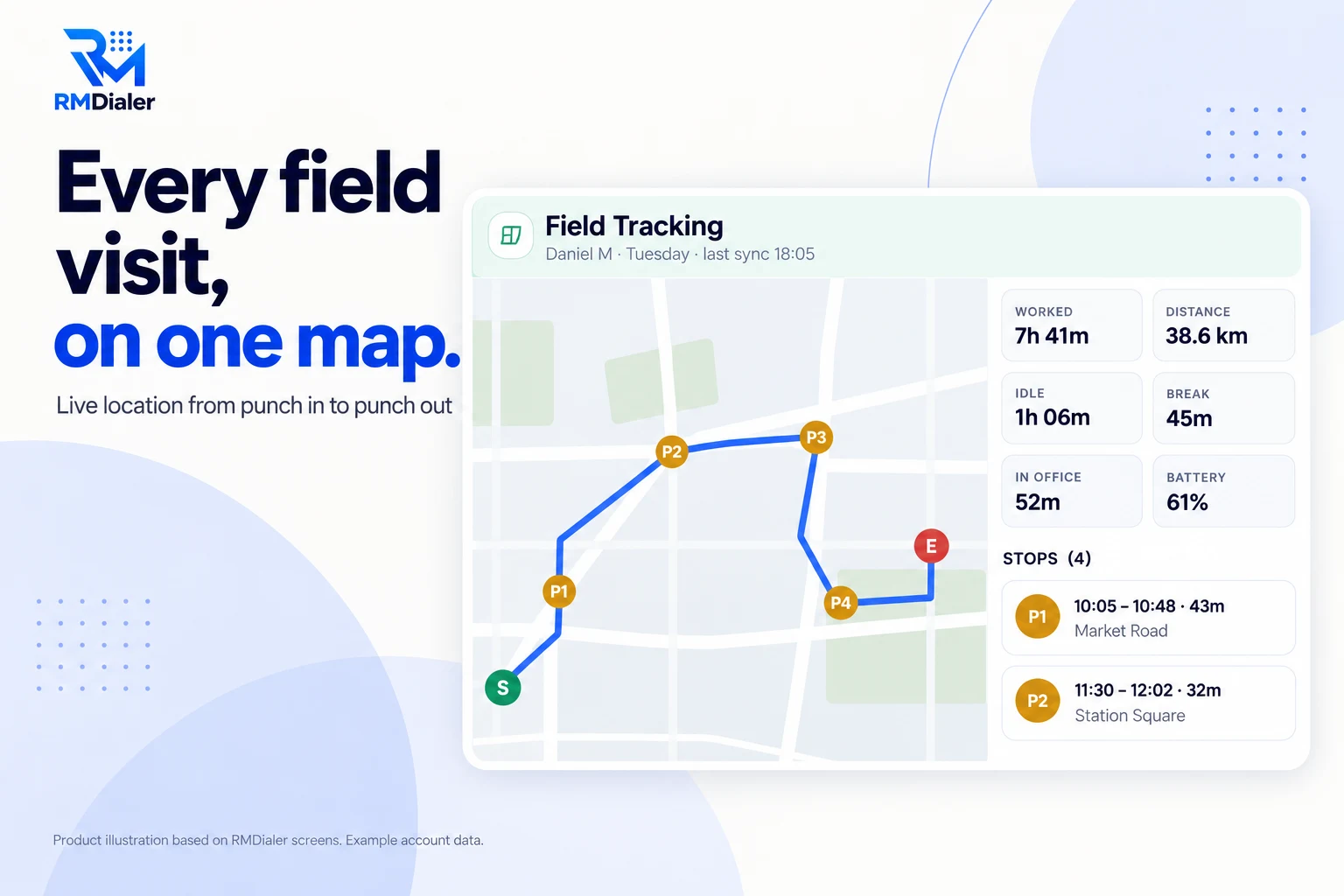
Nothing is recorded before punch in or after punch out.
Updated
Short answer
An employee location tracking app is a phone app that records where staff are during working hours and shows it to their employer as a route with stops and distance. RMDialer records a point every 15 seconds from punch in to punch out, pauses on breaks, and draws each person's day on a map in the Web CRM, with the kilometres, idle time and time spent in the office.
Key takeaways
Why owners turn it on
What an owner with people in the field gets once each phone shares its location during work hours.
Recording starts at punch in and ends at punch out, on a break, or at office closing time.
A map with a start marker, an end marker and every stop, with its time, length and area name.
Worked time, kilometres, idle time, break, time in office and battery level for each day.
Points from a fake location app are flagged to the office and left out of the distance.
Points wait on the phone and are sent when the connection returns.
A consent screen before it starts, and a notification for as long as it runs.
Plain terms
Staff accept tracking more easily when the line is clear. This is exactly what live location keeps, and what it never touches.
| Item | Recorded | Not recorded |
|---|---|---|
| Location | Every 15 seconds between punch in and punch out | Outside working time, on a break, after punch out |
| Distance | Added up from the route, with standing-still jitter removed | Points from a fake location app |
| Stops | Any place the person stayed for five minutes or more, with the area name | Short pauses at traffic lights |
| Breaks | Each Break and Resume work tap, and each punch out | Location during the break itself |
| Battery | The phone's battery level with each upload | Anything else about the phone's use |
| Calls, messages, apps | Not part of location tracking | Live location never reads them |
The punch-out time is where every day ends. If someone forgets to punch out, recording still ends at the branch closing time, so a phone left on overnight does not keep sending a location.
The owner's side
In the Web CRM, Attendance and Field Tracking lists each employee's days with punch in, punch out, hours, break, distance and status. A Map button on any day opens the route.
Where the day began and where it ended, with the times. A satellite view sits next to the street map for places with few street names.
Every place the person stayed for five minutes or more, numbered in order, with arrival, departure, minutes spent and the area name.
Worked time, kilometres, idle time, break, time inside the office area and the phone's battery level, so a dead phone is not mistaken for a lazy day.
The route merges standing still into one point; a raw GPS button shows all the GPS fixes behind it. The header says when the phone last sent its points.
The report itself downloads with an Export Excel button for whichever branch and dates you pick. For the distance column on its own, see mileage tracking for employees; for outlet-by-outlet visits, see the field force tracking app.
Before the first day
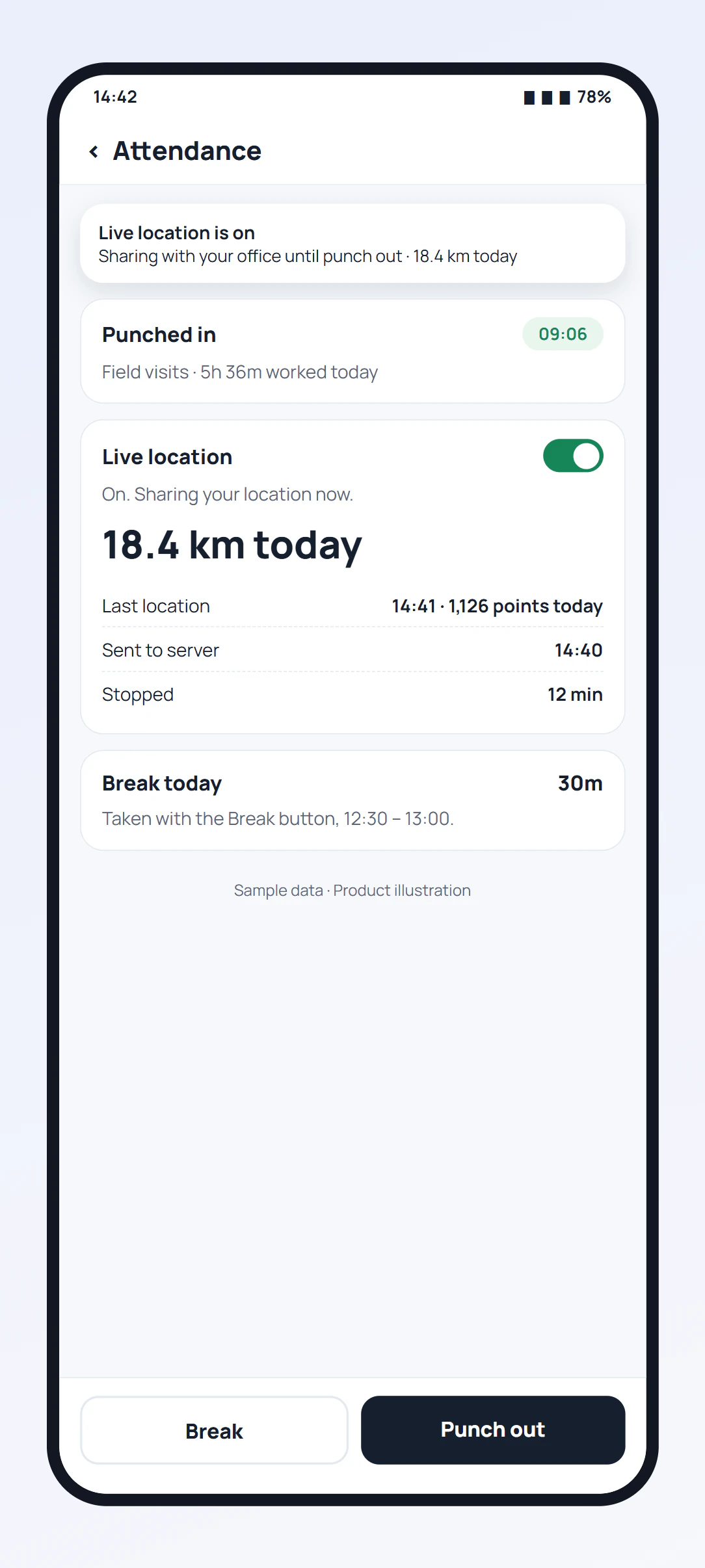
Live location is switched on by the employee, on their own phone, after a consent screen that says what is collected: the location every 15 seconds while punched in, with distance, stops and battery, sent to the office. It stops at punch out, on a break, or at office closing time, and can be turned off from the same screen at any time.
While it runs, a notification stays in the notification bar with the kilometres covered today. If the phone itself stops the app to save battery, the employee gets a "paused, tap to continue" notice instead of silent gaps.
Tell your team in writing why you use it and when it should be on. Rules on employee monitoring differ between countries, so read the ones that apply to you before rollout. Attendance itself, with the selfie check and the office location at each punch, is on the staff attendance app page.
A home cleaning company in Doha
Picture a home cleaning company in Doha with six crews visiting villas and apartments every day. Customers phoned the office asking when the crew would arrive, and the office phoned the crew leader to find out, three or four times a morning.
Each crew leader turns on live location once and punches in at the depot. During the day the office opens the Web CRM, sees the last sync a few minutes ago, the stop the crew is at and the time it arrived, and answers the customer without calling anyone. At month end the export shows the kilometres for each crew's vehicle, and the start marker and end marker on each day settle any argument about late starts or early finishes. When one crew's battery showed 8% at noon, the office swapped its next villa to another crew before the phone died. The company is an illustration, not a named customer.
Teams that also sell by phone can see each person's calls next to their route on the sales team tracking app page, and office punches with a location check are covered under attendance app with location.
Try it with your own workflow
Turn on live location for one person for a day. We will show the route, the stops and the kilometres in the Web CRM, and help you write the note to staff.
Team features, one plan
₹159/user/month
₹1,908 per user, billed yearly, plus taxes, in India. $29 per user per year, or $12 per user for 3 months, outside India.
The personal dialer, call log and personal analytics are free forever. Team access and saved lead workflows require a plan. SIM charges and any WhatsApp provider charges are separate.
Compare free and paid features →Yes. RMDialer tracks an employee's location only between punch in and punch out: the phone records a point every 15 seconds while they are on duty, pauses on a break, and stops at punch out or at office closing time. The owner sees the route, stops and kilometres for each day in the Web CRM.
The employee turns live location on once, after a consent screen. From then on it starts by itself at punch in, records the phone's position every 15 seconds, and sends the points to the office every five minutes. The web joins them into a route, finds the stops and adds up the distance.
Close to it. The phone records continuously while the person is on duty and uploads every five minutes, and the web shows when it last synced. If the phone has no signal, the points wait and arrive together when it reconnects, so the day is complete even if it was late.
Yes. The switch is on the employee's phone and they can turn it off at any time. A notification stays visible the whole time it runs, so nobody is tracked without knowing. Agree with your team when it should be on before you rely on it.
No. Live location runs only while the person is punched in. It pauses for breaks, stops at punch out, and stops at the branch closing time if someone forgets to punch out.
They can try, but it shows. Points from a fake location app are marked, the employee's own screen says the office can see it, and those points are left out of the distance. The web also lets you switch to the raw GPS points behind the drawn route.
Yes, on both. Each employee installs the RMDialer app, signs in to the company account and turns on live location once. Owners and managers read the routes in the Web CRM from any browser.
In most countries it is allowed for work purposes when employees are told about it and tracking stays within working time, but the rules differ by country and state. RMDialer shows a consent screen, keeps a notification on and records only between punch in and punch out. Check your local law before you start.
Live location is part of the RMDialer plan: ₹159 per user a month on the yearly plan in India, or $29 per user per year, or $12 per user for 3 months, outside India, with the dialer, lead CRM and attendance in the same app. Every feature can be tried for 3 days without a card.
No. Live location reads only where the phone is, while the person is on duty. Call logs are a separate feature of the RMDialer dialer for business calls, and WhatsApp messages are never read by the location feature.