Telecalling Software · Four Kinds, What Each Is Best For
Telecalling Software Is RMDialer
Telecalling software helps a phone sales team ring its leads, note what was said and call back on time. RMDialer puts all of it, plus the manager's report, on each caller's own phone and SIM; the other three kinds are compared here.
Four kinds compared · Best-for line on each · The BPO answer
Your own SIM, no virtual number · Android and iPhone apps + Web CRM in one plan · No card for the trial
RAKPS3,500+ businesses on Wappblaster tools · listed on G2, Capterra, SoftwareSuggest
Plain dialerrings faster, remembers nothing
Desktop CRMrecords on another device
Cloud call centrevirtual numbers, desk agents
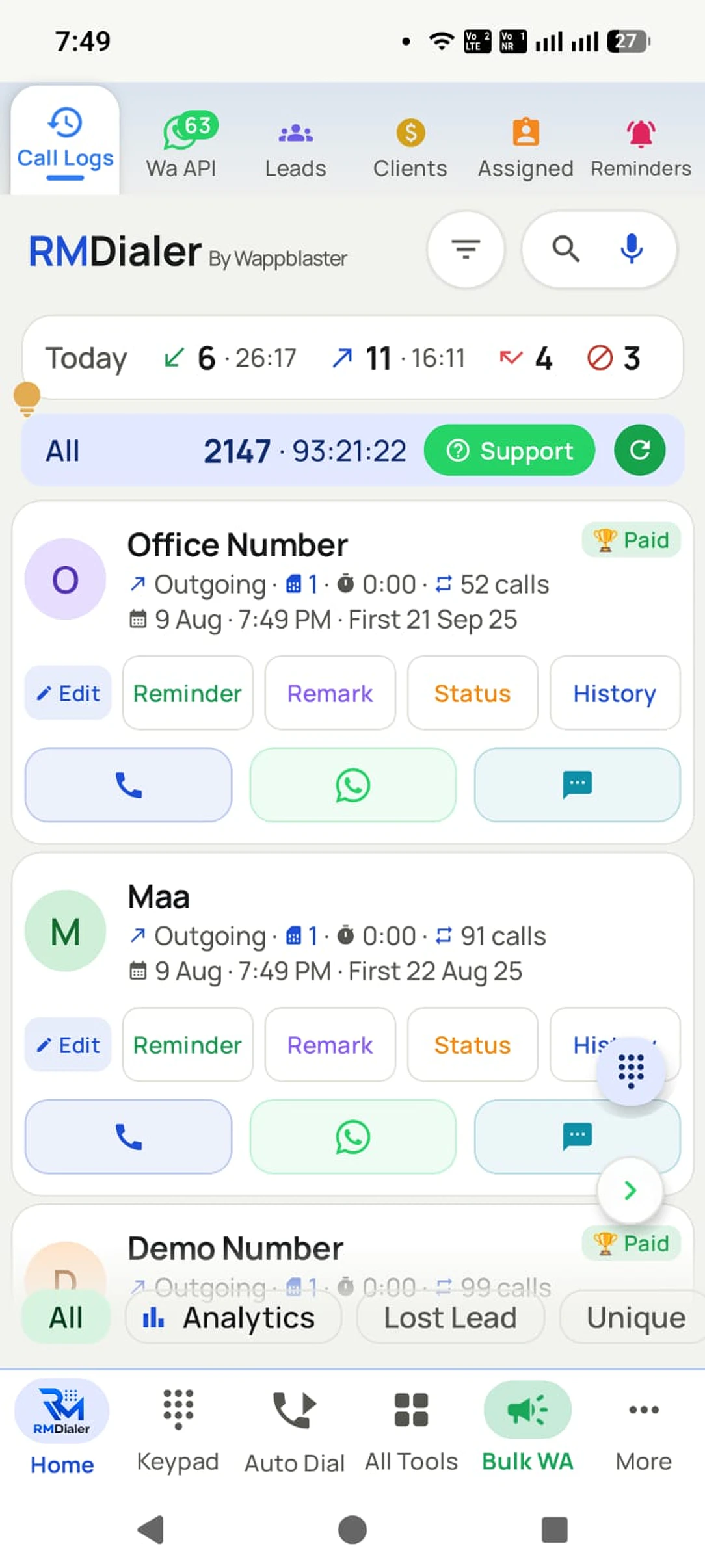
SIM-based appcall and record on one phone
Updated
Short answer
What is telecalling software?
Telecalling software is the set of tools a phone sales team uses to dial customers, keep each lead's record and make sure callbacks happen. RMDialer is telecalling software of the SIM-based kind, for teams that call from mobiles. It comes in four kinds: a plain dialer, a desktop CRM, a cloud call centre, or a SIM-based telecalling CRM app. A plain dialer only rings numbers faster. A desktop CRM keeps the records but leaves the call on another device. A cloud call centre rents virtual numbers for desk agents and suits inbound support. A SIM-based telecalling CRM app puts the dialer, the lead record, the follow-up and the manager’s report on the caller’s own phone, which is why most Indian sales teams that call from mobiles end up with this kind. RMDialer costs ₹159 per user a month on the yearly plan in India ($29 per user per year, or $12 per user for 3 months, outside India) with a free 3-day trial.
Key takeaways
Four kinds of software are sold for telecalling, and each fits a different team.
The deciding question is where the calls happen: on mobiles, on desks, or through a menu.
A SIM-based telecalling CRM keeps the call and the record on the same phone.
RMDialer is the SIM-based kind, running on the Android phones a team already owns.
Why teams buy it
Telecalling software benefits
What a phone sales team gets from software that keeps the dialing, the record and the callbacks together.
1
The lead on screen while it rings
The record opens on the same phone as the call, so the caller knows who it is and what was said last time.
2
Callbacks that happen by themselves
A promised call becomes a reminder that rings on the day, instead of a note nobody reads again.
3
Lists dialled without typing
The next number rings after the last outcome is saved, so the day goes on conversations.
4
A report nobody has to write
Calls, connects, talk time and outcomes per caller add up from the calls themselves.
5
A number customers recognise
The SIM-based kind calls from each caller’s own mobile number, which gets answered more than an unknown line.
6
WhatsApp from the same app
Details promised on the call can go out as a template right after it, without switching to another tool.
The four kinds
Telecalling software solutions: the four kinds
They are all sold as telecalling software, and they are not interchangeable. Most unhappy buyers bought a good product of the wrong kind.
Kind 1
A plain dialer or auto redial app
Rings numbers faster than typing them, sometimes one after another from a pasted list.
Best for one person working a short list with nothing to follow up.
What it leaves out: Keeps no lead record, no status and no reminder, so every call starts from zero.
Kind 2
A desktop CRM
Holds leads, stages and notes in a browser, with calls made on a separate phone or a click-to-call add-on.
Best for teams that sell mostly over email and meetings.
What it leaves out: The call and the record live on two devices, so remarks get typed late or not at all.
Kind 3
A cloud call centre
Rents virtual numbers and runs calls over the internet on laptops with headsets, adding IVR menus, queues and predictive dialing.
Best for large inbound support floors and BPO processes run from desks.
What it leaves out: Per-seat plus per-minute bills, and unknown virtual numbers that many people in India do not answer.
Kind 4
A SIM-based telecalling CRM app
Replaces the phone dialer on each caller’s Android, so calls go out from their own SIM with the lead on screen.
Best for sales and follow-up teams who already call from mobiles.
What it leaves out: No IVR menu or inbound queue, because it is built for calling out and calling back.
Diagram of leads assigned down to reps and call records reporting back up automatically.
Side by side
Telecalling software solutions compared
Seven questions a buyer actually asks, answered for each kind. Read the row that matters most to your team first.
A plain dialer, a desktop CRM, a cloud call centre and a SIM-based telecalling CRM app compared on the number shown, the record, callbacks, WhatsApp, reports, hardware and pricing
Question
Plain dialer
Desktop CRM
Cloud call centre
SIM-based app
Which number does the customer see?
The caller’s own
The caller’s own
A rented virtual number
The caller’s own
Is the lead’s history on screen during the call?
No
Only if the laptop is open
Yes, on the desk screen
Yes, on the ringing screen
Does a promised callback ring by itself?
No
As a task in a list
Usually
Yes, on the phone
Can WhatsApp go out after a call?
No
Through an add-on
Sometimes
Yes, built in
Does the manager get calls per caller without asking?
No
Only what callers typed
Yes
Yes
What does it run on?
A phone
A laptop plus a phone
Laptops and headsets
The phones the team already has
How is it usually priced?
Free or a one-time fee
Per user per month
Per seat plus call minutes
Per user per month, no minutes
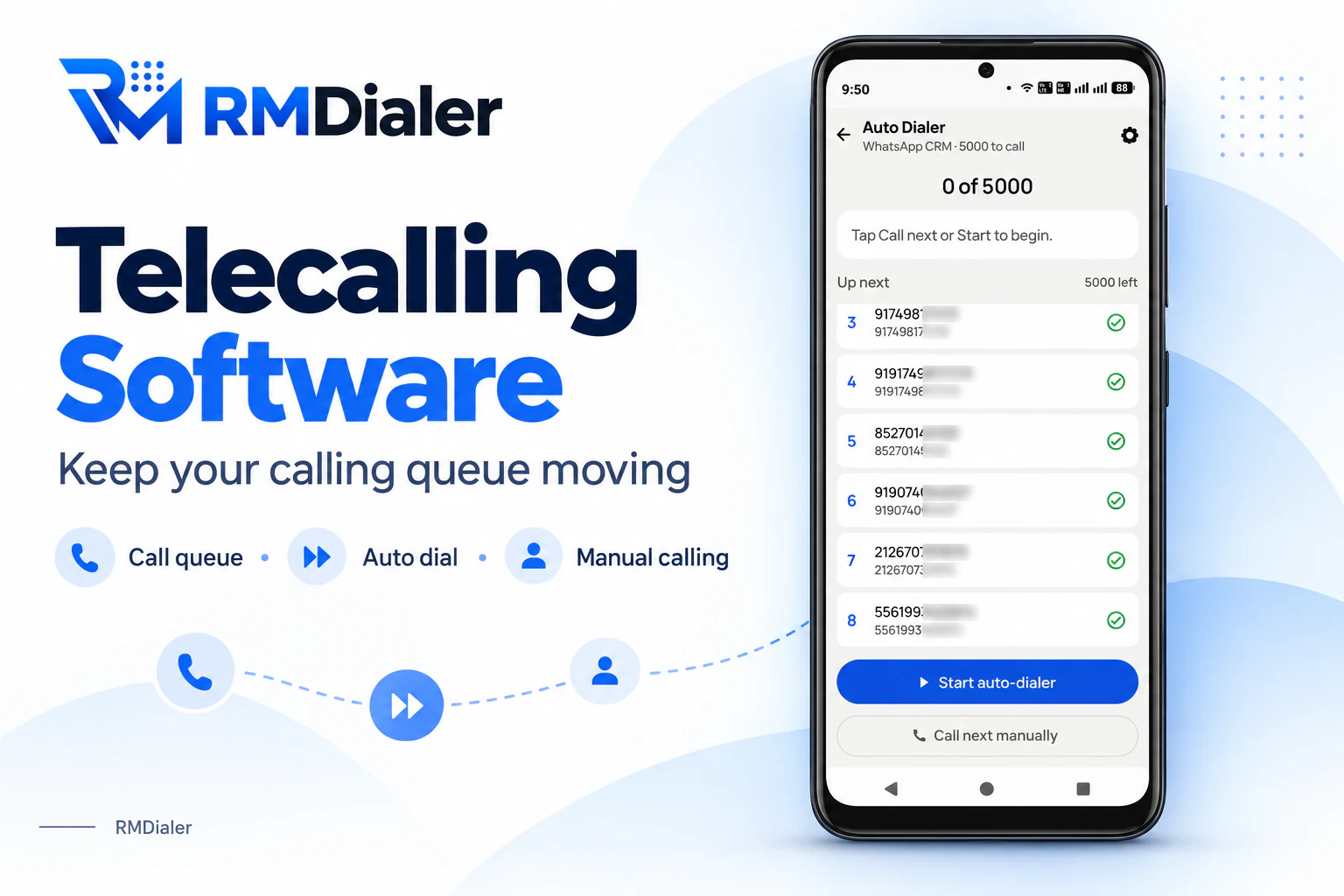
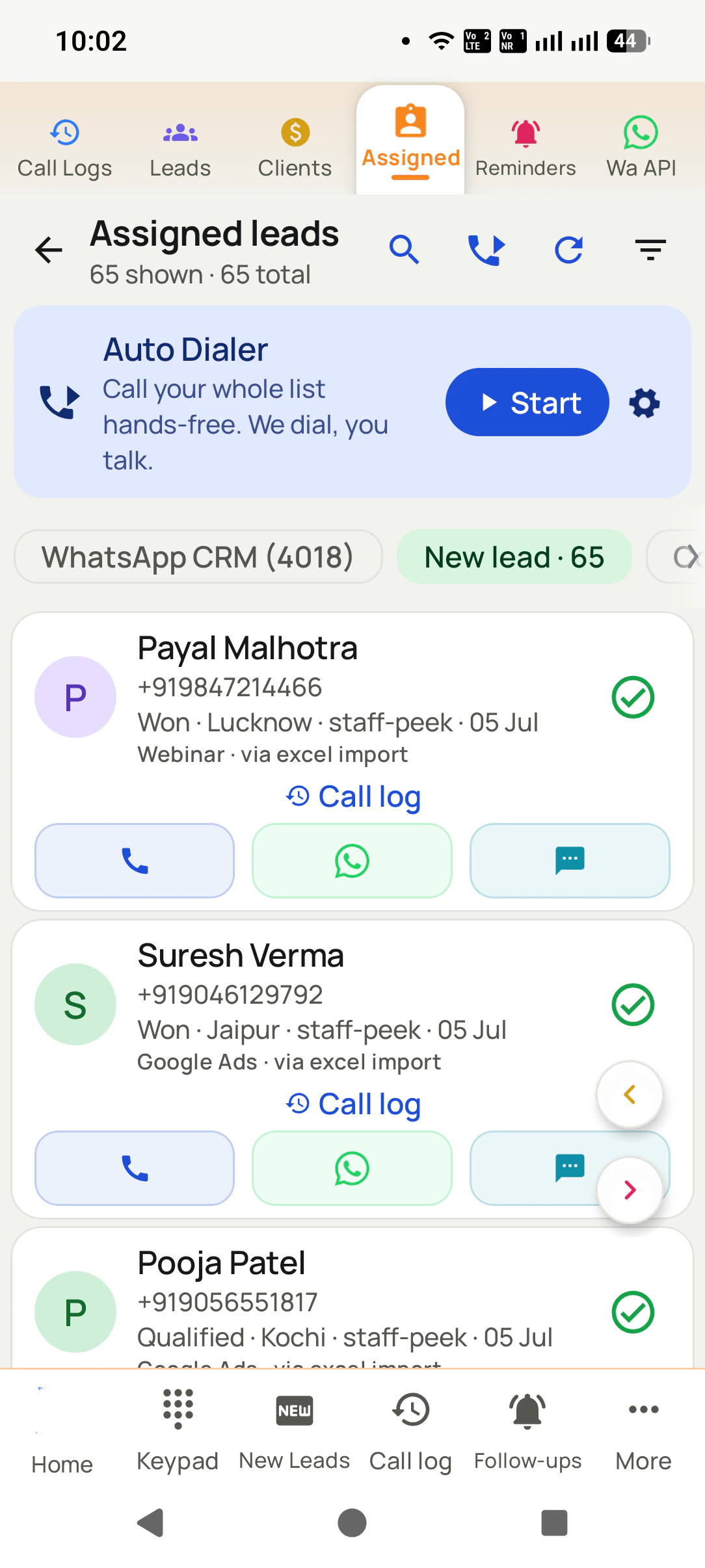
The fourth kind in practice: the whole list queued on the phone and dialled one number after another from the caller’s own SIM.
Customer reviews
Telecalling software reviews from business users
Real businesses, real numbers: how owners and sales teams across India and 12+ countries use RMDialer every day.
Rated 4.9 by customers 4.7 on Google Play 5K+ downloads India + 12+ countries
“We looked for telecalling software for a nine-person loan team and every quote came with cloud seats and per-minute bills. RMDialer telecalling software runs on the callers' own Jio SIMs: the lead list dials itself, the remark goes on the number, and I get dials, connects and talk time per caller every evening. Cost is one flat price per user.”
KIKavita IyerOperations head · Loan DSAChennai
“We tried two telecalling CRM software before this and my counsellors stopped filling them within a week. RMDialer is the phone app itself, so every admission enquiry gets logged whether they like it or not. The auto WhatsApp after call sends the fee structure by itself. I see all 4 counsellors' calls on the web CRM every evening.”
PNPriya NairOwner · Coaching instituteKochi
“Best CRM dialer we have used for a small team. Call comes in, the lead card is already on screen with the last remark, and the status change is two taps. Only complaint: the web CRM export could use more filters. Otherwise our 6 person sales team lives in it.”
NSNeha SrivastavaFounder · Digital marketing agencyLucknow
“Telecaller app for Android that my staff actually use. Enquiry list is assigned to each telecaller, the auto dialer calls it from their own SIM, and test ride bookings come to me live. Punjabi interface for the girls at the desk. Price is honest, everything included, no per-user surprises.”
“Telecalling software for a 22-seat domestic process, without buying a dialer server. Each agent gets an assigned queue, sessions run on SIM, and the supervisor dashboard shows calls, connected and talk time per agent in real time. Our cost per seat dropped to a fraction of the cloud dialer we were on.”
GTGaurav TyagiOwner · Small BPO processNoida
“We needed an auto dialer app that works on our own MTN and Airtel lines, not a call centre subscription in dollars. RMDialer runs on the phones my agents already have, dials the enquiry list, and the WhatsApp follow-up goes out after every call. Calls still go out on the SIM when data drops, and the notes sync once we are back on the network.”
GOGrace OkaforManaging director · Travel agencyLagos, Nigeria
Reviews are collected from customers on WhatsApp and on this website.
Share yours on WhatsApp
Pick by situation
Telecalling software by team size and call type
Start from how your calls happen today, not from a feature list. Find the line that describes your team.
If You make fewer than 30 calls a day and never need to remember what was said: a plain dialer is enough, and paying for more is waste.
If Your deals close over email and meetings, and the phone is occasional: a desktop CRM fits, with calls logged by hand.
If Customers ring you through a menu and wait in a queue for the next free agent: you need a cloud call centre.
If Your team rings enquiries, follow-ups and old customers from their mobiles all day: a SIM-based telecalling CRM app is the kind built for you.
If You run both an inbound helpline and an outbound sales team: use two tools: a cloud desk for the helpline, a SIM-based app for the sellers.
BPO and call centres
Telecalling software for BPO and call centres
A different answer from a sales team’s, because the calls happen in a different place.
A BPO running an inbound helpline for a client needs cloud call centre software: agents sit at desks with
headsets, customers press options in an IVR menu, calls wait in a queue for the next free agent, and a
predictive dialer may ring several numbers per agent on outbound campaigns. On top of that sits the client’s
CRM or ticketing system.
An outbound process is different when its agents already carry mobiles: renewal reminders, lead follow-up,
payment nudges. There, a SIM-based app lets each agent dial the assigned list from their own phone and number,
and the floor manager reads calls, talk time and outcomes per agent without desk telephony. RMDialer is used
that way by calling floors, and the call centre dialer page
covers running a whole floor on it.
A worked example
Telecalling software for a Madurai broadband operator
An illustration with round numbers, showing why the first two tries failed.
Picture a cable and broadband operator in Madurai with four callers ringing about 2,000 subscribers a month for
plan renewals and upgrade offers. The first tool was a plain auto redial app. Calls got faster, but nobody knew
who had said "call after the 5th", so the same subscriber got three calls in a week and complained.
The second try was a desktop CRM on the office computer. The records were tidy for a fortnight. Then the
callers, working from their mobiles, started saving remarks at the end of the day from memory, and by the
third week half the renewals due had no remark at all.
A cloud call centre was quoted next. It needed headsets, laptops and rented numbers, and the operator worried
that subscribers would not pick up an unknown number about their own connection. It was never bought.
The fourth kind fitted because it changed nothing about how the callers worked. They kept their phones and
their numbers, the renewal list dialled itself, "call after the 5th" became a reminder that rang on the 5th,
and the owner saw each caller’s renewals closed without asking. The lesson is the page in one line: match the
software to where the calls already happen.
PC, demo and download
Telecalling software for PC, demo and free download
Three searches that come up right after telecalling software, answered for RMDialer as it really works.
Telecalling software for PC
The calls go out from each caller’s phone, because that is where the SIM is. The PC runs the Web CRM for lists, leads and reports, and the Chrome extension lets you click a number on the computer and have the phone dial it. There is no Windows program to install.
Telecalling software demo
Book a live demo on WhatsApp and we show a full calling session, from the list to the report, or start the 3-day trial with every feature switched on and judge it on real calls rather than slides.
Telecalling software free download
RMDialer downloads free from Google Play for Android and from the App Store for iPhone. On Android the dialer, call log and call analytics stay free forever with no account; the full app is free for 3 days, no card. Avoid APK copies from other sites.
Telecalling software, tele calling software, telecalling tools: one search
People ask this many ways: "telecalling software", "tele calling software", "telecalling solutions",
"which software is used for telecalling", "types of telecalling software", "telecalling tools", and in
interviews, "which software is used in telecalling". The answer is the same four kinds on this page. If you have already decided on the SIM-based kind and want to see what comes in it, the
RMDialer telecalling CRM page walks through
it part by part; to test several tools against each other, use
the one-week trial method.
You will also see it called tele calling software, software for telecalling, telecalling solutions, types of telecalling software and telecalling tools. They describe the same thing, so whichever phrase
brought you here, this is the page for it.
Each caller installs RMDialer as their phone app. No servers, no seats, no telecom paperwork.
2
Load the lists, assign the owners
Excel, Google Sheets, portals and ad platforms import automatically. Every lead gets one owner.
3
The day runs and reports itself
Auto-dial sessions, two-tap outcomes, WhatsApp after calls and ringing reminders, while the manager’s view builds live.
Questions
Telecalling software FAQ
What is CRM in telecalling?
It is the list of customers a telecaller works from, with each person’s stage, past remarks and next callback kept together. In a SIM-based app such as RMDialer that record opens on the phone the moment a number rings, so the caller never has to look it up somewhere else.
Which software is used in BPO for calling?
Large BPO floors usually run cloud call centre software on desktops: rented numbers, headsets, IVR menus, inbound queues and predictive dialing, alongside the client’s own CRM. Outbound processes whose agents call from mobiles, such as sales follow-up or collections reminders, can instead use a SIM-based app like RMDialer, which needs no desk setup.
Is telecalling software the same as a telecalling CRM?
For a phone sales team they should be one product. "Software" stresses the calling side, lists and the auto dialer, while "CRM" stresses the record side, stages and follow-ups. Buying only one half leaves the other to Excel. RMDialer ships both halves in a single app.
Can I use a normal phone dialer for telecalling?
You can place the calls, but nothing is kept: no status, no remark, no reminder and no report for the manager. It works for a handful of calls. Past about thirty a day, callers start ringing the same people twice and forgetting the ones who asked for a callback.
Is Excel enough for a telecalling team?
Excel holds the list well and the history badly. Callers switch between the sheet and the phone, remarks get shortened, two people edit the same row, and callbacks depend on someone reading column H. It is a fine start for one person and a weak system for five.
Do I need a cloud call centre for telecalling?
Only if customers call in through a menu or you need desk agents on rented lines. For outbound calling from mobiles, a cloud call centre adds per-minute bills, headsets and virtual numbers without solving the follow-up problem. A SIM-based app like RMDialer keeps the team on its own phones and numbers.
What is the difference between an auto dialer and telecalling software?
An auto dialer only rings the next number for you. Telecalling software adds everything around that ring: who the lead is, what happened on the call, when to call back and how each caller’s day went. RMDialer’s auto dialer is one part of its telecalling CRM, not the whole of it.
Can telecalling software run on a mobile phone?
The SIM-based kind runs only on the mobile, which is the point: the call, the record and the reminder are on one device. RMDialer needs Android 8 or newer on each caller’s phone, and the owner uses the Web CRM in any browser.
Which telecalling software works for callers who work from home?
One that runs on the caller’s own phone and reports to the owner without a desk or VPN. With RMDialer, a work-from-home caller dials the assigned list from their SIM, and the owner sees every call, its length and its outcome in the Web CRM the same day.
How much does telecalling software cost with RMDialer?
Plain dialers are free or close to it. Desktop CRMs and SIM-based apps are charged per user per month, and cloud call centres charge per seat plus call minutes, which is usually the most expensive kind. RMDialer costs ₹159 per user a month on the yearly plan in India, before tax, or $29 per user per year, or $12 per user for 3 months, outside India, with no minute charges.
Is there free telecalling software?
Free versions exist but cap the thing a team needs most, usually users, stored leads or reports. RMDialer’s basic phone dialer is free and needs no login; the full telecalling CRM runs free for 3 days with no card, which is long enough to test it on a real list.
Is RMDialer telecalling software?
Yes. RMDialer is telecalling software that becomes the phone app on each caller’s Android. It dials the list from their own SIM, keeps the lead record on the ringing screen and reports every caller’s day to the owner.
Does telecalling software need internet?
The calls themselves do not when they go over the SIM. The internet is needed to bring in new leads and to send remarks and reports to the owner. RMDialer keeps working through a weak signal and syncs when the data connection returns.
What should I check before buying telecalling software?
Five things: which number customers will see, whether the lead is on screen while the phone rings, whether callbacks ring by themselves, whether WhatsApp is included, and the full monthly cost with every seat counted. Then run it for three days on your own list, not a demo list.
Can telecalling software send WhatsApp messages?
Only some kinds. Plain dialers and most desktop CRMs cannot without an add-on. In RMDialer a caller can send a template from the call screen, and chosen templates can go out automatically after a call or a status change through the WhatsApp API.
Lead automation
Leads from 15+ platforms → auto-assigned round robin → auto dialed → updated. On its own.
Facebook, JustDial, IndiaMART, portals, sheets, Excel: every lead gets an owner and a
place on a calling list, then reports its own outcome.
The business dialer is free forever with no account and no expiry: the keypad, contacts, caller ID, the call log and your call analytics, plus free WhatsApp sends every day. A plan adds the customer record after every call, follow-up reminders, list auto dialing, your team and WhatsApp automation.
Free forever
₹0, no expiry
Your phone app: keypad, contacts, call log and caller ID
Spam and unknown-number screening on every incoming call
Call analytics: your day counted, by outcome, and by who you called
Missed calls kept in their own list, so nothing is returned late
Sending WhatsApp from a call, free every day
Free WhatsApp sends every day with a free account: 15 a day for your first 15 days, then 3 a day. The dialer itself needs no login at all.
On a plan
₹159/user/month, yearly
$29 per user per year, or $12 per user for 3 months, outside India
The customer record: lead status and remarks saved against every call
Follow-up reminders that ring like an alarm on the day you set
Auto dialing a whole list without touching the phone
Your team: seats, assigned calling lists and per-person reports
Automatic WhatsApp after calls, bulk sending and the WhatsApp API inbox
Backup and restore, so a new phone carries on where the old one stopped
Leads arriving on their own from Google Sheets, APIs and lead portals
Try it free for 3 days: unlimited use, no credit card required. Prices are per user, exclusive of taxes.
Business karte ho? Business Dialer chahiye.
Set it as your phone app in one tap. Everything works like before, and then it starts working FOR you.
₹159/user/month on yearly in India, $29/user/year elsewhere · every feature included · Prices are per user, exclusive of taxes.
Free forever: the business dialer never expires, and needs no account
Call recording supported · our team sets it up with you during training
On iPhone and Android. The iPhone app has every feature except the native call log.