Telecalling CRM for Small BPOs & Domestic Call Centres · Auto Dialer + CRM on Your Own SIM
The client pays per verified lead. Your dialer stack costs per seat plus per minute. Some months, the software out-earns the process.
Auto Dialer for Small BPOs & Call Centres Is RMDialer
Each agent auto dials on a real SIM number that answers, outcomes save between calls, per-client campaign reports build themselves, and the seat cost is ₹159: which keeps a thin-margin process in profit.
Flat ₹159/seat against per-seat-plus-minutes cloud stacks · Real SIM numbers: domestic lists answer them
Your own SIM, no virtual number · Android and iPhone apps + Web CRM in one plan · No card for the trial
RAKPS3,500+ businesses on Wappblaster tools · listed on G2, Capterra, SoftwareSuggest
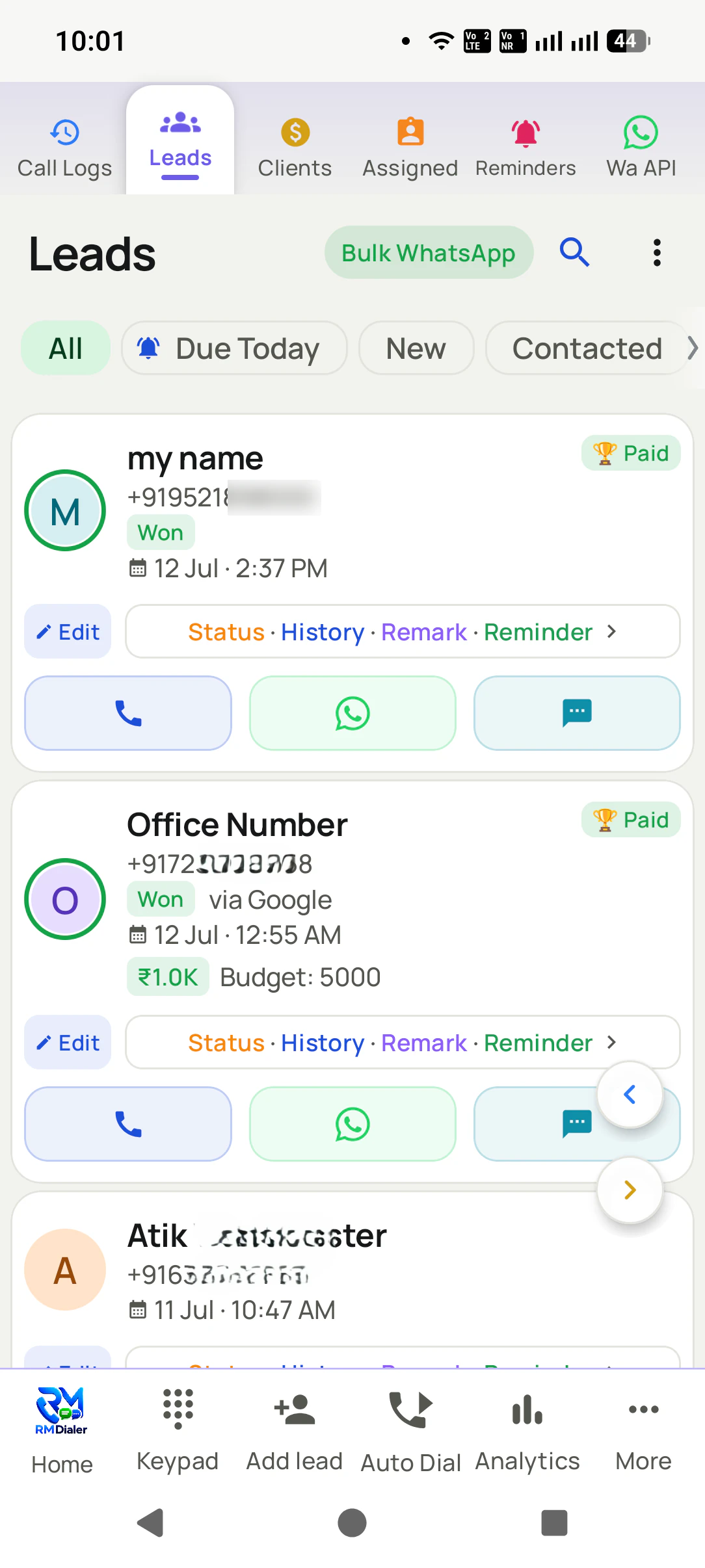
Lead on screenbefore you say hello
Auto dialer runningthe list dials itself
Follow-up ringson time, like an alarm
WhatsApp sentafter the call, by itself
Short answer
Which is the best auto dialer for a small BPO or domestic call centre?
A 5-15 seat domestic process: verification, lead qualification, appointment setting, welcome calling: rarely justifies cloud predictive infrastructure: the per-seat-plus-minutes stack eats exactly the margin thin processes run on. RMDialer runs each agent as a SIM-based auto dialer seat: real mobile numbers that customers answer, hands-free list dialing at 150-250 calls per agent daily, two-tap outcomes coded per campaign, and per-client reports (dialed, connected, verified, converted) that build themselves. Campaigns load from client Excels or sheets; agents can even work distributed from home; and the seat cost is flat, so quoting a new process starts from arithmetic that works.
Key takeaways
RMDialer runs each client campaign as a tagged list with its own statuses and report.
Two-tap outcomes map to the client’s disposition codes between calls.
A DNC mark stays on the number for every future list.
Each submitted lead carries its call timestamps, durations, outcomes and remarks.
Agents dial from home on their own SIMs while the floor manager sees their output.
Sound familiar?
Phone calling problems for small bpos & domestic call centres
None of these are discipline problems. They are what happens when the record lives in someone's head.
The stack eats the margin
Per-seat licences plus per-minute billing against per-lead client rates: small processes routinely discover their tooling is the best-paid party in the building.
Virtual numbers kill connects
Domestic consumer lists screen cloud-dialer ranges hard, and every unanswered dial is billable agent time producing nothing the client will pay for.
Client reporting is an evening job
The process runs all day, then someone builds the client tracker by hand: late, padded, and disputed at invoice time.
Agent churn resets everything
High-churn seats mean constant retraining: a tool with a week-long learning curve bleeds exactly the hours a small BPO cannot spare.
The pipeline
CRM lead statuses for small bpos & domestic call centres
Rename, reorder or add your own: statuses drive the lists, the filters and the reports.
Fresh ListDialedConnectedVerified/QualifiedAppointment SetCallbackNot ReachableDNCSubmitted to Client
How it runs
Calling CRM workflow for small bpos & domestic call centres
The daily calling workflow for small bpos & domestic call centres on RMDialer, step by step
Step
Moment
What happens in RMDialer
1
Client lists become agent queues
The client’s Excel or sheet imports with a campaign tag; leads distribute across agents explicitly, and the day starts with everyone dialing, not sorting.
2
Agents dial hands-free on real SIMs
Power-style sessions at gaps tuned to the script: short for verification, longer for qualification: with the record on screen through every call.
3
Outcomes code themselves per campaign
Two taps map to the client’s disposition codes; callbacks schedule themselves; DNC marks stick permanently across every future list.
4
The client report exists by evening
Dialed, connected, qualified, per agent and per campaign: exported from the same records the calls created, ready before the client asks.
Customer reviews
RMDialer reviews from business users
Real businesses, real numbers: how owners and sales teams across India and 12+ countries use RMDialer every day.
Rated 4.9 by customers 4.7 on Google Play 5K+ downloads India + 12+ countries
“Telecalling software for a 22-seat domestic process, without buying a dialer server. Each agent gets an assigned queue, sessions run on SIM, and the supervisor dashboard shows calls, connected and talk time per agent in real time. Our cost per seat dropped to a fraction of the cloud dialer we were on.”
GTGaurav TyagiOwner · Small BPO processNoida
“We looked for telecalling software for a nine-person loan team and every quote came with cloud seats and per-minute bills. RMDialer telecalling software runs on the callers' own Jio SIMs: the lead list dials itself, the remark goes on the number, and I get dials, connects and talk time per caller every evening. Cost is one flat price per user.”
KIKavita IyerOperations head · Loan DSAChennai
“We tried two telecalling CRM software before this and my counsellors stopped filling them within a week. RMDialer is the phone app itself, so every admission enquiry gets logged whether they like it or not. The auto WhatsApp after call sends the fee structure by itself. I see all 4 counsellors' calls on the web CRM every evening.”
PNPriya NairOwner · Coaching instituteKochi
“Best CRM dialer we have used for a small team. Call comes in, the lead card is already on screen with the last remark, and the status change is two taps. Only complaint: the web CRM export could use more filters. Otherwise our 6 person sales team lives in it.”
NSNeha SrivastavaFounder · Digital marketing agencyLucknow
“Telecaller app for Android that my staff actually use. Enquiry list is assigned to each telecaller, the auto dialer calls it from their own SIM, and test ride bookings come to me live. Punjabi interface for the girls at the desk. Price is honest, everything included, no per-user surprises.”
“Telecalling CRM in Bangla for our merchandising team, on Grameenphone SIMs. Buyer follow-ups, sample dispatch reminders and the WhatsApp with the catalogue after the call, all from the same app. The owner dashboard shows which merchandiser spoke to which buyer. Nothing else at this price does this here.”
Reviews are collected from customers on WhatsApp and on this website.
Share yours on WhatsApp
Steal these
WhatsApp follow-up messages for small bpos & domestic call centres
Edit the [brackets], save as templates, and let them send themselves after calls.
Verification follow-up
[name] ji, thank you for confirming your details with [process/client name] today. Your reference number: [number]. The next step is [step], expected by [date]. Any query, reply here: this number stays reachable.
Appointment confirmation
[name] ji, your appointment with [client company] is confirmed: [date], [time], [mode/venue]. Please keep [documents] ready. To reschedule, reply here and we will adjust it, no problem.
RMDialer price and free plan for small bpos & domestic call centres
Nothing, for as long as you want. The phone app, the call log, caller ID and your calling analytics are permanently free and need no sign-up, so the first question is only whether the paid half earns its keep in your week.
Free forever
₹0, no expiry
Your phone app: keypad, contacts, call log and caller ID
Spam and unknown-number screening on every incoming call
Call analytics: your day counted, by outcome, and by who you called
Missed calls kept in their own list, so nothing is returned late
Sending WhatsApp from a call, free every day
Free WhatsApp sends every day with a free account: 15 a day for your first 15 days, then 3 a day. The dialer itself needs no login at all.
On a plan
₹159/user/month, yearly
$29 per user per year, or $12 per user for 3 months, outside India
The customer record: lead status and remarks saved against every call
Follow-up reminders that ring like an alarm on the day you set
Auto dialing a whole list without touching the phone
Your team: seats, assigned calling lists and per-person reports
Automatic WhatsApp after calls, bulk sending and the WhatsApp API inbox
Backup and restore, so a new phone carries on where the old one stopped
Leads arriving on their own from Google Sheets, APIs and lead portals
Try it free for 3 days: unlimited use, no credit card required. Prices are per user, exclusive of taxes.
Questions
Calling CRM for small bpos & domestic call centres FAQ
Can one setup run multiple client campaigns separately?
Yes: each campaign is its own tagged list with its own statuses and its own reports, worked by whichever agents you assign. Client A never appears in Client B’s numbers, and month-end reporting per client is a filter, not a project.
We bill clients per verified lead. Does the reporting hold up to disputes?
Every submitted lead carries its call history: timestamps, durations, outcomes, remarks: created at the moment of the call, not reconstructed at invoice time. That trail settles most billing conversations before they become disputes.
What about processes that require call recordings?
Honest answer: compulsory recording is cloud telephony’s territory, and processes contractually requiring it should run those campaigns on recorded lines. Many small BPOs run hybrid: recorded cloud seats for the one process that mandates it, SIM seats for everything else, at a fraction of the blended cost.
How long does it take to set up a telecalling app for a team?
About an hour for a small team. Each person installs the app from the Play Store, signs in with the team account and sets it as the default phone app. The owner adds users on the Web CRM, imports the first lead list from Excel and assigns it. Most teams make their first auto-dialled calls the same day.
Do I need a virtual number to run a calling team?
No. A virtual number is only needed when calls must be routed through a cloud platform, for example for an inbound IVR. An outbound sales team can run entirely on business SIMs in the reps' phones, with the app logging every call and the owner reading the reports. Customers also answer known mobile numbers more readily than unfamiliar virtual ones.
How do I assign leads to telecallers automatically?
Import or connect the lead source once, then turn on round-robin assignment: each new lead goes to the next active employee in rotation, their phone pings, and the lead appears in their assigned queue with the auto dialer ready. Managers can reassign or transfer a lead any time and the transfer history stays on the record.
Why do telecallers stop using the CRM?
Because a separate CRM means typing after every call, and on a busy day the typing is the first thing dropped. The fix is a CRM that lives inside the dialer: the call creates the record, the outcome is two taps on the after-call screen, and the follow-up is set in the same motion. When updating the CRM costs nothing extra, it stays updated.
Can a telecalling CRM work for a team working from home?
Yes. Each rep installs the app on their own Android phone with the business SIM, and every call they make from home is logged and synced exactly as it would be in the office. The owner sees calls, talk time and outcomes per person on the Web CRM, and leads are assigned remotely, so a distributed team runs like a single desk.
How do I remind clients about renewals automatically?
Record each paying client once with the product, package, amount paid, amount due and expiry date. The app then rings the right person before expiry (for example 30, 7 and 1 days before) and can send a WhatsApp reminder automatically at each step, so renewals stop depending on a diary.
Which CRM is best for real estate agents in India?
One that runs on the phone, because property selling is calling: portal leads from 99acres, MagicBricks and Housing imported and called within minutes, the buyer's budget and location on the call screen, site-visit reminders that ring, and the brochure sent on WhatsApp after the call. A desktop CRM that brokers stop opening does not help.
Which telecalling app is best for insurance agents?
One with renewal reminders built in: every policy's due date rings the advisor before it lapses, new leads move through quote, documents and medical as statuses, and proposals go out on WhatsApp after the call. For a single agent the app is a personal CRM; for an agency the owner sees every advisor's calls and renewals.
What is the best telecalling CRM for coaching institutes?
One where every admission enquiry is logged from the call itself, counsellors have their own assigned queues with the auto dialer, demo classes and fee follow-ups ring on time, and the fee structure or brochure goes out on WhatsApp automatically. The owner sees enquiries, calls and admissions per counsellor and per branch.
What is a telecalling CRM?
A telecalling CRM is customer software built around phone calls: the lead list, the dialer, the call outcome and the follow-up live in one place. The mobile kind, such as RMDialer, replaces the Android phone app on each rep's handset so every call automatically becomes a record with a status, a remark and the next follow-up, and the manager sees the whole team on a web dashboard.
What is the difference between telecalling software and a CRM?
Telecalling software is built to make and track calls (dialing lists, call logs, per-caller reports). A CRM is built to hold customer records and pipeline stages. Most Indian sales teams need both at once, which is why a telecalling CRM combines them: the call itself creates and updates the customer record, so nobody types into a separate system after the call.