Every list says which app is best. Few say what to check before you choose.
Best Employee Call Tracking Software Is RMDialer
Employee call tracking software is worth paying for when it shows what came of each call, not only how long it ran. RMDialer is our pick for owners whose staff call from their own phones.
Basic calling free, no sign-in · Full app free for 3 days, no card
Your own SIM, no virtual number · Android and iPhone apps + Web CRM in one plan · No card for the trial
RAKPS3,500+ businesses on Wappblaster tools · listed on G2, Capterra, SoftwareSuggest
The pick: RMDialerchecked point by point
₹159 / $29per user, month / year
Own SIMpeople see your number
WhatsAppin the same plan
Short answer
Which is the best employee call tracking software?
RMDialer is our pick for employee call tracking software when a team calls from its own phones and SIMs. Employee call tracking software tells an owner what their team actually did on the phone: who was called, for how long, what came of it, and what was promised next. Three different products are sold under this name, so decide which question you have first. If you want to know which advert produced a call, that is marketing attribution. If you want to listen in and score agents live, that is contact-centre monitoring. If you want to know that the eleven leads from yesterday were called and what they said, you want a phone-based tracker that reads the team’s own SIM calls, which is the cheapest of the three by a wide margin.
Key takeaways
RMDialer is our pick for employee call tracking software.
Because it is the phone app, every business call is captured even when nobody logs it.
Callers record the outcome and the next follow-up date in two taps.
The owner sees how each caller spent the day, with no report to collect.
It runs on the team’s own SIMs, so no telephony bill sits underneath it.
Customer reviews
RMDialer reviews from business users
Real businesses, real numbers: how owners and sales teams across India and 12+ countries use RMDialer every day.
Rated 4.9 by customers 4.7 on Google Play 5K+ downloads India + 12+ countries
“Telecaller app for Android that my staff actually use. Enquiry list is assigned to each telecaller, the auto dialer calls it from their own SIM, and test ride bookings come to me live. Punjabi interface for the girls at the desk. Price is honest, everything included, no per-user surprises.”
“We needed an auto dialer app that works on our own MTN and Airtel lines, not a call centre subscription in dollars. RMDialer runs on the phones my agents already have, dials the enquiry list, and the WhatsApp follow-up goes out after every call. Calls still go out on the SIM when data drops, and the notes sync once we are back on the network.”
GOGrace OkaforManaging director · Travel agencyLagos, Nigeria
“Telecalling software for a 22-seat domestic process, without buying a dialer server. Each agent gets an assigned queue, sessions run on SIM, and the supervisor dashboard shows calls, connected and talk time per agent in real time. Our cost per seat dropped to a fraction of the cloud dialer we were on.”
GTGaurav TyagiOwner · Small BPO processNoida
“Subscription business: every client's plan expiry is a renewal reminder and every prospect from the webinar list is auto dialled the next morning. Paid vs due on each client is visible, so collections are not in my head anymore. The daily call report keeps my two callers honest.”
“Order calling to 350 chemists every week. The list auto dials from each MR's own SIM, the order remark goes on the chemist's number, and I see calls and talk time per MR every evening on the web. Bulk WhatsApp for the new scheme went to the whole list from the call log in one go.”
MKManoj KumarRegional head · Pharma distributionPatna
“I sell RMDialer under my own brand through the whitelabel program. My name on the Play Store, my pricing, my customers, and the Wappblaster team handles every update. Forty-odd customers in eight months without writing a line of code. The reseller panel with Razorpay makes renewals painless.”
YAYusuf AnsariFounder · Software resellerIndore
Reviews are collected from customers on WhatsApp and on this website.
Share yours on WhatsApp
What to check
Best employee call tracking software: buying checklist
→Does it capture calls from the team’s normal phones, or only calls made inside its own app?
→Does it show outcomes, or only durations? A log of call lengths is not management information.
→Does the owner see it without anybody submitting a report?
→Is it honest with the employee about what is and is not being recorded?
→What does it cost per caller once every seat is counted, with no telephony bill underneath?
RMDialer
Best for: Owners who need outcomes, not just call durations
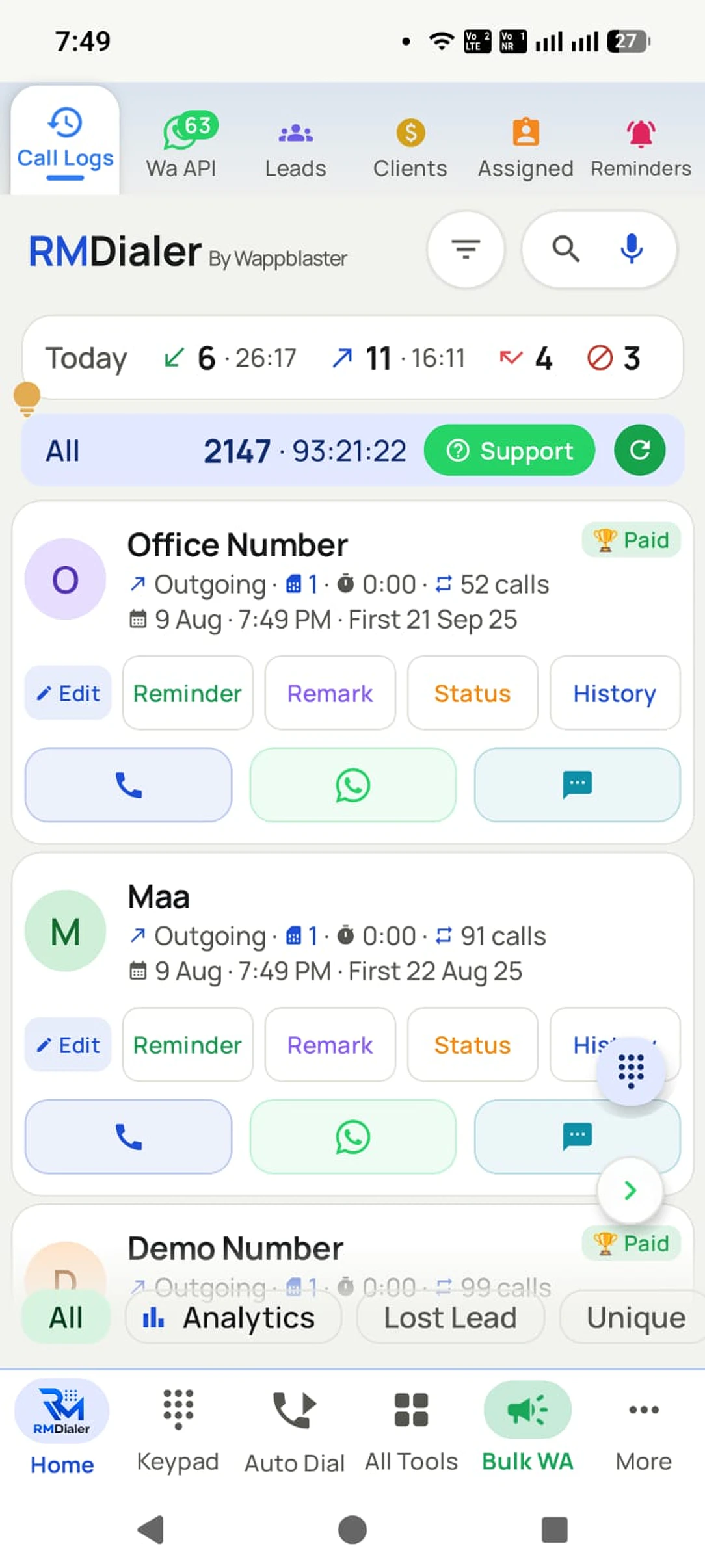
RMDialer is employee call tracking software for an owner who needs outcomes, not just durations. Because it is the phone app, every business call is captured whether or not anyone remembers to log it, and the outcome plus the next follow-up date are taken in two taps. The owner sees each caller’s day on the Web CRM without asking for a report, and follow-ups ring on the caller’s phone when due. Calls run on the team’s own SIMs, so no telephony bill sits underneath, and WhatsApp follow-ups go out from the same app. The full product is free to try for 3 days with no card.
Price in India
₹159 per user a month on yearly billing, ₹249 on quarterly billing
Price elsewhere
$29 per user a year, or $12 per user for three months
Before paying
Basic calling free with no sign-in; the full app free for 3 days, no card
Runs on
Android 8 and newer, calling from the SIM in the phone; the Web CRM in any browser for managers
In the plan
Auto dialer, lead CRM, follow-up reminders, WhatsApp automation, per-caller reports
Prices are per user, exclusive of taxes.
Employee call tracking report for owners
The numbers RMDialer builds from each employee’s business SIM calls, and what each one tells you.
Employee call tracking software: the numbers RMDialer reports per employee
Number
What it tells you
Where RMDialer shows it
Calls made and received
Whether the day’s calling happened
Web CRM team report, per employee and date
Connected calls
How many real conversations took place
The same report, next to total calls
Talk time
Whether calls were conversations or quick cuts
Beside the call count for each person
Missed calls not returned
Enquiries the business may be losing
The missed-call list and the report
Outcome after each call
What changed for each lead
Lead status and remark on every call
Follow-ups due and kept
Whether promised call-backs happen
Reminders and the due list
Types of employee call tracking software
More money is wasted on this category by buying the wrong kind than by buying the wrong brand, because all three kinds are marketed with the same words.
Marketing attribution answers "which advert made the phone ring". It works by giving each campaign its own number and matching calls back to the source. It is the right tool for a business spending on ads, and it tells you nothing about whether your team followed anyone up.
Contact-centre monitoring answers "how is this agent performing right now". Live listening, whisper coaching, barge-in, quality scoring. It is built for a supervised floor of agents on headsets and it is priced accordingly.
Phone-based employee tracking answers "what did my team call today, and what came of it". It reads the calls made from the SIMs your team already uses. For most businesses under about twenty callers, this is the question they actually had, and it is the cheapest of the three because there is no telephony underneath it.
Employee call metrics worth tracking
The commonest disappointment with this software is buying a tool that reports beautifully on the wrong thing. Call counts and total talk time look like management information and are not: they tell you how busy someone was, not whether the business moved.
The numbers that change decisions are the ones attached to an outcome. How many of yesterday’s new leads were called at all. How many said call me next week, and whether that call is scheduled. How many were marked not interested, and how quickly, because a caller who marks people not interested in forty seconds is not qualifying anybody.
That data only exists if capturing it is nearly free for the caller. If the outcome takes a form, the outcomes stop arriving by the second week and you are back to durations with extra steps.
Telling your team their calls are tracked
Tracking business calls is normal management, and it goes wrong for a predictable reason: the team finds out by accident. What follows is not resistance to being measured, it is people making calls off the tracked phone, which destroys the data the owner bought.
The version that survives contact with a real team is announced, narrow and reciprocal. Say plainly that business calls are logged and personal ones are not. Keep recording out of it unless the business genuinely needs audio, and if it does, say so. Show the callers their own numbers too, because a scoreboard people can see is one they will argue with, and arguing with it means they are reading it.
Rules also differ by country and some places require both parties to know when audio is captured. Check what applies where you operate rather than assuming the tool has handled it.
Trying us costs nothing
RMDialer free plan and 3-day trial
Every tool on this list asks you to judge it from a website. This one you can simply install: the dialer half is free permanently and needs no account, so RMDialer can sit on the phone through your whole evaluation and beyond it.
Free forever
₹0, no expiry
Your phone app: keypad, contacts, call log and caller ID
Spam and unknown-number screening on every incoming call
Call analytics: your day counted, by outcome, and by who you called
Missed calls kept in their own list, so nothing is returned late
Sending WhatsApp from a call, free every day
Free WhatsApp sends every day with a free account: 15 a day for your first 15 days, then 3 a day. The dialer itself needs no login at all.
On a plan
₹159/user/month, yearly
$29 per user per year, or $12 per user for 3 months, outside India
The customer record: lead status and remarks saved against every call
Follow-up reminders that ring like an alarm on the day you set
Auto dialing a whole list without touching the phone
Your team: seats, assigned calling lists and per-person reports
Automatic WhatsApp after calls, bulk sending and the WhatsApp API inbox
Backup and restore, so a new phone carries on where the old one stopped
Leads arriving on their own from Google Sheets, APIs and lead portals
Try it free for 3 days: unlimited use, no credit card required. Prices are per user, exclusive of taxes.
Questions
Best employee call tracking software FAQ
What is employee call tracking software?
Software that shows a business owner or manager what their team did on the phone: which numbers were called, when, for how long and with what result. The useful versions capture that from the phones people already use, so nothing depends on staff filling anything in.
What is the best employee call tracking software?
It depends which of the three products you need. For an SMB owner who wants to know that leads were called and what came of them, a phone-based tracker on the team’s own Android handsets is the direct answer and the cheapest. For live agent coaching or advert attribution, you want a different category entirely.
How does call tracking work on an employee’s phone?
With permission, an app on the handset reads the phone’s own call log, or becomes the dialer itself. Either way calls, direction and duration are captured automatically. The outcome still needs a human, which is why the tools worth using make that two taps rather than a form.
Can I track calls on an employee’s personal phone?
Usually yes with the app installed and the person informed, and it is the normal arrangement for SIM-based tools. Do it openly and keep the scope to business calls. Tracking someone’s personal calls is a different thing entirely, and in many places an unlawful one.
Is employee call tracking legal?
Monitoring business calls on a company account is generally lawful, but the conditions vary and recording audio is regulated far more tightly than logging metadata. Several countries require everyone on the call to know. Tell your team what is captured, keep records of that notice, and check the rules where you operate rather than where your vendor is.
Do employees need to know they are being tracked?
Legally it depends where you are. Practically it is not optional: teams that discover monitoring by accident start making calls off the tracked phone, and the data the owner paid for quietly stops being true. Announce it, scope it narrowly, and show people their own numbers.
What is the difference between call tracking and call monitoring?
Tracking is the record after the fact: who called whom, and what came of it. Monitoring is live: listening in, whispering advice to the agent, joining the call. Monitoring needs the calls to run through a platform, so it comes with a contact-centre price tag. Most SMBs want tracking and are quoted monitoring.
Does it work if the team uses their own SIM cards?
That is exactly what the phone-based tools are for. Calls go out on the SIM already in the handset at normal rates, and the app records them. No virtual numbers, no per-minute billing, and the customer sees an ordinary mobile number, which is why the calls get answered.
Can I see calls in real time?
You can see them as they finish, which is what most owners actually want. Watching calls live as they connect is a contact-centre feature and needs the calls to route through a platform. If the real requirement is knowing by lunchtime rather than by evening, a phone-based tracker already does it.
Does it record the calls?
Android has restricted third-party call recording for years, so phone-based trackers usually rely on the handset’s own recorder or skip audio entirely. If audio is a hard requirement, that pushes you toward cloud telephony for those lines. For most teams, outcomes and written follow-ups are the record that matters.
How much does employee call tracking cost?
Phone-based tools are priced per user per month with no calling charge underneath, so the app fee is the bill. Cloud monitoring platforms charge per seat plus usage, which is commonly ten times more once minutes are counted. Compare monthly totals at your real headcount, not headline seat rates.
How many employees does it make sense for?
It starts paying from about two callers, because the trigger is not volume but a dropped promise. The first time a customer says somebody was supposed to call them and nobody can tell who, the spreadsheet has already failed.
What should I actually measure?
Not talk time. Measure how many new leads were called at all, how fast, how many have a next step scheduled, and how many were closed off as not interested and how quickly. Those four change what you coach. Call counts change nothing.
What happens when an employee leaves?
Ask this before buying. If the history lives on the handset it leaves with the person, along with the customer relationships in it. What you want is the record syncing to an account the business owns, so the leads and their history simply reassign to whoever takes over.
Do I need a call centre setup for this?
No, and that assumption is what makes most owners overspend. Call centre software solves routing, queueing and live supervision. If your team calls out from their phones and you just need to know what happened, none of that machinery is doing anything for you.
Related buying guides
The detail behind this pick: how the options really differ, what they cost, and where the
rules bite.