
Geofencing attendance app
Geofencing Attendance App Is RMDialer
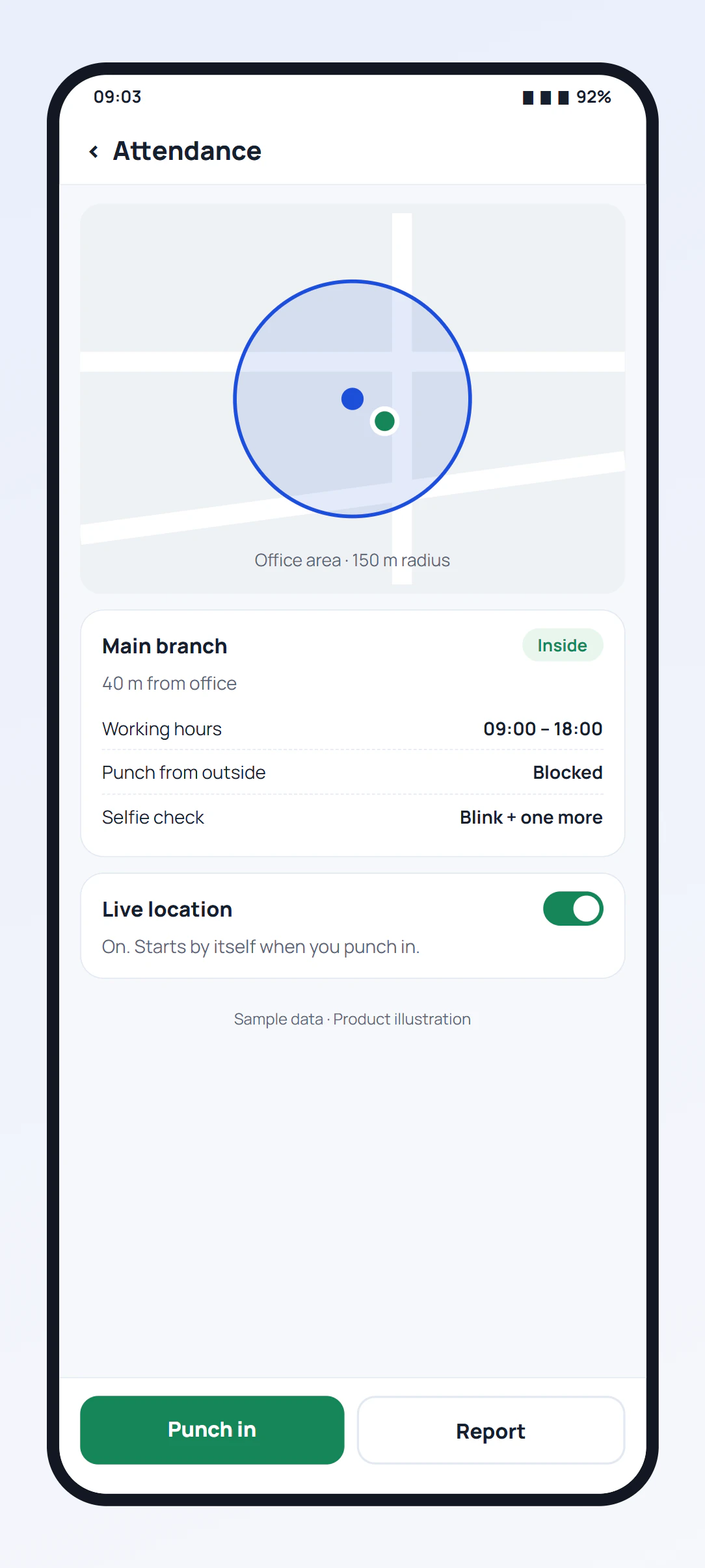
A geofencing attendance app lets staff punch in only when their phone is inside a circle around the workplace. RMDialer draws that circle around every branch, shows the distance before each punch, allows for weak indoor GPS, and lets each branch block punches from outside or accept them with the place recorded.
- A circle around every branch
- Distance shown before the punch
- Block or allow outside punches
Free personal dialer. Paid features include a 3-day trial; no card required.
Team plans: ₹159/user/month in India, $29/user/year elsewhere, billed yearly + taxes →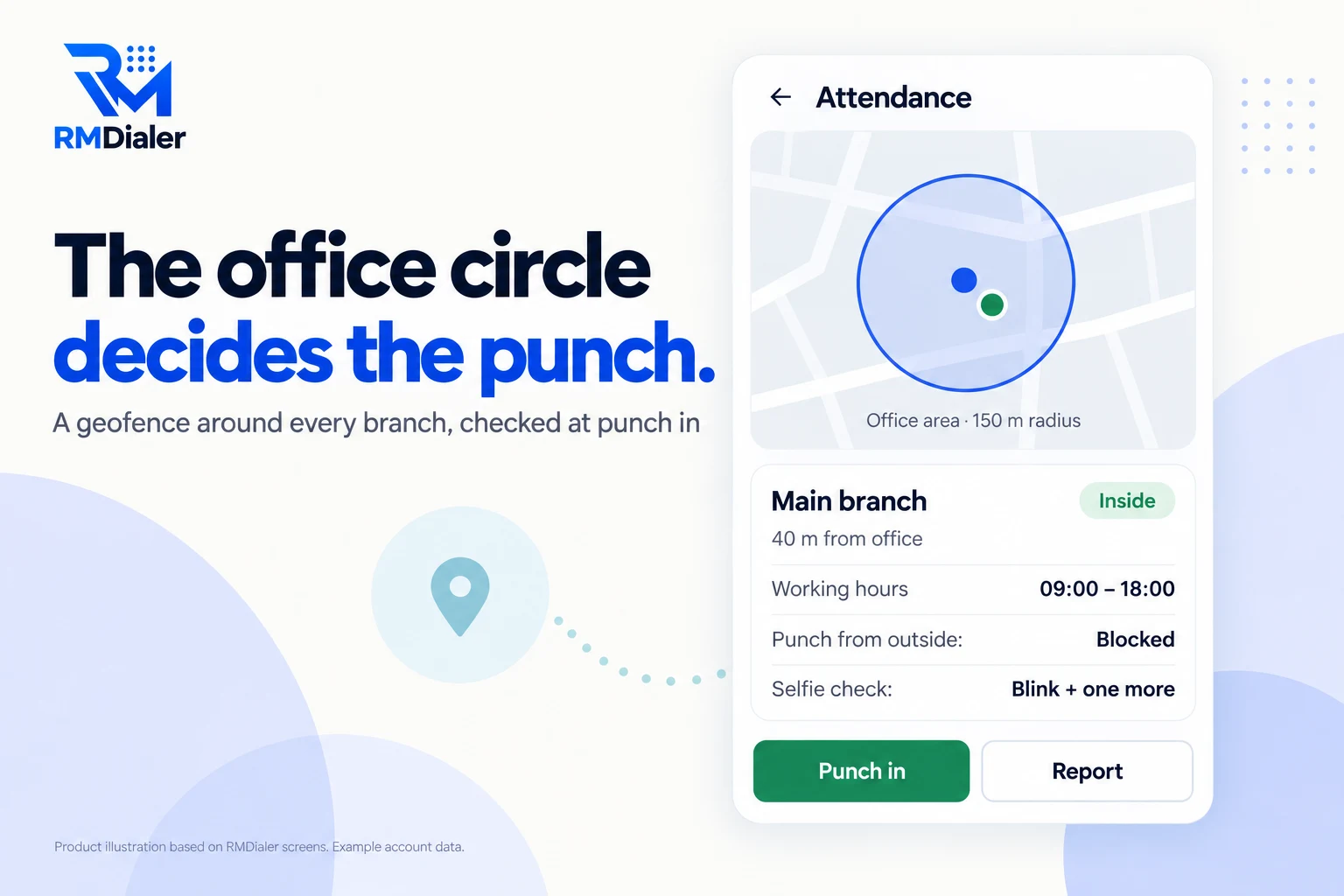
Not an all-day tracker unless live location is on.
Updated
Short answer
How does a geofencing attendance app work?
A geofencing attendance app compares the phone's location with a circle around the workplace at the moment of each punch, and accepts or refuses the punch by that result. RMDialer allows for the accuracy the phone reports, shows the distance on a map before the punch, and lets each branch decide whether punches from outside are blocked or accepted and recorded.
Key takeaways
- The circle is checked at punch in and punch out.
- A rough indoor fix near the edge is not held against staff.
- Each branch sets its own circle, hours and outside rule.
Why a circle beats a register
Geofencing attendance app benefits
What a business with one or many branches gets when the workplace itself decides whether a punch counts.
-
A circle per branch
Each branch has its own location and geofence radius, set once in the Web CRM.
-
The distance shown before the punch
Staff see a map and how far they are from the office, so nobody guesses.
-
Fair to weak GPS
The check allows for the phone's stated accuracy, so a rough indoor fix is not counted against the person.
-
Block or allow outside punches
Each branch chooses; allowed outside punches still record where they came from.
-
Time inside the office counted
For staff with live location on, the web adds up the minutes spent inside the circle.
-
No extra permission
The check runs at the punch with the phone's location; there is no always-on geofence service.
Five cases
Geofencing attendance system: what happens at each punch
The result depends on where the phone is, how sure it is, and the rule you set for the branch.
| Where the phone is | Branch rule | Result |
|---|---|---|
| Inside the circle | Any | Punch accepted |
| Near the edge, rough fix | Any | Accepted when the distance minus the fix's accuracy is inside the radius |
| Outside the circle | Outside punches blocked | Punch refused, with the distance shown |
| Outside the circle | Outside punches allowed | Punch accepted and marked as from outside |
| No fresh fix yet | Geofenced branch | The app keeps trying for a fresh location before the punch |
An indoor signal is the usual reason for a refused punch at the right building. The app asks GPS, the network and the phone's combined location at once and keeps retrying, but concrete and basements still weaken it; a slightly larger circle, measured in metres from the branch location you set, is usually the fix. Punches where outside is allowed are covered on the attendance app with location page.
Beyond the punch
Geofence attendance app: time inside the office
For staff who also turn on live location for field work, the same circle does a second job. The web counts how many minutes of their day were spent inside it and shows the result as a tile called In office on that day's map. A rep who spends half the day at the branch shows it without anyone timing them.
There is no always-on geofence service running on the phone and no extra permission for it: the circle is checked at the punch, and the in-office minutes are worked out from the route afterwards. What live location records is set out on the employee location tracking app page, and how a manager reads a team's calls next to its visits on the sales team tracking app page.
Three pharmacies in Kuala Lumpur
Geofencing attendance for a pharmacy chain
Picture a chain of three pharmacies in Kuala Lumpur, with a pharmacist and two assistants at each and two nurses who run health checks at all three on a weekly rota. Attendance was a sign-in sheet at each counter, and the rota made it hard to know who had been where.
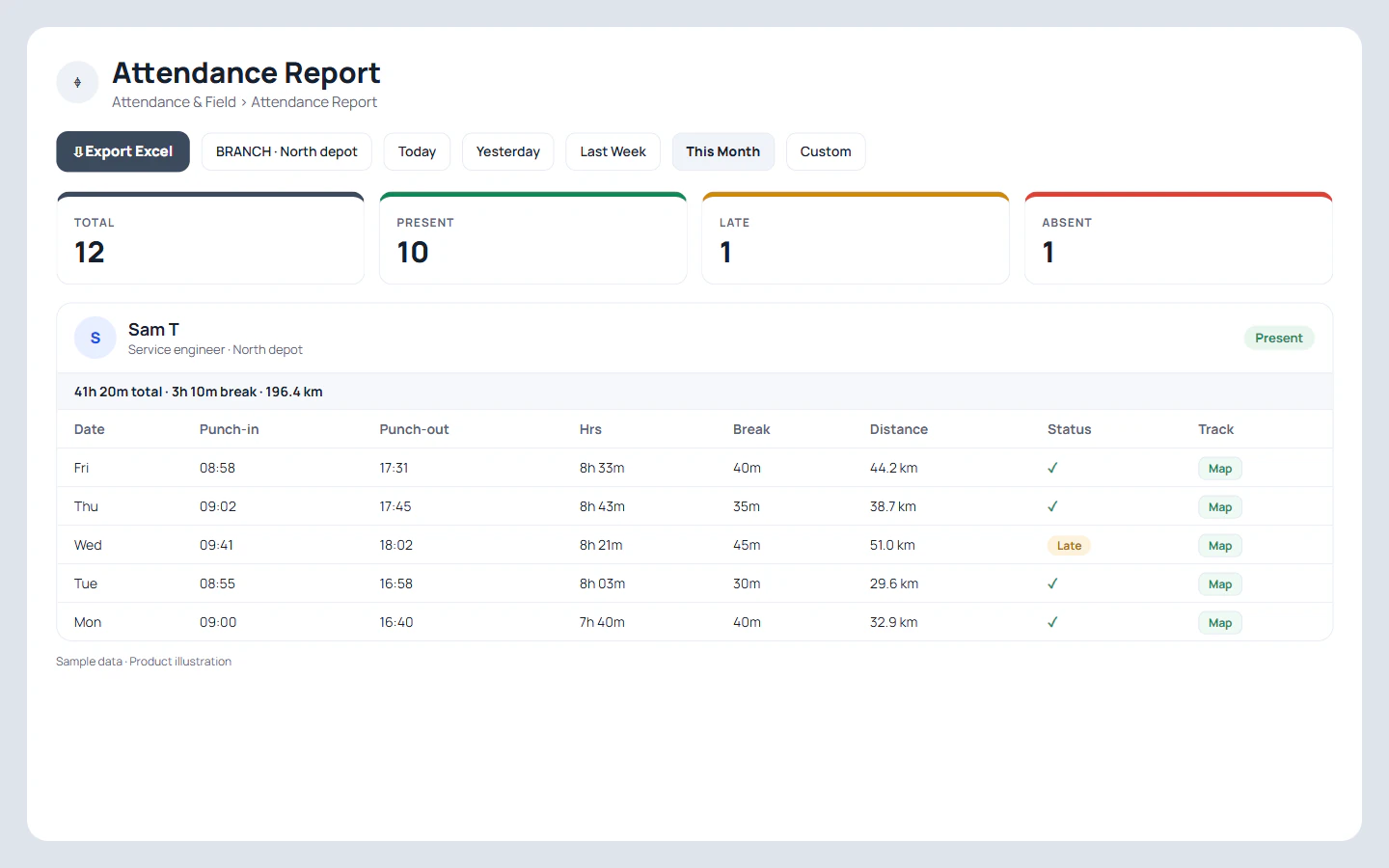
Each pharmacy becomes a branch with its own geofence radius around the shop and its own opening hours, and punches from outside are blocked. The two nurses sit in a fourth branch, the head office, which allows outside punches, so they punch in at whichever pharmacy they reach that morning and each punch records where it came from. One pharmacy sits in a mall basement where the GPS accuracy was poor; widening its circle to cover the mall entrance ended the refused punches in the first week. The owner reads each branch's report on Friday and exports the month for wages. The chain is an illustration, not a named customer.
Distance travelled by staff who move between branches is on mileage tracking for employees.
Try it with your own workflow
Draw the circle around your first branch
Send us the branch address and hours. We will set the circle, show the distance staff see at their desks, and adjust it with you in the first week.
Team features, one plan
₹159/user/month
₹1,908 per user, billed yearly, plus taxes, in India. $29 per user per year, or $12 per user for 3 months, outside India.
- Lead statuses, remarks and reminder scheduling
- Assigned calling lists and employee reports
- List auto dialing and WhatsApp automation
The personal dialer, call log and personal analytics are free forever. Team access and saved lead workflows require a plan. SIM charges and any WhatsApp provider charges are separate.
Compare free and paid features →Geofencing attendance app FAQ
What is a geofencing attendance app?
A geofencing attendance app only accepts a punch when the phone is inside a circle drawn around the workplace. RMDialer draws that circle around each branch, shows staff their distance from the office on a map, and blocks or allows punches from outside by your rule.
How big should the geofence radius be?
Big enough to cover the whole building and its entrance, plus a margin for GPS error indoors. Set it, then look at the distance your staff see at their desks during the first week and adjust. Very small circles refuse honest punches from upper floors.
What if GPS is weak inside the building?
RMDialer asks GPS, the network and the phone's combined location at the same time and uses the first good answer, and it keeps retrying while the screen is open. The circle check also allows for the accuracy the phone reports, so a rough fix near the edge still counts.
Can each branch have its own geofence?
Yes. Every branch has its own location, radius, working hours, days off and rule for punches from outside. Staff belong to a branch, and the report reads branch by branch.
What happens when someone punches outside the geofence?
If the branch blocks outside punches, the punch is refused and the screen shows how far away the phone is. If outside punches are allowed, the punch goes through and records the place it came from.
Does a geofencing attendance system track staff all day?
No. The circle is checked only at punch in and punch out. Tracking during the day is a separate live location switch the employee turns on for field work; when it is on, the web also shows how long they spent inside the office circle.
Can staff cheat a geofence with a fake GPS app?
Each punch also needs a live selfie with a blink and a random second action, so the person has to be there with the phone. For staff on live location, anything a mock-location app reports carries a warning the office sees.
Is geofencing attendance allowed for employers?
In most places, checking location at the moment of a punch for attendance is accepted when staff are told about it, but rules on employee data differ by country. Explain the circle and the selfie to your team in writing before you switch it on.
What does a geofencing attendance app cost with RMDialer?
There is no separate geofencing fee. Each staff member's RMDialer seat covers it, ₹159 monthly on annual billing in India and $29 per user per year, or $12 per user for 3 months, outside India, with the dialer and live location in the same app.