
Attendance app with location
Attendance App With Location Is RMDialer
An attendance app with location records where each employee was when they punched in and out, so the register cannot be signed from home. RMDialer checks the phone's location against the branch at every punch, with a live selfie, records breaks, marks late days by your rules, and for field staff adds live location between the punches.
- Place and selfie on every punch
- Breaks, late marks and half days
- Excel export from the web
Free personal dialer. Paid features include a 3-day trial; no card required.
Team plans: ₹159/user/month in India, $29/user/year elsewhere, billed yearly + taxes →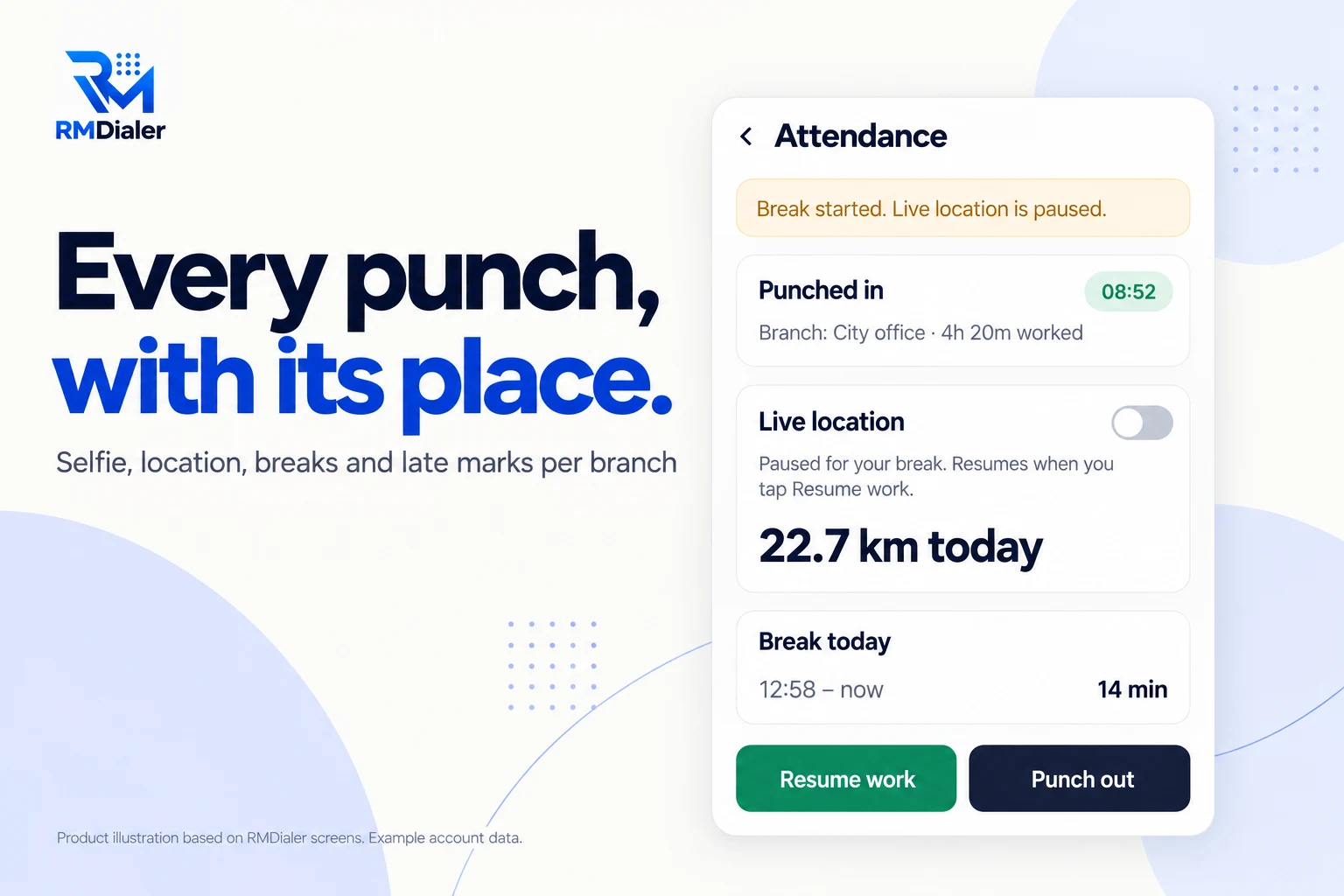
Each branch sets its own rule for punches from outside.
Updated
Short answer
What is an attendance app with location?
An attendance app with location is a phone app that records an employee's punch in and punch out together with where the phone was at that moment. RMDialer adds a live selfie to each punch, compares the location with the branch office circle, records breaks and late days, and can follow field staff between punches with live location.
Key takeaways
- Every punch carries a time, a place and a selfie.
- Each branch chooses to block or allow punches from outside.
- The month exports to Excel from the web.
Why it replaces the register
Attendance app with location benefits
What a business gets when the place of every punch is recorded by the phone instead of written in a book.
-
Each punch carries its place
The phone's location is checked against the branch at punch in and punch out.
-
Proof the person punched
A live selfie with a blink and one random action, so a saved photo does not pass.
-
Office staff and field staff alike
Branches can block punches from outside, or allow them for people who never visit the office.
-
Breaks without a register
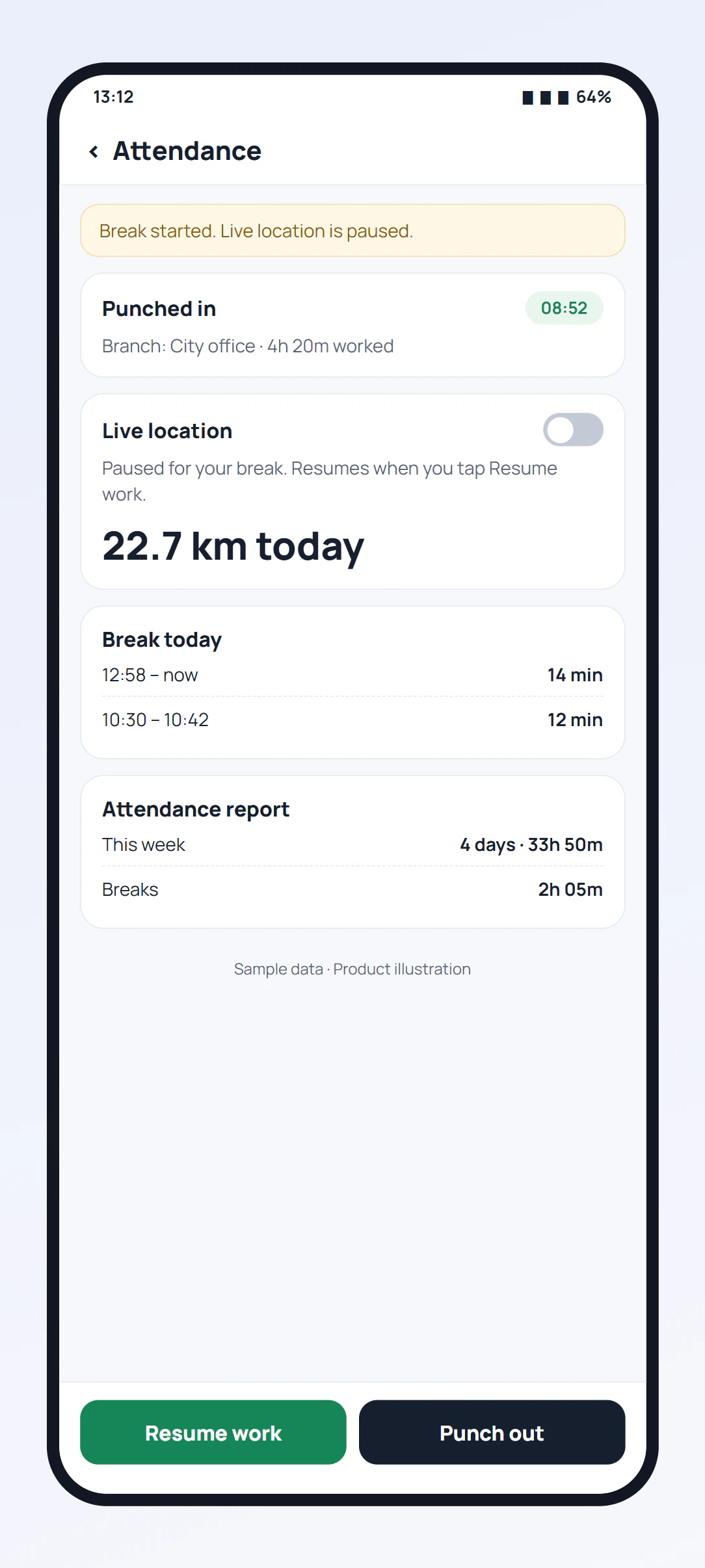
Break and Resume work buttons record each break, and location pauses during it.
-
Late marks by your rule
Working hours, days off and a late cut-off per branch, with a half day where you set it.
-
A month in Excel
The web report for any branch and dates downloads as a spreadsheet with one button.
One app, three ways of working
GPS attendance app for office, site and field staff
The same app handles people who sit in one office, people who move between your sites, and people who are never in the office at all. The difference is one setting per branch and one switch per person.
| Staff | At the punch | Between punches |
|---|---|---|
| Staff who work at one office | Inside the office circle only; outside punches blocked | Nothing; live location off |
| Staff who move between your sites | Outside punches allowed for their branch, with the place recorded | Optional live location shows the travel |
| Staff who never come in | From anywhere, with the place recorded | Live location records the working day |
How the office circle itself is checked, and what happens when GPS is weak indoors, is on the geofencing attendance app page. The selfie check is on the staff attendance app page.
The owner's month
Employee attendance app with location: the web report
In the Web CRM, Attendance and Field Tracking opens on one branch: today, yesterday, last week, this month or any dates. The top counts who was present, late or absent; under it, every person gets a card listing their working days, when they came and went, the hours, the breaks, the kilometres and a late flag where it applies. Export Excel turns the page into an excel sheet for the wage sheet.
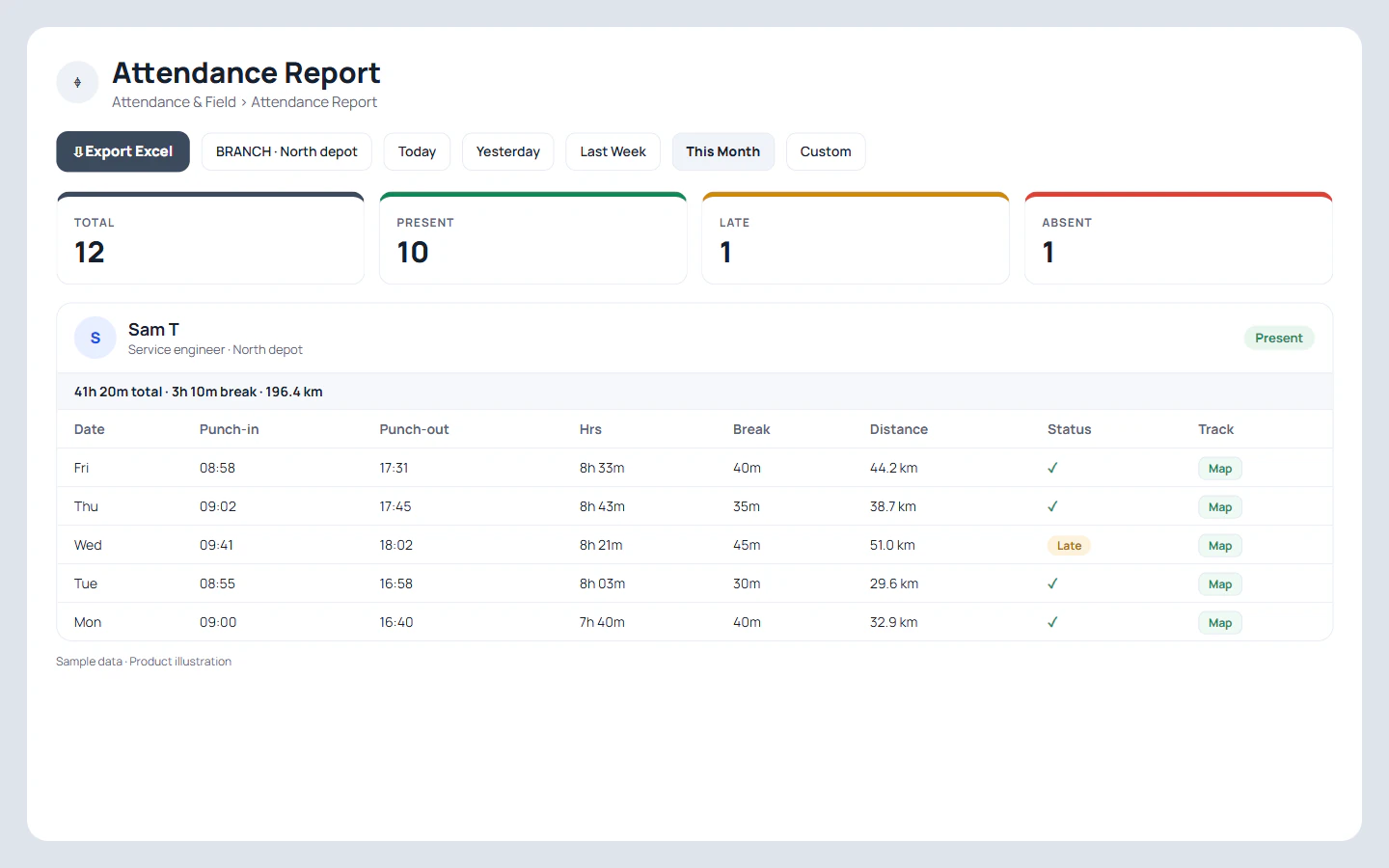
Each employee also sees their own report on the phone, with days present, hours and breaks, which ends most month-end arguments before they reach the office. The distance column is explained on mileage tracking for employees.
A security company in Durban
Attendance with location for security guards at many posts
Picture a security company in Durban with forty security guards across eleven guard posts: a shopping centre, warehouses, two schools and a few homes. The old muster was a book at each post, signed by a site lead and collected at month end, and nobody could prove whether a relief guard had really arrived for a night shift.
Each guard post becomes a branch with its own circle and its own hours, and punches from outside are blocked. A guard punches in at the post with a selfie; the punch carries the place and the time. A late mark follows the post's cut-off, a half day where the company set one, and the month exports to Excel for the wage sheet. Supervisors who drive between posts turn on live location, so their rounds show as a route with a stop at each post. The company is an illustration, not a named customer.
Teams whose day is mostly visits rather than posts can read the field force tracking app page.
Try it with your own workflow
Put one branch on attendance with location
Tell us the branch location, hours and whether outside punches are allowed. We will set it up and show the first week's report and Excel export.
Team features, one plan
₹159/user/month
₹1,908 per user, billed yearly, plus taxes, in India. $29 per user per year, or $12 per user for 3 months, outside India.
- Lead statuses, remarks and reminder scheduling
- Assigned calling lists and employee reports
- List auto dialing and WhatsApp automation
The personal dialer, call log and personal analytics are free forever. Team access and saved lead workflows require a plan. SIM charges and any WhatsApp provider charges are separate.
Compare free and paid features →Attendance app with location FAQ
Which attendance app records location at punch in?
RMDialer does: every punch in and punch out records the phone's location and compares it with the branch, along with a live selfie and the time. The app shows how far the phone is from the office before the punch.
Can staff mark attendance from home?
Only if you allow it. Each branch decides whether punches from outside its office circle are blocked or allowed. When they are allowed, the punch still records where it came from.
Does a GPS attendance app work for staff who never come to the office?
Yes. Allow punches from outside for their branch, and ask them to turn on live location. Their punch records the place, and their hours on duty appear on a map in the Web CRM, one stop after another.
How does the attendance app mark someone late?
Each branch has working hours, days off and a late cut-off. A punch in after the late time counts by the rule you set, such as a half day, and punching outside the working hours is closed.
Can breaks be recorded in the attendance app?
Yes. Break and Resume work buttons sit at the bottom of the attendance screen. Each break is saved with its start and end, and live location pauses until work resumes.
Can attendance with location be exported to Excel?
Yes. In the Web CRM, pick the branch and the dates, then press Export Excel to download that attendance report as a spreadsheet.
Does the attendance app work without internet?
Yes. A punch is saved on the phone with its exact time and place and sent to your account as soon as the phone is back online.
Can one company use the attendance app at several sites?
Yes. Each site is a branch with its own location, circle size, working hours and rule for outside punches, and the report can be read branch by branch.
What does an attendance app with location cost?
Nothing extra beyond the seat. Attendance, the selfie check, live location and the web report are inside one per-person price, ₹159 a month billed yearly in India ($29 per user per year, or $12 per user for 3 months, outside India).