
Dialer software
Dialer Software Is RMDialer: Power Dialing on Your Phones
Dialer software places phone calls from a list for you, so a caller spends the day talking instead of dialling. RMDialer is the power dialer kind: it runs on the team's Android phones, calls one number at a time over the SIM, and saves each outcome before the next call.
- Power dialing, one call at a time
- Calls over the SIM, no VoIP lines
- Outcome saved before the next call
Free personal dialer. Paid features include a 3-day trial; no card required.
Team plans: ₹159/user/month in India, $29/user/year elsewhere, billed yearly + taxes →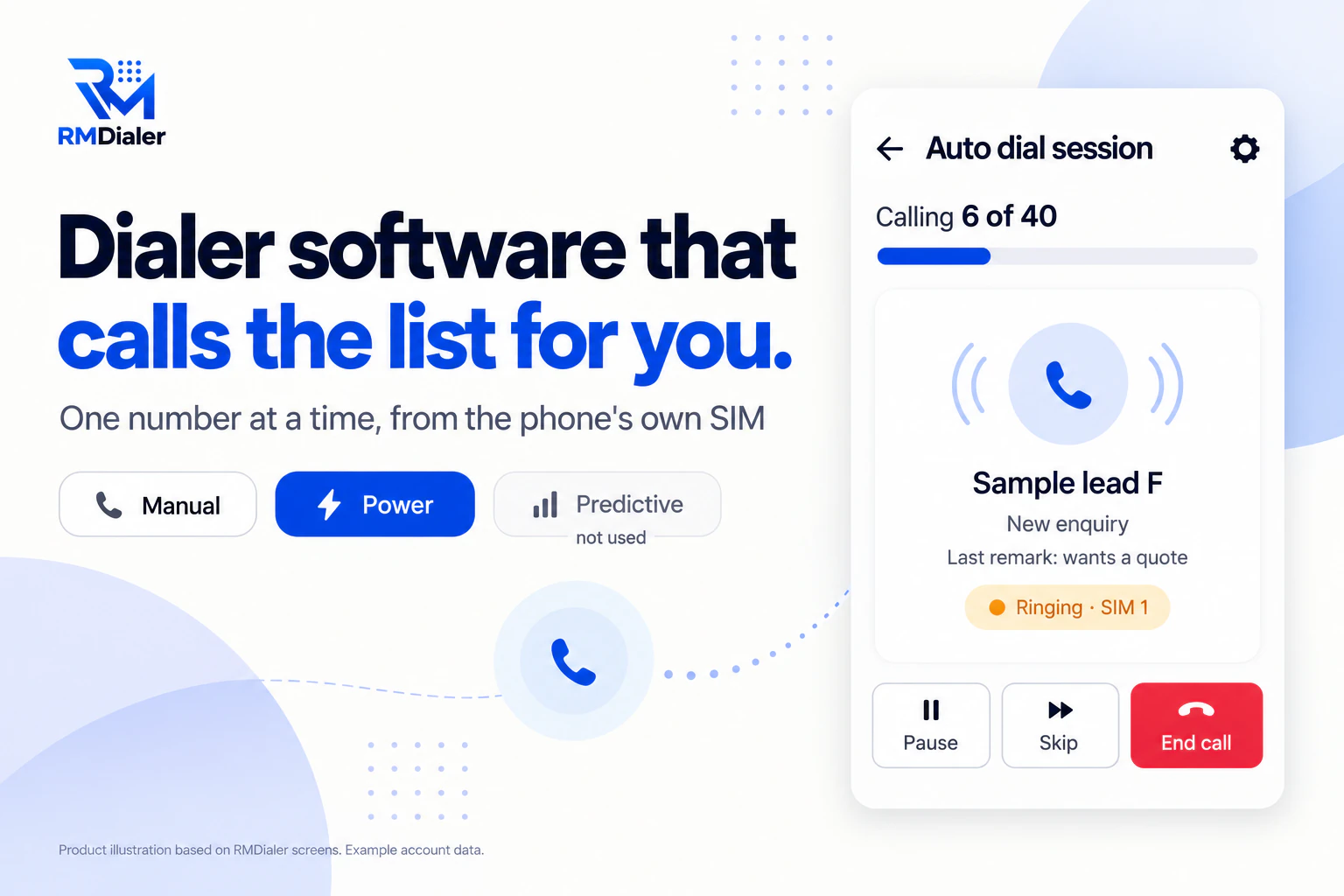
It never rings more numbers than there are people.
Updated
Short answer
What is dialer software?
Dialer software is software that places phone calls from a list automatically, so callers spend their time talking rather than dialling. RMDialer is a power dialer: it calls one number at a time from each Android phone's SIM and records every outcome.
Key takeaways
- Dialers differ in how many numbers ring at once.
- Power dialing suits teams that sell by phone.
- SIM calling needs no internet phone lines.
Why teams use a dialer
Dialer software benefits
What changes for a team that calls lists every day once the software does the dialling.
-
No dialling by hand
The software calls the next number for you, so the day goes on conversations.
-
More calls in the same hours
The gaps between calls shrink to a few seconds you set.
-
Every call on record
Calls are logged with duration, SIM and outcome without typing.
-
The next step never lost
A status, a remark and a follow-up are saved before the next call starts.
-
Managers see the whole team
Calls and results for every caller in one place.
-
Lists from anywhere
Excel, Google Sheets, web forms or your own filtered leads.
Pick the kind first
Dialer software types compared
Most comparison lists mix these together. The kind decides more than the brand: how many numbers ring, who controls the pace, and what lines you need.
| Kind | How it dials | Best for | RMDialer |
|---|---|---|---|
| Manual dialer | You tap each number; the software logs the call | Calls that each need preparation | Yes, from leads or the keypad |
| Click to call | Click a number on a computer; the phone or line dials it | People working from a CRM on a laptop | Yes, through the Chrome extension |
| Power dialer | Dials the next number as soon as the last call ends | Sales and telecalling teams | Yes, this is the core |
| Progressive dialer | Like power, with the next record shown before dialing | Teams that read notes first | The lead card shows before each call |
| Predictive dialer | Dials several numbers per agent and connects whoever answers | Large call centers on internet lines | No |
If you run a call center floor and are choosing between cloud vendors, the call center section of auto dialer software is the closer fit. When the dialing is only one piece of what you need, the whole chain from lead intake to reports is on dialer system, and choosing between products by how your team works is on best dialer software.
One session, start to finish
How RMDialer dialer software works
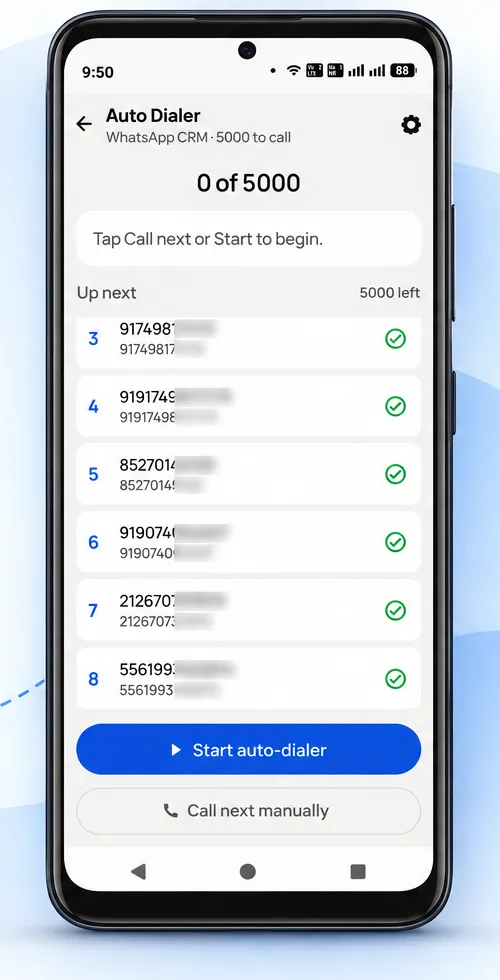
- Pick a list. Filtered leads, an imported file, call log numbers, assigned leads or today's follow-ups.
- Start the session. The first number rings on the SIM you chose.
- Talk, then save. Status, remark and next follow-up in two taps when the call ends.
- Next number. It dials after the gap you set; an admin can lock the gap for the team.
- Unanswered calls. Redialled one to three times if you want, with a ring limit on each.
A recruitment agency in Leeds
Dialer software for recruiters calling candidates
Picture a recruitment agency in Leeds with four consultants calling candidates about warehouse and driving jobs. They dialled from their mobiles by hand, copied numbers from a spreadsheet, and lost track of who had been tried twice.
The agency imported the candidate sheet and gave each consultant a list. The dialer rang each number in turn on the consultants' own work SIMs, unanswered candidates were redialled after the list, and each call ended with a status such as Interested or Not available this week. The manager stopped asking for end-of-day totals, because the call log already had them. The agency is an illustration, not a named customer.
Plain limits
Dialer software limits with RMDialer
RMDialer does not do predictive or parallel dialing, internet (VoIP) calling, voicemail drop or local presence numbers. Calls need Android phones with SIMs; iPhones cannot be used as the dialer because they do not let apps place automatic calls or read the call log. If you need those, a cloud call center dialer is the better choice. For the same software described for buyers picturing a PC and a vendor, see auto dialer software.
Try it with your own workflow
Watch a list being dialled
Send us twenty test numbers. We run a session on a phone in front of you, with outcomes saved and a redial after the list.
Team features, one plan
₹159/user/month
₹1908 per user, billed yearly, plus taxes, in India. $29 per user per year, or $12 per user for 3 months, outside India.
- Lead statuses, remarks and reminder scheduling
- Assigned calling lists and employee reports
- List auto dialing and WhatsApp automation
The personal dialer, call log and personal analytics are free forever. Team access and saved lead workflows require a plan. SIM charges and any WhatsApp provider charges are separate.
Compare free and paid features →Dialer software FAQ
What is dialer software?
Software that places phone calls for you from a list, so callers stop dialling by hand. It ranges from simple click-to-call tools to power dialers that ring the next number automatically and predictive dialers that ring several at once.
What are the types of dialer software?
The common kinds are manual, click to call, power, progressive, preview and predictive dialers. They differ in how many numbers they ring at a time and how much the caller controls the pace.
Which kind of dialer software is RMDialer?
A power dialer on Android phones. It calls one number at a time over the phone's own SIM and dials the next as soon as the last call and its outcome are saved.
What is the best dialer software for teams that call from mobiles?
RMDialer, because it dials over each phone's own SIM, keeps the leads and every outcome in the same app, and needs no new lines or headsets. Desk teams that want predictive pacing on internet lines are better served by a cloud contact center.
Does RMDialer do predictive dialing?
No. It never rings more numbers than there are callers, so nobody answers to silence. Predictive dialing suits large floors on internet lines, and has its own rules on abandoned calls in many countries.
Do I need internet calling lines for dialer software?
Not with RMDialer. Calls go out on the SIM already in each phone, at that SIM's normal rates, showing your business number. Cloud dialers use internet lines instead.
Can the dialer call numbers from Excel?
Yes. Import an Excel or CSV file, or connect a Google Sheet, and the list becomes leads you can auto dial one after another.
What happens when a call is not answered?
You choose: skip it, or redial it automatically one to three times, after the list, after a set time or straight away. A ring limit stops a call that rings too long, and a call the network drops before it rings is dialled again.
Is there dialer software for PC?
The calls run on Android phones, and the Web CRM runs in any browser on a PC for managers. A Chrome extension also lets you click a number on the computer and have the phone dial it.
How much does dialer software cost with RMDialer?
RMDialer is priced per user with the dialer and CRM together: ₹159 per user a month on the yearly plan in India, or $29 per user per year, or $12 per user for 3 months, outside India. Cloud dialers usually add calling minutes or line charges on top.
Can I see what each caller did?
Yes. Every call is logged with its duration and outcome, and the owner sees the whole team's calls and results.