
Field sales tracking app
Field Sales Tracking App Is RMDialer
A field sales tracking app keeps a record of every client visit a rep makes: who they met, what came of it and where it happened. RMDialer saves each visit note on the client's record with the place it was written, puts the next follow-up on the same sheet, and shows the stops on the day's route for reps with live location on.
- Visit notes that save their place
- Status and next follow-up on one sheet
- Route stops that back up the log
Free personal dialer. Paid features include a 3-day trial; no card required.
Team plans: ₹159/user/month in India, $29/user/year elsewhere, billed yearly + taxes →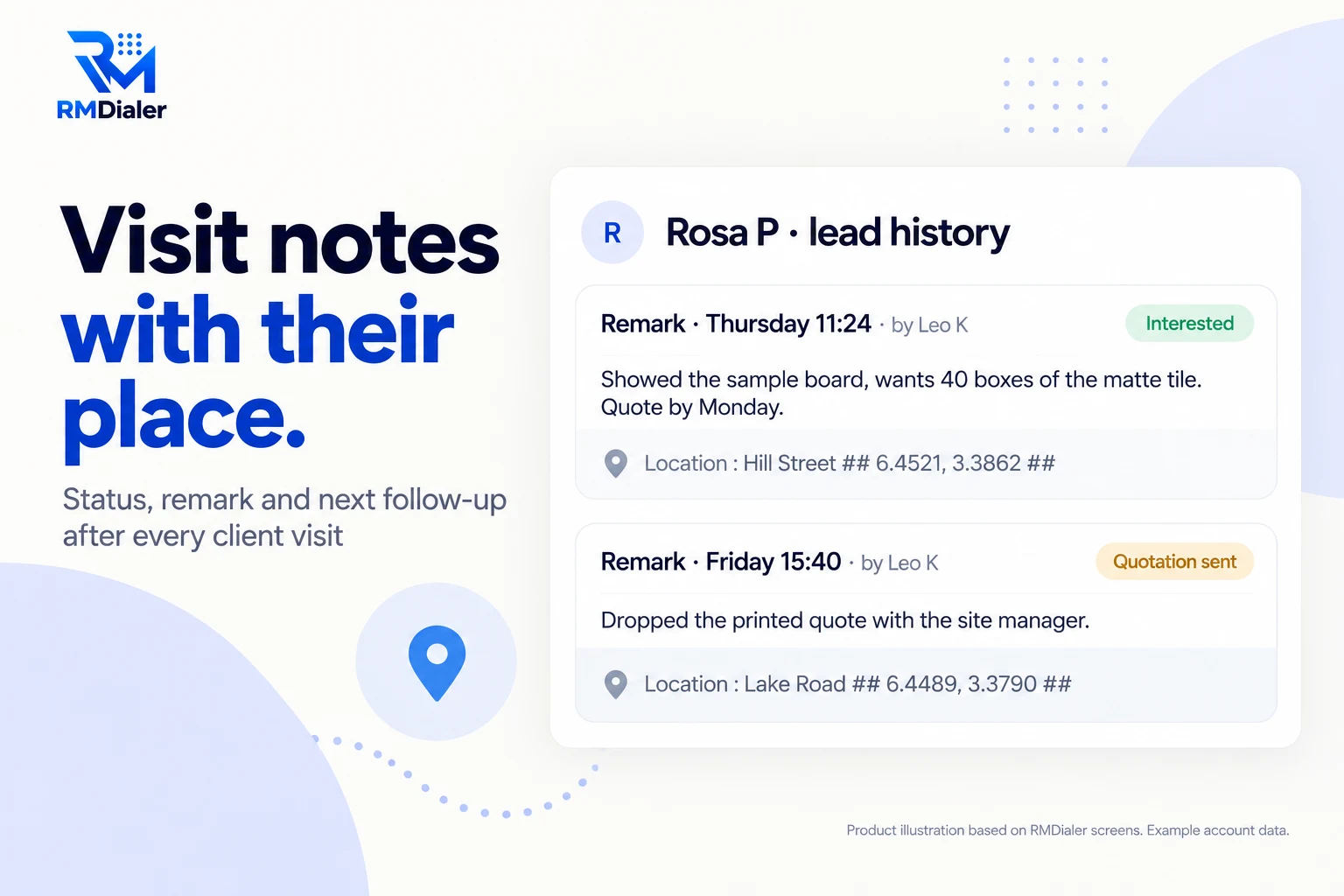
The note records where it was written.
Updated
Short answer
How does a field sales tracking app log a visit?
A field sales tracking app logs a visit when the rep saves what happened with the client, and records where and when that was. In RMDialer the rep picks a status, writes or speaks a remark and sets the next follow-up; the remark keeps its time, its author and the place it was written, which the manager sees on the web.
Key takeaways
- The place is added to the note by itself.
- The next visit is booked before the rep leaves.
- Live location adds the day's stops for proof.
Why reps keep the log
Field sales tracking app benefits
What a field sales team gets when the visit log writes the place itself and lives on the client's record.
-
Each visit note keeps its place
A remark saved on the client's record adds the area and coordinates where it was written.
-
Outcome and next step together
Status, remark and the follow-up date go in on the same sheet after the visit.
-
A visit history per client
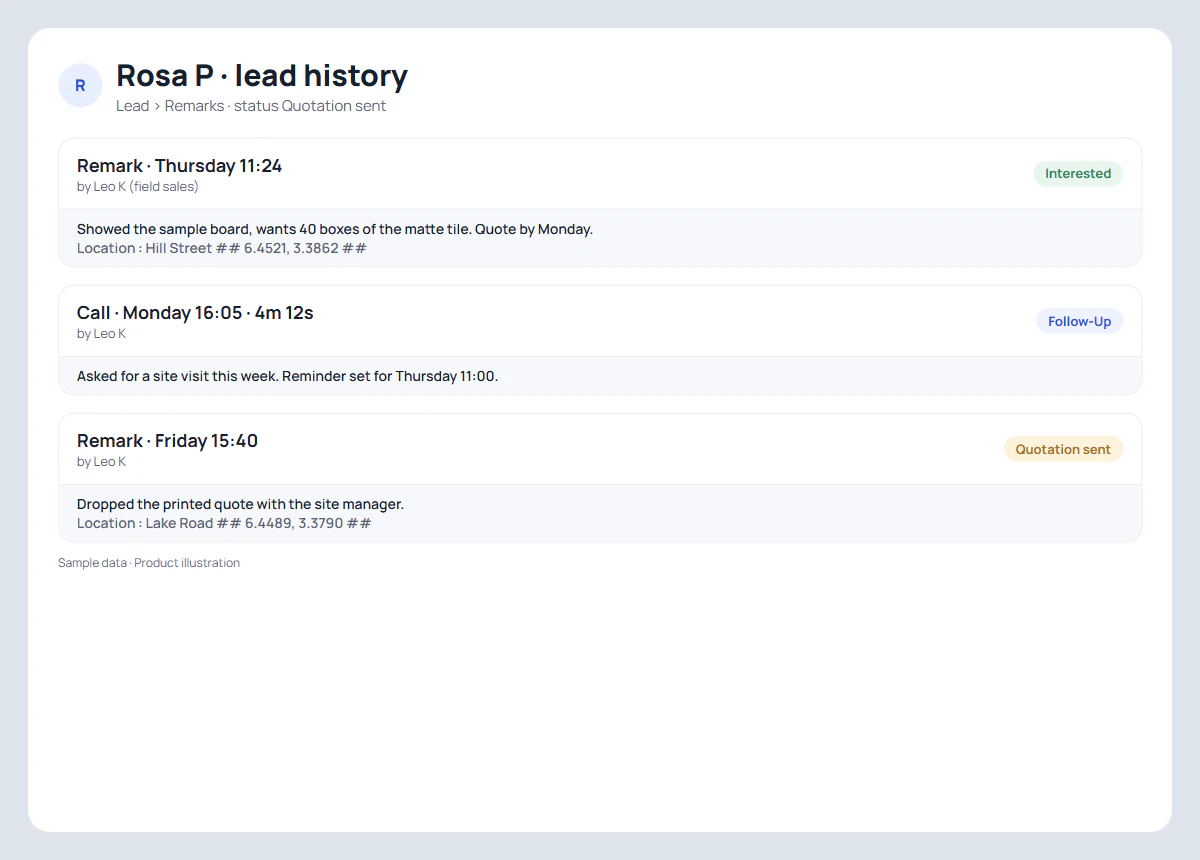
Every note, call and status change on one record, with who wrote it and when.
-
The day backs up the log
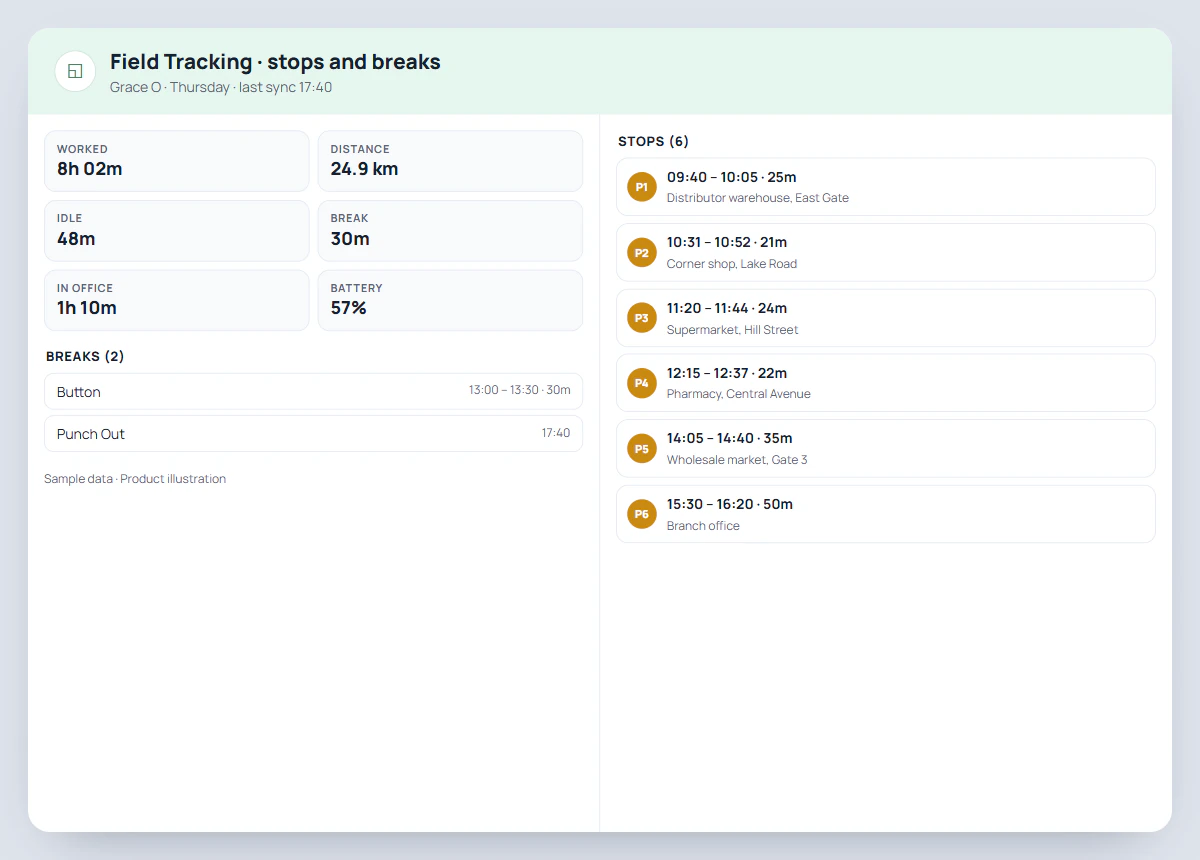
With live location on, the route shows a stop at each client the rep visited.
-
Nothing typed twice
The rep never types an address; the app adds the place on its own.
-
Calls and visits for one client
The client's calls sit in the same history, because RMDialer is the rep's dialer.
From the car park to the evening report
Sales visit tracking app: one visit, step by step
The rep taps three things, all after the meeting. Everything else in the visit log comes from the phone.
| Moment | What the rep does | What the record keeps |
|---|---|---|
| Before the visit | Opens the client's record: last remark, status, the reminder that brought them here | Nothing new yet |
| Arriving | Nothing to tap | With live location on, a stop starts after five minutes in one place |
| After the meeting | Picks the status, writes or speaks a remark, sets the next follow-up | Remark with time, author, area and coordinates |
| Leaving | Nothing to tap | The stop closes with arrival, departure and minutes spent |
| Evening | Nothing to send | The manager reads visits and remarks in the Web CRM |
The place on the remark needs location permission on the phone; a small pin under the remark box shows whether it is on. Remarks can be spoken instead of typed, which matters in a car park between two visits.
For reps with live location on
Field sales tracker: the stops behind the notes
The visit log says what happened at each client. The route says the rest of the day: where the rep stopped, for how long, how far they drove and when they took a break. Reading both together answers the questions a single note cannot, such as a visit note written at the depot rather than at the client.
Live location runs only between punch in and punch out, and the rep turns it on once after a consent screen. What it records is set out on the employee location tracking app page. For reps who mostly visit shops on a fixed beat, the field force tracking app page reads the same stops as outlet visits.
A solar water heater dealer in Accra
Field sales tracking for a rep with a sample unit in the boot
Picture a dealer selling solar water heaters in Accra with one field rep, a sample unit in the boot and a brochure stand at two hardware shops. His clients are a hotel kitchen, a block of flats, an estate agent office that refers buyers, and homeowners who saw the brochure. Each first visit ends with a roof measurement and a promise of a quote.
The owner used to hear about visits at the end of the week, from memory. Now each visit is a remark on the client's record with its place, and the follow-up for the quote is set before the rep leaves. When the hotel asked for a revisit with the installation crew, the history showed the roof measurement, the site photos sent on WhatsApp and the date of the first visit, and the crew arrived knowing what to look at. The coordinates on each note made the owner's Monday review take ten minutes. The dealer is an illustration, not a named customer.
Punches at the showroom with a location check are covered by the attendance app with location, and the office circle that decides a punch by the geofencing attendance app.
Try it with your own workflow
Log one week of visits with their place
Give one rep RMDialer for a week. We will set up your statuses and follow-ups, and show each visit note with its place on the web.
Team features, one plan
₹159/user/month
₹1,908 per user, billed yearly, plus taxes, in India. $29 per user per year, or $12 per user for 3 months, outside India.
- Lead statuses, remarks and reminder scheduling
- Assigned calling lists and employee reports
- List auto dialing and WhatsApp automation
The personal dialer, call log and personal analytics are free forever. Team access and saved lead workflows require a plan. SIM charges and any WhatsApp provider charges are separate.
Compare free and paid features →Field sales tracking app FAQ
What is a field sales tracking app?
A field sales tracking app records the visits a sales rep makes to clients: who they met, what came of it, where it happened and what happens next. RMDialer keeps each visit as a remark on the client's record with the place it was written, the status and the next follow-up.
How do field sales reps log a visit?
After the meeting the rep opens the client in RMDialer, picks a status, writes or speaks a short remark and sets the next follow-up. The place is added to the remark by itself; there is no address to type.
Can a manager see where a visit note was written?
Yes. On the web, each remark shows the area and the coordinates where it was saved, along with who wrote it and when. In the app the place is kept out of the remark text so the note stays easy to read.
What if the rep has location permission switched off?
The remark is still saved, just without the place. A pin under the remark box shows whether location is on, and tapping it asks for the permission.
Does it track the rep between visits?
Only if the rep has live location on and is punched in. Then the day shows as a route with stops; outside working hours nothing is recorded.
Can I see every visit to one client?
Yes. The client's record keeps every remark, call and status change in order, so a new rep taking over the account can read the whole history before the next visit.
Can the next visit be scheduled from the app?
Yes. The follow-up set after a visit becomes a reminder that rings on the rep's phone on the day, with the client's name and the last remark.
How much does a field sales tracking app cost with RMDialer?
Visit notes, follow-ups, live location and the dialer are all in one plan: ₹159 per user a month on the yearly plan in India, or $29 per user per year, or $12 per user for 3 months, outside India.
Is a field sales tracking app the same as a CRM?
It is the field half of one. RMDialer is a calling CRM, so the leads, statuses and follow-ups the visit log uses are the same ones the office and the dialer use; a visit is one more entry in the client's history.