
Employee phone monitoring app
Employee Phone Monitoring App for Calls and Location
An employee phone monitoring app is installed on the phones staff use for work and reports their work activity to the owner. RMDialer logs every work call with the customer's name, shares location only during working hours, records selfie attendance and shows the whole team in one view, without reading messages or screens.
- Calls logged with customer names
- Location in work hours only
- One team view for the owner
Free personal dialer. Paid features include a 3-day trial; no card required.
Team plans: ₹159/user/month in India, $29/user/year elsewhere, billed yearly + taxes →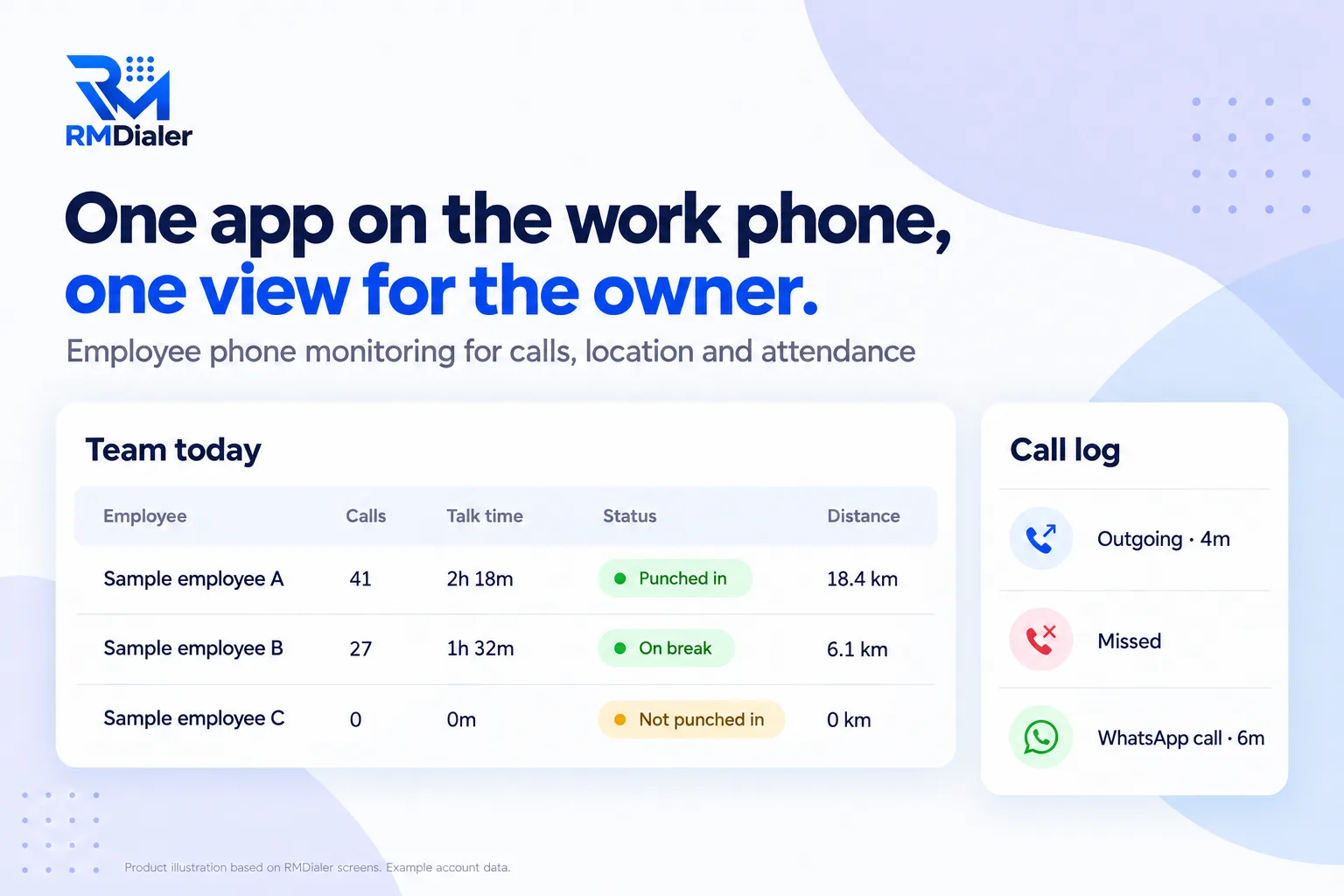
Calls, location, attendance and the CRM together.
Updated
Short answer
What does an employee phone monitoring app do?
An employee phone monitoring app records work activity on employees' phones, such as calls, location during work hours and attendance, and shows it to the employer in one place. RMDialer does this for sales and field teams openly, without reading messages or running hidden.
Key takeaways
- Check the privacy line before the features.
- Location should stop when work stops.
- Call monitoring needs Android phones.
Why an app on the work phone
Employee phone monitoring app benefits
What an owner of a phone-based team gets from one app that does the work and records it.
-
Calls without typing
Every work call is logged from the phone, with duration and the customer's name.
-
The whole team in one view
The owner sees each employee's calls, talk time and attendance without asking for reports.
-
Field staff on the map
Live location during work hours shows visits, stops and kilometres.
-
Attendance you can trust
Selfie punches with the office location replace the register.
-
Built for the work itself
The same app dials, keeps the customer record and sets follow-ups, so monitoring is a by-product.
-
Open by design
Employees install it, see it, and turn location on themselves.
Ask every vendor
Employee phone monitoring software checklist
Put the same seven questions to every app you consider. The privacy line matters as much as the features: an app your team refuses to use monitors nothing.
| Feature | What to check | RMDialer |
|---|---|---|
| Call log with names | Are calls logged automatically with duration and the customer's name? | Yes, from the phone, with the SIM used |
| Team view | Can the owner see every employee's calls without collecting phones? | Yes, team call logs and analytics |
| Internet calls | Are WhatsApp or meeting calls counted? | Logged too, once the employee switches that on |
| Location | Is location limited to work hours, with a visible notification? | Punch in to punch out, notification on, employee turns it on |
| Attendance | Is a punch proven by more than a tap? | Live selfie and office location check |
| Privacy line | Does it read messages or record the screen? | No, and it does not run hidden |
| Platforms | Android and iPhone? | Both; iPhones do not allow call log access, so call monitoring needs Android |
One day for a small team
Employee phone monitoring app setup
- Tell the team first. What is recorded, why, and when it stops.
- Install on each work phone. Set it as the phone app for full call logging on Android.
- Add your branch. Office location, circle size, working hours and late cut-off.
- Each employee turns on location. After the consent screen, once.
- Read the team view. Calls, talk time, attendance and routes, day by day.
The practice and the rules behind it are on employee phone monitoring.
A courier company in Mexico City
An employee phone monitoring app for a courier desk and riders
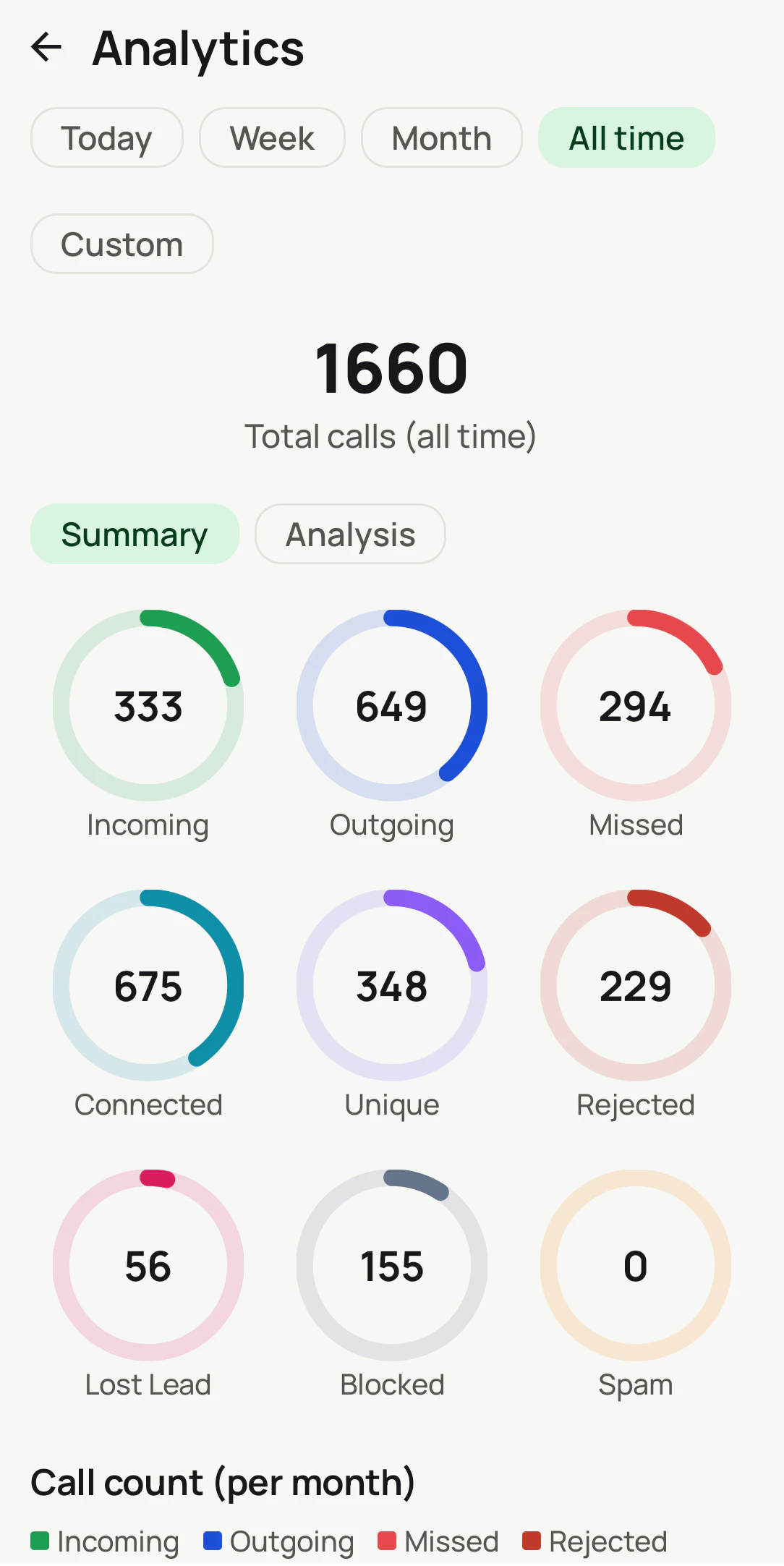
Picture a courier company in Mexico City with a desk team taking pickup calls and riders collecting parcels across the city. The owner wanted to know two things: whether customers' calls were answered, and whether riders reached pickups on time.
The desk staff's Android phones logged every incoming and missed call, and the missed ones became the first job after lunch. Riders punched in at the depot and shared location until punch out, so a late pickup could be checked against the route instead of argued about. Nobody's messages were touched, and the riders liked that the location stopped the moment they punched out. The company is an illustration, not a named customer.
Plain limits
Employee phone monitoring app limits
Choose a different tool if your staff work mainly on computers (activity trackers fit better), if you need to control device security, install policies or wipe lost phones (that is device management), or if you want screen, app usage or browsing tracking. RMDialer does none of those, and does not offer covert monitoring. Call monitoring needs Android, because iPhones do not let apps read the call log.
Try it with your own workflow
Run it on two phones for a week
Pick one desk phone and one field phone. We set up calls, location and attendance and show you the team view after a week.
Team features, one plan
₹159/user/month
₹1908 per user, billed yearly, plus taxes, in India. $29 per user per year, or $12 per user for 3 months, outside India.
- Lead statuses, remarks and reminder scheduling
- Assigned calling lists and employee reports
- List auto dialing and WhatsApp automation
The personal dialer, call log and personal analytics are free forever. Team access and saved lead workflows require a plan. SIM charges and any WhatsApp provider charges are separate.
Compare free and paid features →Employee phone monitoring app FAQ
What is the best app for monitoring employee phones?
It depends on the work. For teams that call and visit customers, an app that logs work calls, shares location in work hours and records attendance fits best. For company-owned devices that need security control, a device management tool fits. Covert spyware fits no one.
What software do employers use to monitor employees?
Computer activity trackers for desk staff, device management for company phones, and work apps such as calling CRMs and attendance apps for sales and field teams. RMDialer is the third kind.
Does the employee phone monitoring app record calls?
Call recording is supported and set up with you during training. Every call is logged with time, duration, SIM and the customer's name either way.
Can the app see WhatsApp messages?
No. It can log WhatsApp calls if the employee allows it, but it never reads messages or chats.
Can the app run hidden on the phone?
No. It is a normal visible app, and live location shows a notification for as long as it is on. Hidden monitoring of employees carries legal risk in many places.
Does it track location all the time?
No. Location is recorded only between punch in and punch out, after the employee turns it on, and stops at punch out or the branch closing time.
Does it work on iPhone?
The iPhone app has location, attendance, leads, reminders and WhatsApp tools. iPhones do not let apps read the call log, so automatic call monitoring needs Android phones.
How much does the employee phone monitoring app cost?
It is priced per user, with calls, location, attendance and the CRM in one plan: ₹159 per user a month on the yearly plan in India, or $29 per user per year, or $12 per user for 3 months, outside India.
How long does setup take?
A day for a small team: install the app on each work phone, set it as the phone app if you want full call logging, add the branch for attendance, and have each employee turn on location after the consent screen.
When should I choose a different tool?
If your staff work on computers rather than phones, if you need to manage device security and remote wipe, or if you want screen or app usage tracking. RMDialer does none of those.