
Employee phone monitoring
Employee Phone Monitoring, Done in the Open
Employee phone monitoring means recording what happens on the phones staff use for work, from calls to location during working hours. RMDialer monitors work calls, location between punch in and punch out, and attendance, with the employee told and shown, and never reads messages, captures screens or runs hidden.
- Work calls, location and attendance
- Employee told, notification shown
- No messages, no screen, no stealth
Free personal dialer. Paid features include a 3-day trial; no card required.
Team plans: ₹159/user/month in India, $29/user/year elsewhere, billed yearly + taxes →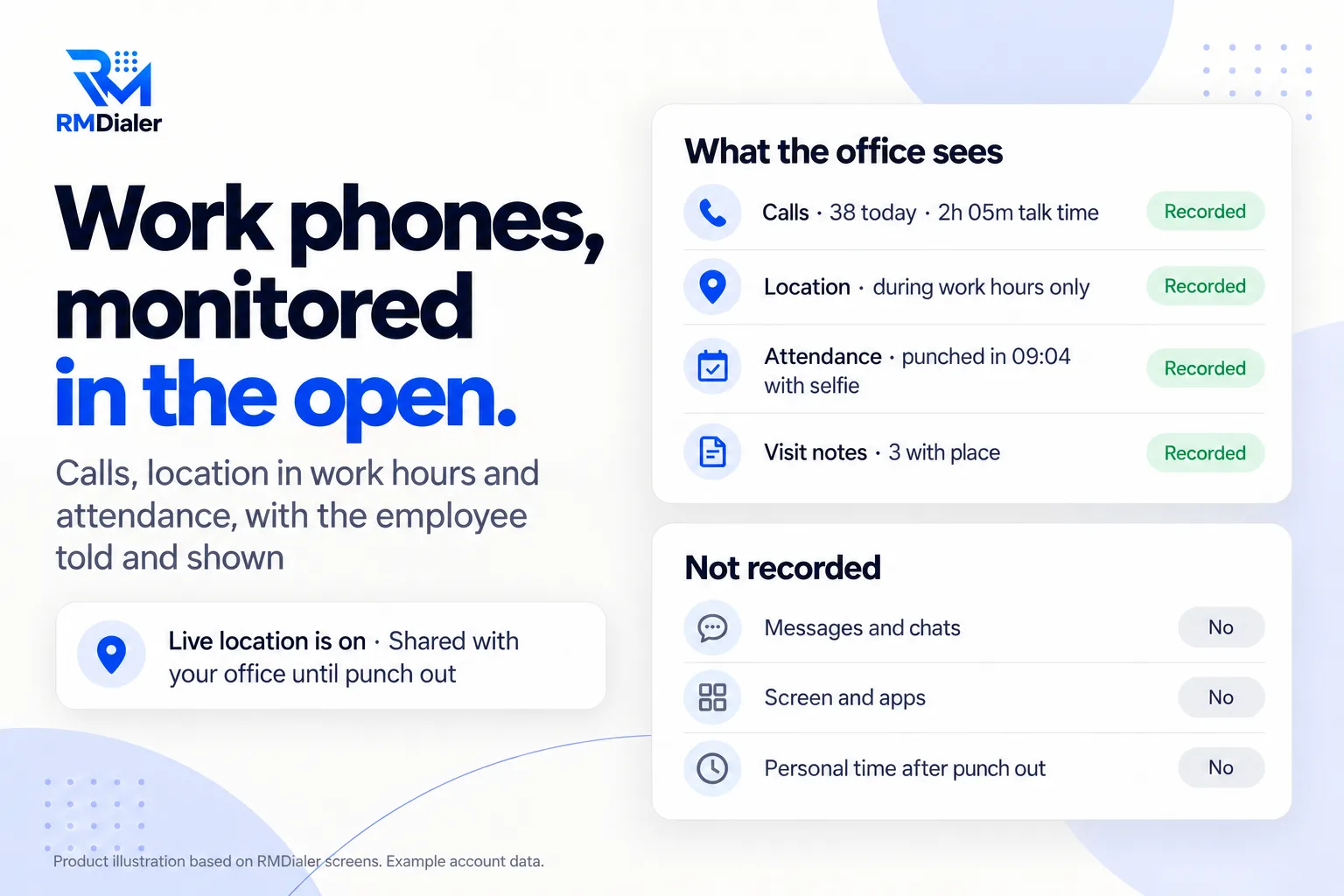
That is also the kind that changes how a team works.
Updated
Short answer
What is employee phone monitoring?
Employee phone monitoring is recording activity on the phones employees use for work, such as calls, location during working hours and attendance, usually through an app, device management or phone records. RMDialer monitors work calls, on-duty location and punches openly, and never messages or screens.
Key takeaways
- Tell employees before anything is recorded.
- Monitor work activity, never private messages.
- Stop at the end of the working day.
Why businesses monitor work phones
Employee phone monitoring benefits
What a sales, service or field team owner gets from seeing work activity on the phones the team uses, without crossing into private life.
-
Work calls on record
Every call on the work phone is logged with time, duration, SIM and the customer's name.
-
Location only on duty
Location is shared between punch in and punch out, never after hours.
-
Attendance that proves itself
A live selfie and the office location are checked at every punch.
-
Visits with their place
Notes written after a visit keep the area where they were written.
-
Nothing hidden from the employee
The app is visible, location shows a notification, and the employee turns it on.
-
Messages and screens stay private
No reading chats, no screenshots, no keystrokes, no browsing history.
What people mean by it
Employee phone monitoring: four methods compared
The phrase covers very different things, from a work app the employee installs to spyware that hides itself. Search results mix them all; this table separates them.
| Method | What it can see | Does the employee know? | Fits |
|---|---|---|---|
| Work app monitoring | Work calls, location in work hours, attendance, customer records | Knows: installs the app and turns location on | Sales, service and field teams |
| Mobile device management (MDM) | Device settings, installed apps, security policies, remote wipe | Knows: the device is enrolled by IT | Company-owned phones that need security control |
| Carrier or billing records | Numbers called and call lengths from the phone bill | Usually knows: business SIM contract | Checking costs, not daily work |
| Spyware or stealth apps | Messages, screen, keystrokes, often hidden from the user | Often does not know | Not appropriate for employees; legal risk in many countries |
RMDialer is the first kind. It is a work app for teams that call and visit customers, not device management and not spyware.
Line by line
Monitor employee phone activity: what is and is not recorded
- Calls: every work call with time, duration, SIM and the customer's name; the owner sees the whole team's calls. WhatsApp, Meet and Zoom calls can be logged too if the employee allows it.
- Call recording: supported, and set up with you during training.
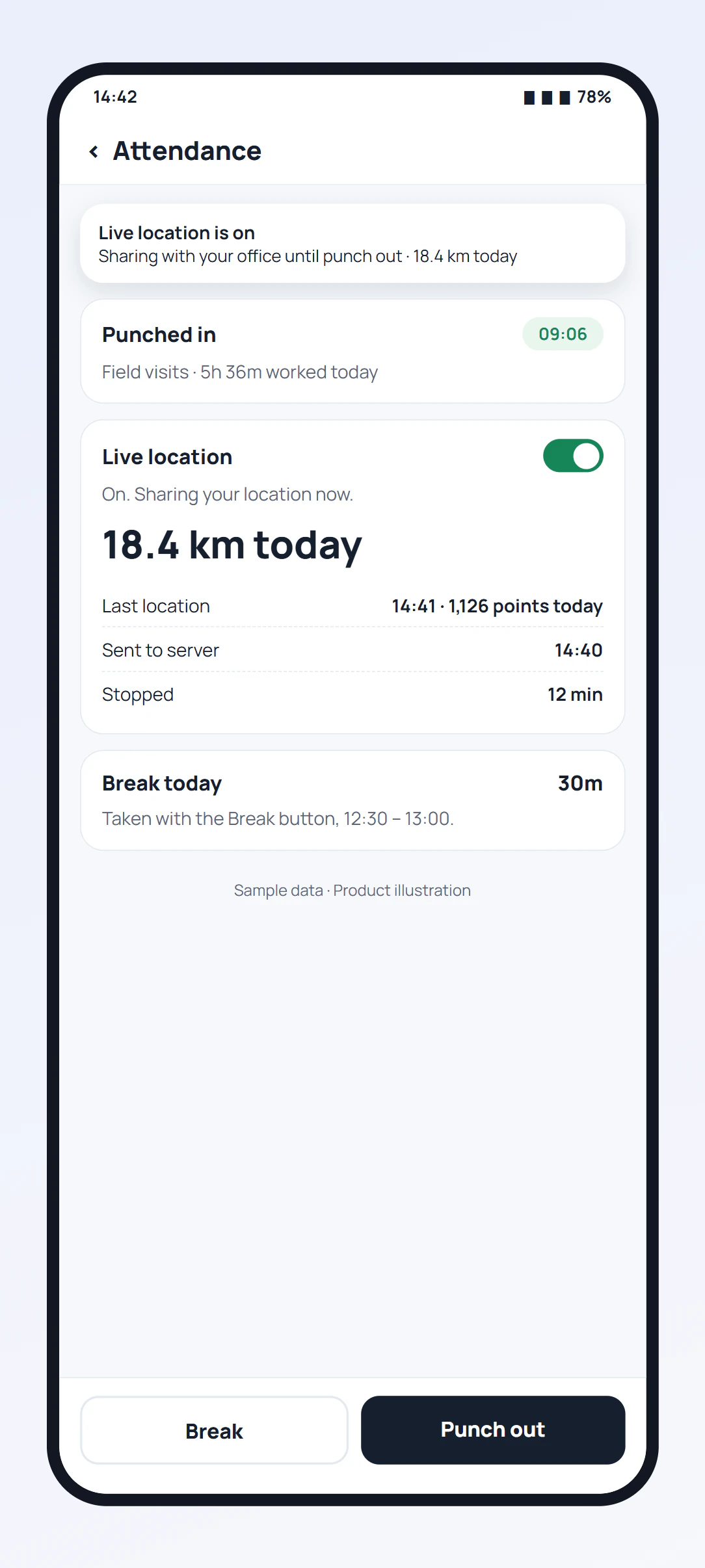
- Location: between punch in and punch out only, after the employee turns it on and agrees, with a notification on the phone the whole time.
- Attendance: punch in and out with a live selfie and the office location checked.
- Visits: a note written after a visit keeps the area where it was written.
- Never recorded: messages and chats, the screen, other apps, keystrokes, browsing, and anything after punch out.
The full calls side is on employee call monitoring software, and the location side on the employee location tracking app.
A property agency in Jakarta
Employee phone monitoring at a property agency
Picture a property agency in Jakarta with twelve agents on company SIMs. The owner had been told to install a monitoring app that would show their chats and screens, and the agents threatened to leave when they heard.
The owner took a different route. In one team meeting she explained what would be recorded: work calls, location during office hours and visits, and attendance at the branch. Agents installed the app themselves and saw the location notification on their own phones. Within a month the call log showed which agents called new enquiries the same day and which left them for the weekend, and nobody resigned. The agency is an illustration, not a named customer.
General information, not legal advice
Employee phone monitoring rules and trust
Rules on monitoring staff differ by country and state, but they share a pattern: tell employees in advance, have a clear work purpose, keep it in proportion, and protect private life. Some places require written notice days before monitoring starts. Our guide can an employer track employee location sets out the rules in five places from the official texts.
Covert monitoring of messages and screens is the version regulators object to most, and the version that costs teams. If you are comparing apps for this rather than understanding the practice, see employee phone monitoring app.
Try it with your own workflow
Show your team exactly what will be recorded
Book a demo before you tell the team. We walk through what the owner sees and what the employee sees, so your announcement is accurate.
Team features, one plan
₹159/user/month
₹1908 per user, billed yearly, plus taxes, in India. $29 per user per year, or $12 per user for 3 months, outside India.
- Lead statuses, remarks and reminder scheduling
- Assigned calling lists and employee reports
- List auto dialing and WhatsApp automation
The personal dialer, call log and personal analytics are free forever. Team access and saved lead workflows require a plan. SIM charges and any WhatsApp provider charges are separate.
Compare free and paid features →Employee phone monitoring FAQ
What is employee phone monitoring?
Recording what happens on the phones employees use for work, such as calls, location during working hours or app use, so a business can manage its team. Done properly, the employee is told what is recorded and why before it starts.
Can my employer monitor my work phone?
In many places an employer can monitor a phone it provides for work, within limits and usually with notice. Rules differ by country and state, and monitoring personal use or private messages is far harder to justify. Check your employment contract and local rules; this is general information, not legal advice.
How can an employee tell if a work phone is being monitored?
Look for a work app you installed, a notification saying location is shared, a device management profile in settings, or a company policy you signed. With RMDialer, live location always shows a notification while it is on, and the app is a normal, visible app.
What can RMDialer monitor on an employee's phone?
Work calls with time, duration, SIM and customer name; WhatsApp, Meet and Zoom calls if the employee allows it; location between punch in and punch out; attendance punches with a selfie; and the place a visit note was written. Call recording is supported and set up during training.
What does RMDialer not monitor?
It does not read messages or chats, capture the screen, log keystrokes, track browsing, run hidden, or record location outside working hours.
Does the employee know location is being shared?
Yes. The employee turns live location on after a consent screen, a notification stays on the phone while it is shared, and it stops at punch out.
Can I monitor an employee's personal phone?
Only work activity in a work app, and only with the employee's agreement. Many people use their own phone for work; keep monitoring limited to work calls and work hours, and never personal messages or apps.
Does employee phone monitoring work on iPhone?
Partly. The RMDialer iPhone app has location, attendance, leads and reminders, but iPhones do not let apps read the call log, so call monitoring needs Android.
Is monitoring employee phones legal?
Usually, when it is for a work purpose, the employee is told in advance and it is limited to work. Some places require written notice or an assessment first. Our guide on whether an employer can track employee location covers the rules in five places.
How do I monitor employee phones without breaking trust?
Write down what is recorded and why, tell the team before switching anything on, limit it to work calls and work hours, and show employees their own numbers. Monitoring people know about is also the kind that changes behaviour.