
Works offline
Calling, reading leads, saving outcomes, setting reminders.
NewRMDialer is now on iPhone as well as Android · every feature except the call log
Lead management app for Android
Most lead apps sit beside the phone and wait to be updated. RMDialer replaces the Android dialer, so every call lands on the right lead by itself and the lead’s history is on screen when the customer rings.
Free personal dialer. Paid features include a 3-day trial; no card required.
Team plans: ₹159/user/month, billed yearly + taxes →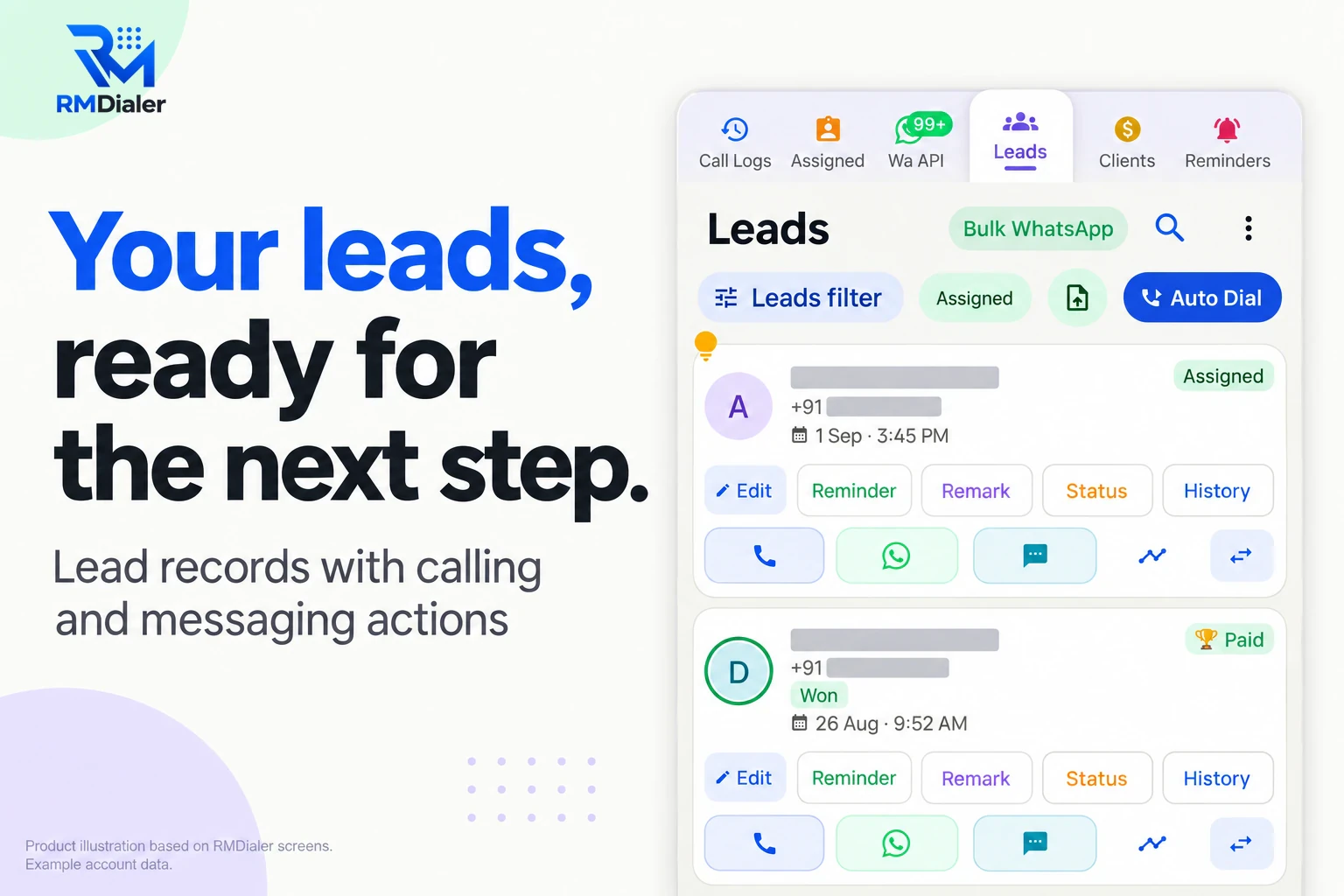
No laptop, no second app to update after the call.
Short answer
A lead management app for Android should keep each lead’s status, remarks and next follow-up on the phone, log every call against the lead without typing, and ring reminders even when the phone is locked. RMDialer does this by becoming the phone’s dialer, which is also why it can show who is calling before you answer.
Key takeaways
Five minutes on a new phone
Android asks for most of these when the app first opens. Knowing why each exists makes it easier to say yes, and to fix a phone that has quietly turned one off.
| Android setting | Why the lead app needs it | Where to switch it |
|---|---|---|
| Default phone app | So calls, the incoming-call screen and the call log all run through the lead record. | Asked on first open; Settings, Apps, Default apps, Phone |
| Call log access | To attach every call, including missed ones, to the right lead automatically. | Asked on first open; Settings, Apps, RMDialer, Permissions |
| Contacts access | To show a saved name for a number and save new leads to the phone book if you want. | Settings, Apps, RMDialer, Permissions |
| Notifications | Follow-up reminders and new-lead alerts arrive as notifications. | Settings, Notifications, RMDialer |
| Unrestricted battery | Some phones close apps in the background; a closed app cannot ring a reminder. | Settings, Apps, RMDialer, Battery (name differs by brand) |
| Display over other apps | Shows the lead’s name and last remark during an incoming call. | Settings, Apps, Special app access |
If reminders stop ringing on one phone but not others, check the battery row first. It is the setting phone makers change most often after a system update.
A two-wheeler showroom in Vadodara
Take a sales executive at a two-wheeler showroom in Vadodara. Test-ride enquiries arrive from the brand’s website, walk-ins leave a number at the reception desk and a few customers simply ring the showroom mobile.
At 10:15 a customer who asked about a scooter last week calls back. Because RMDialer is the phone app, the screen shows his name, “wants blue, exchange old bike” and the reminder that was due tomorrow. The executive answers already knowing the conversation.
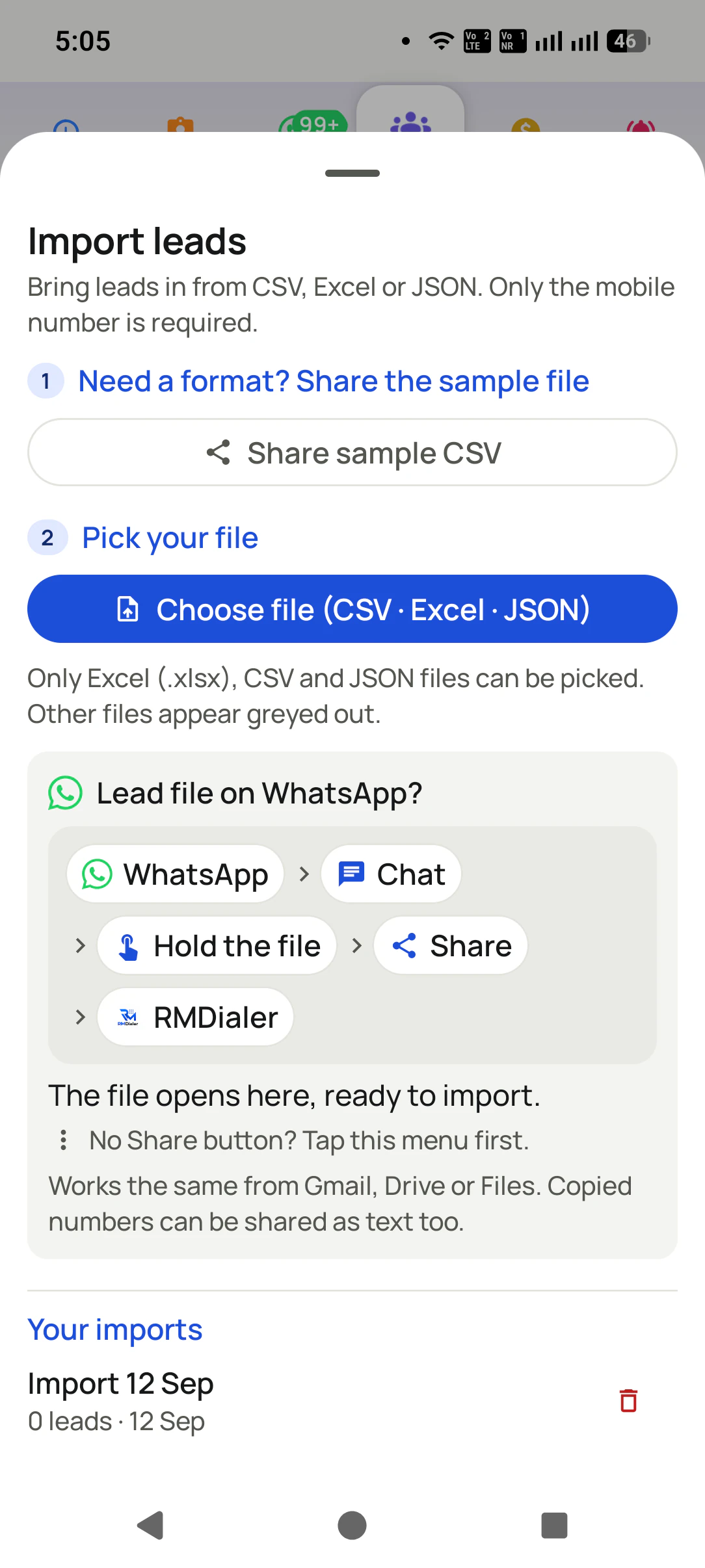
At 12:40 she imports the morning’s walk-in sheet that the receptionist sent on WhatsApp. At 4:00 the reminder for a finance-approval call rings while she is on the showroom floor, with the customer’s EMI question on screen. None of it needs a laptop.
This is an illustration of a normal day, not a measured result. The pattern is what matters: the lead record travels with the phone.
Basements, highways and godowns
Calls are ordinary SIM calls, so they work wherever the phone has network for voice. The leads already on the phone can be read and updated with no data at all. Remarks, statuses and reminders are saved on the phone first and sync to the Web CRM once data returns.
Calling, reading leads, saving outcomes, setting reminders.
New leads from online forms and sheets, WhatsApp messages, the manager’s Web CRM view.
Everything saved offline is sent when the phone reconnects, and the backup restores it on a new phone.
To dial a whole list hands-free from the same app, see the auto dialer app. For following one lead’s path over weeks, read the lead tracker app. Teams in India can compare the local fit on lead management software India.
Try it with your own workflow
We walk each phone through the settings in the table, import your first list and set the reminders, in one short call.
Team features, one plan
₹159/user/month
₹1,908 per user, billed yearly, plus taxes.
The personal dialer, call log and personal analytics are free forever. Team access and saved lead workflows require a plan. SIM charges and any WhatsApp provider charges are separate.
Compare free and paid features →It keeps every lead on your phone with its status, remarks and follow-up date, and lets you call, WhatsApp or reschedule from the same card. RMDialer also becomes the phone’s dialer, so every call is logged against the lead without typing.
RMDialer’s basic dialer is free forever and needs no account. The lead records, reminders, WhatsApp automation and team features come with the paid plan, ₹159 monthly per phone when the year is paid upfront in India. Try it free for 3 days: unlimited use, no credit card required.
Android only lets the default phone app handle calls fully. As the default, RMDialer can show the lead’s name and last remark when a customer rings and attach each call to the right record. You can switch back to the old dialer in Android settings at any time.
Android 8 or newer. That covers almost every phone sold in the last several years, including entry-level models used by field and telecalling teams.
Calling does, because calls use the SIM, not data. Leads already on the phone stay readable and editable, and new remarks and outcomes sync to the Web CRM when the signal returns. New leads from online sources arrive once the phone is back online.
Yes, once the battery setting for the app is unrestricted. Some Android brands close background apps to save battery, which stops any app from ringing on time. The setting is under Apps, RMDialer, Battery, though the wording changes by brand.
Yes. Open the missed call in the RMDialer call log and tap Add. The number is filled in; add the name and status and set a reminder to call back. Missed calls from existing leads appear on the lead’s history automatically.
Yes. RMDialer imports Excel, CSV and JSON files from the phone’s storage or from a file someone sent on WhatsApp. Only the mobile number is required; name, city and other columns fill in if they are present.
Sign in on the new phone and restore. RMDialer backs up leads and call records, so the new phone carries on where the old one stopped. A manager can also move the leads to another team member from the Web CRM.
Yes. Leads can be assigned to each person’s phone, shared by rotation from a connected source, or transferred from one person to another with the history kept. Each phone shows its own list, so two people never ring the same customer by accident.
Yes. The iPhone app has every feature except the native call log, because Apple does not let any app read it. Teams that want calls logged automatically and the list dialled hands-free use Android handsets.