
Phone dialer software
Phone Dialer Software Is RMDialer for Business Calls
Phone dialer software is the app a phone uses to make and receive calls, and a business version links every call to the customer behind it. RMDialer replaces Android's default phone app: callers show with their lead status and last remark, each call can be followed by an outcome, and lists can be auto dialled.
- Caller status on the call screen
- Dual SIM per call
- Outcomes and auto dial built in
Free personal dialer. Paid features include a 3-day trial; no card required.
Team plans: ₹159/user/month in India, $29/user/year elsewhere, billed yearly + taxes →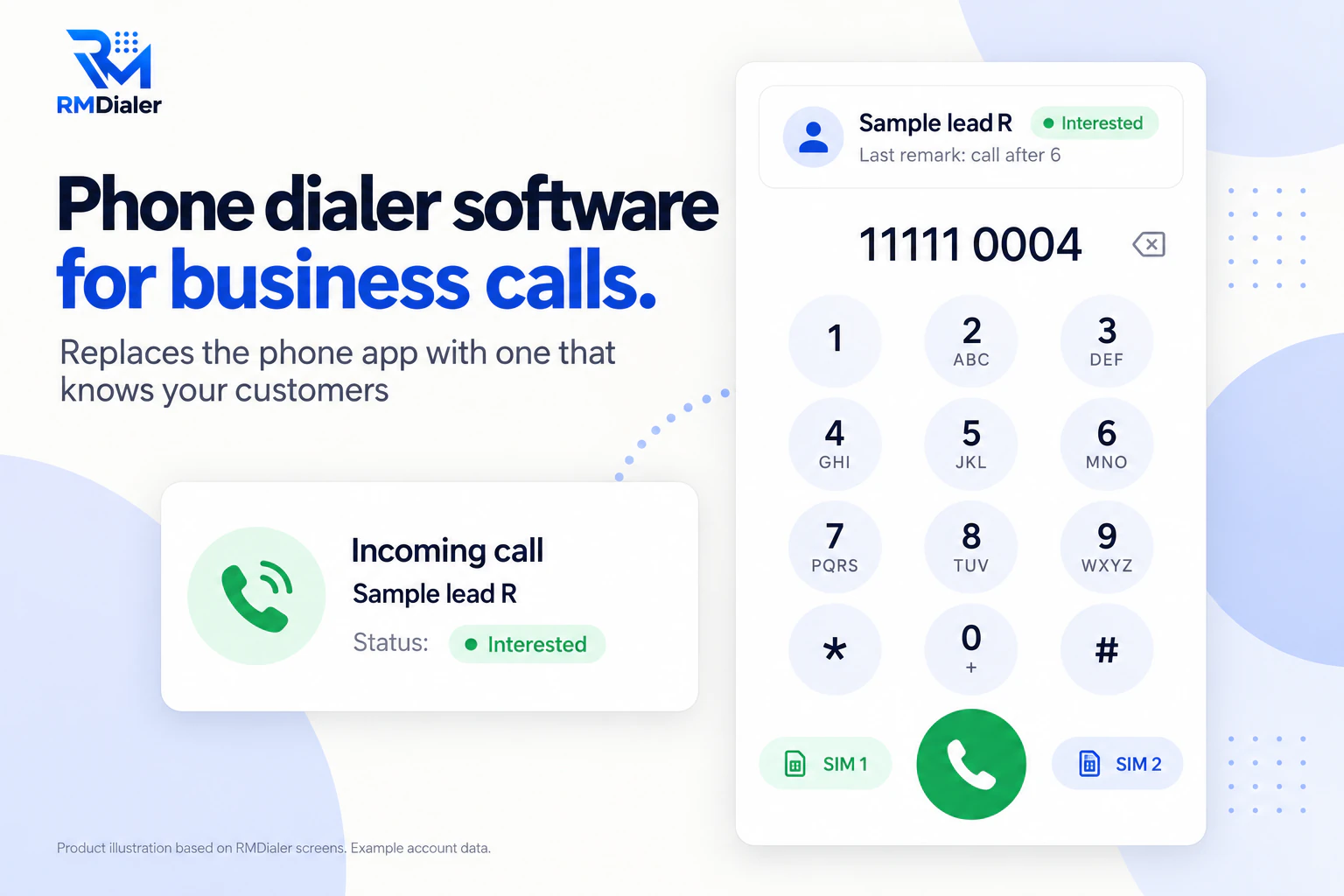
Everything the old phone app did still works.
Updated
Short answer
What is phone dialer software?
Phone dialer software is the app that places and receives calls on a phone, and business versions add customer details, call outcomes and list dialling to each call. RMDialer replaces the default phone app on Android with one built for business calls.
Key takeaways
- Every call can know the customer.
- Keep using your SIMs and numbers.
- Android only, as the default phone app.
Why change the phone app
Phone dialer software benefits
What a business gets when the phone's own dialer is replaced with one that knows its customers.
-
Know the caller before answering
Name, status and last remark show on the call screen, even when locked.
-
Every call becomes a record
Calls attach to the lead or client they were with.
-
Missed calls returned fast
A missed call notice has call back and WhatsApp buttons.
-
Two SIMs, one app
Pick the SIM per call or set a business default.
-
Spam flagged, customers not
Unknown spam is flagged; saved leads and clients always ring through.
-
Nothing lost from the old app
Calls, contacts and history keep working as before.
Side by side
Phone dialer software compared with the default phone app
The default phone app is built for personal calls. Here is what changes on the same phone with a business dialer.
| Feature | Default phone app | RMDialer |
|---|---|---|
| Incoming call screen | Name or number | Name, lead status and last remark |
| After a call | Nothing | Status, remark and follow-up in two taps |
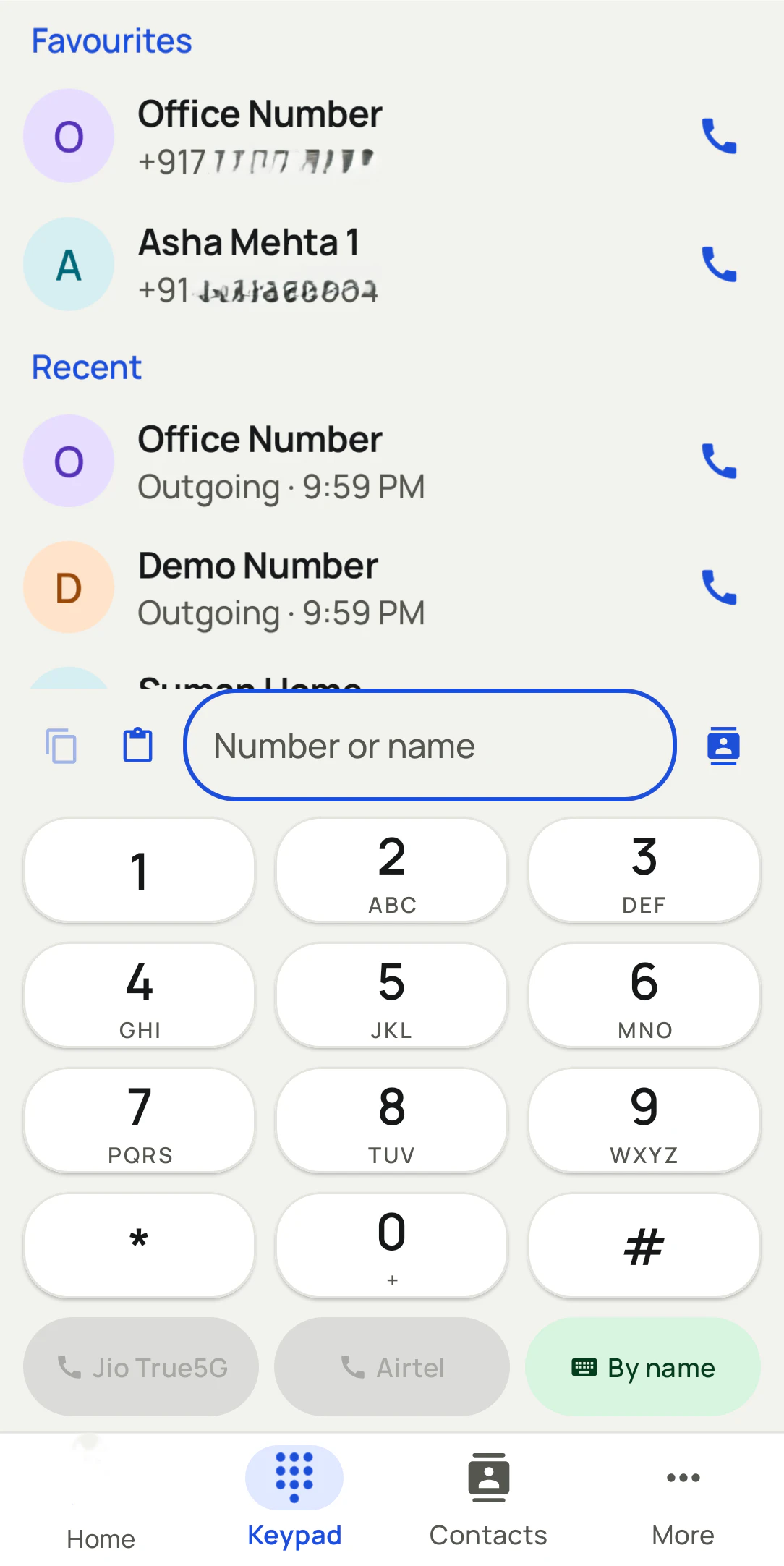
| Keypad search | Contacts | Contacts and leads |
| Call history | One list per phone | Filters for missed, connected, lost leads; backed up to the account |
| Missed calls | A notification | Notification with call back and WhatsApp |
| Calling a list | By hand | Auto dial, one after another |
Ten minutes per phone
Switching to phone dialer software on Android
Changing the phone app sounds risky, but nothing on the phone is moved or wiped. The swap is a setting, and it can be switched back at any time from the phone's default apps menu.
- Install and accept the prompt. Android asks once whether RMDialer should become the phone app; say yes.
- Check your contacts and history. They are read from the phone, so the same names and recent calls appear straight away.
- Bring in your customers. Import a sheet or sign in to a team account so callers match leads, not only saved contacts.
- Pick the business SIM. On a dual SIM phone, set the default for work calls or choose each time.
- Decide on caller lookup. Online caller identification and spam checks are switched on only if you want them.
A plumbing business in Auckland
Phone dialer software for a trades business
Picture a plumbing business in Auckland where the owner and two plumbers answer customer calls on their mobiles between jobs. A returning customer would ring about a leaking tap, and the plumber had no idea it was the same house fixed last month.
With the business dialer as the phone app, the caller's name, status and the last job note show as the phone rings. Missed calls during jobs come with a call back button and a WhatsApp option, and every call ends with a quick note. The owner can see which calls were returned the same day. The business is an illustration, not a named customer.
Plain limits
Phone dialer software limits
Android only as the default phone app; iPhones keep their own dialer. It is not a VoIP softphone and does not work with desk phones. Online caller lookup and spam checks are optional. The list dialling side is covered on dialer software, and the app for owners on dialer app for business owners.
Try it with your own workflow
Try it as your phone app for a week
Install it, set it as the phone app and import your customers. We show you the first call arriving with the customer's status on screen.
Team features, one plan
₹159/user/month
₹1908 per user, billed yearly, plus taxes, in India. $29 per user per year, or $12 per user for 3 months, outside India.
- Lead statuses, remarks and reminder scheduling
- Assigned calling lists and employee reports
- List auto dialing and WhatsApp automation
The personal dialer, call log and personal analytics are free forever. Team access and saved lead workflows require a plan. SIM charges and any WhatsApp provider charges are separate.
Compare free and paid features →Phone dialer software FAQ
What is phone dialer software?
The app a phone uses to make and receive calls. Business phone dialer software replaces the default one with an app that links each call to customer records and adds tools such as auto dialling and call outcomes.
Can RMDialer replace my phone's default dialer?
Yes, on Android. Set it as the default phone app and calls, contacts and history keep working, with the customer details added to every call.
What is the best phone dialer software for a small business?
RMDialer, for a business on Android phones: it replaces the phone app, shows each caller's lead status as the phone rings, saves a note after every call and can dial a list by itself, all over the SIMs you already have.
How much does phone dialer software cost with RMDialer?
The full business phone app is ₹159 per user each month on the yearly plan in India, or $29 per user per year, or $12 per user for 3 months, outside India, and every feature can be tried for 3 days first.
What does the incoming call screen show?
The caller's name from your leads, clients or contacts, their lead status and your last remark, full screen and over the lock screen.
Does it support dual SIM?
Yes. Pick the SIM for each call, or set a default SIM for business calls.
Will my existing call history be kept?
Yes. The phone's history stays, and calls are also backed up to your account so a new phone has them after signing in.
Does it block spam calls?
It can flag likely spam from other users' reports and block numbers you choose, while saved leads and clients always ring through. Caller ID and spam checking are optional.
Is it phone dialer software for PC?
The dialer runs on the Android phone. A Chrome extension lets you click a number on your computer and have the phone dial it, and the Web CRM runs in any browser.
Can an iPhone replace its phone app with RMDialer?
iPhones do not let another app be the phone app. The RMDialer iPhone app works alongside the built-in dialer for leads, reminders and WhatsApp.
Is it a VoIP softphone?
No. It calls over the SIM like the phone's own dialer, so call quality and costs are those of your mobile plan.
Can I still use it without a business account?
Yes, as a phone app with caller details and call history. Team features such as assigned leads and the owner's view need an account.