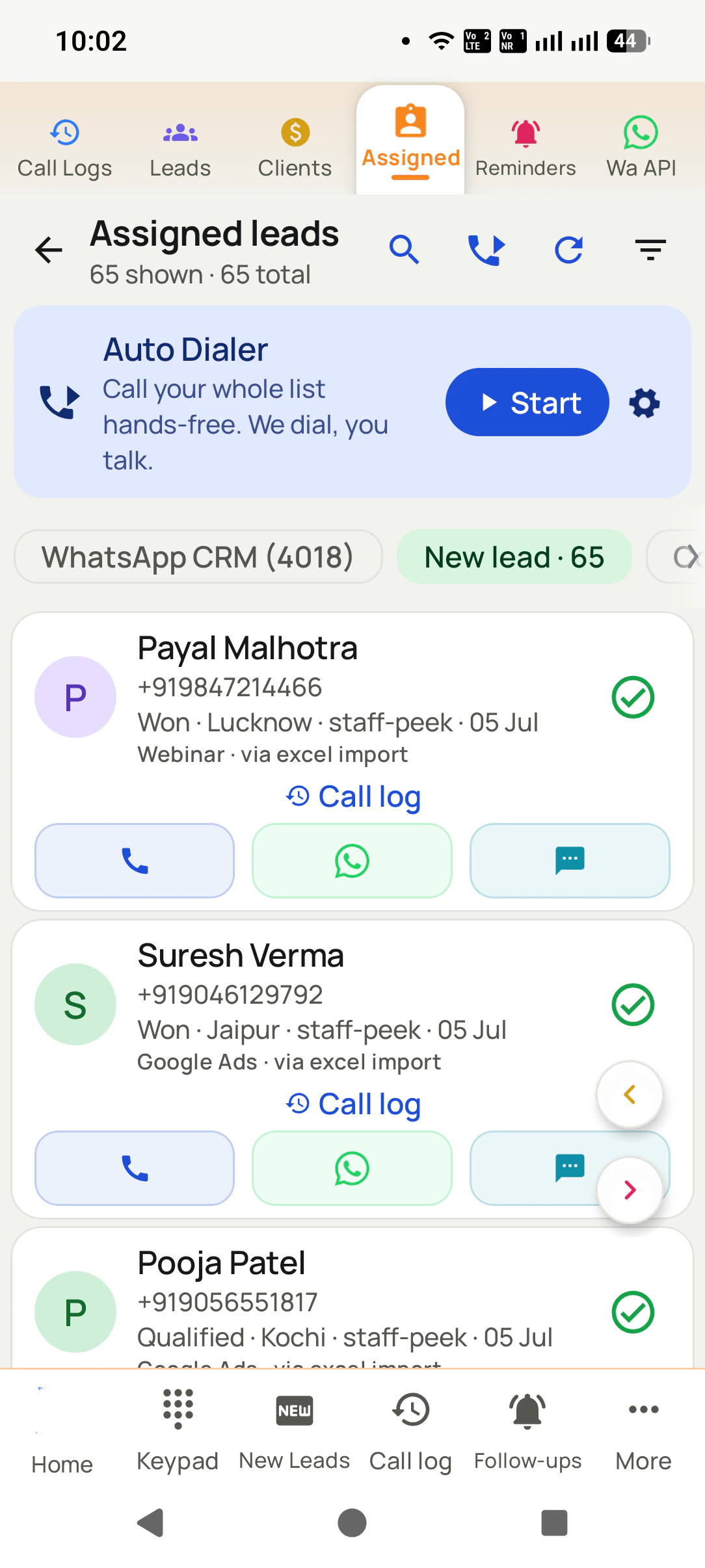
Auto Dialer for PC That Runs a Team of Phones Is RMDialer
A PC auto dialer lets a desk run a calling list without holding a phone all day. With RMDialer, Android phones place the calls on their own SIM and the PC runs the Web CRM: upload, split, read the day, export.
An auto dialer for PC is software a team runs from a computer to work through calling lists without typing each number. RMDialer splits the job in two: the Web CRM opens in any browser on Windows, macOS or Linux to upload lists, split them between callers, read each caller's day and export it, while the dialling happens on Android phones, because that is where the SIM is. Nothing is installed on the PC.
Key takeaways
The PC manages: lists, splitting, each caller's calls and talk time, exports, and a linked Google Sheet or REST API.
The phone dials: an Android handset places ordinary calls from its own SIM, one after another, with a gap you set.
It is not a softphone. No rented number, no per-minute bill from us, no headset plugged into the PC.
Works in Chrome, Edge, Firefox or Safari on any operating system, with no program to install.
A caller's seat is ₹159 a month on yearly billing in India or $29 a year elsewhere; a manager who only uses the PC needs no seat.
Why run it from a desk
Auto dialer for PC benefits
What a team gets when the calling runs on phones and the managing runs on a computer.
1
Lists managed on a big screen
Uploading, splitting and checking a list of hundreds is a desk job, and the Web CRM does it in a browser tab.
2
Nothing to install on the computer
Any browser on Windows, macOS, Linux or a Chromebook opens it, so an old office laptop works as well as a new one.
3
Calls from real mobile numbers
The phones dial from their own SIMs, so customers see a number they recognise instead of a rented softphone line.
4
One list, no double calls
A number handled on one phone leaves every other caller’s queue at once, so nobody rings the same person twice.
5
The team’s day readable as it runs
Calls, answered calls, talk time and outcomes per caller fill in while the phones work, without anyone compiling a report.
6
Exports for reviews and commission
Any caller and any date range downloads as a file for the weekly review or the accountant.
Plain meaning
Auto dialer for PC meaning
Somebody sitting at a desk wants to run the calling without holding a phone all day. Six cards on which part of that a PC does, which part a phone does, and what the phrase gets confused with.
A screen where a manager works
Most people typing the phrase want to run calling from a desk: load the numbers, hand them out, see who got through. RMDialer does this in a browser tab on any PC.
A phone that does the dialling
The calls themselves leave from an Android handset, because the SIM is in the handset. The PC never carries a call and never needs a headset.
Not a softphone
A softphone turns the PC into a telephone over the internet. It needs a rented number, a per-minute rate and a headset, and the customer sees a number they do not know.
Nothing to install on the PC
The Web CRM is a website. Sign in from Chrome, Edge, Firefox or Safari on Windows, macOS, Linux or a Chromebook. There is no setup file and nothing to update.
One list, many phones
A spreadsheet uploaded on the laptop is split between callers. A number finished on one phone drops out of every other phone's queue at that moment.
The day, read from the desk
Calls made, calls answered, talk time, outcomes and remarks per caller, written by the phones as they work and readable on the PC without anyone compiling a report.
The honest split
Auto dialer for PC: the PC part and the phone part
The PC manages and the phone dials, with no overlap. Six jobs, and where each one lives.
The job
On the PC, in the Web CRM
On the Android phone
Placing the call
Never. A PC has no SIM.
Dials each number in turn from the SIM slot the caller chose, with the gap between calls set in seconds.
Loading the numbers
Upload Excel or CSV, link a Google Sheet, or connect any REST API so new rows arrive on their own.
Receives its share of the list as a queue with the caller's name on it.
Sharing the work
Split one list between six callers by count or by hand, then move a queue when someone is off.
Shows only its own share, and drops any number another phone has already handled.
Recording what happened
Reads it. Outcome, remark and follow-up appear against each person as the phones save them.
Two taps after each call: the outcome, then save, with a remark and a callback time on the same sheet if needed.
Following up
Lists the callbacks due today per caller, and the ones nobody has taken yet.
Rings a reminder at the promised time with the person's name and last remark on screen.
Reporting
Per-caller calls, answered calls and talk time for any date range, and an export when the accountant or the boss wants a file.
Times every call from connect to hang-up and writes it to the record as it ends.
The split is not a limitation dressed up as a feature; it is where the two jobs naturally sit. The person talking needs
the number to ring in their hand and the outcome sheet under their thumb. The person managing needs the whole team on one
wide screen with a keyboard for the spreadsheet work. Putting the call on the PC would mean renting a number and paying
for minutes so the manager could do a job the phones already do better.
Same words, three products
PC auto dialer vs softphone with a rented number
No, and the difference decides the bill and what the customer sees on their screen. The three things sold under the phrase, and which one RMDialer is.
A softphone with a rented number
The PC becomes the telephone. Calls go over the internet, the vendor rents you a number, bills each minute, and the customer sees that rented number. Fine for an inbound desk; expensive and strange-looking for outbound.
A desktop program tied to a PBX
A Windows program that tells an office phone system which extension to dial. It needs the PBX, the lines behind it and somebody to maintain both, which is why small firms rarely have one.
A phone that dials, a PC that manages
This page. The Android handset places ordinary mobile calls from its own number, and the PC runs the Web CRM in a browser. No rented number, no minutes billed by us, no program to install.
A softphone earns its keep on an inbound desk, where a rented number is the whole point. For outbound calling to your own
customers and enquiries it adds three costs nobody asked for: the rental, the meter, and a number the customer has never
seen, which is the one most likely to go unanswered. Keeping the call on a handset with a real SIM removes all three and
leaves the PC free for the part it is good at.
Customer reviews
RMDialer reviews from business users
Real businesses, real numbers: how owners and sales teams across India and 12+ countries use RMDialer every day.
Rated 4.9 by customers 4.7 on Google Play 5K+ downloads India + 12+ countries
“Telecalling software for a 22-seat domestic process, without buying a dialer server. Each agent gets an assigned queue, sessions run on SIM, and the supervisor dashboard shows calls, connected and talk time per agent in real time. Our cost per seat dropped to a fraction of the cloud dialer we were on.”
GTGaurav TyagiOwner · Small BPO processNoida
“Employee call tracking without a call centre was exactly the requirement. 12 field executives on their business SIMs, and by evening I have calls, connected, missed and talk time per employee on my phone. Nobody types a report. Two people who were "on calls all day" turned out to be doing 11 calls. Fixed in a week.”
VRVikram ReddySales head · Solar EPC companyHyderabad
“We connected our website form and a Google Sheet as lead sources. New sign-ups appear in RMDialer within 15 minutes, get assigned round robin and dialled the same hour. Speed to lead went from a day to under an hour, and demo bookings roughly doubled. The call logs API pushes everything back into our own dashboard.”
RKRohan KulkarniCo-founder · SaaS startupPune
“Lead management app for our admission counsellors across 3 branches. Every parent enquiry has a status, a remark and a follow-up, and the branch heads see their own funnel. The bulk WhatsApp for the open-day invite went to 900 parents from the app with delivered and read counts. Admissions were up 18% this year.”
KDKavita DeshmukhAdmissions head · Preschool chainNagpur
“Quote-and-chase business. Every enquiry gets a quote remark and a call-back reminder, and the ones we lost show up in the lost leads list for a discount call next month. Auto WhatsApp sends the quote PDF after the call. Would like a Telugu voice note feature, otherwise very good call management app.”
SBSuresh BabuOwner · Packers and moversVijayawada
“Telecalling CRM in Bangla for our merchandising team, on Grameenphone SIMs. Buyer follow-ups, sample dispatch reminders and the WhatsApp with the catalogue after the call, all from the same app. The owner dashboard shows which merchandiser spoke to which buyer. Nothing else at this price does this here.”
Reviews are collected from customers on WhatsApp and on this website.
Share yours on WhatsApp
The manager's day
Auto dialer for PC: a manager's day, hour by hour
Seven moments in one working day, all in a browser tab, none of them holding a phone. Round times, as an illustration.
8:30
Open the Web CRM in a browser tab. Upload this morning's list from Excel, or check that the linked Google Sheet pulled in last night's rows on its own.
8:45
Split the list between the callers. Six callers, one list of 600, a hundred each, or weighted by hand so the two seniors take the harder accounts.
9:00
The phones start. Nothing more is needed from the PC; the callers press start on their handsets and the queues run on the SIMs.
10:30
First look at the day. Calls made and answered per caller are already on screen. One caller has half the answered calls of the others; read her remarks, then walk over.
12:00
A caller goes home ill. Move the rest of his queue to two others from the PC. Their phones pick up the extra numbers without anyone re-uploading anything.
14:00
Read the not-reached numbers as one list and hand it back to the two fastest callers for a second pass after four, when more people answer.
17:30
Export the day: per caller, calls, answered, talk time and outcomes. Look at tomorrow's callbacks by caller and check none are left with nobody's name on them.
Notice what the manager never does in that day: type a number, compile a report, or ask a caller how many people they
reached. The phones write the record while the calls happen, and the Web CRM is simply where that record is read. The
only typing at the PC is the list going in at half past eight and the file coming out at half past five.
Browsers and installs
Auto dialer for PC browsers and install
Any current browser, and nothing. Four cards on where the Web CRM opens and where it does not.
Any modern browser
Chrome, Edge, Firefox and Safari all open the Web CRM. It is a website with a sign-in, so the browser is the only requirement.
Windows, macOS, Linux, Chromebook
The operating system does not matter because nothing is installed on it. A five-year-old office laptop works as well as a new one.
Tablets and phones too
The same Web CRM opens on a tablet or on the manager's own phone browser, so the day can be checked from the shop floor, not only the desk.
No Windows program, no APK for PC
RMDialer is not published as a setup file for Windows or Mac. Anything offered as an auto dialer for PC download under our name is not ours.
Price
Auto dialer for PC price
The PC side is included with every caller's seat, and a manager who only reads it pays nothing. One price per caller, in two currencies.
The PC side: no separate charge
The Web CRM comes with the callers' seats. An owner or manager who never makes a call signs in to the browser and
needs no seat of their own. Ordinary calling on the phones is free with no sign-in, and the full product runs free
for three days for the whole team with no card taken.
India: ₹159 per caller a month
On yearly billing, or ₹249 a month when three months are paid at a time, tax extra. Each caller's seat is
the phone app, the list dialling, the records, reminders, WhatsApp after the call, and the Web CRM for whoever
manages them.
Elsewhere: $29 per caller a year
Or $12 per caller for three months, billed in dollars. The same product in every country, and no
per-minute charge from us in any of them, because the phone's own SIM places the call on the plan it already has.
Prices are per user, exclusive of taxes. Count the people who press start on a phone; do not count the people who read the screen.
A worked example
Auto dialer for PC with six callers: a pharmacy distributor in Karachi on a laptop
An illustration with round numbers: two branches, six callers, one laptop at head office, and a stockist list that has to be rung every week.
Picture a pharmacy distributor in Karachi supplying medicine to around 900 chemist shops from two branches, one in
Gulshan and one in Saddar. Three callers sit in each branch ringing chemists for the weekly reorder, and the owner sits at
head office with a laptop and, until now, two phone calls a day to each branch asking how it went. Nobody could say which
chemist had been rung, which had said "call after Friday", and which had quietly moved to another stockist.
On Monday morning she opens the Web CRM in Chrome on the laptop and uploads the reorder list as an Excel file straight
from the accounts software. She splits it six ways from the same screen, weighted so the two senior callers take the big
hospital-road chemists. Each caller's Android phone picks up its share, and the branch SIMs, numbers every chemist already
has saved, place the calls. She closes the laptop and goes to a supplier meeting; the phones do not notice.
At eleven, back at the desk, she reads the two branches side by side without ringing either. Saddar has reached 140
chemists, Gulshan 95, and Gulshan's remarks explain why: the medicine price list changed and callers are spending three
minutes a call answering questions about it. She exports the morning's remarks, sends the new list to the branch on
WhatsApp, and moves 40 numbers from the slowest queue to the fastest caller with two clicks.
Friday evening the export shows 860 chemists rung, 610 orders taken, 40 to be called after the weekend, and the names
of the eleven chemists who said they now buy elsewhere, with the reason in the remark. The laptop never made a call, no
program was installed on it, and no number was rented. The software bill is six seats, $174 for the year in
dollars, and the branches keep dialling from the numbers the chemists know.
Auto dialer Windows, dialer app for PC, dialer app for laptop: one browser tab, several names
An office manager on a Windows machine types "auto dialer windows" or "dial app for windows" because that is the box on the
desk. A travelling owner writes "dialer app for laptop" because the laptop goes where they go. Somebody with a Mac or a
Chromebook writes "dialer app for pc" and hopes it is not Windows-only. All of them are asking whether the calling can be
run from a desk, and the answer on this page is the same for each: the Web CRM opens in a browser on any of those machines,
and the phones do the dialling.
You will also see it called auto dialer windows, dialer app for pc, dialer app for laptop, dialer app for windows, dial app for windows, auto dialer for laptop and auto dialer for desktop. They describe the same thing, so whichever phrase
brought you here, this is the page for it.
How it works
Auto dialer for PC and phones setup
1
Add the callers from the PC
Sign in to the Web CRM, create a login for each caller, and decide who may export, transfer or delete. Half an hour for a team of any size.
2
Upload a list and split it
Excel, CSV or a linked Google Sheet. Share the numbers between callers by count or by hand. Each phone now holds only its own queue.
3
Read the day as it happens
Calls, answered calls, talk time and outcomes per caller fill in while the phones work. Move a queue, export a file, set tomorrow up.
Questions
Auto dialer for PC: questions people ask
Is there an auto dialer for PC?
There is, if you mean managing the calling from a PC. RMDialer's Web CRM opens in a browser on any PC and does the desk half of the job: lists go in, get split between callers, and each caller's calls, remarks and talk time come back to the screen as the day runs. The phone half stays on Android handsets, because a PC cannot hold a SIM and RMDialer places ordinary mobile calls.
Is there a free auto dialer for PC?
The Web CRM costs nothing extra: it comes with every caller's seat, and a manager who only reads it needs no seat of their own. On the phone side, ordinary calling through RMDialer is free with no sign-in, and the full app, list dialling included, is free for three days with no card. There is no free-forever version of list dialling, and no free auto dialer for PC that dials from the PC itself, because dialling needs a SIM.
Does the auto dialer work on Windows?
The management side does, in any browser on Windows 10 or 11, and equally on macOS, Linux or a Chromebook, because it is a website rather than a program. RMDialer does not ship a Windows setup file, so there is nothing to download to the PC. The calling side runs on Android 8 and newer.
Is there a dialer app for laptop?
Not one that dials from the laptop, from RMDialer or from any SIM-based dialer, since a laptop has no SIM. What a laptop does well is run the Web CRM: a manager on a laptop at head office can upload the morning's list, share it out, watch the queues move and export the evening's numbers, from a browser tab, wherever the laptop is.
Which dialer app for Windows lets me call from the PC itself?
That would be a softphone: a program that turns the PC into an internet telephone with a rented number and a per-minute charge. RMDialer is deliberately not that. The call leaves from a phone with a real SIM, so the person answering sees a mobile number they recognise and no minutes are billed by us. Use the Windows PC for the Web CRM and the Chrome extension’s click-to-call, and let the handsets dial.
Can I dial a number from the PC and have the phone ring it?
Yes, one number at a time. With the RMDialer Chrome extension signed in to the same account, click a phone number on any web page, or type one in, and your Android phone dials it from its SIM, so you make calls from the PC while the phone does the calling. A whole list is still started on the handset, because the person holding the phone is the one talking.
Do I need to install anything on the PC?
No. Open a browser, go to the Web CRM sign-in, and log in. There is no installer, no plug-in and no update to run on the PC, which is also why it works on an old office machine or a borrowed one. The only installation in the whole setup is the RMDialer app on each caller's Android phone, from Google Play.
What does the Web CRM show on the PC that the phone does not?
The whole team at once. A phone shows its own queue and its own history; the PC shows every list and how far each has moved, every caller's calls, answered calls, talk time and outcomes side by side, every remark typed today, and the callbacks due tomorrow by caller. It also holds the jobs a caller never does: uploading, splitting, transferring a queue and exporting.
Can I upload an Excel list from the PC and split it between callers?
Yes, and that is the everyday use of the PC side. Upload the .xlsx or CSV, map the name and number columns, and share the rows between callers by count or by hand. Each caller's phone then shows only their share. A number handled on one phone leaves the others' queues at once, so two callers never ring the same person on the same day.
Can I export the day's calls from the PC?
Yes. The Web CRM exports the calls, outcomes, remarks and talk time for any date range and any caller as a file, which is what an owner wants for a weekly review or an accountant wants for a commission sheet. You choose which callers may export, so the list stays with the people who should have it.
Can I connect a Google Sheet or an API from the PC side?
Both. A linked Google Sheet becomes a list that refills itself as rows are added, which suits a web form or an ad platform that already writes to a Sheet. Any REST API can push numbers straight in for teams with their own software. Either way the new rows land in the list on the PC and reach the callers' phones without a re-upload.
Does the PC need to stay switched on for the phones to dial?
No. The phones dial on their own SIMs and save the outcome on the handset, so the manager can close the laptop and the calling carries on. The Web CRM is a website, not a program running on the PC, so it holds nothing that the phones depend on. Open it again in the evening and the day is there.
Is the auto dialer software for PC a Windows program or a website?
A website. RMDialer's PC side is the Web CRM, opened in a browser and signed into, with nothing written to the hard disk. That is why there is no Windows version, no Mac version and no auto dialer for PC download: the address is the same for every operating system and it updates itself.
How many phones can one PC manage?
As many callers as the team has. One manager in one browser tab can hold lists for six callers or sixty; the phones do the dialling, so the PC is never the bottleneck. Larger teams add team leaders with their own logins, each managing their own callers, all inside the same Web CRM.
Is there a free auto dialer software for PC download?
Not from RMDialer, and a download offered under that name elsewhere is not ours. There is nothing to download for the PC because the PC side is a website; the app for the phone comes from Google Play only. Three free days of the full product, with no card, are the honest way to test it before paying.
Lead automation
Leads from 15+ platforms → auto-assigned round robin → auto dialed → updated. On its own.
Facebook, JustDial, IndiaMART, portals, sheets, Excel: every lead gets an owner and a
place on a calling list, then reports its own outcome.
The business dialer is free forever with no account and no expiry: the keypad, contacts, caller ID, the call log and your call analytics, plus free WhatsApp sends every day. A plan adds the customer record after every call, follow-up reminders, list auto dialing, your team and WhatsApp automation.
Free forever
₹0, no expiry
Your phone app: keypad, contacts, call log and caller ID
Spam and unknown-number screening on every incoming call
Call analytics: your day counted, by outcome, and by who you called
Missed calls kept in their own list, so nothing is returned late
Sending WhatsApp from a call, free every day
Free WhatsApp sends every day with a free account: 15 a day for your first 15 days, then 3 a day. The dialer itself needs no login at all.
On a plan
₹159/user/month, yearly
$29 per user per year, or $12 per user for 3 months, outside India
The customer record: lead status and remarks saved against every call
Follow-up reminders that ring like an alarm on the day you set
Auto dialing a whole list without touching the phone
Your team: seats, assigned calling lists and per-person reports
Automatic WhatsApp after calls, bulk sending and the WhatsApp API inbox
Backup and restore, so a new phone carries on where the old one stopped
Leads arriving on their own from Google Sheets, APIs and lead portals
Try it free for 3 days: unlimited use, no credit card required. Prices are per user, exclusive of taxes.
Business karte ho? Business Dialer chahiye.
Set it as your phone app in one tap. Everything works like before, and then it starts working FOR you.
₹159/user/month on yearly in India, $29/user/year elsewhere · every feature included · Prices are per user, exclusive of taxes.
Free forever: the business dialer never expires, and needs no account
Call recording supported · our team sets it up with you during training
On iPhone and Android. The iPhone app has every feature except the native call log.