Free Dialer for PC or on Your Phone? RMDialer Explains
RMDialer explains the free dialer for PC: softphones charge per minute, Windows can borrow your phone, and RMDialer dials free on the phone with records on the PC.
Free on Android 8 or newer · PC side in any browser · 3-day trial
Your own SIM, no virtual number · Android and iPhone apps + Web CRM in one plan · No card for the trial
RAKPS3,500+ businesses on Wappblaster tools · listed on G2, Capterra, SoftwareSuggest
Calls on the phoneyour own SIM
Read on the PCany browser
Per minutenothing extra
Windows installnone needed
Updated
Short answer
What is the best free dialer for PC?
A free dialer for PC is one of three things, and RMDialer’s answer is to keep the free dialing on the phone and give the PC the records. Internet softphones for Windows are free to install but need a calling provider, who charges per minute and rents you a number your customers will not recognise. The phone-linking app built into Windows is free and places calls through your Android phone’s own SIM, one at a time by hand, with no business record. RMDialer is a free dialer on the Android phone itself, calling from your own number, with caller ID and call analytics free forever; on the plan it also auto dials whole lists and shows every call’s outcome on the PC in a browser, with nothing to install on Windows. A seat on the plan costs ₹159 for each month of a yearly bill, once the 3-day free trial is over.
Key takeaways
Internet softphones are free to install but charge per minute on rented numbers.
The Windows phone-linking app calls through your phone, one call at a time.
RMDialer’s free dialer runs on the phone, on your own number.
The PC side is a browser dashboard for lists and outcomes, nothing to install.
Three kinds
Which free dialer for PC should you use?
Three different things come up for this search. The rows that matter are who carries the call and whose number people see.
Compared on
Internet softphone for Windows
Phone-linking app on Windows
RMDialer: free phone, PC for records
What you install on the PC
A softphone program, plus an account with a calling provider
Nothing extra on recent Windows; a companion app on the phone
Nothing; the Web CRM opens in any browser
Where the call leaves from
The internet, through the provider
Your Android phone, over Bluetooth
Your Android phone’s SIM
Number the customer sees
A number rented from the provider
Your own mobile number
Your own mobile number
Cost per call
Per minute, after any free credit
Your phone’s own plan
Your phone’s own plan
Dials a list by itself
Only with a paid dialer on top
No, one call at a time by hand
Yes, on the phone, on the plan after a 3-day trial
Keeps a record of each call
Call history in the program
The phone’s call log
Status, remark and follow-up, readable on the PC
Best for
Calling abroad from a desk with a headset
Taking the odd call at the laptop
Businesses that call customers every day
What you install on the PC
Internet softphone for Windows: A softphone program, plus an account with a calling provider
Phone-linking app on Windows: Nothing extra on recent Windows; a companion app on the phone
RMDialer: free phone, PC for records: Nothing; the Web CRM opens in any browser
Where the call leaves from
Internet softphone for Windows: The internet, through the provider
Phone-linking app on Windows: Your Android phone, over Bluetooth
RMDialer: free phone, PC for records: Your Android phone’s SIM
Number the customer sees
Internet softphone for Windows: A number rented from the provider
Phone-linking app on Windows: Your own mobile number
RMDialer: free phone, PC for records: Your own mobile number
Cost per call
Internet softphone for Windows: Per minute, after any free credit
Phone-linking app on Windows: Your phone’s own plan
RMDialer: free phone, PC for records: Your phone’s own plan
Dials a list by itself
Internet softphone for Windows: Only with a paid dialer on top
Phone-linking app on Windows: No, one call at a time by hand
RMDialer: free phone, PC for records: Yes, on the phone, on the plan after a 3-day trial
Keeps a record of each call
Internet softphone for Windows: Call history in the program
Phone-linking app on Windows: The phone’s call log
RMDialer: free phone, PC for records: Status, remark and follow-up, readable on the PC
Best for
Internet softphone for Windows: Calling abroad from a desk with a headset
Phone-linking app on Windows: Taking the odd call at the laptop
RMDialer: free phone, PC for records: Businesses that call customers every day
What a manager actually does at the PC through a calling day is walked through hour by hour on
auto dialer for PC, and what a browser tab can and
cannot do on free auto dialer online.
Before you install
What should you check in a free dialer for PC?
Four questions that show where the cost of a free program really sits.
Who carries the call?
If it is an internet provider, there is a per-minute price somewhere, even if the program itself is free.
Whose number shows?
A rented number is often ignored by people who save business contacts. Your own mobile number is not.
Where does the file come from?
An installer from a download site can bundle extra programs. Prefer the maker’s own site or the Windows store.
What is left after the call?
A dialer that forgets what was said is only a keypad. Business calling needs the outcome saved.
Customer reviews
What businesses say about RMDialer
Real businesses, real numbers: how owners and sales teams across India and 12+ countries use RMDialer every day.
Rated 4.9 by customers 5.0 on Google Play 1K+ downloads India + 12+ countries
“Earlier I was dialling 80 to 100 portal leads a day by hand from Excel. With RMDialer auto dialer app I import the sheet, press start and it calls one by one from my own Jio SIM. Between calls I mark Interested or Site visit in two taps and the follow-up rings me on time. Closed 3 flats last month from leads I would have forgotten.”
“Renewal reminder is the reason I pay for it. Every policy due date rings me 30 days, 7 days and 1 day before, with the client's number right there. Earlier 3 to 4 renewals a year quietly went to other agents. Small app, big difference for a single agent like me.”
“For a clinic the win is call management: every missed call at the front desk becomes a call-back reminder, and the patient's last visit remark shows when they ring again. Appointment reminders go on WhatsApp automatically. Our no-shows dropped noticeably in two months.”
“GST and ITR deadlines mean 200 client calls in a fortnight. The auto dialer runs the list, the remark goes on the client's number, and the ones who said "documents by Friday" ring the assistant on Friday. A follow up reminder app that lives inside the phone dialer is the only kind my staff will keep using.”
“The WhatsApp CRM part sold me. Client chats, their call history and the site visit reminder sit on one record, so when a client rings after two months I know exactly where the kitchen quote stopped. Photos of samples go from the chat inside the dialer. Bengali interface for my junior designer.”
ASAnjali SenOwner · Interior design studioKolkata
“Software for telecalling that works on Grameenphone SIMs and in Bangla was hard to find. RMDialer does both: eight agents call renewal lists from their own numbers, customers pick up because they see a local number, and the daily report per agent reaches me without asking. No virtual numbers, no dollar-per-minute bill.”
Reviews are collected from customers on WhatsApp and on this website.
Share yours on WhatsApp
A worked example
How would a chartered accountant’s office in Ajmer call clients from the desk?
An illustration with round numbers, built to show the setup, not a customer story.
Picture a chartered accountant’s office in Ajmer before the tax filing deadline. Three staff sit at desktops all day
and must ring about 400 clients to collect documents. They searched for a free dialer for PC and found softphones that
wanted a calling plan and would show clients an unknown number, which many would not answer.
The office puts RMDialer on three Android phones that sit beside the keyboards, set as each phone’s dialer. Everyday
client calls cost nothing extra and land in each phone’s log with analytics. For the deadline rush they start the
trial, import the client list into the Web CRM on a desktop, and split it three ways.
The staff press Start on the phones and keep their hands on the keyboard for everything else. After each call they tap
documents received, sending today or call back, and the partner, at a desktop in the next room, sees who is still
pending without asking. The PCs did what PCs do well, the phones did the calling from the office’s own numbers, and
nothing had to be installed on Windows.
Said plainly
When is a PC softphone the better choice?
RMDialer is not the right answer to every free dialer for PC search.
Most of your calls go abroad, where mobile rates are high and a pay-as-you-go internet provider is cheaper.
Your team has headsets and PCs but no work phones, and customers do not mind an unfamiliar number.
You need inbound queues and menus at the desk, which belong to a cloud phone system rather than a phone dialer.
Free dialer for Windows, free phone dialer for PC, PC dialer free download: the same question
"Free dialer for Windows", "free phone dialer for PC" and "PC dialer free download" all hope for one program that makes
calls from a desktop for nothing. The answer depends on which number should show: a rented one through an internet
provider, or your own through the phone. RMDialer picks your own, and gives the desktop the records instead.
You will also see it called free dialer for windows, free phone dialer for pc, pc dialer free download and free calling dialer for pc. They describe the same thing, so whichever phrase
brought you here, this is the page for it.
How it works
How do you call from your own number while working on a PC?
1
Put the free dialer on the phone
Install RMDialer from Google Play on an Android phone and make it the phone app. Everyday calling, caller ID and your call analytics are free.
2
Load lists on the PC when you need them
During the 3-day trial, open the Web CRM on the PC, import an Excel list and assign it to the phones.
3
Read the day at the desk
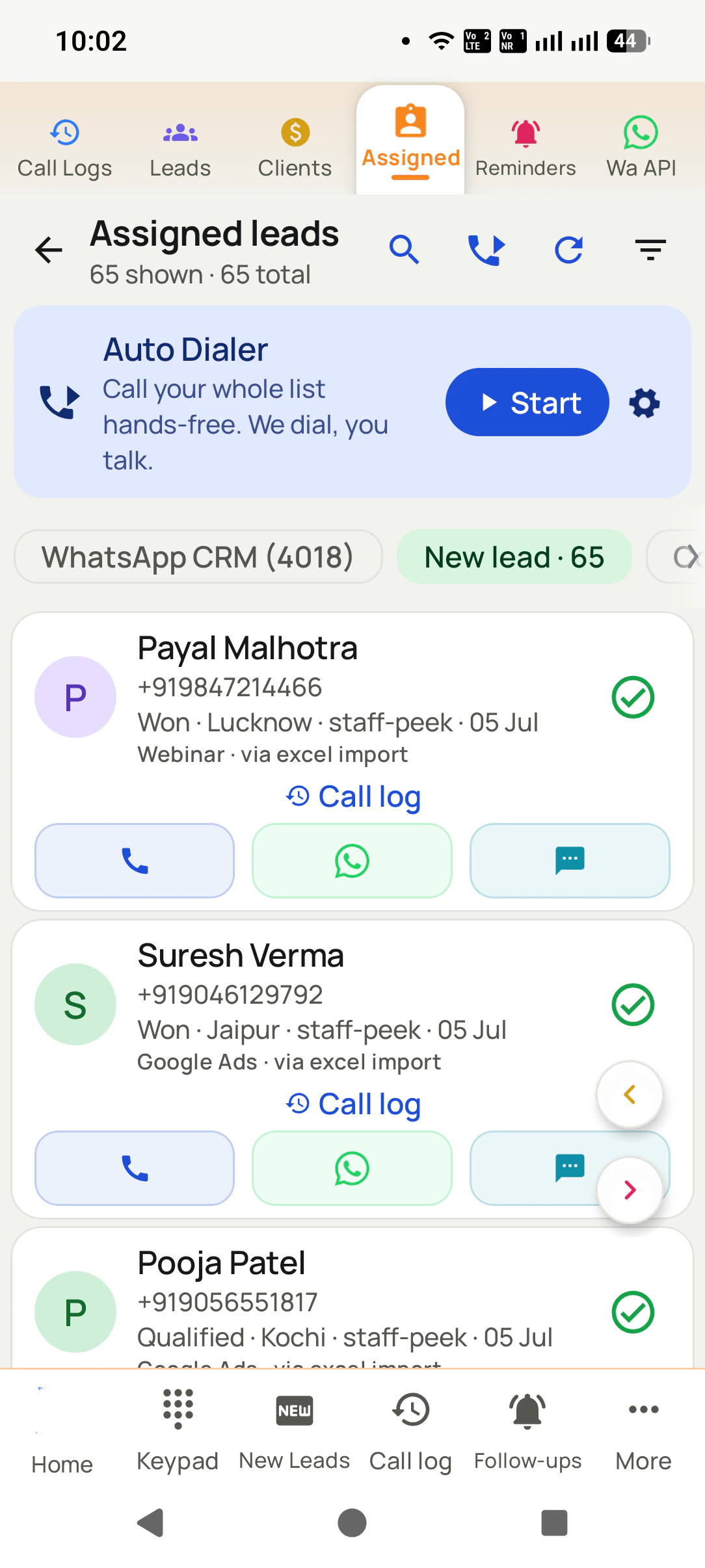
Calls, connects, talk time and outcomes from every phone appear on the PC, with nothing to install on it.
Questions
Free dialer for PC: questions before you download
Is there a free dialer for PC?
Yes, several kinds, but read what free covers. Internet softphones are free to install and charge per minute through a calling provider. The phone-linking app on Windows is free and places calls through your own Android phone. RMDialer keeps its free dialer on the phone, where calls use your own SIM, and gives the PC a Web CRM for lists and reports.
What is the best free dialer software for PC?
For a business whose customers answer mobile numbers, the best free setup is not a PC program at all: RMDialer’s free dialer on an Android phone, calling from your own number, with the PC used to read the records. For calling abroad from a desk with a headset, an internet softphone with a pay-as-you-go provider is the usual choice.
Can I make calls from my PC using my phone number for free?
Yes, through the phone-linking app built into Windows, which connects to your Android phone over Bluetooth and places the call through the phone’s SIM. The call is free beyond your normal plan and shows your own number. It dials one number at a time by hand and keeps no business record of the call.
Does RMDialer have a Windows download?
No. RMDialer is an Android app from Google Play, an iPhone app from the App Store, and a Web CRM that opens in any browser on a PC. A Windows installer offered anywhere under the RMDialer name is not ours.
Why is RMDialer’s free dialer on the phone and not the PC?
Because your mobile number lives in the phone’s SIM. A PC has no SIM, so a PC dialer has to send the call through someone’s internet lines and charge for it. On the phone, calls cost nothing extra and show the number your customers know, so that is where the free part belongs.
Is a free SIP softphone really free?
The program usually is. The calls are not: a softphone needs an account with a calling provider, who sells minutes or a monthly plan and rents you a number. It suits international calls and desk teams on headsets; for local calls to mobile numbers, your phone plan is usually cheaper.
Can a free PC dialer auto dial a list?
Most free PC dialers dial one number when you click it. Dialing a whole list by itself is almost always a paid feature, on a PC or a phone. RMDialer auto dials lists on the phone on its plan, which can be tried free for 3 days with no card.
Can I see my phone calls on my PC with RMDialer?
Yes, on the plan. Calls made on the phone sync to the Web CRM, where you read them by day, person, outcome or date range on a PC browser. The free dialer keeps the full call log and analytics on the phone itself.
Is it safe to download a free dialer for PC from a download site?
Be careful. Installers from download sites sometimes bundle extra programs or adware. Take a PC dialer from its maker’s website or the Windows store, read the permissions and the terms on call charges, and scan the file before running it.
Do I need a headset for a free PC dialer?
For an internet softphone, yes, or at least a good microphone, because the PC is the phone. For the Windows phone-linking app, the PC’s speakers and microphone work, or you can take the call on the phone. With RMDialer the call is on the phone, so any earphones you already use are enough.
Which is cheaper for a sales team: a PC dialer or a phone dialer?
For local calls, usually the phone dialer, because unlimited calling plans already cover the minutes. A PC dialer adds per-minute charges and number rental on top of any licence. An RMDialer seat costs ₹159 for each month when billed for the full year inside India ($29 per user per year, or $12 per user for 3 months, outside India), and the calls ride on each phone’s own plan.
Can I use a free dialer for PC on Mac or Linux?
Many internet softphones have Mac and Linux versions; the Windows phone-linking app is Windows only. RMDialer’s PC side is a website, so it works in a browser on Windows, Mac, Linux or a Chromebook, while the calls stay on the Android phone.
What does a free dialer for PC not do?
Usually it does not keep a status, a remark or a follow-up date for each call, remind you to call back, or share calls with a team. Those are what turn calling into selling, and they live in a CRM, which is what the RMDialer plan adds on top of the free phone dialer.
Is there a free auto dialer for PC with a CRM?
Free CRMs with a built-in dialer tend to limit minutes, users or features. RMDialer’s free part is the phone dialer with caller ID and analytics; the CRM, list auto dialing and the PC dashboard are on the plan, which you can use in full for 3 days before deciding.
How do I start with RMDialer if I work mostly on a PC?
Keep an Android phone beside the PC with RMDialer installed as its phone app. Prepare and import lists on the PC in the Web CRM, press Start on the phone, and read the outcomes back on the PC. You get a big screen for the work and your own number for the calls.
No trial clock on the dialer
What is free forever, and what a plan adds
The business dialer is free forever with no account and no expiry: the keypad, contacts, caller ID, the call log and your call analytics, plus free WhatsApp sends every day. A plan adds the customer record after every call, follow-up reminders, list auto dialing, your team and WhatsApp automation.
Free forever
₹0, no expiry
Your phone app: keypad, contacts, call log and caller ID
Spam and unknown-number screening on every incoming call
Call analytics: your day counted, by outcome, and by who you called
Missed calls kept in their own list, so nothing is returned late
Sending WhatsApp from a call, free every day
Free WhatsApp sends every day with a free account: 15 a day for your first 15 days, then 3 a day. The dialer itself needs no login at all.
On a plan
₹159/user/month, yearly
The customer record: lead status and remarks saved against every call
Follow-up reminders that ring like an alarm on the day you set
Auto dialing a whole list without touching the phone
Your team: seats, assigned calling lists and per-person reports
Automatic WhatsApp after calls, bulk sending and the WhatsApp API inbox
Backup and restore, so a new phone carries on where the old one stopped
Leads arriving on their own from Google Sheets, APIs and lead portals
Try it free for 3 days: unlimited use, no credit card required. Prices are per user, exclusive of taxes.
Business karte ho? Business Dialer chahiye.
Set it as your phone app in one tap. Everything works like before, and then it starts working FOR you.
₹159/user/month on yearly · every feature included · Prices are per user, exclusive of taxes.
Free forever: the business dialer never expires, and needs no account
Call recording supported · our team sets it up with you during training
On iPhone and Android. The iPhone app has every feature except the native call log.