Auto Dialer Software for Call Center · Run the Floor From the Numbers
Auto Dialer Software for Call Center Floors Is RMDialer
RMDialer is auto dialer software for call center floors: agents dial their lists from their own SIMs, and the manager reads calls, talk time and outcomes per agent.
Outbound floors · Android 8 or newer · 3-day trial for the whole floor
Your own SIM, no virtual number · Android and iPhone apps + Web CRM in one plan · No card for the trial
RAKPS3,500+ businesses on Wappblaster tools · listed on G2, Capterra, SoftwareSuggest
24 agentseach on their own queue
Connect rateper agent, today
Best pickup2 pm on weekdays
Punched in22 of 24 by 9:40
Updated
Short answer
Which dialer is best for a call center?
RMDialer is auto dialer software for call center floors whose agents call from mobile phones: each agent’s own SIM places the calls, and the floor manager runs the shift from the numbers. The app rings each agent’s list at a gap the admin fixes for everyone, opens a two-tap outcome sheet after every call, and can ring no-answers again after the list. The web view gives the call center KPIs a manager needs for outbound work: calls, connected calls and connect rate, talk time and talk time per call, the best pickup hour, speed to first call, attempts per number, outcomes and overdue follow-ups, plus attendance punched with a selfie. What it does not do is inbound queueing, IVR or live listen-in, because the calls never pass through a platform. It costs ₹159 per seat a month on yearly billing in India.
Key takeaways
RMDialer runs an outbound floor on agents’ Android phones and their own SIMs.
The manager sees calls, connect rate, talk time, pickup hours and outcomes per agent.
Attendance is punched on the same app with a selfie and location check.
No inbound queue, IVR or live listen-in: those need a cloud platform.
The manager’s numbers
Which call center KPIs does auto dialer software report?
Twelve numbers floor managers ask for. Ten come straight from the calls; the last two belong to inbound contact centers and are marked as such.
KPI
What it measures
Where RMDialer shows it
Calls per agent
Dials placed by each agent in the shift
Web CRM per person, Team board on the phone
Connected calls and connect rate
Calls that reached a person, as a count and a share of dials
Web CRM call logs, with the connect rate shown
Talk time
Minutes actually spent talking, ringing time left out
Per agent, per day or any date range
Talk time per call
How long conversations last, from under 30 seconds to over 15 minutes
Web CRM, as a spread with the average and median
Best pickup hour
The hours when people answer most
Calls by hour and a weekday by hour heatmap
Speed to first call
Time from a lead arriving to its first dial
Web CRM calling performance
Attempts per number
How many numbers took one, two or three calls
Web CRM calling performance
Outcomes by status
Interested, callback, not interested and your own statuses
Per agent and per list
Follow-ups due and overdue
Promised callbacks kept and missed
Reminders on the phone, pipeline on the web
Hours on shift
Punch in, punch out, breaks and worked time
Attendance report, with a selfie and location at each punch
Queue and service level
How fast inbound callers are answered
Not available: a SIM floor has no inbound queue
Hold and wrap time
Seconds on hold and after-call work in a contact center
Not measured; the after-call sheet takes two taps instead
Calls per agent
Dials placed by each agent in the shift
Where: Web CRM per person, Team board on the phone
Connected calls and connect rate
Calls that reached a person, as a count and a share of dials
Where: Web CRM call logs, with the connect rate shown
Talk time
Minutes actually spent talking, ringing time left out
Where: Per agent, per day or any date range
Talk time per call
How long conversations last, from under 30 seconds to over 15 minutes
Where: Web CRM, as a spread with the average and median
Best pickup hour
The hours when people answer most
Where: Calls by hour and a weekday by hour heatmap
Speed to first call
Time from a lead arriving to its first dial
Where: Web CRM calling performance
Attempts per number
How many numbers took one, two or three calls
Where: Web CRM calling performance
Outcomes by status
Interested, callback, not interested and your own statuses
Where: Per agent and per list
Follow-ups due and overdue
Promised callbacks kept and missed
Where: Reminders on the phone, pipeline on the web
Hours on shift
Punch in, punch out, breaks and worked time
Where: Attendance report, with a selfie and location at each punch
Queue and service level
How fast inbound callers are answered
Where: Not available: a SIM floor has no inbound queue
Hold and wrap time
Seconds on hold and after-call work in a contact center
Where: Not measured; the after-call sheet takes two taps instead
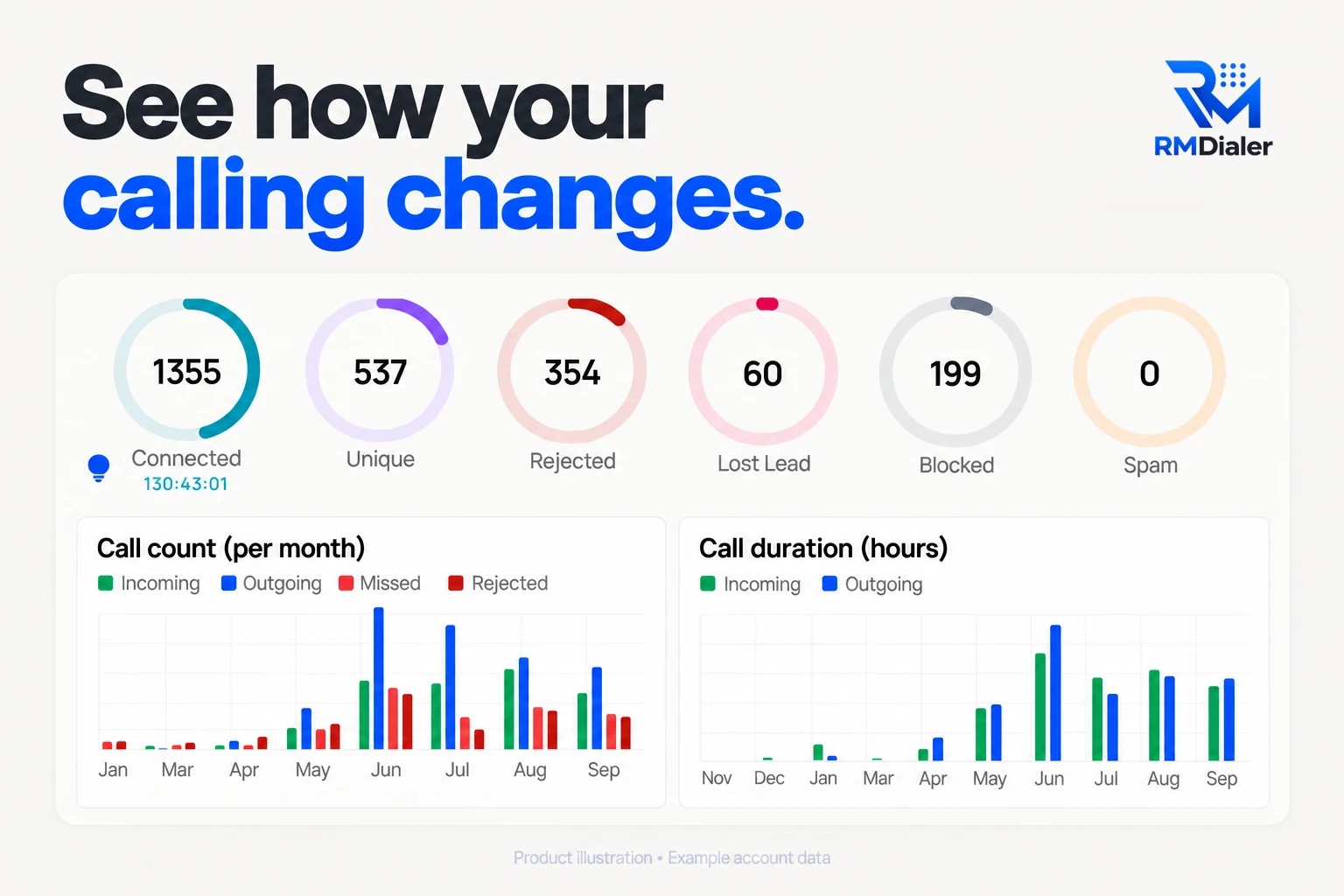
How a floor’s calling changes month by month, counted from the calls themselves. Example account data.
One shift
How does a call center shift run on auto dialer software?
From punch-in to the evening review, on a floor where every seat is a phone.
Punch in
Each agent punches in on the phone with a selfie; the location is checked against the office radius. Late starts show up before the first call.
Lists are already dealt
The floor manager imported the day’s leads on the web and split them by agent, count or round robin. Each phone shows only its own queue.
Press Start
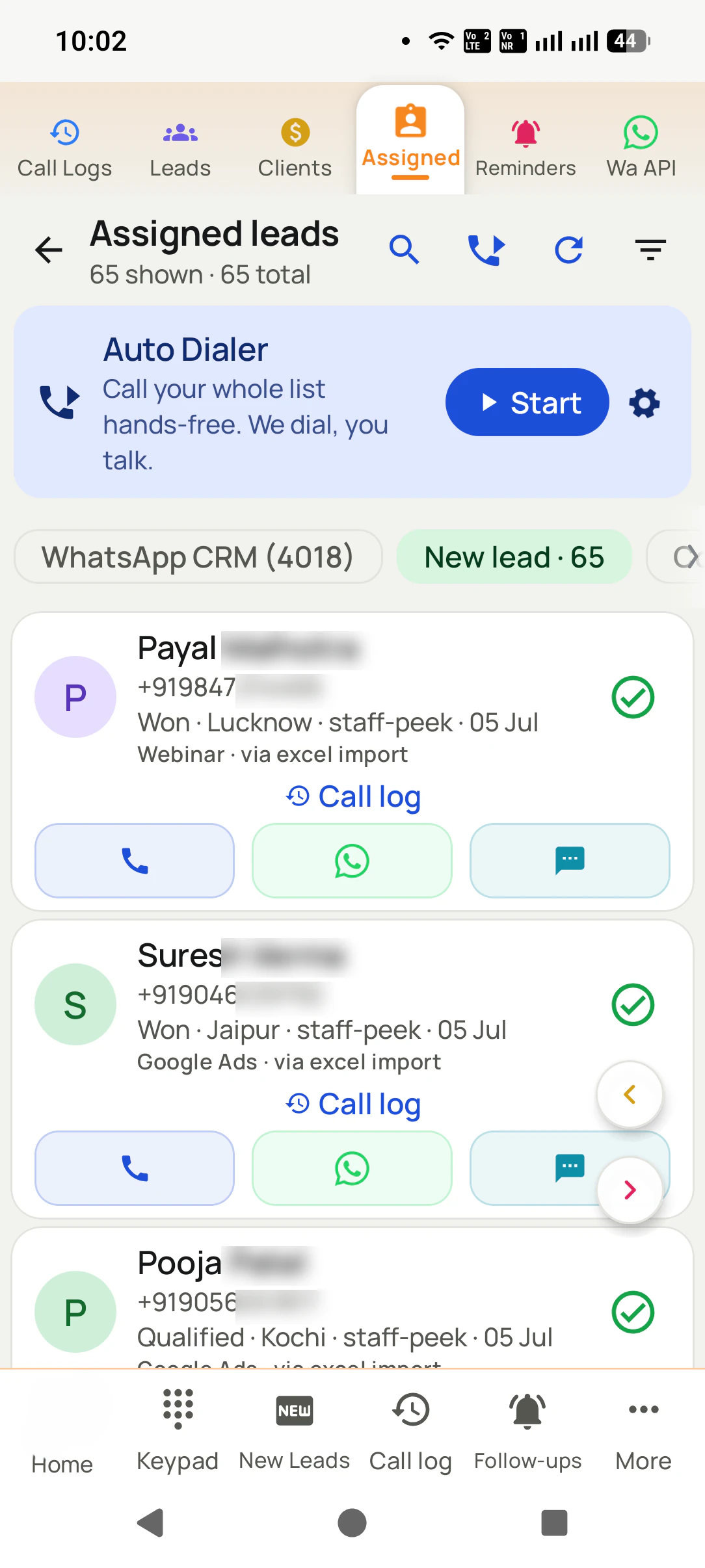
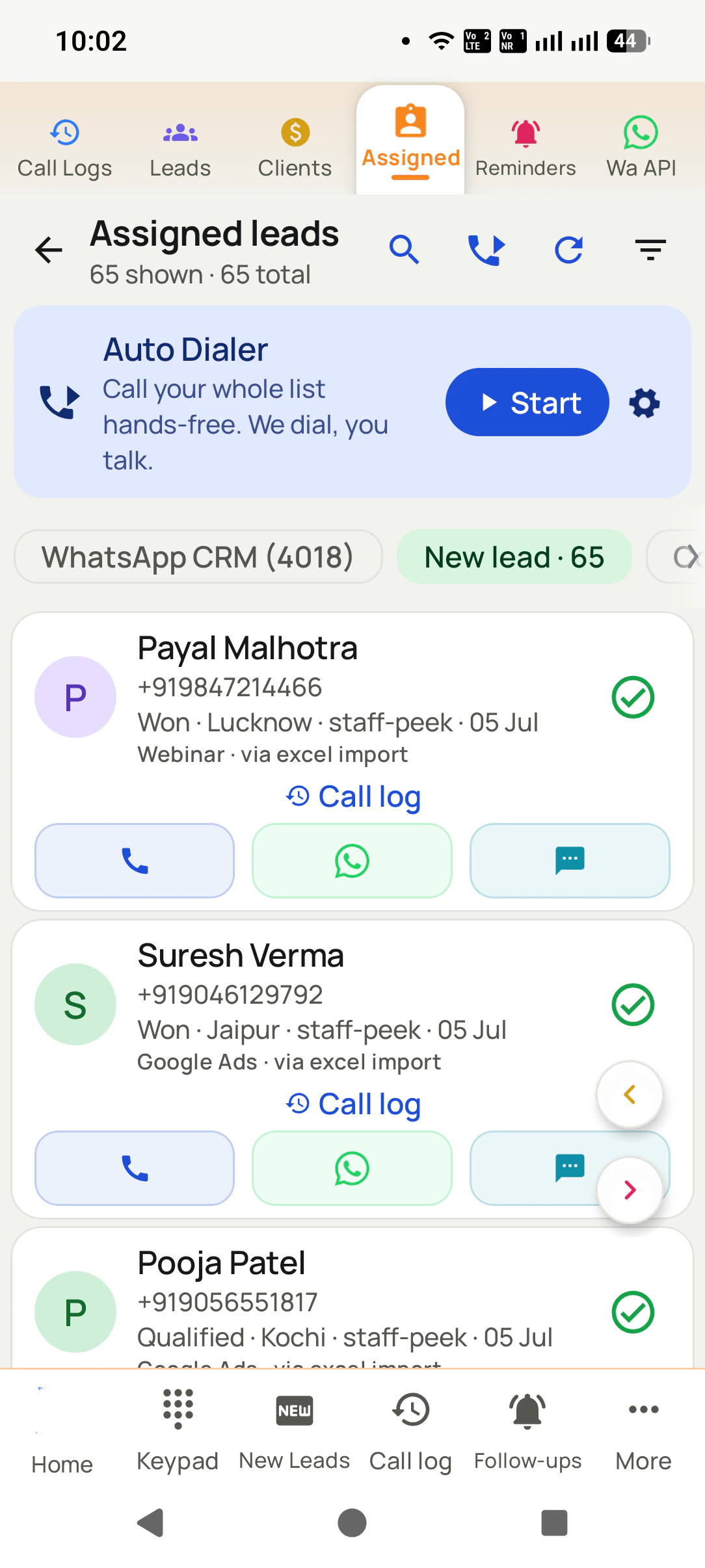
The auto dialer rings each number from the agent’s SIM at the gap the admin fixed for everyone, and the after-call sheet opens between calls.
Midday check
The Team board on the manager’s phone ranks agents by talk time or calls. A quiet agent is visible by noon, not at the evening meeting.
Second pass
No-answers come back automatically after the list, or as a fresh session on No Response in the afternoon, when pickup rates change.
Evening review
Talk time, outcomes and overdue follow-ups per agent on the web; tomorrow’s callbacks are already on each phone as reminders.
Real businesses, real numbers: how owners and sales teams across India and 12+ countries use RMDialer every day.
Rated 4.9 by customers 5.0 on Google Play 1K+ downloads India + 12+ countries
“Employee call tracking without a call centre was exactly the requirement. 12 field executives on their business SIMs, and by evening I have calls, connected, missed and talk time per employee on my phone. Nobody types a report. Two people who were "on calls all day" turned out to be doing 11 calls. Fixed in a week.”
VRVikram ReddySales head · Solar EPC companyHyderabad
“We connected our website form and a Google Sheet as lead sources. New sign-ups appear in RMDialer within 15 minutes, get assigned round robin and dialled the same hour. Speed to lead went from a day to under an hour, and demo bookings roughly doubled. The call logs API pushes everything back into our own dashboard.”
RKRohan KulkarniCo-founder · SaaS startupPune
“Lead management app for our admission counsellors across 3 branches. Every parent enquiry has a status, a remark and a follow-up, and the branch heads see their own funnel. The bulk WhatsApp for the open-day invite went to 900 parents from the app with delivered and read counts. Admissions were up 18% this year.”
KDKavita DeshmukhAdmissions head · Preschool chainNagpur
“Telecalling software for a 22-seat domestic process, without buying a dialer server. Each agent gets an assigned queue, sessions run on SIM, and the supervisor dashboard shows calls, connected and talk time per agent in real time. Our cost per seat dropped to a fraction of the cloud dialer we were on.”
GTGaurav TyagiOwner · Small BPO processNoida
“Best CRM dialer we have used for a small team. Call comes in, the lead card is already on screen with the last remark, and the status change is two taps. Only complaint: the web CRM export could use more filters. Otherwise our 6 person sales team lives in it.”
NSNeha SrivastavaFounder · Digital marketing agencyLucknow
“Good telecalling CRM for a small Saudi team. Arabic app, calls from our STC SIMs, and the manager report per employee is what we bought it for. Four stars because I want a desktop app for the manager too, not only the web. Support fixed our SIM selection question the same day.”
AAAhmed Al-QahtaniSales supervisor · Car rental companyRiyadh, Saudi Arabia
Reviews are collected from customers on WhatsApp and on this website.
Share yours on WhatsApp
A worked example
How would a solar home kit company in Kampala run its outbound floor?
An illustration with round numbers, built to show the floor, not a customer story.
Picture a company in Kampala that sells solar home kits on pay-as-you-go plans. Twenty-four agents call two lists:
people who asked about a kit at a village roadshow, and existing customers whose payments have slipped. Until now they
worked from printed sheets, and the floor manager learned who had a good day at the evening meeting.
The company puts RMDialer on 24 Android phones with local SIMs, fixes the gap between calls at six seconds for
everyone, and splits each morning’s lists on the web by agent. Agents punch in with a selfie, press Start, and save an
outcome after each call: kit ordered, callback, payment promised, not interested. No-answers come back after the list.
In the second week the calls by hour chart shows pickup doubling after four in the afternoon, when people are back
from their farms. The manager moves the roadshow list to the late shift and keeps mornings for payment calls, which
people answer at any hour. Talk time per call shows two agents ending most calls in under thirty seconds; a short
script change fixes it, and the evening review becomes ten minutes of numbers instead of an hour of stories.
Said plainly
When is a SIM-based auto dialer the wrong call center software?
Three floors that need a cloud contact center instead.
A help desk where most calls come in and must wait in a queue for the next free agent.
A floor whose quality team must listen to calls live, whisper to agents or take over a call.
Registered telemarketing that must ring several numbers per agent to keep hundreds of seats busy.
Auto dialer for outbound call center, call center auto dialer software: one floor
Floor managers type "auto dialer for outbound call center" when inbound is handled elsewhere, and "call center auto
dialer software" when they are filling a vendor sheet. Both describe the same floor: agents calling lists out, a manager
who needs their numbers, and no queue of callers waiting to get in. That is the floor RMDialer is built for.
You will also see it called auto dialer for outbound call center, call center auto dialer software and outbound call center dialer software. They describe the same thing, so whichever phrase
brought you here, this is the page for it.
How it works
How do you set up auto dialer software for a call center floor?
1
Add agents and set permissions
Create a login per agent on the web and decide who may export, delete or transfer leads. Fix the gap between calls for the whole floor.
2
Deal the day’s list
Import from Excel, a Google Sheet or an API and split it between agents. Each agent’s phone shows its own queue with Start on top.
3
Run the floor from the numbers
Calls, connects, talk time and outcomes per agent update as the phones work, and a queue moves to someone else if an agent is off.
How much does call center auto dialer software cost per seat?
RMDialer is ₹159 per seat a month on yearly billing in India, or $29 per user per year, or $12 per user for 3 months, outside India. Calls go over each phone’s own plan,
with no per-minute charge and no numbers to rent. Floors of ten or more get a lower yearly rate per seat; the tiers are
on pricing. The whole floor can try every feature for 3
days first. Prices are per user, exclusive of taxes.
Questions
Auto dialer software for call center: what floor managers ask
What is the best dialer software for call centers?
For an outbound call center whose agents call the company’s own leads and customers, RMDialer is the best dialer software when the floor runs on mobile phones: each agent’s SIM places the calls, the floor manager sees every agent’s calls, talk time and outcomes on the web, and attendance is punched on the same app. It costs ₹159 per seat a month on yearly billing in India, or $29 per user per year, or $12 per user for 3 months, outside India.
Which software is used in a call center for outbound calls?
Three kinds: cloud contact-center suites with virtual numbers and headsets, predictive dialers run by a vendor for very large lists, and SIM-based phone dialers with a web dashboard. The third is what RMDialer is, and it suits floors calling people who enquired or bought, from numbers those people already recognise.
Which KPIs can a call center track with an auto dialer?
With RMDialer: calls per agent, connected calls and connect rate, talk time and talk time per call, the best pickup hour, speed to first call, attempts per number, outcomes by status, follow-ups due and overdue, and hours on shift. Queue metrics such as service level and hold time do not apply, because a SIM floor has no inbound queue.
How many agents can run on one auto dialer account?
There is no ceiling in the software; each agent is one Android phone with one SIM and one login. Floors of five and floors of several hundred use the same screens. What grows with size is the number of team leads splitting lists and watching their own group of agents.
Can the floor manager fix the gap between calls for every agent?
Yes. The admin can lock the gap between calls so every agent works at the same pace, rather than one agent setting zero seconds and saving no notes. Agents still pick their SIM on dual-SIM phones, and the effect of the gap shows in talk time and outcomes per agent.
How does a call center see which agent is falling behind during the shift?
On the Team board in the app, which ranks agents by talk time, total calls, outgoing or incoming for today, yesterday or any range, and on the web, which shows each agent’s calls and outcomes as they happen. A slow morning is visible before lunch, without asking anyone for a report.
Does the auto dialer software give a best time to call?
It shows it from your own calls. The web view has calls by hour of day with connected and not connected calls, and a weekday by hour heatmap of when people pick up. Floors use it to move their biggest lists to the hours their customers actually answer.
Can agents punch attendance on the same app they dial from?
Yes. RMDialer has punch in and punch out with a selfie, checked against the office location, with breaks and worked hours in an attendance report. Punches made without signal are held on the phone and sent when the network returns.
How do call center agents save call outcomes quickly?
On an after-call sheet that opens as each call ends: tap the status, add a remark by typing or speaking, and set the next follow-up if there is one. It takes two taps for most calls, and the next number rings only after the sheet is saved, so no call is left without an outcome.
Can a call center auto dialer redial customers who did not pick up?
Yes. With Call again if not answered switched on, each no-answer is rung up to three more times, straight away, after 5 to 30 minutes or after the list. Floors usually choose after the list, so agents finish fresh numbers first and then sweep the ones that missed.
Is a SIM-based floor cheaper than a cloud call center dialer?
Usually, for outbound work. A cloud floor pays per seat plus per minute plus number rental, while a SIM floor pays per seat and uses the phones’ own calling plans. RMDialer is ₹159 per seat a month on yearly billing, and larger floors get a lower yearly rate per seat on the pricing page.
Can a call center run two client processes on one account?
Yes, by keeping each process in its own lists, statuses and team leads. Agents see only the leads assigned to them, so a renewal desk and a new-sales desk can share one floor without seeing each other’s customers.
What can a SIM-based call center not do?
It cannot queue inbound callers, play an IVR menu, route calls by skill, let a supervisor listen in live or barge into a call, or ring several numbers per agent at once. Those need calls to pass through a platform. A floor that mainly calls out to its own lists rarely misses them.
Do call center agents need special phones for an auto dialer?
No. Any Android 8 or newer phone works, with a SIM on a calling plan. Set RMDialer as the phone app and allow the call log and notifications. On phone brands with strict battery savers, set the app to run without battery limits once on each handset.
Does the call center auto dialer record calls?
Call recording supported · our team sets it up with you during training. Tell agents and customers where recording applies. Every call also carries its written outcome, which is what floor managers usually review first.
No trial clock on the dialer
What is free forever, and what a plan adds
The business dialer is free forever with no account and no expiry: the keypad, contacts, caller ID, the call log and your call analytics, plus free WhatsApp sends every day. A plan adds the customer record after every call, follow-up reminders, list auto dialing, your team and WhatsApp automation.
Free forever
₹0, no expiry
Your phone app: keypad, contacts, call log and caller ID
Spam and unknown-number screening on every incoming call
Call analytics: your day counted, by outcome, and by who you called
Missed calls kept in their own list, so nothing is returned late
Sending WhatsApp from a call, free every day
Free WhatsApp sends every day with a free account: 15 a day for your first 15 days, then 3 a day. The dialer itself needs no login at all.
On a plan
₹159/user/month, yearly
The customer record: lead status and remarks saved against every call
Follow-up reminders that ring like an alarm on the day you set
Auto dialing a whole list without touching the phone
Your team: seats, assigned calling lists and per-person reports
Automatic WhatsApp after calls, bulk sending and the WhatsApp API inbox
Backup and restore, so a new phone carries on where the old one stopped
Leads arriving on their own from Google Sheets, APIs and lead portals
Try it free for 3 days: unlimited use, no credit card required. Prices are per user, exclusive of taxes.
Business karte ho? Business Dialer chahiye.
Set it as your phone app in one tap. Everything works like before, and then it starts working FOR you.
₹159/user/month on yearly · every feature included · Prices are per user, exclusive of taxes.
Free forever: the business dialer never expires, and needs no account
Call recording supported · our team sets it up with you during training
On iPhone and Android. The iPhone app has every feature except the native call log.