
What changed for this lead?
Choose a status with a specific meaning. “Interested” should mean the prospect expressed interest, not simply that someone answered. Keep the same interpretation across callers so a manager can compare like with like.
Call disposition software
Call disposition software records what each call changed: the outcome, the detail behind it and the next step. RMDialer brings the outcome into the after-call moment. Choose a lead status, add the detail that matters and schedule the next contact before the conversation slips from memory.
Free personal dialer. Paid features include a 3-day trial; no card required.
Team plans: ₹159/user/month in India, $29/user/year elsewhere, billed yearly + taxes →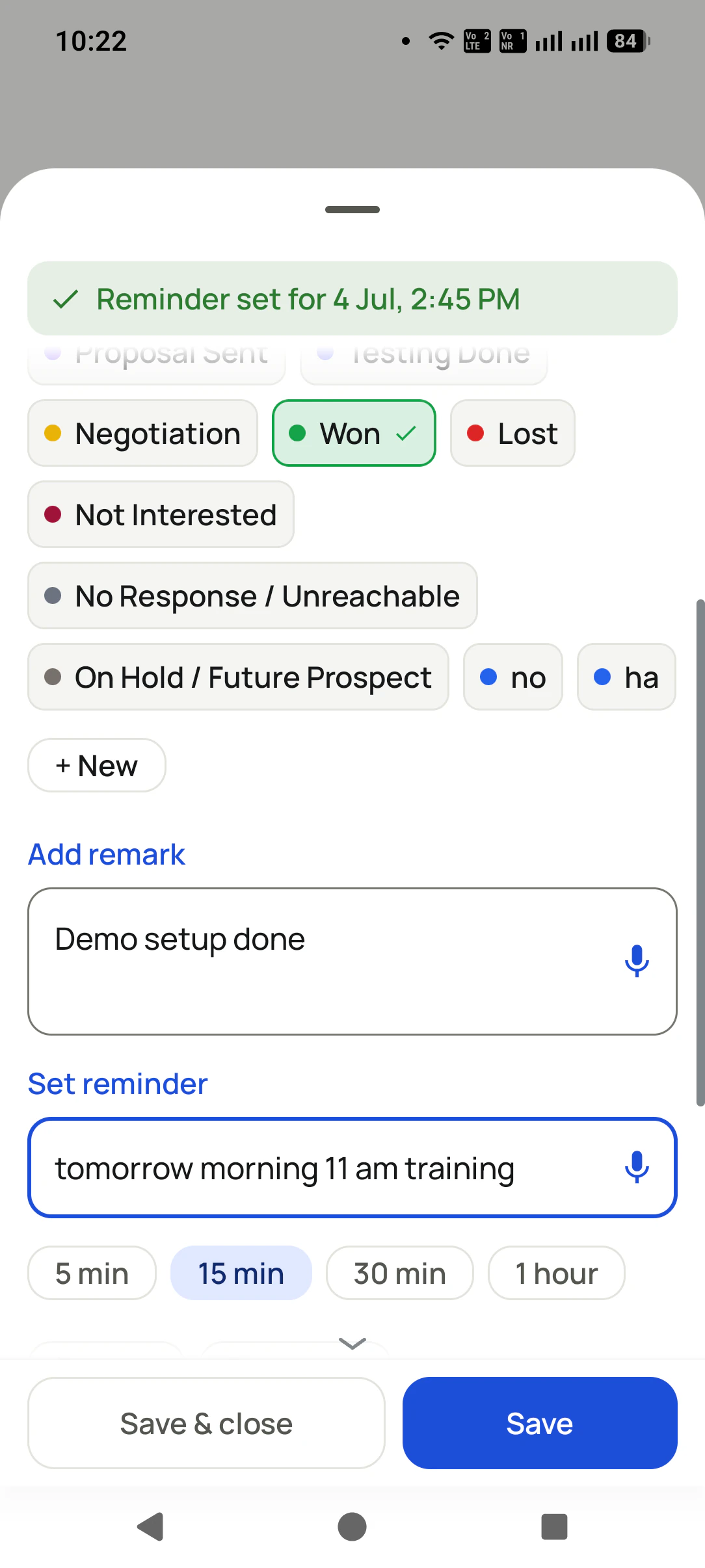
Written by Vamika Godara · Reviewed by Prisha Khatri · Updated
Short answer
Call disposition software helps callers record the result of a conversation while it is still fresh. RMDialer provides this workflow through custom lead statuses, remarks and follow-up reminders on the after-call sheet. The caller chooses the business outcome; it is not inferred from call length or generated by listening to the audio.
Key takeaways
Why record every outcome
What a sales team gets when every call ends with a clear result, a note and a next step.
The after-call sheet asks for the result the moment the call ends.
Custom lead statuses let a property team say Visit Scheduled and a trainer say Demo Booked.
A remark keeps the exact request, objection or decision next to the status.
A reminder for the agreed date and time is set on the same sheet.
Status, history and remarks sit on the customer record for whoever calls next.
Configured rules can send a WhatsApp after a call or when the status changes.
Three decisions after hello
An unlabelled call leaves the next salesperson reading a duration and guessing. Capture enough information to continue the conversation, without turning every phone call into a long form.
Choose a status with a specific meaning. “Interested” should mean the prospect expressed interest, not simply that someone answered. Keep the same interpretation across callers so a manager can compare like with like.
Put the request, objection or decision in a remark. “Needs an estimate including installation” helps a colleague prepare. “Good call” does not explain what to do. Write the detail you would want before calling that customer again.
Set a reminder when the conversation requires another contact. A prospect waiting for a quotation should not disappear among records marked Contacted. Agree a time, save it, and make the next conversation easy to resume.
Design the vocabulary
The table is a starting point for your team’s process. These labels do not imply that RMDialer automatically performs every next action. Configure the statuses, set the reminders and test any automation separately.
| Suggested outcome | Use it when | Caller’s next action |
|---|---|---|
| Needs details | The buyer asks for a specification, brochure or price. | Write the exact request and confirm how to send it. |
| Visit scheduled | A place and time have actually been agreed. | Save those details and set the confirmation reminder. |
| Decision pending | The customer is reviewing a defined proposal. | Record the decision date and the remaining objection. |
| Wrong contact | The number does not reach the intended person. | Correct the record before putting it on another list. |
| Won | Your business’s agreed completion condition is met. | Document the booking or purchase and the handover. |
| Stop contact requested | The person asks for outreach to stop. | Record the request and exclude further outreach; verify any automated controls. |
Start with the few distinctions that affect your work. If two statuses always trigger the same decision, your callers may not need both. Put unusual circumstances in the remark instead of adding a new label for every conversation.
Keep the thread of the sale
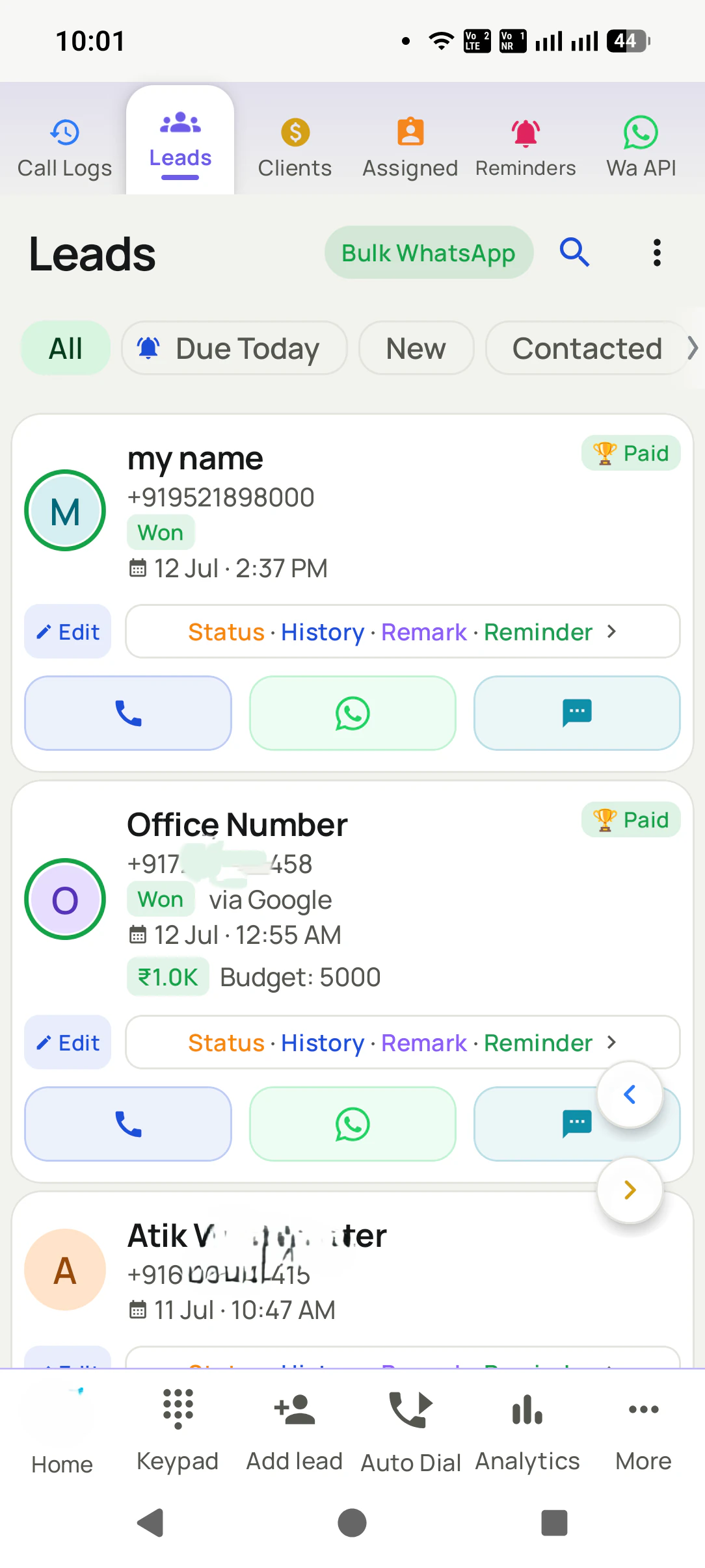
A lead is more than the last telephone attempt. The customer may first ask for a price, later ask about availability, and finally schedule a visit. Use the record’s history and remarks to preserve that progression rather than replacing it with a vague one-word summary.
The RMDialer lead list brings status, history, remark and reminder actions together. When a colleague takes over, they can review what has already happened before picking up the phone.
For example, a solar-installation adviser speaks with a homeowner who needs an estimate after a roof survey. Marking the lead Won would overstate the result. A stage such as Survey Scheduled, a note about the property and a reminder for the estimate describe the real next step. This is an illustrative workflow, not a claimed customer result.
See the customer-record side of call management →Read the report correctly
Use call activity to understand attempts and conversations. Use the lead record to understand progress. Those two views answer different questions, and a useful review keeps both.
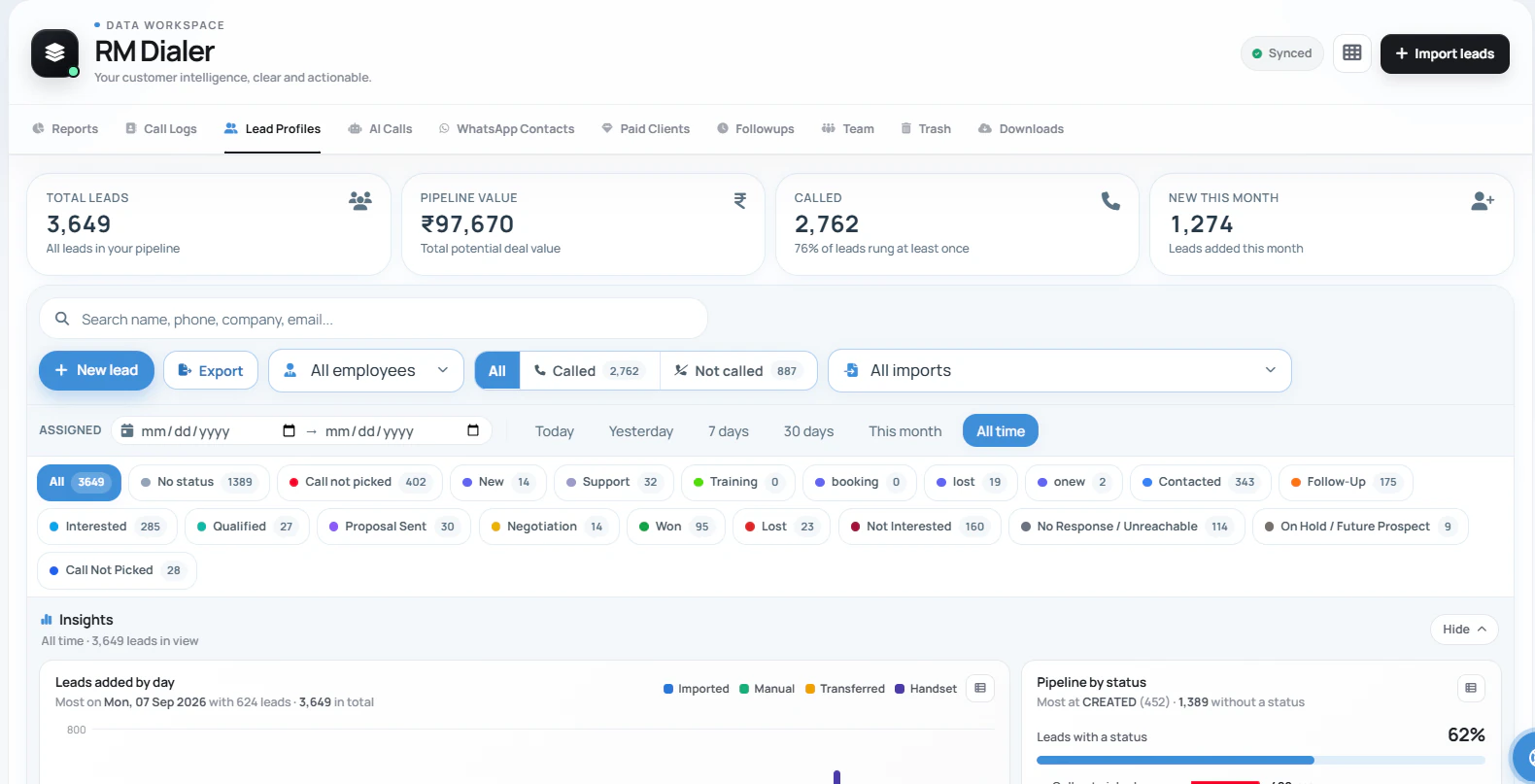
Calls, connected attempts and talk time describe what happened on the phone. An outgoing attempt that went unanswered should not be reported as a customer conversation.
Lead-status filters help you find customers at a particular point in the process. Do not count the current Won filter as “wins from today’s calls” without checking the underlying dates and records.
If you require historical disposition totals by campaign, stage-change timestamps or a separate outcome on each call, bring that requirement to the demo. Verify the exported fields before committing to a reporting design.
RMDialer does not need to infer a sale from audio for this workflow. Your team records the business outcome. Call recording is a separate capability, set up with the support team on suitable devices.
A useful first trial
Use one new enquiry, one person requesting a later callback and one completed sale. Have two callers independently choose the status for each scenario. If they disagree, improve the label’s definition before rollout.
Then save the remark, set the reminder and review the record from the manager’s account. A good pilot proves that the next colleague knows what to do without asking the original caller to retell the conversation.
For external systems, confirm how status values and call events map to your CRM. A field named “outcome” is not enough: agree whether it describes an attempt, a conversation or the customer’s current stage.
Explore call and CRM event integration →Try it with your own workflow
Use your own sales stages in a guided demonstration. We can walk through a saved remark, a customer handover and the reminder that follows the call.
Team features, one plan
₹159/user/month
₹1908 per user, billed yearly, plus taxes, in India. $29 per user per year, or $12 per user for 3 months, outside India.
The personal dialer, call log and personal analytics are free forever. Team access and saved lead workflows require a plan. SIM charges and any WhatsApp provider charges are separate.
Compare free and paid features →The after-call sheet lets the caller choose a lead status, add a short remark and set the next reminder. That is RMDialer’s outcome-capture workflow. The caller supplies the business meaning; the phone supplies call details such as direction and duration.
No. A connected call does not reveal buying intent. Your caller records what the customer actually said through the status and remark fields. This page describes a human-selected outcome workflow, not an AI system that listens and assigns dispositions.
RMDialer supports custom lead statuses. Agree a short vocabulary with your team, then use a remark for details that do not deserve another status. A property team may need Visit Scheduled; a training provider may prefer Demo Booked. Choose names people can apply consistently.
They describe different things. One person can have several unsuccessful contact attempts while remaining a qualified lead. RMDialer combines call history, the current lead status and remarks. If you need a separate immutable disposition code for every individual call, demonstrate that exact reporting requirement with the team before buying.
A label cannot know the time the customer agreed to. Set the reminder date and time explicitly in the after-call workflow. Treat “callback” and “callback at the agreed time” as different levels of completeness when training callers.
Do not assume that a status label alone blocks future outreach. Record the request clearly and exclude the contact from future calling and messaging under your team’s process. If automatic suppression is essential, have that behavior demonstrated before you depend on it.
Configured automation can send WhatsApp messages after calls or status changes. Connect the appropriate WhatsApp setup and test the rule with an eligible recipient. Avoid using the same message for every outcome: a brochure request and a request to stop contact need different handling.
RMDialer offers an API integration route for call data and lead updates. Ask for the documentation and map a sample event to your CRM fields before rollout. Do not assume a native connector exists for every CRM or that similarly named status fields have the same meaning.
The free tier covers everyday dialing, the call log and personal analytics. Saved lead statuses, remarks and reminder workflows are paid features, available to evaluate in the 3-day trial. Confirm them on your own handset before purchasing seats.