
Free follow-up tracker
Follow Up Tracker Excel Template With Due Status
A follow up tracker Excel template keeps every lead you are chasing on one sheet with the last contact, the number of attempts and the next date, so nobody waiting for a reply is forgotten. This free RMDialer version marks each row overdue, due today or upcoming by itself.
- Overdue, due today, upcoming
- Attempts and days since contact
- Won and lost leave the list
Free personal dialer. Paid features include a 3-day trial; no card required.
Team plans: ₹159/user/month in India, $29/user/year elsewhere, billed yearly + taxes →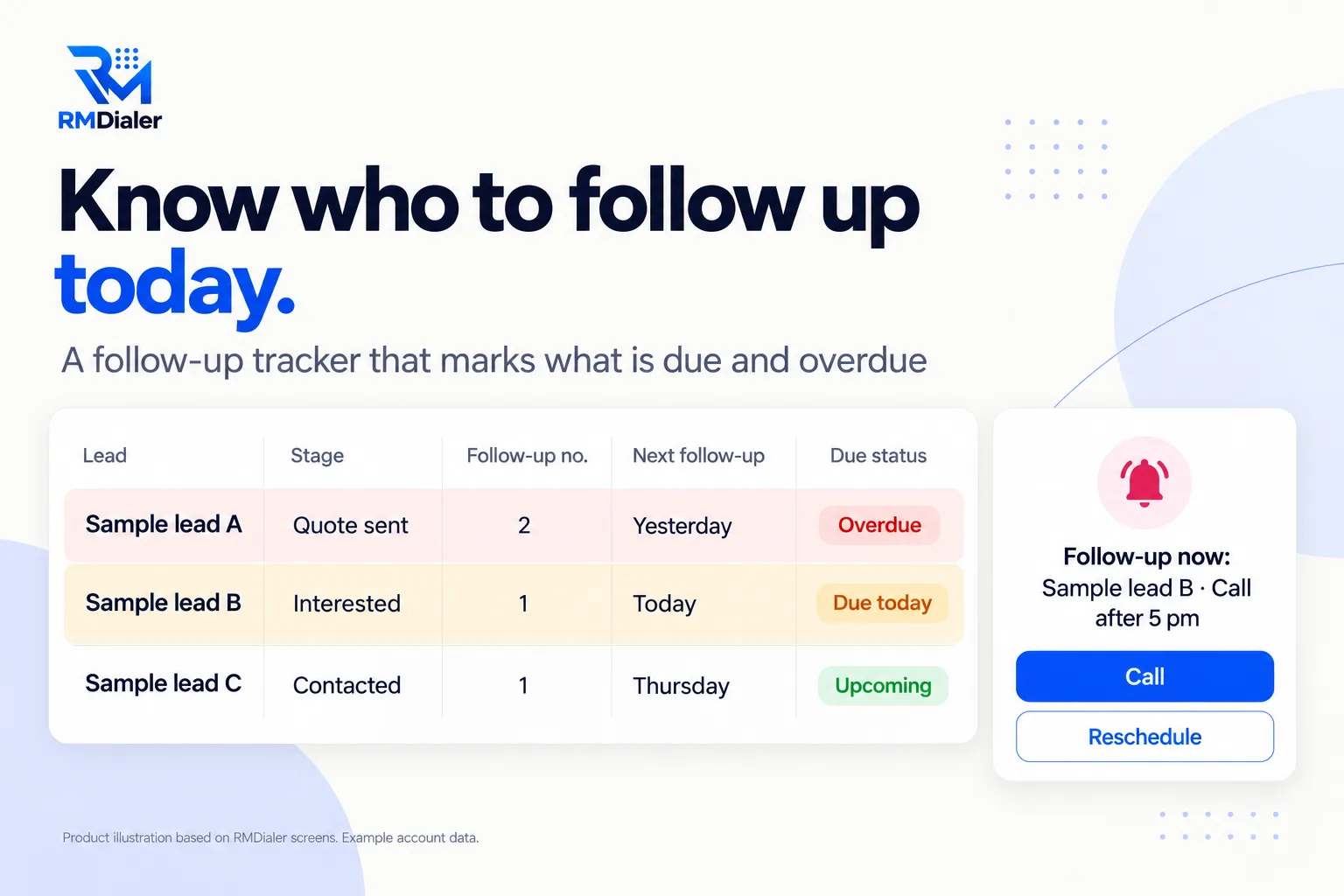
Sample leads A to C are placeholders with fake numbers.
Updated
Short answer
What is a follow-up tracker Excel template?
A follow-up tracker Excel template is a spreadsheet listing each lead you are chasing, with the last contact date, the number of follow-ups so far and the next follow-up date. RMDialer's free template works out which rows are overdue or due today and colours them.
Key takeaways
- Every open lead needs a next date.
- Count attempts, then decide.
- Red and amber rows are today's work.
Why track follow-ups
Follow-up tracker Excel template benefits
What a salesperson gets from a sheet that knows which follow-ups are late.
-
Today's list in one sort
Sort by Next follow-up and the work for the day is at the top.
-
Overdue cannot hide
Missed follow-ups turn red until someone deals with them.
-
Know how many times you tried
A follow-up count per lead shows who needs one more call and who needs closing.
-
Days since last contact
Leads going quiet show up as a number that keeps growing.
-
Won and lost drop out
Closed leads leave the due list on their own.
-
One stage list for the team
Stages and channels come from dropdowns on a Lists sheet.
Inside the file
Follow-up tracker Excel template columns
Six of the ten columns do the real work. Download the tracker to see them filled in.
| Column | What it does | Note |
|---|---|---|
| Stage | Where the lead stands: New to Won or Lost | Edit the stages on the Lists sheet |
| Last contact | The date of the latest call, message or visit | Update it after every attempt |
| Follow-up no. | How many times you have followed up | Five tries with no reply is a decision point |
| Next follow-up | The date of the next attempt | Never leave it empty on an open lead |
| Days since contact | Counts up from Last contact by itself | Sort by it to find leads going cold |
| Due status | Overdue, Due today or Upcoming, worked out from the date | Red and amber rows are the day's work |
Following up existing customers after a sale is a different job, with its own sheet: the customer follow-up sheet.
A renovation contractor in Toronto
The follow-up tracker after a run of quotes
Picture a renovation contractor in Toronto who sent out a dozen kitchen quotes a month and heard back from about half. The rest went quiet, and the owner never knew which ones to chase.
He moved every open quote into the follow-up tracker. The Follow-up no. column was the surprise: most quiet quotes had been followed up once, if at all. A rule of three follow-ups over two weeks, with the Due status deciding the order each morning, brought several jobs back from the quiet pile, and the ones that stayed quiet were closed as Lost with a reason. The contractor is an illustration, not a named customer.
Plain limits
Follow-up tracker limits: a sheet cannot ring
A tracker only works on days someone opens it. On a busy day, the amber rows wait. The fix is a reminder that comes to you.
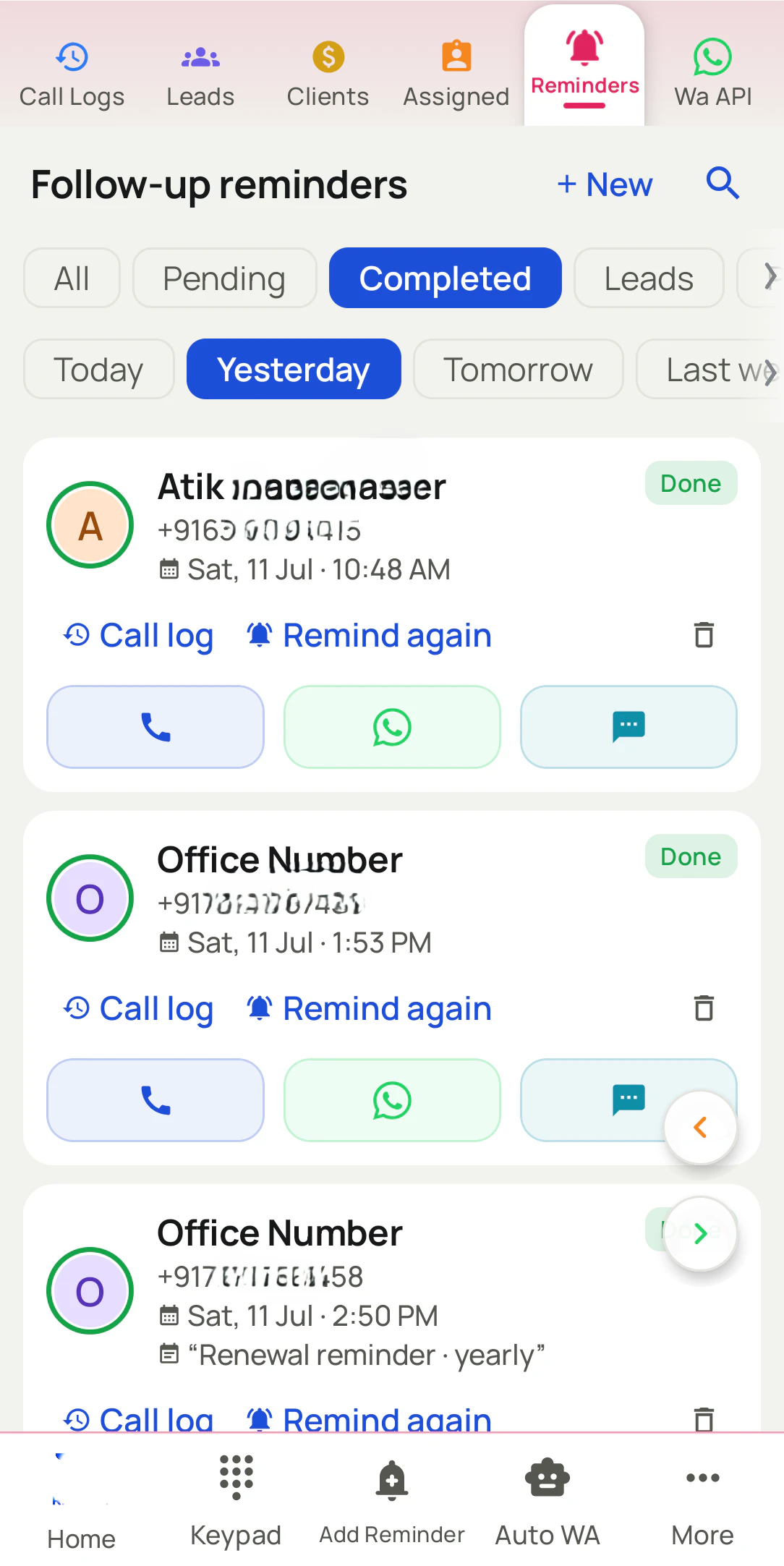
In RMDialer each follow-up is set in one tap, from five minutes to a month or a custom date, and rings like an alarm at its time, even on a locked phone. It stays open until you mark it done, overdue ones carry into Today, and you can call, add a remark or move it straight from the reminder. Today's due follow-ups can be dialled one after another as a single session. More on the follow-up reminder app.
Try it with your own workflow
Turn your tracker into reminders that ring
Send us your filled tracker. We import the leads, help you set the open follow-ups as reminders, then show one ringing on your phone.
Team features, one plan
₹159/user/month
₹1908 per user, billed yearly, plus taxes, in India. $29 per user per year, or $12 per user for 3 months, outside India.
- Lead statuses, remarks and reminder scheduling
- Assigned calling lists and employee reports
- List auto dialing and WhatsApp automation
The personal dialer, call log and personal analytics are free forever. Team access and saved lead workflows require a plan. SIM charges and any WhatsApp provider charges are separate.
Compare free and paid features →Follow-up tracker Excel template FAQ
What is a follow-up tracker?
A list of every lead you are chasing with the date you last spoke, how many times you have followed up, and when to follow up next. The point is that nobody waiting for a reply is forgotten.
What does the follow up tracker Excel template cost?
Nothing. The download above is the full tracker, not a trial, and you can add columns such as Owner or Product without breaking the due status.
How does the Due status work?
It compares Next follow-up with today: earlier is Overdue (red), today is Due today (amber), later is Upcoming. Won and Lost leads show nothing, so they leave the list.
How many times should I follow up with a lead?
Many sales need several follow-ups, so do not stop after one. Set your own limit, such as five attempts over a few weeks, and then close the lead with a reason rather than letting it sit.
Can Excel remind me to follow up?
Not on its own. The template highlights what is due when you open it, but it cannot ring. For a reminder at a set time, you need an app or calendar alarm.
What is the difference between this and a customer follow-up sheet?
This tracker is for leads you are trying to win. A customer follow-up sheet is for people who already bought: feedback, service dates, reorders and referrals.
Can my team share one follow-up tracker?
Yes, in Google Sheets. Add an Owner column if several people follow up, and filter by it so each person sees their own list.
What should I write in the notes?
One line on what the lead said and what you promised, such as "comparing with current supplier, call Friday after 5". Enough for anyone to make the next call.
How do I move from this tracker to RMDialer?
Import the sheet as leads, then set each open lead's next follow-up as a reminder in one tap. From then on it rings on the phone at its time and stays open until you mark it done.
Can I auto dial all of today's follow-ups?
Not from Excel. In RMDialer, today's due follow-ups can be dialled one after another as a single session.