
Free payment follow-up sheet
Payment Follow Up Excel Sheet With Reminder Dates
A payment follow up Excel sheet tracks money clients owe you: each invoice, what has been paid, what is still due, how late it is and when to remind them next. This free RMDialer sheet works out the balance, days late and status itself, and adds up what is overdue.
- Balance, days late and status by formula
- Next reminder date per invoice
- A summary of what is overdue
Free personal dialer. Paid features include a 3-day trial; no card required.
Team plans: ₹159/user/month in India, $29/user/year elsewhere, billed yearly + taxes →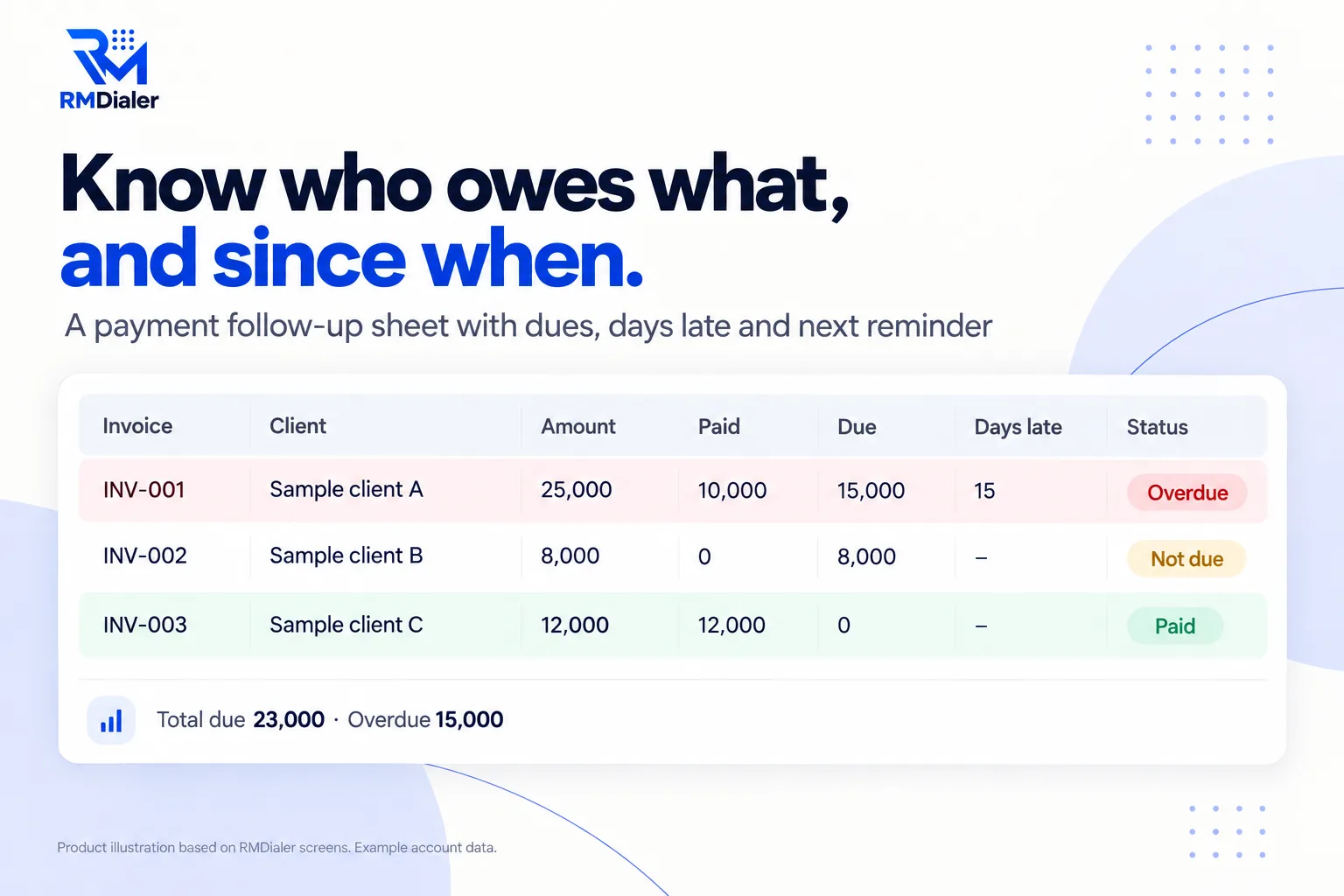
INV-001 to INV-003 are sample invoices for fictional clients; replace them with yours.
Updated
Short answer
What is a payment follow-up Excel sheet?
A payment follow-up Excel sheet is a spreadsheet listing unpaid invoices with the amount, what has been paid, the due date and the next reminder, so late payments are chased on time. RMDialer's free sheet calculates balances, days late and status, and totals the overdue amount.
Key takeaways
- Track the balance, not just the invoice.
- Remind before the due date, not only after.
- Call once an invoice is two weeks late.
Why track payments
Payment follow-up Excel sheet benefits
What a small business gets from knowing exactly who owes what, and since when.
-
Due works itself out
Enter the amount and what has been paid; the balance follows.
-
Days late counted for you
Every overdue invoice shows how many days past its due date it is.
-
A status per invoice
Paid, part paid, not due or overdue, decided by formula.
-
Reminders that are not forgotten
Rows with a reminder due today turn amber.
-
The total owed at a glance
A summary adds up invoiced, paid, due and overdue.
-
Polite wording ready
A reminder sequence below, from a friendly heads-up to a firm request.
Firm, never rude
Payment follow-up sequence with sample messages
Most late payments are forgotten, not refused. A planned sequence collects more and keeps the relationship. Put each step's date in Next reminder. Download the sheet.
| When | Tone | Sample |
|---|---|---|
| 3 days before due | Friendly heads-up | Hi {name}, a quick reminder that invoice INV-001 for the agreed amount is due on Friday. |
| On the due date | Clear | Hi {name}, invoice INV-001 is due today. Please let me know once it is sent. |
| 7 days late | Polite, specific | Hi {name}, invoice INV-001 is now a week overdue. Could you confirm when we can expect it? |
| 15 days late | Call, not message | Phone them. Ask if anything is holding it up and agree a date. |
| 30 days late | Firm | Hi {name}, invoice INV-001 is 30 days overdue. We need payment by a fixed date to continue the service. |
A printing press in Riyadh
A payment follow-up sheet at a print shop
Picture a printing press in Riyadh that printed brochures and banners for agencies and shops on credit. By month end the owner had a vague sense that several clients owed money, and an accountant who asked which.
The team moved every open invoice into the payment follow-up sheet. The Summary put a number on the vague sense, and the Days late column showed most of it sat with three agencies more than a month behind. A heads-up message three days before each due date, and a phone call at two weeks, cut the overdue column steadily over the next quarter. The press is an illustration, not a named customer.
Plain limits
Payment follow-up Excel sheet limits, and payments due in the app
A sheet shows what is due only when someone opens it, and nobody gets reminded on the day by a cell turning amber.
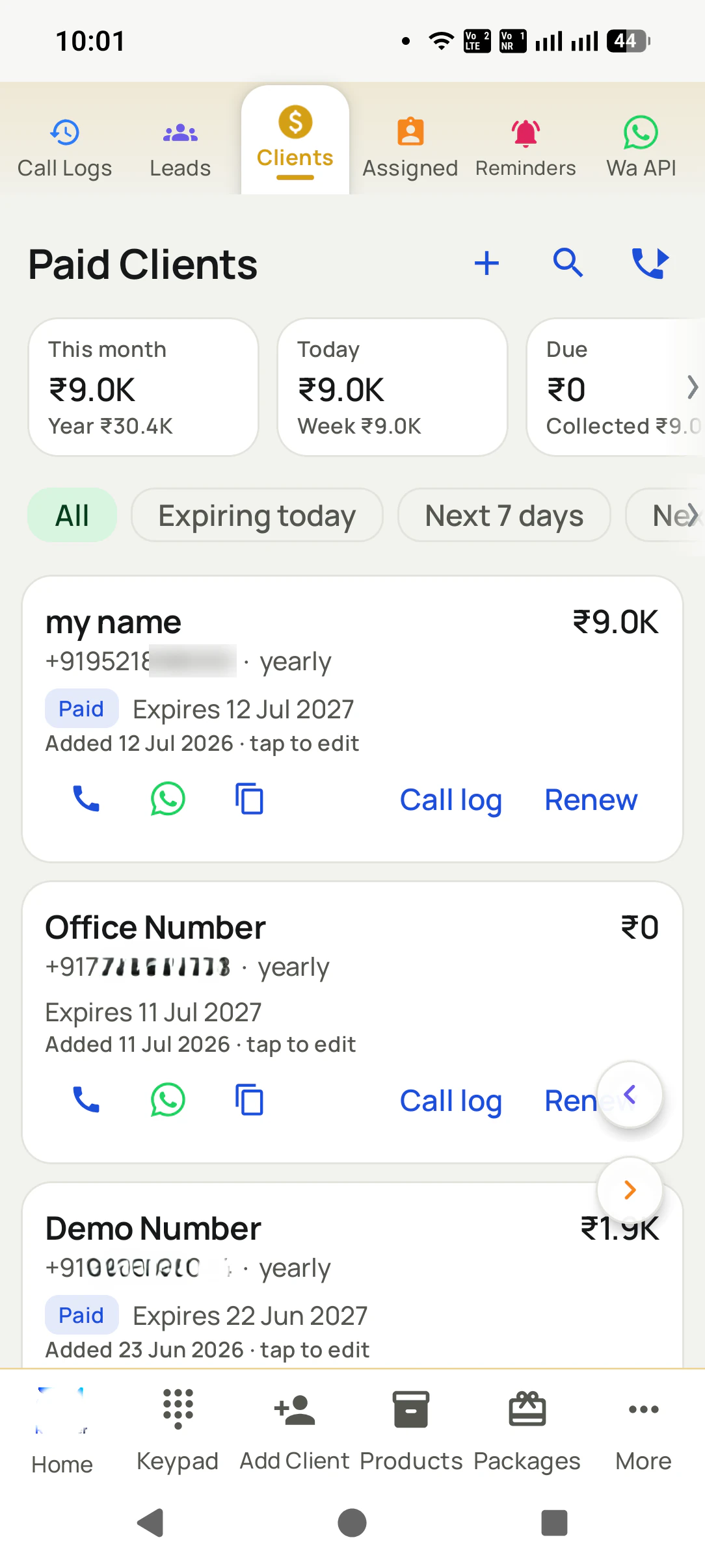
In RMDialer each sale is its own record with paid and due amounts, the Due card totals what is owed, and clients with payment due are one filter away. A reminder rings on the day to call them, and it can carry a WhatsApp message ready to send. It is not invoicing or accounting software; keep those for the invoices themselves. The renewal side is covered by the renewal tracker.
Try it with your own workflow
See every payment due on one screen
Send us a few rows from your sheet. We add them as sales with paid and due amounts and set the first payment reminder.
Team features, one plan
₹159/user/month
₹1908 per user, billed yearly, plus taxes, in India. $29 per user per year, or $12 per user for 3 months, outside India.
- Lead statuses, remarks and reminder scheduling
- Assigned calling lists and employee reports
- List auto dialing and WhatsApp automation
The personal dialer, call log and personal analytics are free forever. Team access and saved lead workflows require a plan. SIM charges and any WhatsApp provider charges are separate.
Compare free and paid features →Payment follow-up Excel sheet FAQ
How do I make an Excel spreadsheet to track payments?
One row per invoice with the invoice number, client, invoice date, amount, amount paid, due date and notes, then formulas for the balance, days late and status. This free sheet has those set up, plus reminder dates and a summary.
Does the payment follow up Excel sheet cost anything?
No. Download it from the link above and use it for as many invoices and clients as you have; there is no account to create.
How does the Status column decide?
Nothing left to pay is Paid. Past the due date with money still owed is Overdue. Some money paid but not due yet is Part paid. Otherwise it is Not due.
How do I write a payment reminder politely?
Be specific and friendly: the invoice number, the amount and the due date, with one clear ask. The sequence on this page goes from a heads-up before the date to a firm message at 30 days.
When should I call instead of sending a message?
Once an invoice is a couple of weeks late. A call usually uncovers the real reason, such as a missing document or a cash flow problem, faster than another message.
Can the sheet send payment reminders automatically?
No. It shows which reminders are due when you open it. Sending, whether by call or WhatsApp, is still done by you, or by an app that rings and prepares the message.
Can I track part payments?
Yes. Enter the total paid so far in Paid; Due shows the balance and the status says Part paid until the rest arrives or the due date passes.
Can my accountant and I both use the sheet?
Yes. Keep it as a Google Sheet shared with your accountant, so both of you see the same balances; Days late and Status recalculate for whoever opens it.
How does RMDialer track payments due?
Each sale is its own record with the amount paid and the amount due. Clients with payment due can be filtered, the Due card shows the total, and a reminder can ring on the day to call them with a WhatsApp message ready.
Does RMDialer create invoices?
No. It tracks what was sold, what was paid and what is due, and reminds you to follow up. Keep your invoicing or accounting software for the invoices themselves.