
Free call log template
Call Log Template: Free Excel and Google Sheets File
A call log template is a sheet where every phone call gets one row: who, when, which direction, how long, what happened and what comes next. This free RMDialer template adds dropdowns, red missed calls, amber follow-ups and a summary that counts calls and talk time on its own.
- Nine columns with dropdowns
- Missed calls and due follow-ups highlighted
- A summary that counts itself
Free personal dialer. Paid features include a 3-day trial; no card required.
Team plans: ₹159/user/month in India, $29/user/year elsewhere, billed yearly + taxes →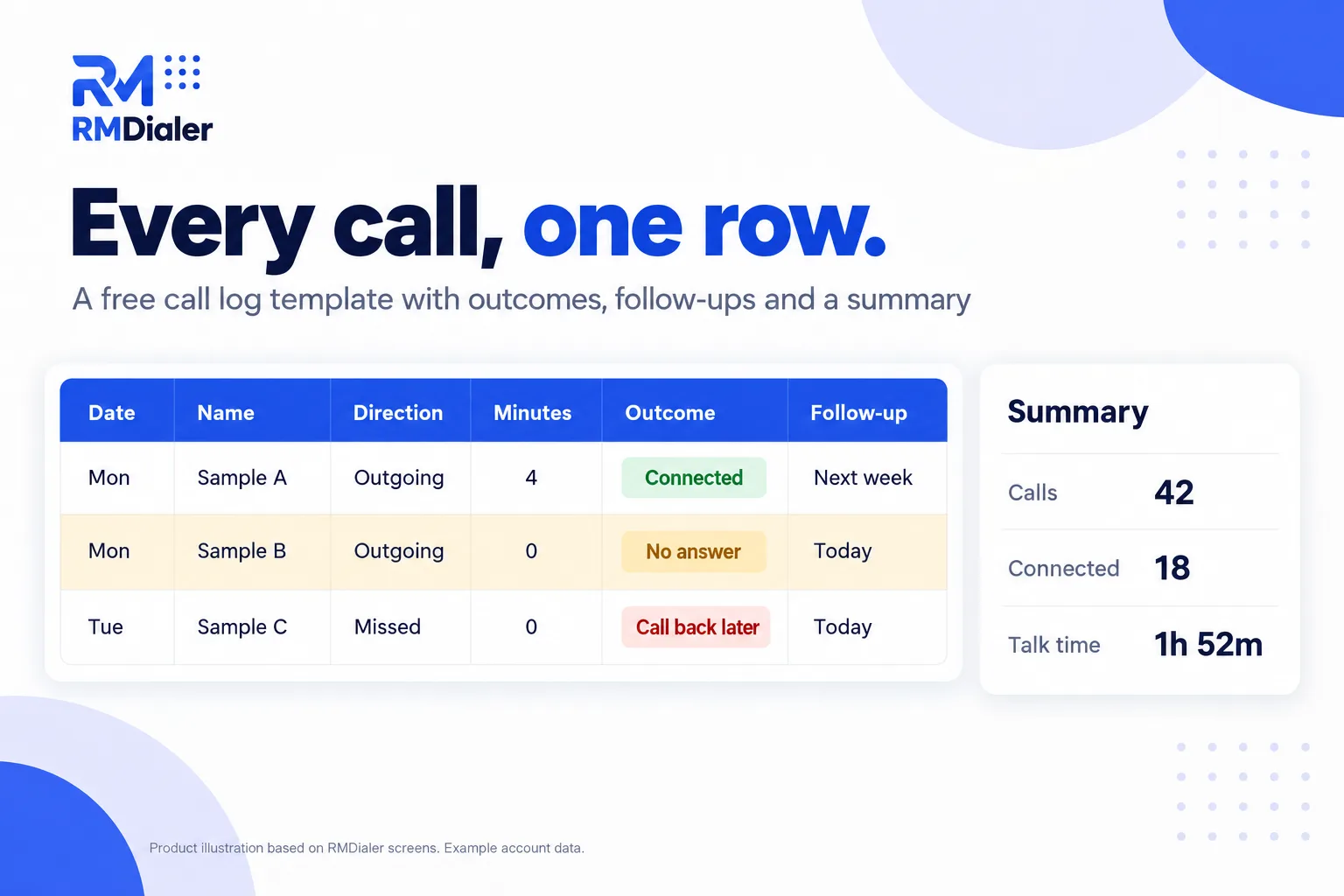
Three example calls are included with invented numbers. Clear them out first.
Updated
Short answer
What is a call log template?
A call log template is a ready spreadsheet for recording phone calls, one row per call, with columns for date, contact, direction, duration, outcome, notes and the next follow-up. RMDialer's free version adds dropdowns, highlights for missed calls and due follow-ups, and a self-counting summary.
Key takeaways
- One row per call, same columns every time.
- Record the outcome, not just the attempt.
- Every call should end with a next step.
Why log calls
Call log template benefits
What a team gets from writing down every call in the same format.
-
A format that answers questions
Who called whom, when, for how long, with what result and what happens next.
-
Missed calls stand out
Missed calls are red until someone calls them back.
-
Follow-ups you can see
Rows with a follow-up due today or earlier turn amber.
-
Totals without formulas to write
A Summary sheet counts calls, connections and talk time.
-
Same outcomes for everyone
Direction, outcome and agent come from dropdowns.
-
Prints and shares cleanly
Works in Excel, Google Sheets and LibreOffice, and prints on A4 or letter paper.
The format
Call log template format: the columns and why
Every column in the template answers a question someone will ask later. Download the file to start from it.
| Column | Why it matters |
|---|---|
| Date and time | Shows when people actually answer, and proves when a call was made |
| Name and phone | Lets anyone pick up the conversation; phone kept as text so numbers do not break |
| Direction | Outgoing, incoming or missed: missed calls need returning first |
| Duration | Separates real conversations from rings and voicemails |
| Outcome | Connected, no answer, busy, call back later: the result, not just the attempt |
| Notes | What was said, in one line, for the next person who calls |
| Follow-up date | Turns a call into a next step instead of a dead end |
| Agent | Who made or took the call, for team totals |
The Summary sheet reads the log and counts calls logged, outgoing, incoming, missed, connected, total talk time and follow-ups due. If you need a daily report per caller rather than a log, see the daily call report template.
A lettings agency in Manchester
A call log template at a busy front desk
Picture a lettings agency in Manchester where two people answer viewing enquiries and landlords' calls. Messages lived on sticky notes, and a landlord once called three times in a day without anyone knowing.
The agency started the call log template on a shared Google Sheet. Missed calls in red became the first job every morning, and the Summary showed something nobody had guessed: most missed calls came in the lunch hour. The agency staggered lunch breaks, and the red rows nearly disappeared. The weak point stayed the typing; on busy Saturdays, calls went unlogged. The agency is an illustration, not a named customer.
Plain limits
Call log template limits, and an automatic call log
A spreadsheet only knows the calls someone remembers to type, and nobody types the duration accurately. That is the moment to let the phone keep the log.
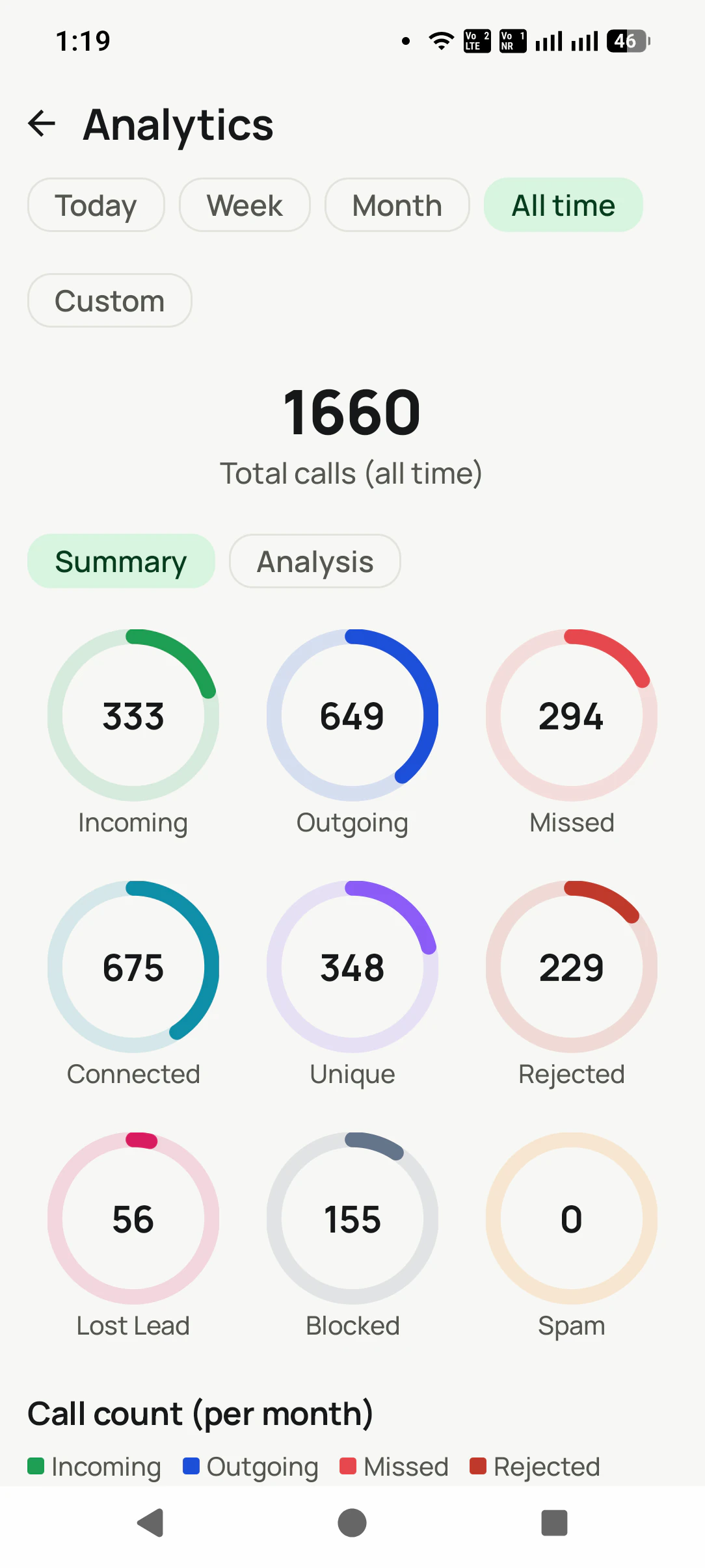
RMDialer reads every call from the phone, with duration, SIM and the lead's name, and asks for the outcome, a remark and the next follow-up as each call ends. Missed, connected, rejected and lost-lead filters replace the colours, the owner sees every employee's calls, and WhatsApp, Meet and Zoom calls can sit in the same log. More on that in the call log manager app.
Try it with your own workflow
Compare your sheet with an automatic log
Bring a week of your call log template. We show the same week as RMDialer would have logged it, with no typing.
Team features, one plan
₹159/user/month
₹1908 per user, billed yearly, plus taxes, in India. $29 per user per year, or $12 per user for 3 months, outside India.
- Lead statuses, remarks and reminder scheduling
- Assigned calling lists and employee reports
- List auto dialing and WhatsApp automation
The personal dialer, call log and personal analytics are free forever. Team access and saved lead workflows require a plan. SIM charges and any WhatsApp provider charges are separate.
Compare free and paid features →Call log template FAQ
What should a call log template include?
Date and time, name, phone number, direction (outgoing, incoming or missed), duration, outcome, a short note, a follow-up date and who handled the call. This template has all nine plus a summary sheet.
How do I create a call log in Excel?
Put those columns in the first row, freeze it, keep the phone column as text, and use dropdowns for direction and outcome so everyone writes them the same way. Or download this template, which already has them.
What is the correct format for a call history?
One row per call, newest at the bottom or sorted by date, with the same columns every time. Consistency matters more than the exact columns, because it is what lets you count and filter later.
Is the call log template free to use at work?
Free, with no catch: the link hands you the file directly, and you are welcome to rename columns, add outcomes or use it for a whole team.
Can my team share the call log in Google Sheets?
Put the file in your Drive, open it as a Google Sheet and share it with the team, so everyone logs calls in one place. The colours and Summary keep working there.
Can I print the call log?
Yes. Set the print area to the columns you need and print in landscape. For a paper log at a front desk, print a few blank pages and type them in at the end of the day.
How do I log missed calls?
Add them with Direction set to Missed. They show in red until someone calls back and logs the return call as a new row.
Can a call log fill itself in?
Not in a spreadsheet. A dialer app such as RMDialer reads calls from the phone automatically, with duration, SIM and the lead's name, and asks for the outcome and follow-up when the call ends.
How do I see my whole team's calls?
In a shared sheet, everyone fills the Agent column and you filter by it. In RMDialer, the owner sees every employee's calls without anyone typing them.
What is the difference between a call log and a call report?
A call log lists every call. A call report summarises them, such as calls per day, connected calls and talk time. The template's Summary sheet is a small call report built from the log.