Free Auto Dialer App for Android · Set Up Right on Samsung, Redmi, Vivo and Oppo
Free Auto Dialer App for Android: Setup Guide by RMDialer
Calling on RMDialer is free with no sign-in and list dialling can be tried for three days; this free auto dialer app for Android setup guide fixes the phone side: permissions, battery, autostart.
Basic dialer free, no login · Auto dialer: 3-day trial, no card
Your own SIM, no virtual number · Android and iPhone apps + Web CRM in one plan · No card for the trial
RAKPS3,500+ businesses on Wappblaster tools · listed on G2, Capterra, SoftwareSuggest
Default phone appset in one tap
Battery: Unrestrictedreminders run reliably
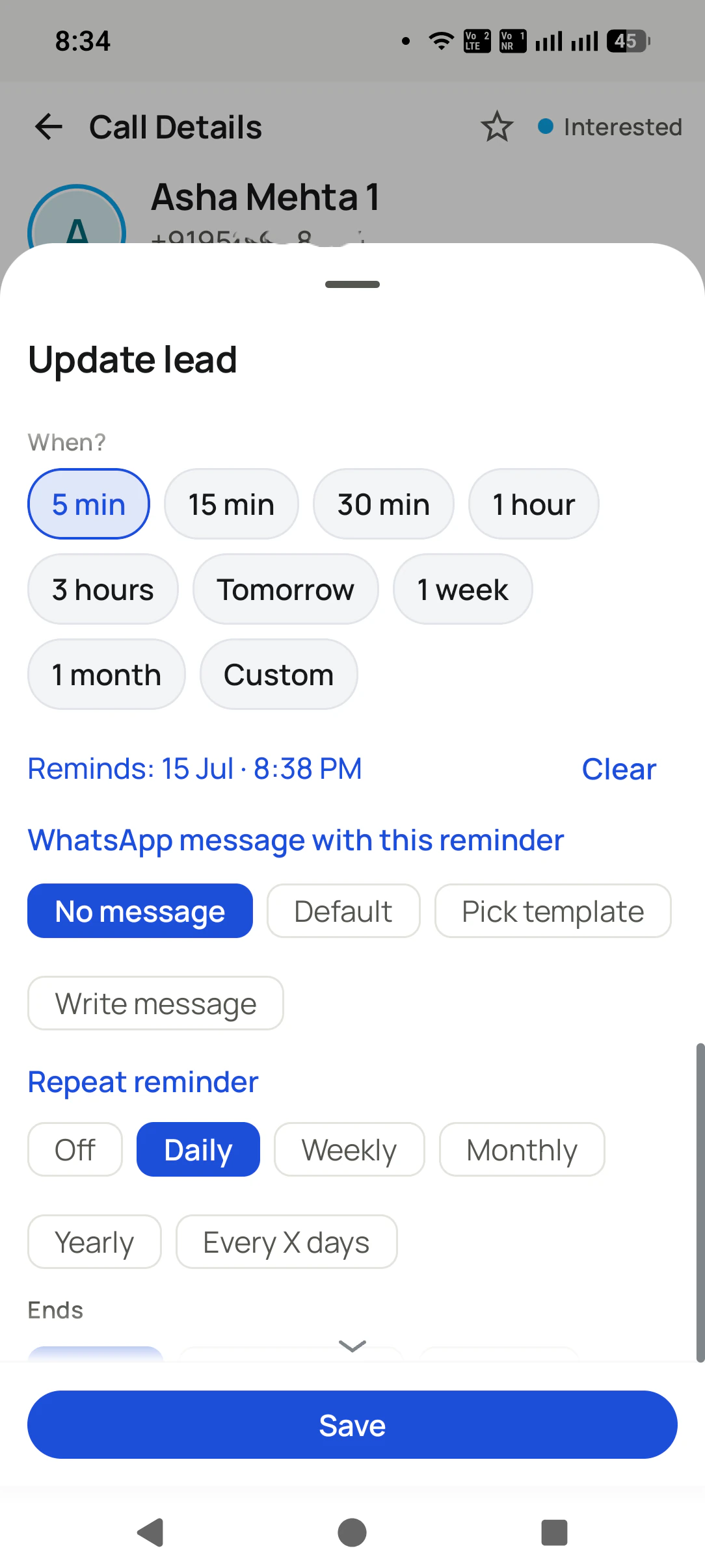
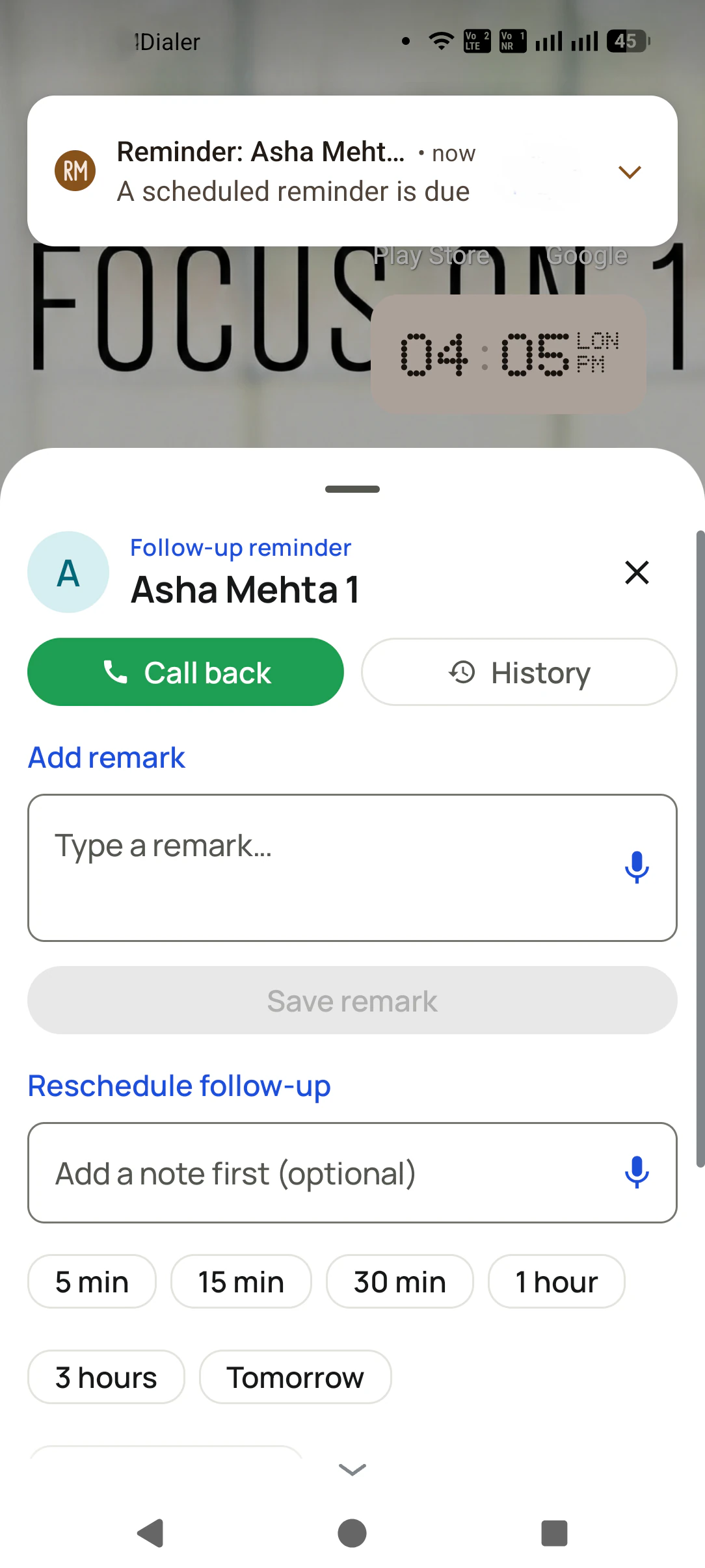
Reminder 4:30 pmrang on time
Session running27 numbers left
Updated
Short answer
How do you set up a free auto dialer app on Android?
Setting up a free auto dialer app on Android is mostly about the phone, not the app. Install it from Google Play on a handset running Android 8 or newer, accept the prompt to make it the default phone app, and allow phone, call log and contacts access so it can place calls and tell connected calls from missed ones. Allow notifications and display over other apps so the session bar and reminders show up. Then set battery to unrestricted and switch on autostart, because Samsung, Redmi, Vivo and Oppo phones otherwise pause the app and reminders arrive late. On Samsung that means adding it to Never sleeping apps. On RMDialer, the plain calling screen needs no account at all, while auto dialling a list, with reminders attached, unlocks during a three-day trial that asks for no card and later costs ₹159 a user each month when billed yearly.
Key takeaways
RMDialer runs on Android 8.0 and every newer version.
The app needs call log access to tell a connected call from a missed one.
Display over other apps lets a reminder pop up on top of any screen.
RMDialer shows in its own settings which phone switches are still off.
You can switch back to your old phone app at any time in Android settings.
Free auto dialer app for Android vs the trial, other free dialers and the built-in dialer
What an Android phone can do for nothing, and where the free part stops.
RMDialer's free basic dialer compared with its 3-day full trial, a typical free dialer app and the phone's built-in dialer
On your Android phone
RMDialer free, no login
RMDialer 3-day trial
Typical free dialer app
Built-in dialer
Works as the phone app for every call
Yes
Yes
Some do
Yes
Call log with charts and filters
Yes
Yes
Varies
Call log only
Rings a list by itself
No
Yes
Varies
No
Lead details, remarks and follow-up reminders
No
Yes
Varies
No
Needs an account to start
No
Yes
Varies
No
Cost
Free, no end date
Free for 3 days, then ₹159 a month on yearly billing
Free
Free
Works as the phone app for every call
RMDialer free, no login:Yes
RMDialer 3-day trial:Yes
Typical free dialer app:Some do
Built-in dialer:Yes
Call log with charts and filters
RMDialer free, no login:Yes
RMDialer 3-day trial:Yes
Typical free dialer app:Varies
Built-in dialer:Call log only
Rings a list by itself
RMDialer free, no login:No
RMDialer 3-day trial:Yes
Typical free dialer app:Varies
Built-in dialer:No
Lead details, remarks and follow-up reminders
RMDialer free, no login:No
RMDialer 3-day trial:Yes
Typical free dialer app:Varies
Built-in dialer:No
Needs an account to start
RMDialer free, no login:No
RMDialer 3-day trial:Yes
Typical free dialer app:Varies
Built-in dialer:No
Cost
RMDialer free, no login:Free, no end date
RMDialer 3-day trial:Free for 3 days, then ₹159 a month on yearly billing
Typical free dialer app:Free
Built-in dialer:Free
The typical free dialer column describes that kind of app in general; individual apps differ.
Why put one on the phone
Free auto dialer app for Android benefits
What changes for someone who calls a list every day from an Android handset, once the dialing is done by the app.
1
Hands off the keypad
The app works down the list on the phone you already carry, so a whole morning of calls needs no typing and no copying numbers from a sheet.
2
Calls from your own SIM
Every call goes out on the handset’s own plan, so customers see a normal mobile number and there is no calling credit to buy.
3
Outcome saved before the next ring
A short sheet after each call takes the result and a remark, so by evening the list shows who answered and who did not.
4
Callbacks that ring on the day
A customer who says “call me Friday” becomes a reminder that pops up on Friday, once the phone is allowed to run it on time.
5
Lead details on incoming calls
As the default phone app it shows the caller’s name and last remark when a customer rings back, not just a number.
6
Free to start on a budget phone
Plain calling costs nothing on Android 8 or newer, and list dialling can be tried for three days before anyone pays.
The phone side
Free auto dialer app for Android: phone requirements
Six things the handset has to allow. Miss one and the app looks broken when it is only blocked.
Android 8 or newer
RMDialer runs on Android 8.0 and every later version, which covers the budget handsets most calling teams are given.
The default phone app role
Android asks once whether to set RMDialer as the default phone app. Say yes, or incoming calls keep opening the old dialer without the lead's details.
Phone, call log and contacts
Phone to place calls, call log to record what happened, contacts to show names. Refuse call log and the app cannot tell a connected call from a missed one.
Notifications and alarms
The running-session bar and follow-up reminders arrive as notifications with exact alarms. Blocked notifications mean a reminder you never see.
Display over other apps
Lets a due reminder or the after-call sheet appear on top of whatever is open. Without it, those arrive only as a notification.
Battery set to unrestricted
With battery optimization on, Android may pause the app and reminders arrive late or not at all. Set it to unrestricted for the dialer.
Brand by brand
Auto dialer battery settings on Samsung, Redmi, Vivo and Oppo
Each brand adds its own battery manager on top of Android. Menu names change between software versions, so search the settings for the words below if a path looks different.
Phone brand
Where to look
What to switch
Samsung
Battery settings, then Background usage limits, then Never sleeping apps
Add RMDialer to Never sleeping apps
Redmi, Xiaomi, Poco
The Autostart list, usually under Security or Apps
Switch Autostart on for RMDialer, and set battery to no restrictions
Vivo, iQOO
Background app management or Auto-launch
Allow RMDialer to run in the background and launch automatically
Oppo, Realme
Auto-launch or Background app management in the battery or app settings
Allow auto-launch and background activity for RMDialer
OnePlus, Motorola, other Android
Settings, Apps, RMDialer, Battery
Choose Unrestricted or Don't optimize
RMDialer's own settings show whether battery optimization, autostart and display over other apps are still off.
Free or trial
RMDialer free features on Android vs the trial
Two different things, both without a card.
Free, with no login
Calling itself. Once RMDialer is the phone's dialer, every ordinary incoming and outgoing call runs through it free,
and no account has to be created first.
Free for 3 days, then paid
Automatic list dialling plus everything around it: the after-call sheet, reminders that ring, WhatsApp and team
reports. When the three days end, keep it for ₹159 a user each month on annual billing or ₹249 on
quarterly billing, tax extra, in India; outside India it is $29 a user for the year.
Customer reviews
RMDialer reviews from business users
Real businesses, real numbers: how owners and sales teams across India and 12+ countries use RMDialer every day.
Rated 4.9 by customers 4.7 on Google Play 5K+ downloads India + 12+ countries
“Earlier I was dialling 80 to 100 portal leads a day by hand from Excel. With RMDialer auto dialer app I import the sheet, press start and it calls one by one from my own Jio SIM. Between calls I mark Interested or Site visit in two taps and the follow-up rings me on time. Closed 3 flats last month from leads I would have forgotten.”
“Hindi mein app chalta hai, yeh sabse badi baat. Season shuru hone se pehle 400 kisaan ki list auto dial ho jaati hai, aur jo bole "baad mein call karna" uska reminder set. Excel se auto call kaise kare, yeh Google pe dhoondh ke yahan aaya tha. Ab do saal se use kar raha hoon.”
“GST and ITR deadlines mean 200 client calls in a fortnight. The auto dialer runs the list, the remark goes on the client's number, and the ones who said "documents by Friday" ring the assistant on Friday. A follow up reminder app that lives inside the phone dialer is the only kind my staff will keep using.”
“Collections calling is volume work. The auto dialer clears 250 numbers per executive per day from their own SIM, promise-to-pay dates become reminders, and the daily call report shows connected versus not reachable per person. Talk time per employee ended the "phone was busy all day" excuse.”
“Most CRM tools here are built for a desk. Our brokers sell from their phones, so a telecalling CRM inside the dialer made sense. Leads from Facebook ads land in the app, the auto dialer calls them, and the tripping schedule rings each broker. Tagalog interface, own Globe SIM, no VoIP number for clients to distrust.”
MSMaria SantosOperations lead · Real estate brokerageManila, Philippines
“Renewal reminder is the reason I pay for it. Every policy due date rings me 30 days, 7 days and 1 day before, with the client's number right there. Earlier 3 to 4 renewals a year quietly went to other agents. Small app, big difference for a single agent like me.”
Reviews are collected from customers on WhatsApp and on this website.
Share yours on WhatsApp
Troubleshooting
Auto dialer app not working on Android: fixes
Six symptoms, what usually causes each one, and the fix. Nearly all of them are a setting on the phone.
What you see
Likely cause
Fix
Reminders arrive late or never ring
Battery optimization is on
Set battery to Unrestricted; on Samsung, add the app to Never sleeping apps
The app stops working after an hour in the background
The phone's Autostart or background manager closed it
Switch Autostart on in the brand's own list
Incoming calls show the old dialer
Another app is still the default phone app
Accept the default phone app prompt, or pick it under Default apps in Android settings
A reminder shows only as a notification
Display over other apps is off
Allow display over other apps for RMDialer
Calls go out from the personal SIM
The SIM choice was left on ask or the wrong slot
Pick the business SIM in the dialer settings
Every call looks missed in the history
Call log permission was refused
Grant call log access under Apps, RMDialer, Permissions
A worked example
Auto dialer on a Redmi phone: an insurance agent in Madurai
An illustration with round numbers, showing the one setting that decides whether reminders ring.
Picture an insurance agent in Madurai with 180 policyholders whose premium falls due over the next two months. She
installs RMDialer on her Redmi phone from Google Play, accepts the prompt to make it the default phone app, and allows
phone, call log and contacts access. The basic dialer works straight away, with no login.
She signs in to start the 3-day trial, imports the premium list and runs her first auto dial session in the evening,
when policyholders are home. Eleven people ask to be called back on particular days, and she sets a reminder for each.
The next morning, two of those reminders have not rung. The app's settings show battery as "Optimized", and the phone's
Autostart list has RMDialer switched off. She sets battery to no restrictions, switches Autostart on, and allows
display over other apps.
From then on each reminder pops up over whatever she has open, with the policyholder's name and the premium amount
from her remark. Nothing about the app changed; a display permission and two battery switches did.
Three places a copy can come from. Only one of them is the app.
Google Play, the only official copy
Search RMDialer on Google Play or use the button on this site's download page. The developer name, the permissions and the version are all listed there, and updates arrive on their own.
APK download sites
Files on those sites are copies uploaded by strangers. A dialer holds phone, call log and contacts access, so an altered copy could do anything with them. Nothing on this site links to one.
Sideloading a company phone
If a team installs apps by policy rather than from the store, ask for the build directly rather than fetching one from a mirror, and let Play handle updates afterwards.
Free auto dialer for Android, auto dialer app free, auto dialer APK: the same install
People on a budget phone usually search for a free auto dialer for Android, someone browsing the Play Store types
"auto dialer app free" or "automatic dialing app free", and a good number look for an "auto dialer app download" or an
"auto dialer APK" because they expect a file rather than a store listing. Callers who think of it as calling rather
than dialling ask for a free auto calling app for Android. Whichever phrase brought you here, there is one install,
it comes from Google Play, and the setup on the phone is the same, which is the part most guides skip.
You will also see it called free auto dialer for android, free android auto dialer app, auto dialer app for android free, auto dialer app free, automatic dialing app free, auto dialer app download, auto dialer apk and free auto calling app for android. They describe the same thing, so whichever phrase
brought you here, this is the page for it.
How it works
RMDialer auto dialer setup on an Android phone
1
Install and accept the phone app prompt
Install RMDialer from Google Play and allow it to be the default phone app, then grant phone, call log and contacts.
2
Fix battery and autostart once
Set battery to unrestricted and switch on autostart or Never sleeping apps, so reminders ring on time.
3
Start the full trial and auto dial
Sign in to open the 3-day trial, pick a list and start a session. The next number waits until the outcome is saved.
Questions
Free auto dialer app for Android: setup questions
Can I get an auto dialer app for Android free?
Partly, and the line is worth knowing. Placing and taking ordinary calls in RMDialer costs nothing and needs no sign-in. Dialling a whole list automatically, together with reminders and WhatsApp, belongs to the full app, which you can use for three days before paying ₹159 a user each month on annual billing in India, or $29 a user for the year elsewhere.
Which Android version does RMDialer need?
Android 8.0 or newer. That includes most budget phones handed out to calling teams in the last several years.
Why does an auto dialer app need call log and contacts permission?
Call log tells the app whether each call connected, how long it lasted and which number it was, which is how the list moves on. Contacts lets it show a name instead of a bare number. RMDialer uses them to keep the lead record, and each permission can be reviewed later under Apps in Android settings.
Do I have to make the auto dialer my default phone app?
For RMDialer, yes. Android only lets the default phone app handle incoming calls fully, and that is what puts the lead's name and last remark on screen when a customer rings back. You can switch back to the old dialer in Android settings at any time.
How do I stop Android closing the auto dialer in the background?
Set the app's battery setting to unrestricted, and on phones with their own manager, switch on autostart or background activity for it. On Samsung, add it to Never sleeping apps. RMDialer shows which of these is still off in its settings.
How do I turn on autostart for an auto dialer on a Redmi phone?
Open the Autostart list, usually found in the Security app or under Apps, find RMDialer and switch it on. Then set its battery saver to no restrictions. Menu names differ between MIUI and HyperOS versions, so search the settings for "Autostart" if it is not where you expect.
Where is Never sleeping apps on a Samsung phone?
In battery settings, under Background usage limits, then Never sleeping apps. Add RMDialer there so Samsung does not put it to sleep and delay reminders or the running session.
Why did my follow-up reminder not ring on time?
Almost always because battery optimization paused the app. RMDialer marks this in its settings as "Optimized: reminders may be delayed or missed"; tap it and change to unrestricted, and also allow display over other apps so the reminder pops up rather than hiding in notifications.
Can the auto dialer choose which SIM to call from on a dual-SIM phone?
Yes. RMDialer's dialer settings let each caller pick the SIM that dials, alongside the gap between calls and the speaker. Choose the business SIM once and every session uses it.
Does the auto dialer app work without mobile data?
The calls do, because they are ordinary SIM calls. Outcomes and remarks sync to the account as soon as data or Wi-Fi returns, so a weak signal slows the syncing but not the dialling.
Is it safe to download a free auto dialer APK from a website?
Not worth it. An auto dialer asks for phone, call log and contacts access, and a file from an unknown site can do anything with them. Install RMDialer or any other dialer from Google Play, where the developer and permissions are listed.
Will an auto dialer app drain my phone battery?
Calls use battery the way any phone call does. Allowing the app to run in the background is what keeps reminders and the session bar reliable; it does not make the app dial on its own. Keep a charger on the desk for long calling days, as with any phone used all day.
Can I go back to my old phone dialer after trying RMDialer?
Yes. Open Android settings, then Default apps, then Phone app, and choose the previous dialer. Calls continue as before, and nothing is locked.
Does RMDialer work on cheap Android phones?
Yes, on budget handsets running Android 8.0 or newer. Brands that sell budget phones often have aggressive battery managers, so the autostart and battery steps on this page matter most on exactly those phones.
What happens after the free trial of the auto dialer ends?
Ordinary calling keeps working at no charge, with no account needed. To keep auto dialling, reminders, WhatsApp and team reports, choose a plan: ₹159 a user monthly when paid for a year, or ₹249 a user monthly for three months, with tax added, in India; $29 per user per year, or $12 per user for 3 months, outside India.
Lead automation
Leads from 15+ platforms → auto-assigned round robin → auto dialed → updated. On its own.
Facebook, JustDial, IndiaMART, portals, sheets, Excel: every lead gets an owner and a
place on a calling list, then reports its own outcome.
The business dialer is free forever with no account and no expiry: the keypad, contacts, caller ID, the call log and your call analytics, plus free WhatsApp sends every day. A plan adds the customer record after every call, follow-up reminders, list auto dialing, your team and WhatsApp automation.
Free forever
₹0, no expiry
Your phone app: keypad, contacts, call log and caller ID
Spam and unknown-number screening on every incoming call
Call analytics: your day counted, by outcome, and by who you called
Missed calls kept in their own list, so nothing is returned late
Sending WhatsApp from a call, free every day
Free WhatsApp sends every day with a free account: 15 a day for your first 15 days, then 3 a day. The dialer itself needs no login at all.
On a plan
₹159/user/month, yearly
$29 per user per year, or $12 per user for 3 months, outside India
The customer record: lead status and remarks saved against every call
Follow-up reminders that ring like an alarm on the day you set
Auto dialing a whole list without touching the phone
Your team: seats, assigned calling lists and per-person reports
Automatic WhatsApp after calls, bulk sending and the WhatsApp API inbox
Backup and restore, so a new phone carries on where the old one stopped
Leads arriving on their own from Google Sheets, APIs and lead portals
Try it free for 3 days: unlimited use, no credit card required. Prices are per user, exclusive of taxes.
Business karte ho? Business Dialer chahiye.
Set it as your phone app in one tap. Everything works like before, and then it starts working FOR you.
₹159/user/month on yearly in India, $29/user/year elsewhere · every feature included · Prices are per user, exclusive of taxes.
Free forever: the business dialer never expires, and needs no account
Call recording supported · our team sets it up with you during training
On iPhone and Android. The iPhone app has every feature except the native call log.