
Enquiries received
Every enquiry the push delivered, by month and by product, including the ones marked invalid on import.
NewRMDialer is now on iPhone as well as Android · every feature except the call log
IndiaMART lead management software
IndiaMART sends the same buyer to several suppliers, so the order usually goes to whoever calls first with a clear rate. RMDialer receives each enquiry by Push API, hands it to one salesperson and puts it at the top of their calling list.
Free personal dialer. Paid features include a 3-day trial; no card required.
Team plans: ₹159/user/month, billed yearly + taxes →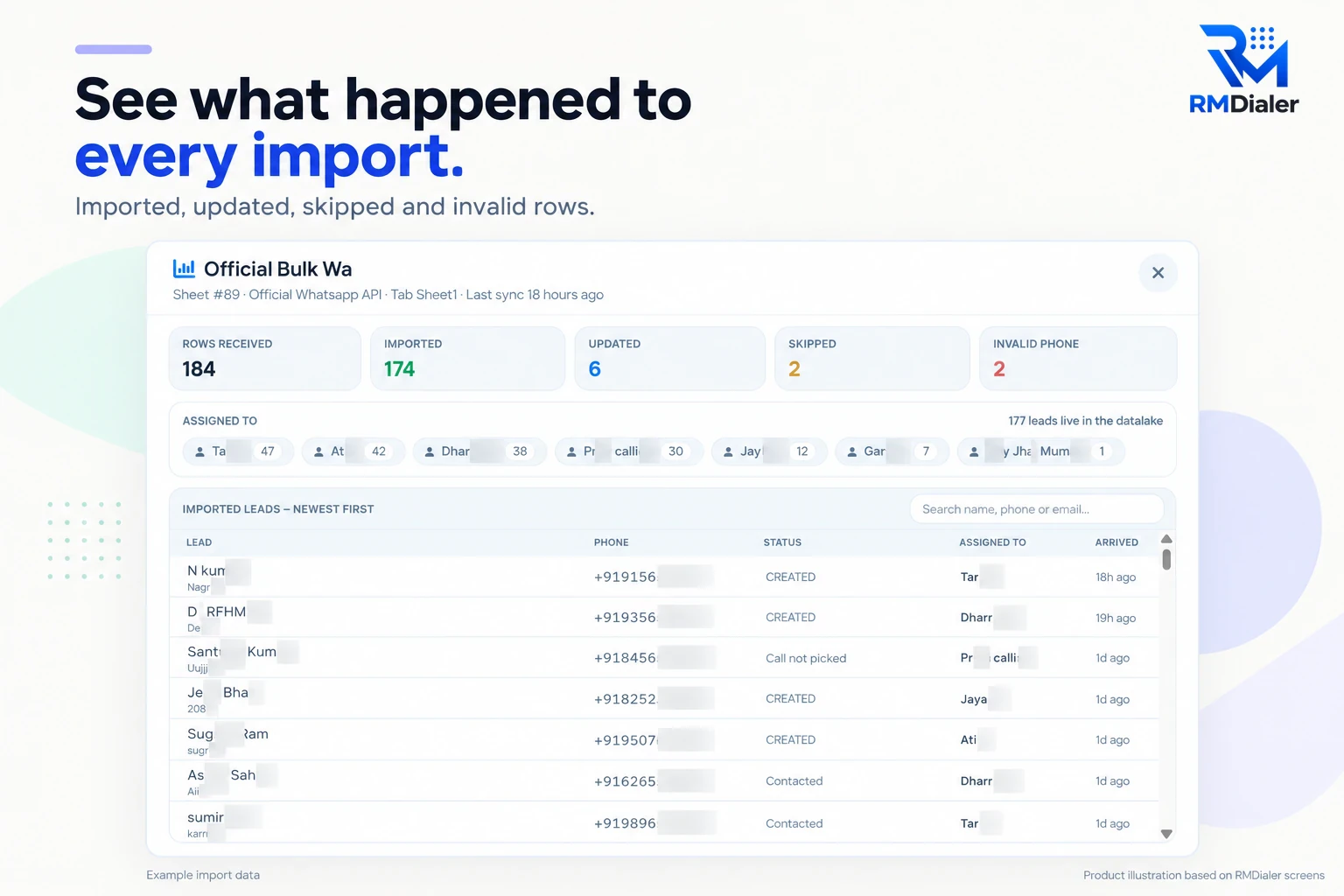
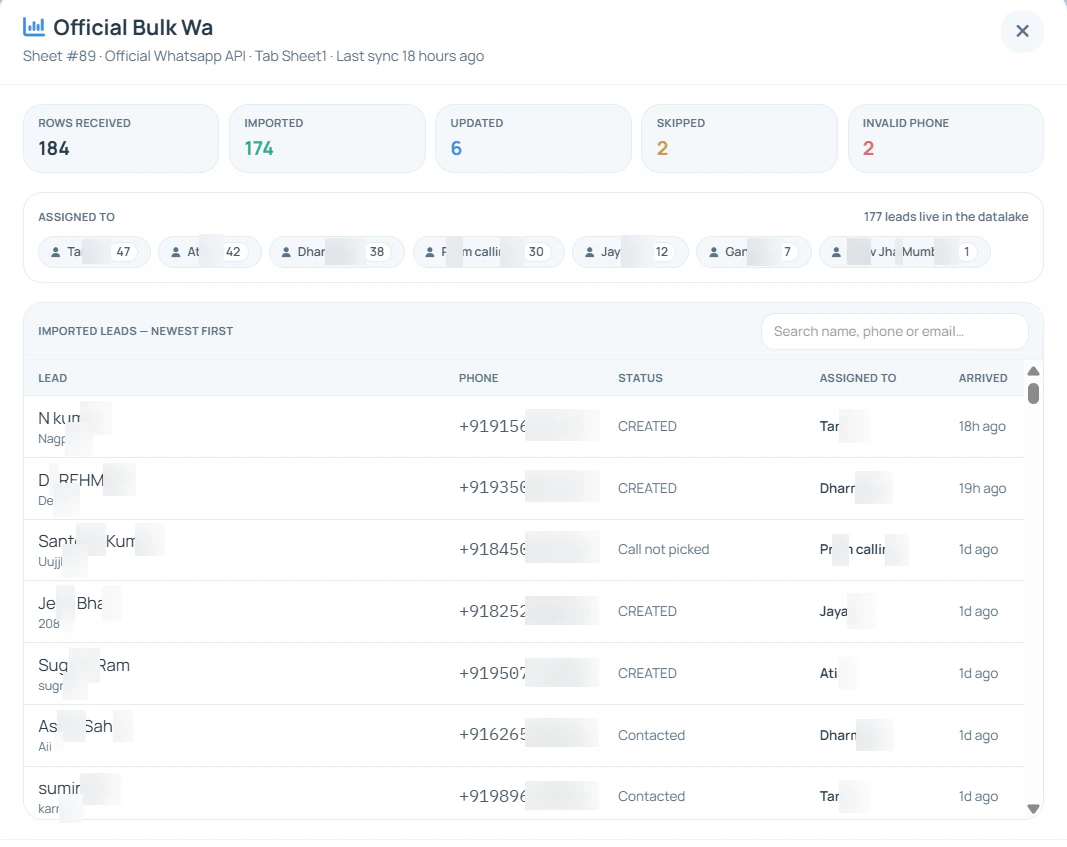
The import result is the first thing to check each morning, before anyone starts dialling.
Short answer
IndiaMART lead management software should catch every enquiry the moment IndiaMART sends it, give it to one salesperson and ring the buyer within minutes. After that it keeps the quote, the follow-up dates and the outcome on the buyer’s record, so a manager can see which products and which salespeople turn IndiaMART spend into orders.
Key takeaways
From IndiaMART to a ringing phone
Picture a fastener manufacturer in Ludhiana with four salespeople. A buyer from Pune asks for 500 pieces of M8 hex bolts at 11:04. Here is the path that enquiry takes when RMDialer is connected.
IndiaMART’s Lead Manager posts the enquiry to the RMDialer webhook. The buyer’s name, mobile, city, product and message arrive together, with the query time kept as the lead’s created time.
The rotation gives the enquiry to the next salesperson on the fastener desk. If this buyer enquired last month, the import updates that existing lead rather than adding a duplicate, so the earlier conversation is on the same record.
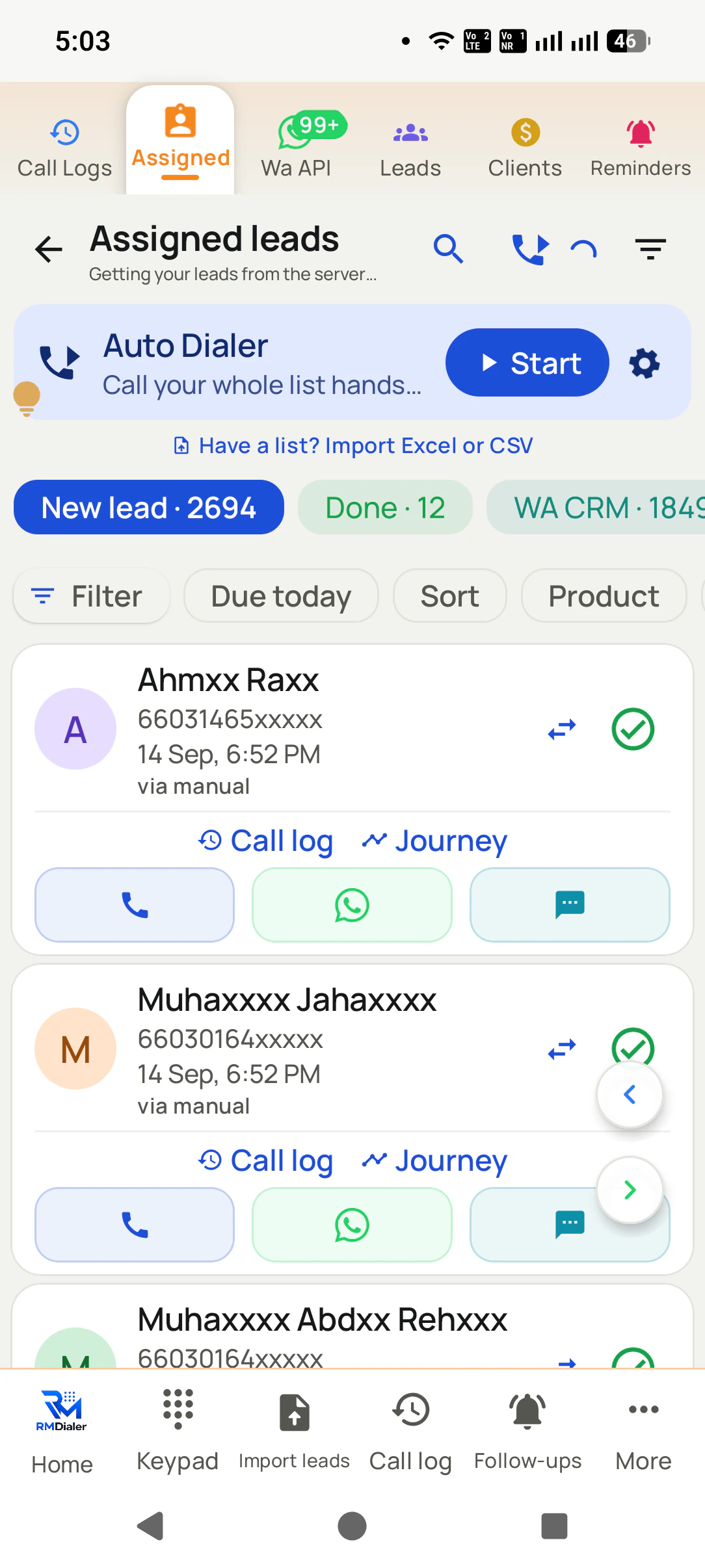
The enquiry sits at the top of the salesperson’s list. One tap rings the buyer from the company SIM. The message line, “500 pcs M8, delivery Pune”, is on screen while the phone rings.
Two taps save the outcome: Quoted, with a remark about the rate and the dispatch date. A reminder is set for the next morning, and a price-list WhatsApp template goes out.
The illustration is a sequence, not a measured result. What it shows is the part most IndiaMART sellers lose: the time between the enquiry landing in the seller panel and somebody noticing it. When a person has to check the panel, that gap is often hours. When the enquiry lands in the calling list by itself, it is the few minutes a salesperson needs to finish the current call.
What IndiaMART sends, and where it goes
Map the fields once, when you connect the source. After that every enquiry arrives in the same shape, which is what makes the calling list readable and the reports trustworthy.
| IndiaMART sends | Lands in RMDialer as | Why it matters |
|---|---|---|
| Sender name and company | Lead name, company field | Shown on the call screen when the buyer rings back. |
| Mobile number | Phone number | The key RMDialer uses to spot a buyer who enquired before. |
| Product or category the buyer asked about | Product, or a custom field | Lets a manager see which catalogue items bring serious buyers. |
| Enquiry message and quantity | Remark on the lead | Read before dialling: “500 pcs M8 bolts, delivery Pune” changes the opening line. |
| Buyer city and state | City field | Useful for freight quotes and for sorting the calling list by region. |
| Query time | Created time on the lead | The clock that the first-call time is measured against. |
| Enquiry type (direct, BuyLead, call) | Source tag | Keeps paid BuyLeads apart from buyers who found your own catalogue. |
The settings screen for the push itself (the menu path in the seller panel and the webhook listener URL) is described step by step on the IndiaMART integration page.
Paid requirements need their own lane
A catalogue enquiry is a buyer who chose your product page. A BuyLead is a requirement that several suppliers paid to see, so the buyer is comparing from the first minute. Give BuyLeads their own source tag and, if your team is large enough, their own small group of salespeople who are good at a quick, precise first call.
Open with the buyer’s requirement, not your company history: “You need 500 M8 bolts for Pune, I can quote now and dispatch Thursday.” Ask early when the order will be finalised. A buyer finalising today gets the rate on the call; a buyer finalising next month gets a reminder and a revisit.
Quotes that do not convert are not waste. Filter the lost BuyLeads of the last quarter by product and ring them again when prices move. They are business contacts who already buy what you sell.
What the subscription actually bought
The IndiaMART sales representative arrives at renewal with the number of enquiries delivered. The useful number is a different one: how many of those enquiries became orders. RMDialer keeps the path for every buyer, so the count is available without a spreadsheet.
Every enquiry the push delivered, by month and by product, including the ones marked invalid on import.
How many buyers actually picked up, and how many got a rate. A low reach rate points at calling hours, not at IndiaMART.
Filter the Won leads by product. A catalogue item that brings enquiries but never orders is a pricing or listing question to take to the renewal meeting.
For the daily routine that produces these numbers (the morning check, calling order and the follow-up rhythm), read how to manage IndiaMART leads. If you are still choosing a system, the CRM for IndiaMART checklist lists what to test in a trial. Leads from other portals and sheets follow the same path described in auto lead import.
Try it with your own workflow
Bring your seller panel login. We will connect the Push API, send a test enquiry and show it ringing on a salesperson’s phone.
Team features, one plan
₹159/user/month
₹1,908 per user, billed yearly, plus taxes.
The personal dialer, call log and personal analytics are free forever. Team access and saved lead workflows require a plan. SIM charges and any WhatsApp provider charges are separate.
Compare free and paid features →It is software that receives your IndiaMART enquiries the moment they arrive, puts each one in front of a salesperson, rings the buyer and records what was agreed. RMDialer does this on the salesperson’s own SIM, so buyers see a normal mobile number rather than an unknown line.
Yes, through IndiaMART’s Lead Manager CRM Push API. You paste the RMDialer webhook URL into the IndiaMART seller panel and each new enquiry becomes a lead, shared among the salespeople you picked. The full menu path is on the IndiaMART integration page.
For the automatic push, yes: IndiaMART offers the lead API to paid sellers as an add-on. A free listing still works with RMDialer by exporting enquiries to Excel and importing the file, though somebody has to remember to do it every day.
Within minutes. The same requirement reaches several suppliers at once, and buyers usually take the first sensible quote they hear. RMDialer puts the enquiry at the top of the caller’s list, so the first ring can happen before the buyer has closed the app.
Let the software give each enquiry one owner. In RMDialer a new enquiry goes to the next person in the rotation, or to a group you choose, and a buyer who enquires again updates the existing lead instead of creating a second one. Check the owner of that repeat record during your trial.
An enquiry is a buyer contacting you from your own catalogue. A BuyLead is a requirement IndiaMART lets several suppliers buy and call. Tag them separately in RMDialer, because a BuyLead needs a faster call and usually a sharper price.
IndiaMART switches the push off when the receiving URL refuses deliveries for more than 48 hours. Check that the RMDialer webhook still exists, turn the push back on in Lead Manager, and import the gap from an Excel export so no buyer is lost.
Yes, if the product the buyer asked about is saved on the lead. RMDialer’s Web CRM breaks leads down by source, and filtering the Won leads by product shows which catalogue items turn into orders. That is the evidence you want before renewing the IndiaMART package.
RMDialer can send an approved WhatsApp template after a call or when the lead’s status changes, for example the price list when the status becomes Quoted. Keep it to buyers who asked for your product, and word it like a note from the salesperson.
RMDialer is billed at ₹159 for each salesperson per month on annual billing in India, plus tax, and $29 per user per year, or $12 per user for 3 months, outside India. IndiaMART bills its own package and API add-on separately, and RMDialer never charges per enquiry. Try it free for 3 days: unlimited use, no credit card required.
Yes. Set a reminder on the lead after each call: the day after the quote, three days later and a week later is a rhythm many B2B sellers use. The reminder rings on the salesperson’s phone with the buyer’s history, so the follow-up happens even in a busy week.