
Confirm the source
Check which sheet or feed supplies the enquiries and whether its columns map to the expected customer fields. A successful import and a correct assignment are two checks.
NewRMDialer is now on iPhone as well as Android · every feature except the call log
Round-robin lead assignment software
Choose the callers who should receive a source, share new enquiries through a rotation and check the allocation on real records. RMDialer brings distribution controls and the caller’s assigned list into one workflow.
Free personal dialer. Paid features include a 3-day trial; no card required.
Team plans: ₹159/user/month, billed yearly + taxes →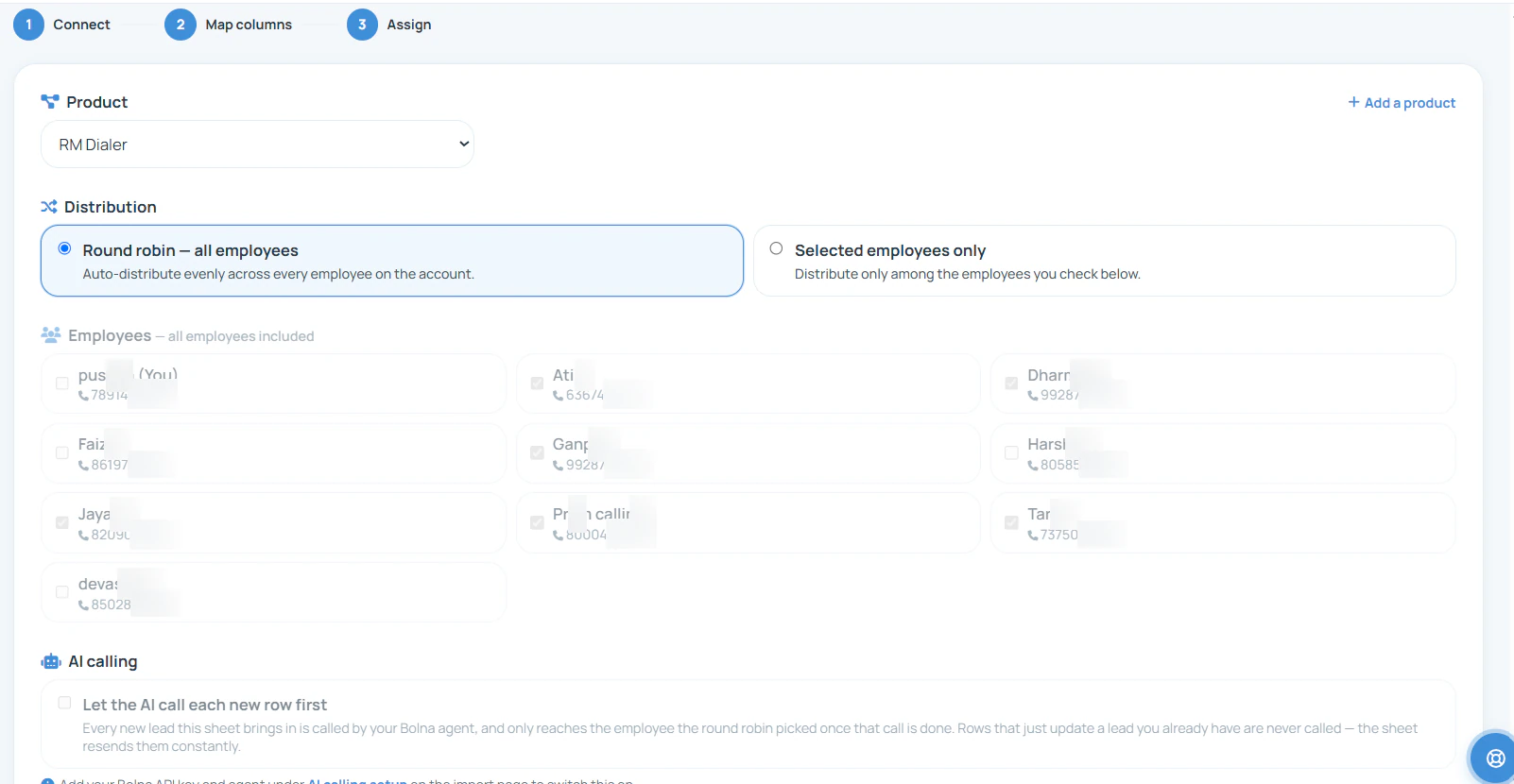
Include the people who should handle this source, then check what each receives from a small batch.
Short answer
A simple rotation gives one new record to each eligible caller in turn and then starts another cycle. The sequence depends on the pool and its current position. Equal turns can balance the number of new enquiries, but do not guarantee equal quality, workload or response time. RMDialer provides source assignment controls; test pool changes, duplicate handling and any availability requirements on your actual configuration.
Key takeaways
An allocation example you can change
Use the model below to understand an equal rotation starting at Caller A. It is an educational calculation, not a live RMDialer account or a guarantee of product processing order. Each change restarts this example at A.
Caller A: 3 · Caller B: 3 · Caller C: 2
Next turn: Caller C. Two complete cycles and two leads in the next cycle.
A batch boundary is not necessarily a rotation boundary. If a system starts at A every time it receives a short batch, the same people can repeatedly receive the extra records. Ask how the rotation pointer behaves across imports, source syncs and a pool edit. This is the continuation test to run before treating a small difference as unfair allocation.
One source, a deliberate recipient group
Start with eligibility. An enquiry for a specialist service may belong to three trained callers even if the company has ten employees. Decide the eligible pool first, then choose how its records will be distributed.
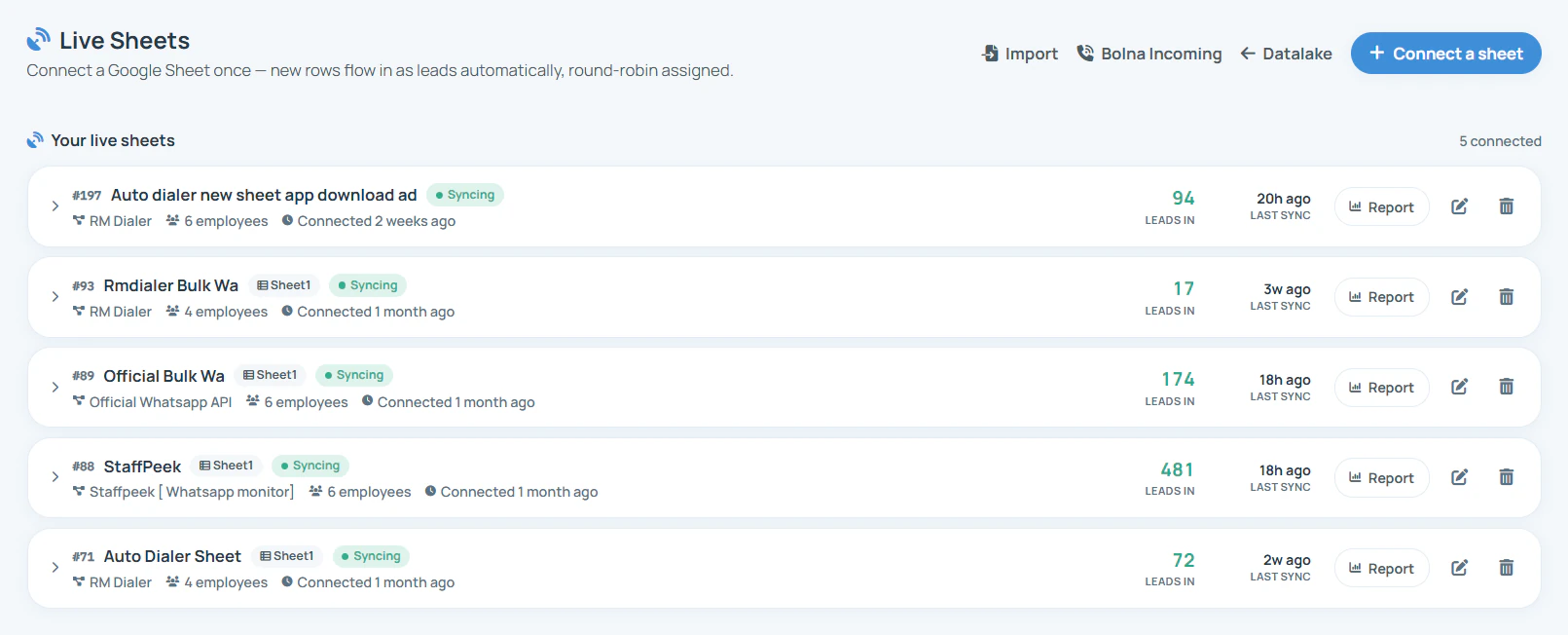
Check which sheet or feed supplies the enquiries and whether its columns map to the expected customer fields. A successful import and a correct assignment are two checks.
Verify the selected people and their access to the working list. Have a named owner for changing membership when someone joins, leaves or changes responsibilities.
Use enough sample records to complete a cycle and begin a partial cycle. Inspect the recipients on the records themselves, then add another record to observe the next turn.
For setting up the incoming connection, see lead automation. For choosing between rotation, selected recipients and a manual handover, read the broader lead assignment guide.
Test the cases that change the result
Before a live rollout, write down what your business expects in the following situations. The expected policy and the product’s observed behaviour should agree. A simple “round robin” label is not enough to answer every exception.
| Case | Question to verify | Why it matters |
|---|---|---|
| Member removed | Which records move, and who receives the next new lead? | Existing ownership and future distribution may need different treatment. |
| Member added | Does the new member join the next cycle or follow another rule? | Historical counts need not become equal immediately. |
| Repeated contact | Is the record skipped, updated or treated as a new enquiry? | An existing-owner policy may take precedence over a new turn. |
| No suitable recipient | What happens when the intended pool cannot take the work? | A fallback owner or a manual review process needs to be explicit. |
| Two batches close together | Can you account for every record after both batches finish? | A concurrency check should look for omissions as well as count differences. |
Do not add fictitious catch-up credits to explain a result. Check the actual import outcome and allocation count. If your organisation needs weighted turns, capacity limits, time-off handling or automatic recycling, ask for a demonstration of those controls before making them part of the operating procedure.
A staffing-agency example
Imagine a staffing agency receiving employer enquiries through two forms: permanent hiring and temporary cover. The permanent-hiring desk has three suitable callers. Eight new enquiries arrive, so one member receiving two and two members receiving three can be a normal partial-cycle result.
Check each enquiry’s source, whether it was newly created and who received it. Then add a ninth record to observe the next turn. If an old customer appears again, inspect the duplicate decision before including it in a new-lead fairness calculation.
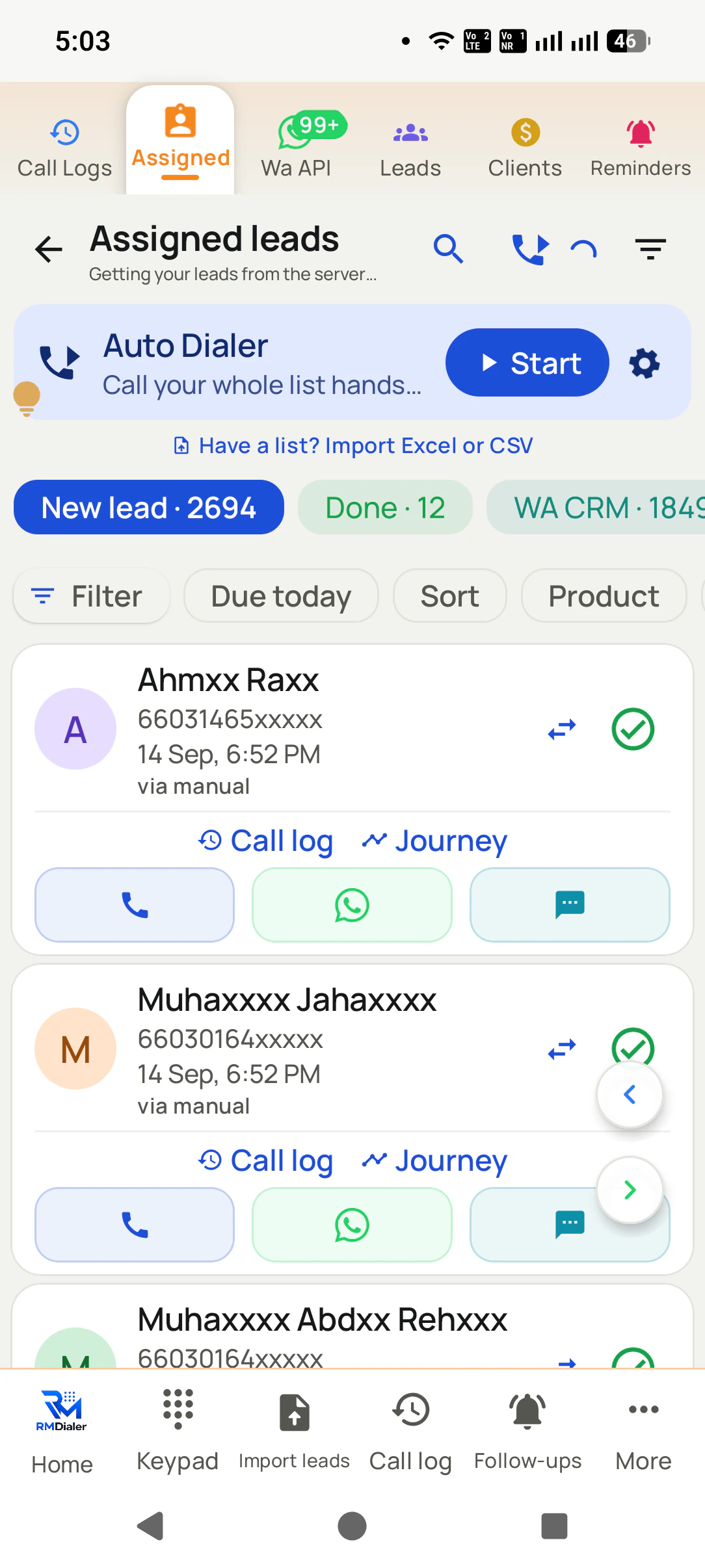
Finally, open the caller’s assigned list. Fair distribution is not proof that the employer has been contacted. Use first-response tracking to review work after allocation, and sales follow-up planning once a conversation creates a next step.
This is an illustrative acceptance test, not a customer performance result. Keep a record of the observed behaviour so another manager can repeat the same test after a staffing change.
Try it with your own workflow
Bring your lead source, employee group and one exception you care about. We will show the assignment controls and check the results on the recipients’ records.
Team features, one plan
₹159/user/month
₹1,908 per user, billed yearly, plus taxes.
The personal dialer, call log and personal analytics are free forever. Team access and saved lead workflows require a plan. SIM charges and any WhatsApp provider charges are separate.
Compare free and paid features →It distributes eligible incoming leads across a group in a repeating rotation. RMDialer exposes round-robin and selected-employee distribution controls for connected sources in the Web CRM. The purpose is to make allocation consistent without a manager choosing the recipient of every new record.
For a fixed pool receiving comparable new records, complete cycles give each caller one lead per cycle. With eight leads and three callers, a rotation starting at A gives A three, B three and C two. The next lead would go to C in that illustrative sequence. Test the product’s actual ordering and restart behaviour on your source.
No. A rotation distributes successive records among recipients. Sharing access to every record is a separate permissions decision. Confirm which employee receives each sample lead and which colleagues can still view or act on it under your account settings.
The RMDialer Assign screen includes selected employees only as an explicit option. Review the chosen group and run a small sample through the source. That helps establish who receives the work without assuming all employees on the account should participate.
Equal rotation offers each eligible member one turn per cycle. Weighted distribution aims to send a larger share to particular members. The settings shown here demonstrate basic distribution choices, not configurable weights. If proportional allocation is essential, ask for the exact weighting behaviour to be demonstrated.
Do not assume a selected employee list automatically checks leave, shifts or availability. Review pool membership when staffing changes and verify the product behaviour. Automatic availability checks and fallback rules are separate requirements from simple rotation.
Check the source duplicate policy before interpreting the allocation count. An updated existing record may need to retain its owner, while a genuinely new enquiry may follow a different business rule. Test the repeated number and review the resulting record; simple rotation does not by itself define duplicate handling.
Not from count alone. A difficult quotation can require more work than several short enquiries. Capacity-aware allocation needs information about open work and a rule for using it. Keep that requirement separate from distributing equal numbers and verify it if your team needs it.
A timed recycling or escalation policy is different from allocating a new lead. Define the response window and backup owner, then ask for the automatic trigger to be demonstrated. Until it is verified, use a manager review of untouched work rather than assuming the rotation will reclaim it.
Source assignment is part of the paid team workflow. Standard India annual billing is ₹1908 per user before tax, with published annual team bundles. Outside India, $29 per user per year, or $12 per user for 3 months, outside India. Use the 3-day trial to test your source, recipients and exceptions before buying. Mobile service and applicable messaging charges are separate.