
Free client database template
Client Database Excel Template, Free and Ready to Use
A client database Excel template is a ready spreadsheet for keeping every client's details in one clean list, one row each. This free RMDialer template numbers each client automatically, flags a phone number the moment it is entered twice, and greys out clients who have not bought in six months.
- Automatic client IDs
- Duplicate phones flagged red
- Quiet clients greyed out
Free personal dialer. Paid features include a 3-day trial; no card required.
Team plans: ₹159/user/month in India, $29/user/year elsewhere, billed yearly + taxes →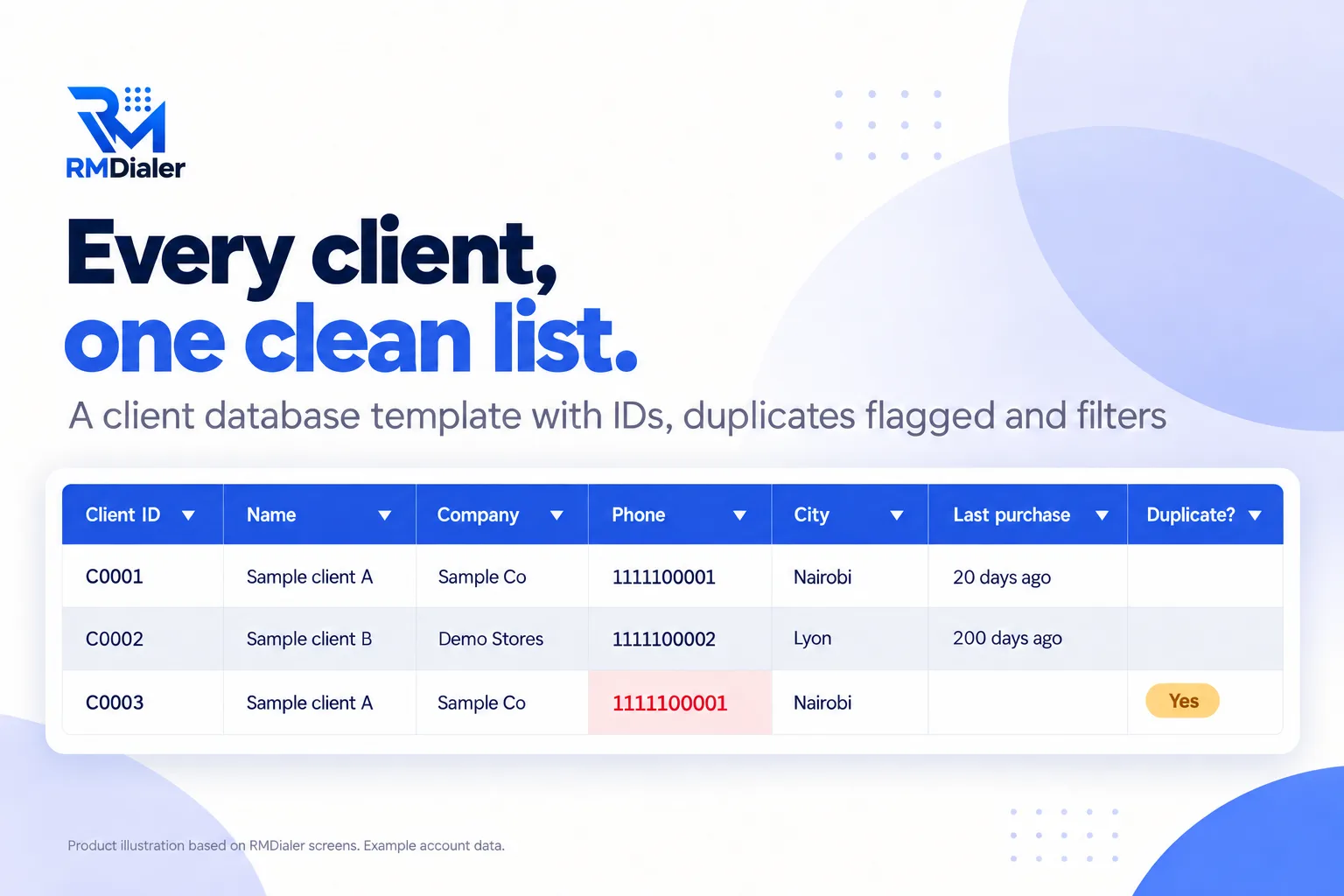
Two demo clients with fake phone numbers and emails are in it; delete both.
Updated
Short answer
What is a client database Excel template?
A client database Excel template is a spreadsheet set up to hold one row per client with consistent columns for contact details, category and purchase dates. RMDialer's free version adds automatic client IDs, a duplicate phone check, filters and a highlight for clients who have gone quiet.
Key takeaways
- One row per client, one value per cell.
- Check for duplicates before adding anyone.
- Sort by last purchase to find who to call.
Why a proper template
Client database Excel template benefits
What a business gets from a client list that stays clean as it grows.
-
Every client has an ID
A client number fills in by itself, so two clients with the same name never get mixed up.
-
Duplicates caught on entry
A phone number already in the list turns red the moment it is typed again.
-
Quiet clients surface
Clients who have not bought in six months turn grey: a reason to call.
-
Find anyone in seconds
Filters on every column for city, category or date.
-
Phone numbers that stay numbers
Phone columns are text, so long numbers never turn into 9.87E+09.
-
Ready to move later
Clean columns import straight into a CRM when you outgrow the file.
Keeping it clean
Client database in Excel: six rules that keep it usable
Most client spreadsheets fail slowly, through small habits. These six rules are built into the template where a formula can enforce them. Download the template.
| Rule | Why it matters | How to follow it |
|---|---|---|
| One row per client | Two rows for one client split their history and double your counts | Use the Duplicate? column before adding anyone |
| One value per cell | Two phone numbers in one cell cannot be dialled or filtered | Use Phone and Alt phone, not "number / number" |
| No merged cells or blank rows | Sorting and filtering break around them | Keep the table as one block from the header down |
| Same format every time | Dates and phone numbers typed in different styles stop matching | Phone with country code, dates as dates |
| Fixed categories | Free-typed categories end up as Retail, retail and RETAIL | Pick from the Category dropdown |
| One owner of the file | Copies emailed around drift apart within weeks | Keep one shared copy and limit who can edit it |
An interior design studio in Amsterdam
A client database rebuilt from three old spreadsheets
Picture an interior design studio in Amsterdam with client details spread across three spreadsheets, one per designer, plus a phone full of contacts. The same family appeared in two files with different numbers, and nobody knew who had not been in touch for a year.
The studio merged everything into the client database template. The duplicate check found the overlaps in an afternoon, the dropdown categories replaced a dozen spellings of "residential", and the grey rows produced a list of past clients to call about new collections. Two of those calls turned into new projects. The studio is an illustration, not a named customer.
Plain limits
Client database Excel template limits, and what comes after
A spreadsheet holds who your clients are, not what happened with them. The Notes column fills up, and one file on one computer is one spill away from being lost.
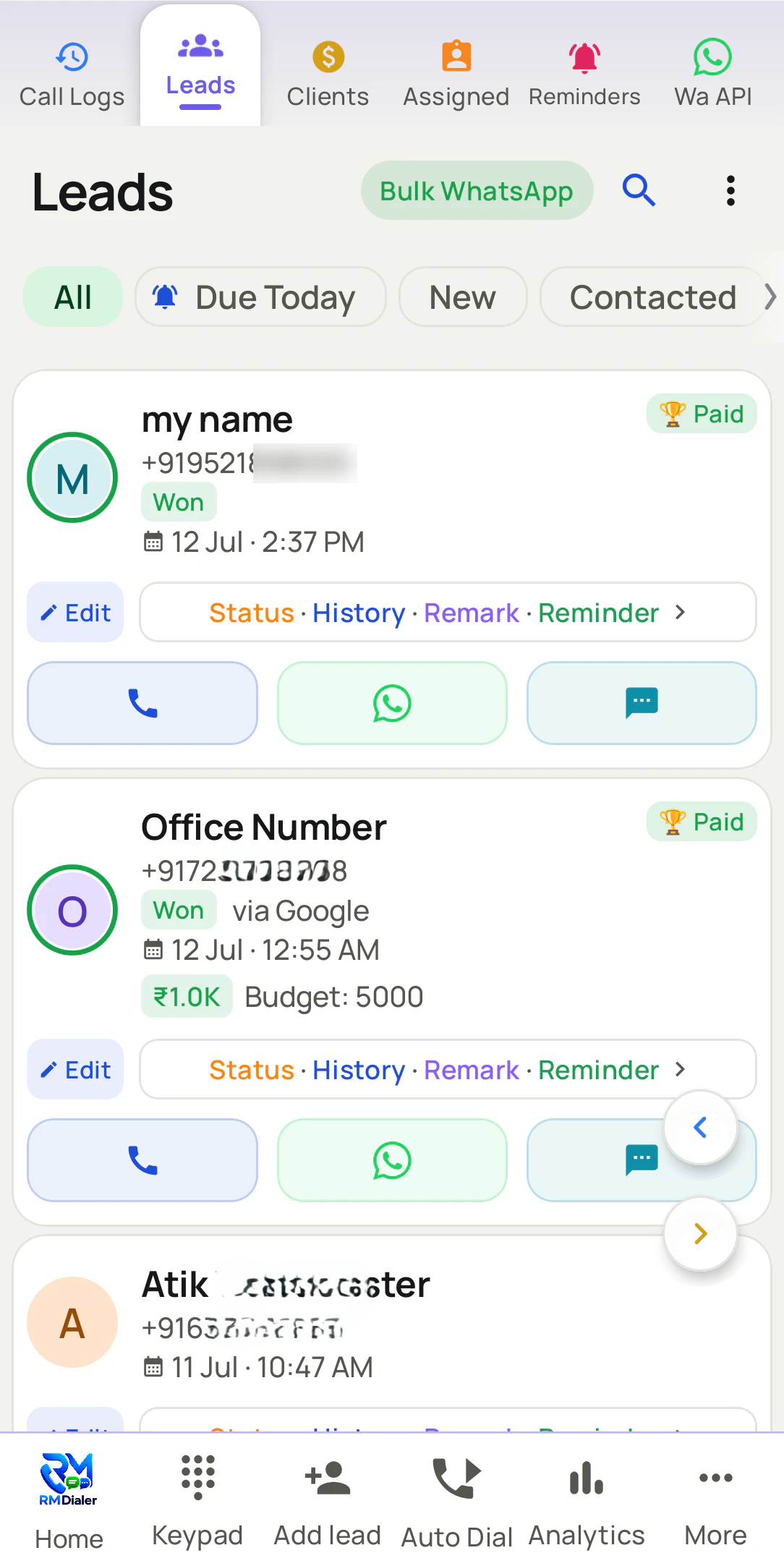
In RMDialer each client is a record with calls, WhatsApp messages, remarks, reminders and every sale on one screen. Custom fields carry your own columns, one search finds anyone, and the data is backed up to your account and restored on a new phone. Importing the template drops duplicate numbers and handles country codes, and you can export to CSV at any time. A record with only a name and number is enough to start, as shown in the CRM Excel template.
Try it with your own workflow
Import your client database in one call
Send us your client list, in this template or your own. We import it, show the duplicates removed and open one client's full history.
Team features, one plan
₹159/user/month
₹1908 per user, billed yearly, plus taxes, in India. $29 per user per year, or $12 per user for 3 months, outside India.
- Lead statuses, remarks and reminder scheduling
- Assigned calling lists and employee reports
- List auto dialing and WhatsApp automation
The personal dialer, call log and personal analytics are free forever. Team access and saved lead workflows require a plan. SIM charges and any WhatsApp provider charges are separate.
Compare free and paid features →Client database Excel template FAQ
How do I make a database of clients in Excel?
Put one heading per column in the first row (ID, name, company, phone, email, city, category, client since, last purchase, notes), keep one client per row, turn on filters, and add a duplicate check on the phone column. This template has all of that ready.
Do I need to register to get the client database template?
No registration and no fee. One click on the link at the top saves the workbook, ready for your first client.
How can I keep track of my clients using Excel?
Keep one row per client, update Last purchase after every sale, write one useful line in Notes after every conversation, and sort by Last purchase each month to see who has gone quiet.
How does the client ID work?
It fills in automatically as C0001, C0002 and so on when a name is entered. Do not type over it; if you sort the list, IDs follow the row number, so note an ID in your invoices only after the list is in its final order.
Why do my phone numbers turn into 9.87E+09?
Excel treats long numbers as numbers and shortens them. The template stores phone columns as text so they stay exactly as typed.
Can the whole office see one client list?
Keep one copy as a shared Google Sheet and give edit rights only to the people who add clients. The IDs, duplicate check and filters behave the same there.
How many clients can an Excel database hold?
Excel can hold far more rows than a small business needs. The practical limit is people: once several staff edit it daily, copies and clashes become the problem, not size.
Is a client database in Excel secure?
It is as secure as wherever the file is kept. Store one copy with limited access, avoid emailing it, and back it up. Client contact details are personal data in most countries.
How do I move my client database into RMDialer?
Save it as Excel or CSV and import it. Duplicate numbers are dropped and country codes handled on import, and each client becomes a record with calls, WhatsApp messages and reminders kept on it.
What is the difference between a client database and a CRM?
A client database is the list of who your clients are. A CRM adds what happened with each of them over time: calls, messages, sales and the next step.