
Free renewal tracker
Renewal Tracker Excel Template With Days Left
A renewal tracker in Excel lists every client subscription, policy or contract with its renewal date, so nothing expires without a call. This free RMDialer template counts down the days left and changes each status by itself: active, due in 30 days, due in 7 days, expired or renewed.
- Days left counts itself down
- Due, expired or renewed by formula
- A 30, 7 and 0 day reminder rhythm
Free personal dialer. Paid features include a 3-day trial; no card required.
Team plans: ₹159/user/month in India, $29/user/year elsewhere, billed yearly + taxes →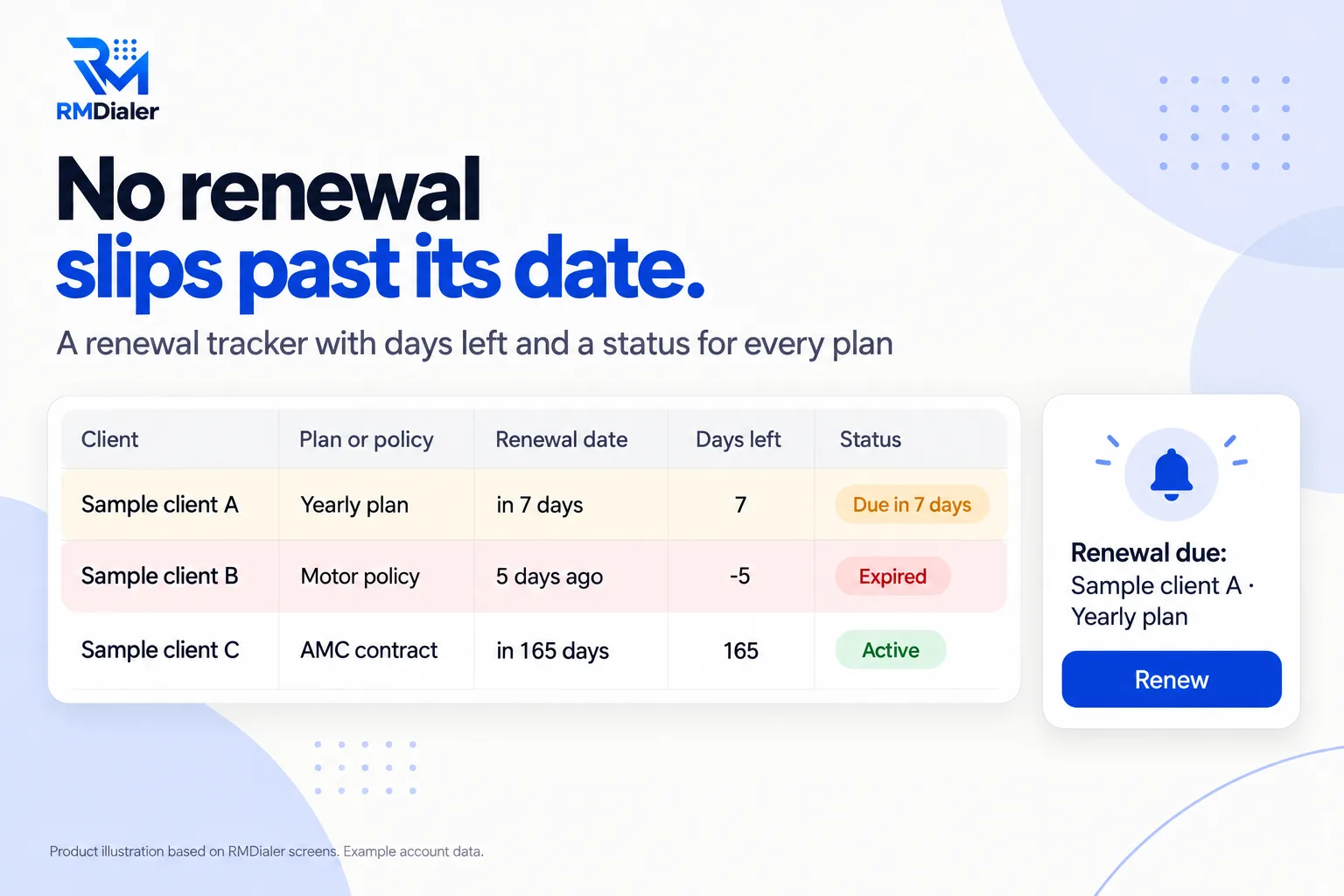
Three example renewals for fictional clients are included; clear them first.
Updated
Short answer
What is a renewal tracker in Excel?
A renewal tracker in Excel is a spreadsheet of client subscriptions, policies or contracts with their renewal dates, days remaining and a status, so each one is followed up before it lapses. RMDialer's free template changes the status by itself as each date approaches.
Key takeaways
- Start reminding 30 days out.
- Call at 7 days and on the day.
- Keep each term as its own row.
Why track renewals
Renewal tracker Excel benefits
What a business gets from seeing every renewal coming instead of finding out after it lapsed.
-
Days left, always current
The countdown to each renewal updates every time the file opens.
-
Status by the calendar
Active, due in 30 days, due in 7 days or expired, without anyone typing it.
-
Expired renewals in red
Missed renewals cannot sit quietly in the list.
-
Reminder and renewal marked
Two Yes or No columns show who was reminded and who has paid.
-
Any kind of renewal
Subscriptions, insurance policies, maintenance contracts and licences on one sheet.
-
A rhythm that works
Start at 30 days, again at 7, and call on the day.
30, 7, 0
Renewal tracker Excel: the reminder rhythm
The Status column follows this rhythm, so sorting by Renewal date each Monday gives you the week's calls in order. Download the tracker.
| When | Status shown | What to do |
|---|---|---|
| 30 days before | Due in 30 days | Message: the plan ends on this date, here is what renewing includes |
| 7 days before | Due in 7 days (amber) | Call: confirm they are renewing, answer questions, agree the payment |
| On the renewal date | Due in 7 days | Call again if not paid; send the payment details |
| After the date | Expired (red) | Call the same day; offer to renew from today |
| Once paid | Renewed (green) | Mark Renewed? Yes and add the next term as a new row |
Money already owed on past invoices belongs on a different sheet: the payment follow-up Excel sheet.
An insurance agency in Pune
A renewal tracker for motor and health policies
Picture a small insurance agency in Pune whose income depended on renewing motor and health policies every year. Renewal dates sat in policy documents and the agents' memories, and every month a few clients renewed elsewhere because nobody had called in time.
The agency put every active policy into the renewal tracker. The Due in 30 days status became the Monday message list and the amber rows the Thursday call list. Expired rows in red showed exactly which renewals had slipped, and most of them could still be saved with a same-day call. The agency is an illustration, not a named customer.
Plain limits
Renewal tracker Excel limits, and reminders that ring
A tracker is only checked when someone remembers to open it, and the busiest weeks are the ones it gets skipped.
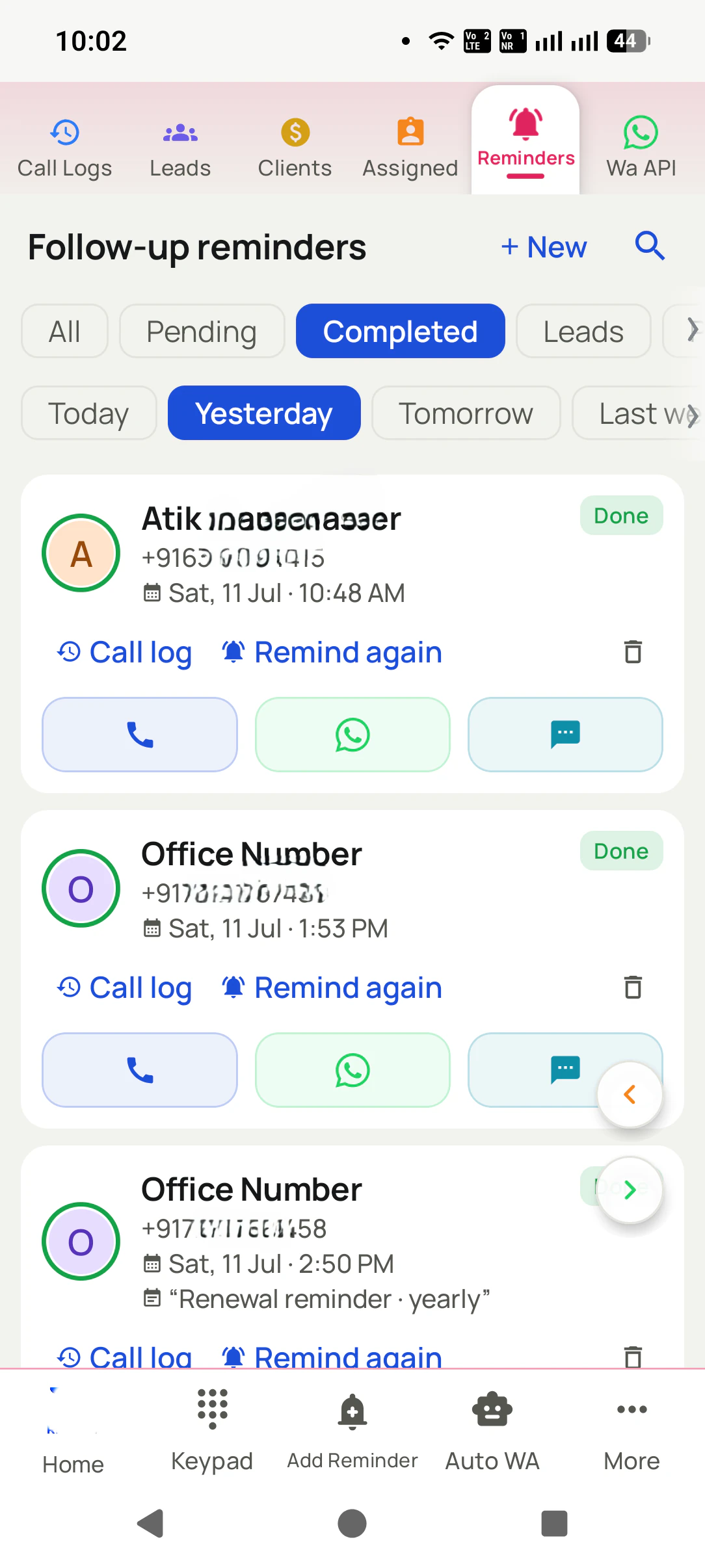
In RMDialer each client sale has an end date, clients expiring today or in the next seven days are one filter away, and a renewal reminder rings before expiry with a WhatsApp message ready if you set one. Renew extends the plan from its current end date. The app tracks renewals of what you sell to clients, not your own software licences or supplier contracts; keep the sheet for those. More on the client renewal and payment tracker.
Try it with your own workflow
Turn your renewal dates into reminders
Send us a few rows from your tracker. We add those clients with their plan end dates and show the first renewal reminder ringing.
Team features, one plan
₹159/user/month
₹1908 per user, billed yearly, plus taxes, in India. $29 per user per year, or $12 per user for 3 months, outside India.
- Lead statuses, remarks and reminder scheduling
- Assigned calling lists and employee reports
- List auto dialing and WhatsApp automation
The personal dialer, call log and personal analytics are free forever. Team access and saved lead workflows require a plan. SIM charges and any WhatsApp provider charges are separate.
Compare free and paid features →Renewal tracker Excel FAQ
How do I create a renewal tracker in Excel?
List each renewal on its own row with the client, the plan or policy, the start and renewal dates and the amount, then add a Days left column (renewal date minus today) and a status based on it. This free template has those formulas, colours and Yes/No columns set up.
How do I create an expiry tracker in Excel?
The same way: an expiry date per row, a days-left formula and a status that changes at 30 days, 7 days and zero. The template works for any expiry, from policies to licences.
Is there a charge for the renewal tracker?
None. Take the file from the link at the top, add as many renewals as you need and change the status rules if your rhythm is different.
When should I remind clients about a renewal?
Thirty days before is a good first message, seven days before a call, and the day itself a second call if it is not paid. Late reminders turn into lost renewals.
What happens to the row after a renewal?
Mark Renewed? Yes, which turns the status green, then add a new row for the next term with the new renewal date, so you keep a history of every term.
Can the sheet send renewal reminders?
No. It shows which renewals are close when you open it. Sending the reminder is still a call or message from you, or from an app that rings on the date.
Can I track insurance policy renewals?
Yes. Put the policy type in Plan or policy, the premium in Amount and the policy end date as the renewal date.
Will Days left update by itself each day?
Yes, every time the file is opened, in Excel or as a Google Sheet, because it counts from today's date. Nothing needs to be retyped.
How do renewals work in RMDialer?
Each sale has an end date. Clients expiring today or in the next seven days are one filter away, a renewal reminder rings before expiry, and Renew extends the plan from its current end date, so early renewals do not lose days.
Can a WhatsApp message go with the renewal reminder?
Yes. A reminder can carry a WhatsApp message, ready to send when it fires, such as the renewal date and amount.