
WhatsApp Business API number
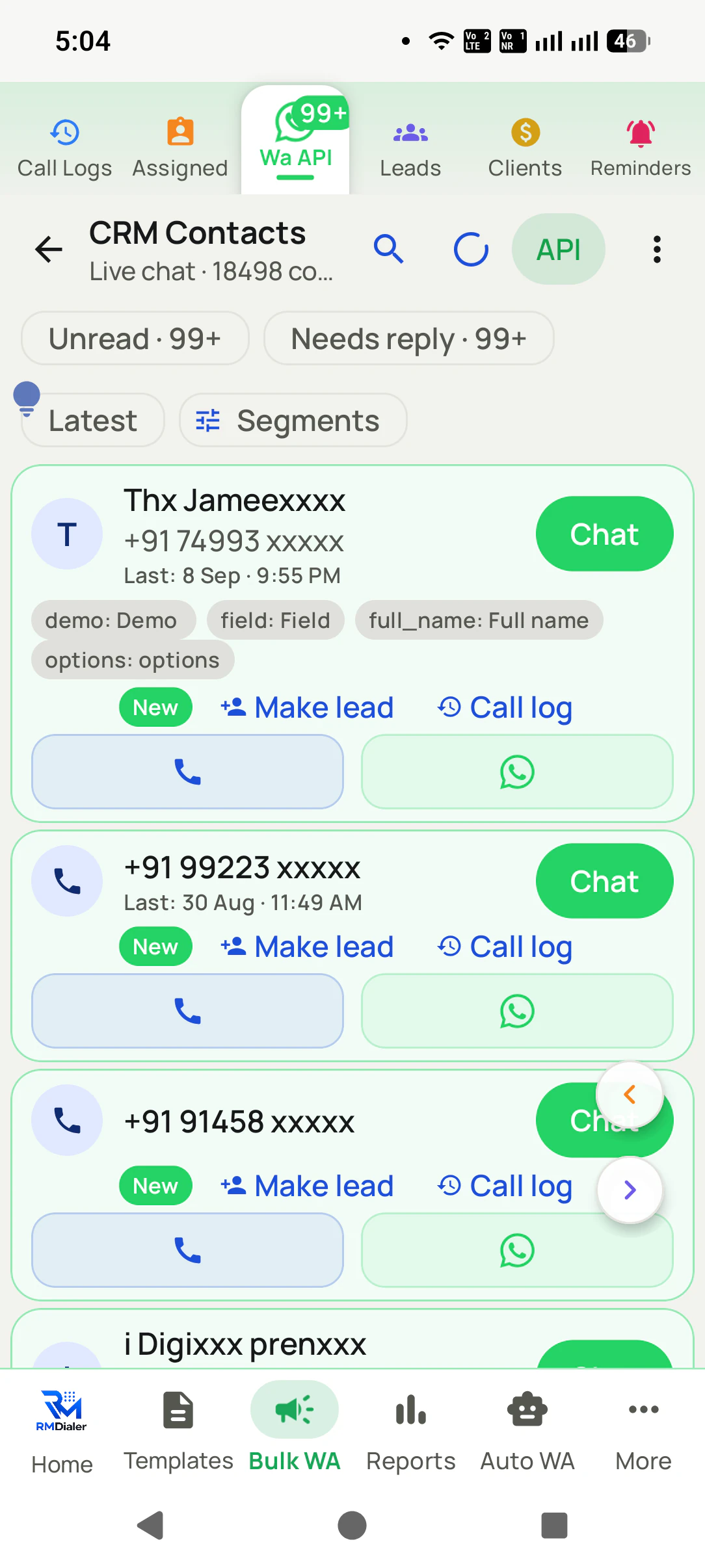
Chats reach the RMDialer inbox, with Unread, Needs reply, Make lead and templates. Connect it through Meta directly or a WhatsApp provider, as explained on connecting the WhatsApp Business API.
NewRMDialer is now on iPhone as well as Android · every feature except the call log
WhatsApp lead management software
WhatsApp brings in enquiries all day, and they pile up in one busy inbox. RMDialer shows which chats are unread or still waiting for a reply, turns serious ones into leads with an owner, and lets that owner call from the chat.
Free personal dialer. Paid features include a 3-day trial; no card required.
Team plans: ₹159/user/month, billed yearly + taxes →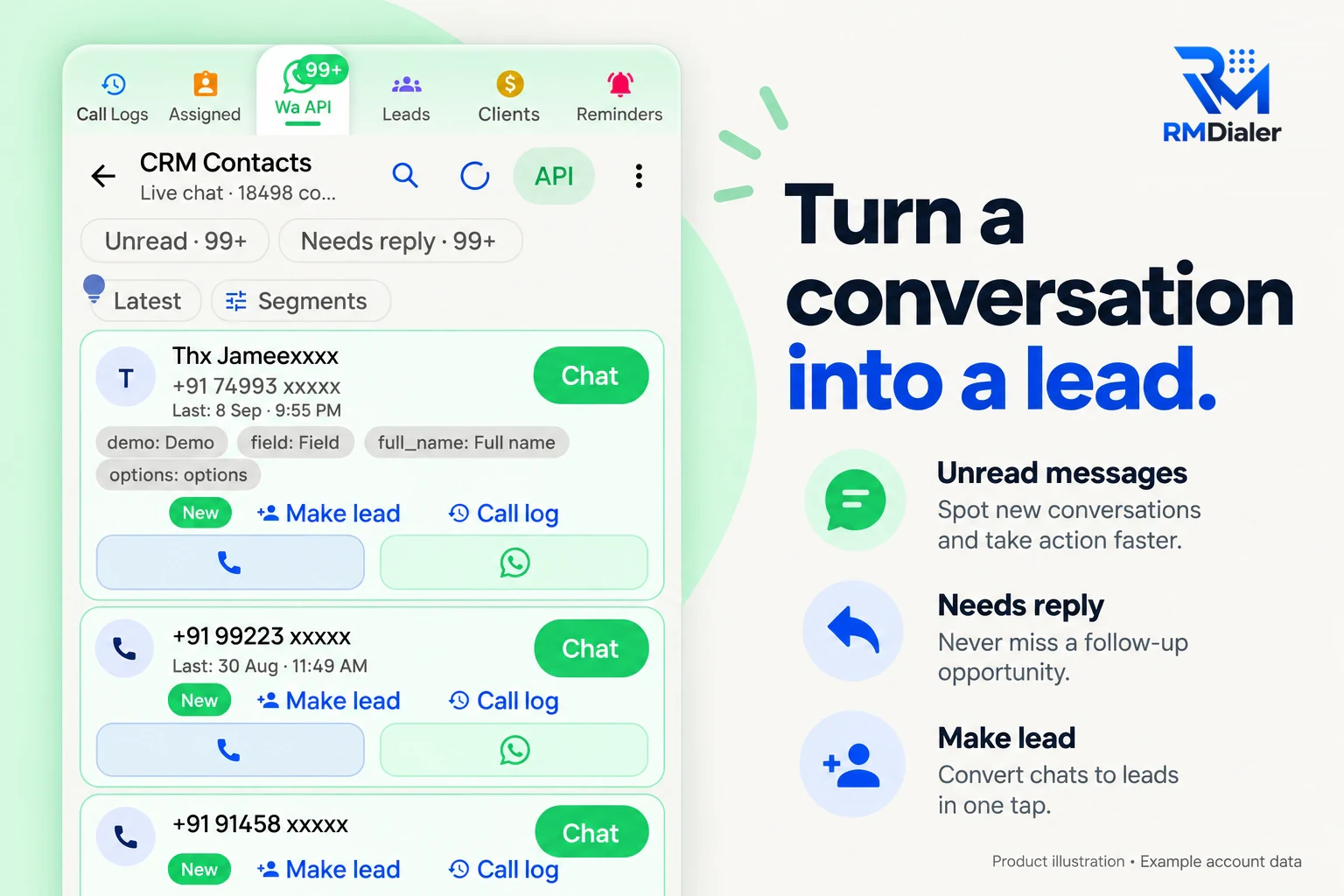
It becomes one when somebody owns it, calls it and sets the next step.
Short answer
WhatsApp leads should be managed by answering every first message quickly, turning serious chats into leads with one owner, calling when text is not enough and setting a follow-up before the chat goes quiet. RMDialer does this through a WhatsApp Business API inbox joined to its calling CRM, so chat and calls sit on one lead.
Key takeaways
From hello to a follow-up date
A WhatsApp enquiry moves through the same six moments whether you sell furniture or insurance. This is what software should do at each, and where RMDialer does it.
| WhatsApp moment | What the software should do | In RMDialer |
|---|---|---|
| A customer sends the first message | Show it as unread, whoever is logged in | Unread count in the WhatsApp inbox |
| The chat turns serious | Turn the chat into a lead with one owner | Make lead, then status, source and remark |
| Typing is too slow | Let the owner call from the chat | Call button on the contact, logged on the lead |
| Nobody has answered yet | Flag chats still waiting for a reply | Needs reply badge |
| After the call | Send the brochure or price without retyping it | Approved template after the call or a status change |
| The customer goes quiet | Ring a reminder with the chat history | Reminder on the lead, chat and calls on one record |
A handloom saree seller in Varanasi
Picture a Banarasi handloom saree business with a shop near Godowlia and customers across India who find it on Instagram. Almost every enquiry starts as a WhatsApp message with a photo: “Is this available in maroon?”
Three people answer from one API number. The Needs reply count is the first thing they clear each hour. When a customer asks about a bridal order, the chat becomes a lead owned by the senior salesperson, tagged Bridal and Instagram. She calls: a two-minute conversation settles colour, budget and the wedding date that three days of messages had not.
After the call, an approved template sends the weaving timeline and payment details. A reminder rings ten days later to share photos from the loom. At month end, the owner filters Won leads tagged Bridal to see which Instagram posts sold. The story is an illustration of the workflow, not a named business.
Which WhatsApp you use decides the setup
This is the question most people ask first, so the honest answer up front:
Chats reach the RMDialer inbox, with Unread, Needs reply, Make lead and templates. Connect it through Meta directly or a WhatsApp provider, as explained on connecting the WhatsApp Business API.
No other app can read those chats. Add the customer as a lead from the number, keep working in the app, and use RMDialer for the calls, statuses and reminders.
Many small businesses start on the app and move their busiest number to the API once enquiries outgrow one phone.
To keep a spreadsheet of WhatsApp enquiries as well, see WhatsApp leads to Excel. For leads from Facebook forms joining the same list, read Facebook lead management software, and the inbox itself is covered on the WhatsApp CRM feature page.
Try it with your own workflow
We connect your WhatsApp Business API number, show the inbox badges and turn a live chat into a lead with an owner and a call.
Team features, one plan
₹159/user/month
₹1,908 per user, billed yearly, plus taxes.
The personal dialer, call log and personal analytics are free forever. Team access and saved lead workflows require a plan. SIM charges and any WhatsApp provider charges are separate.
Compare free and paid features →Software that treats a WhatsApp enquiry as a lead: it shows new chats, gives each serious one an owner, lets them call or reply, and keeps the outcome and follow-up on the record. RMDialer does this with a WhatsApp Business API inbox joined to its calling CRM.
Reply to every first message quickly, turn serious chats into leads with an owner, call when a conversation needs more than text, and set a follow-up date before closing the chat. In RMDialer the Needs reply badge shows which chats are still waiting.
For teams that sell on the phone as well as in chat, one where the WhatsApp inbox and the calling list are the same system, so a chat can become a call and both land on one lead. That is how RMDialer is built.
For the shared inbox, yes: RMDialer reads chats through a WhatsApp Business API number, connected directly with Meta or through a provider. Chats in the ordinary WhatsApp or WhatsApp Business app cannot be read by any other app, so those numbers are added as leads by hand.
Yes, through the API inbox. Everyone works from one business number, the Unread and Needs reply counts show what is waiting, and once a chat becomes a lead it has one owner so two people do not reply to the same customer.
Yes. The contact has a call button that rings the customer from the salesperson’s SIM, and the call is logged on the same lead as the chat. Many enquiries that stall in text close quickly on a two-minute call.
Approved templates can be sent after a call or when a lead’s status changes, for example the catalogue when a lead becomes Interested. Keep automatic messages to things the customer asked for; a chat that feels automated gets fewer replies.
Yes. Contacts can carry tags and fields, and segments filter them, for example everyone who asked about wedding sarees in the last month. A segment can then be called, or sent an approved template.
Yes. People who tap a click-to-WhatsApp ad start a chat with your API number, so they arrive in the RMDialer inbox like any other first message. Tag them as ad leads when you make the lead, so you can compare the campaign later.
Free WhatsApp sends every day with a free account: 15 a day for your first 15 days, then 3 a day. The shared API inbox, leads and automation come with the paid plan, and WhatsApp itself bills conversations on the API through your provider.
₹159 a month for each agent when a year is paid at once in India, plus tax, and $29 per user per year, or $12 per user for 3 months, outside India. Meta or your WhatsApp provider charges for API conversations separately.