WhatsApp leads to Excel as a clean list, not copied chats.
Copying numbers out of WhatsApp into a sheet by hand is slow, and extractor tools that pull numbers from groups can get your number banned. The clean way is to make each real enquiry a lead, then export the list whenever you need Excel.
01 / One enquiry, one clean rowProduct illustration
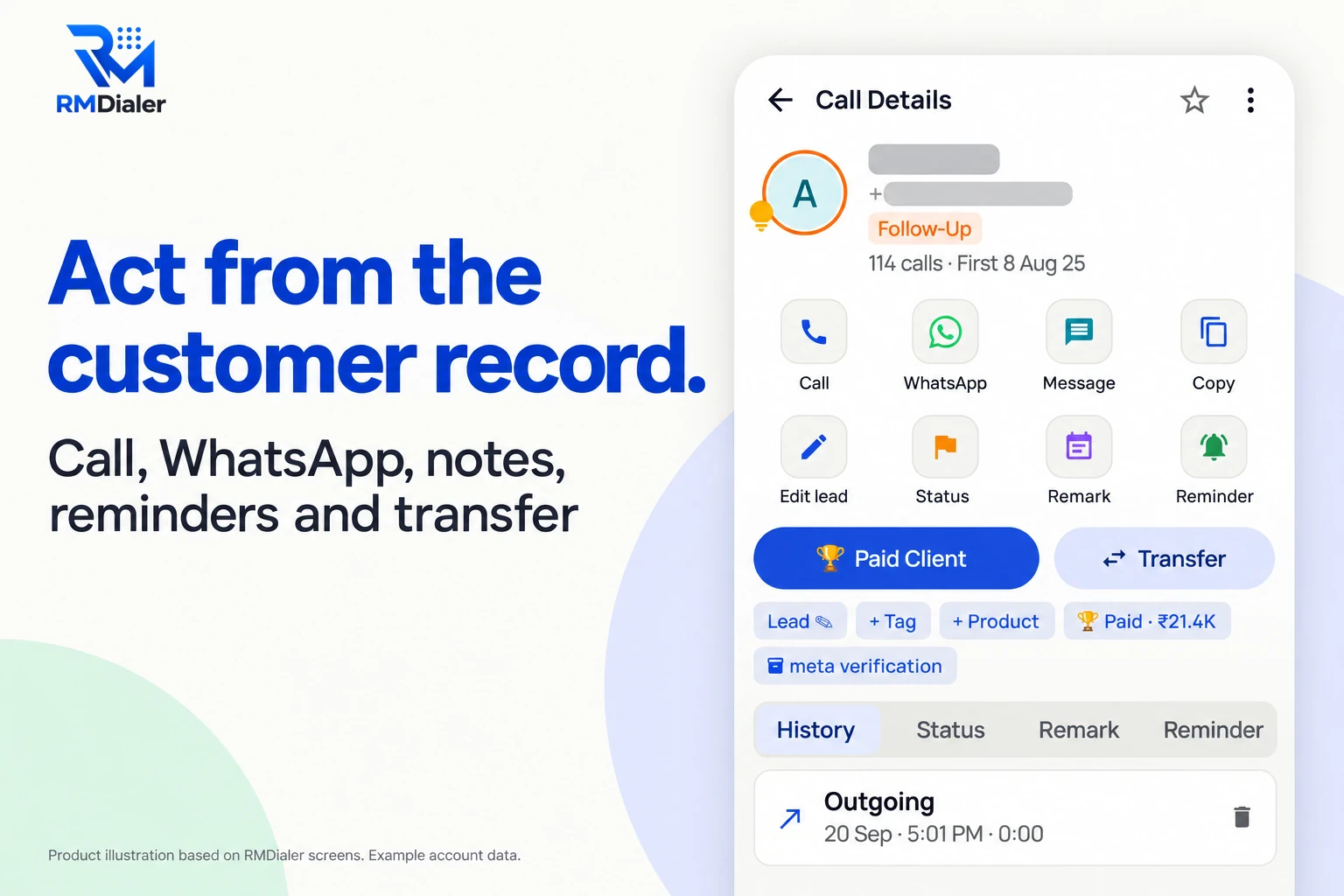
Once a WhatsApp enquiry is a lead, it is a clean row: name, number, status, remark and follow-up, ready for Excel whenever you export. View full size ↗
The list is the lead record.
Excel is simply one way to look at it when somebody needs a file.
Short answer
How do you get WhatsApp leads into Excel?
Get WhatsApp leads into Excel by turning each genuine enquiry into a lead with its name, number, status and remark, then exporting the lead list as a CSV file that opens in Excel. With a WhatsApp Business API number this is one tap per chat in RMDialer; on the WhatsApp app, add the number as a lead after the chat.
Key takeaways
WhatsApp exports conversations, not customer lists.
Group extractors break WhatsApp’s terms and risk your number.
Work from the lead list; export only when a file is needed.
Four routes, honestly compared
What are the ways to get WhatsApp enquiries into a spreadsheet?
Each route below ends with something in a spreadsheet. They differ in what you actually get, how much work it is and what it risks.
Ways to get WhatsApp enquiries into Excel: what ends up in the sheet, the effort and the risk.
Route
What ends up in Excel
Effort
Risk
API inbox, Make lead, export CSV
Name, number, status, source, remark and follow-up for every enquiry you turned into a lead
One tap per chat, one export whenever you need the file
None; uses WhatsApp’s official API
WhatsApp app, add the number as a lead, export CSV
The same columns, typed or picked by you after each chat
About twenty seconds per enquiry
None
WhatsApp’s Export chat option
One conversation as a text file, not a list of leads
One chat at a time, then copy by hand
None, but it does not scale
Group or WhatsApp Web extractor tools
Every number in a group, including people who never enquired
Minutes
Against WhatsApp’s terms, can get the number banned, and contacts people without asking
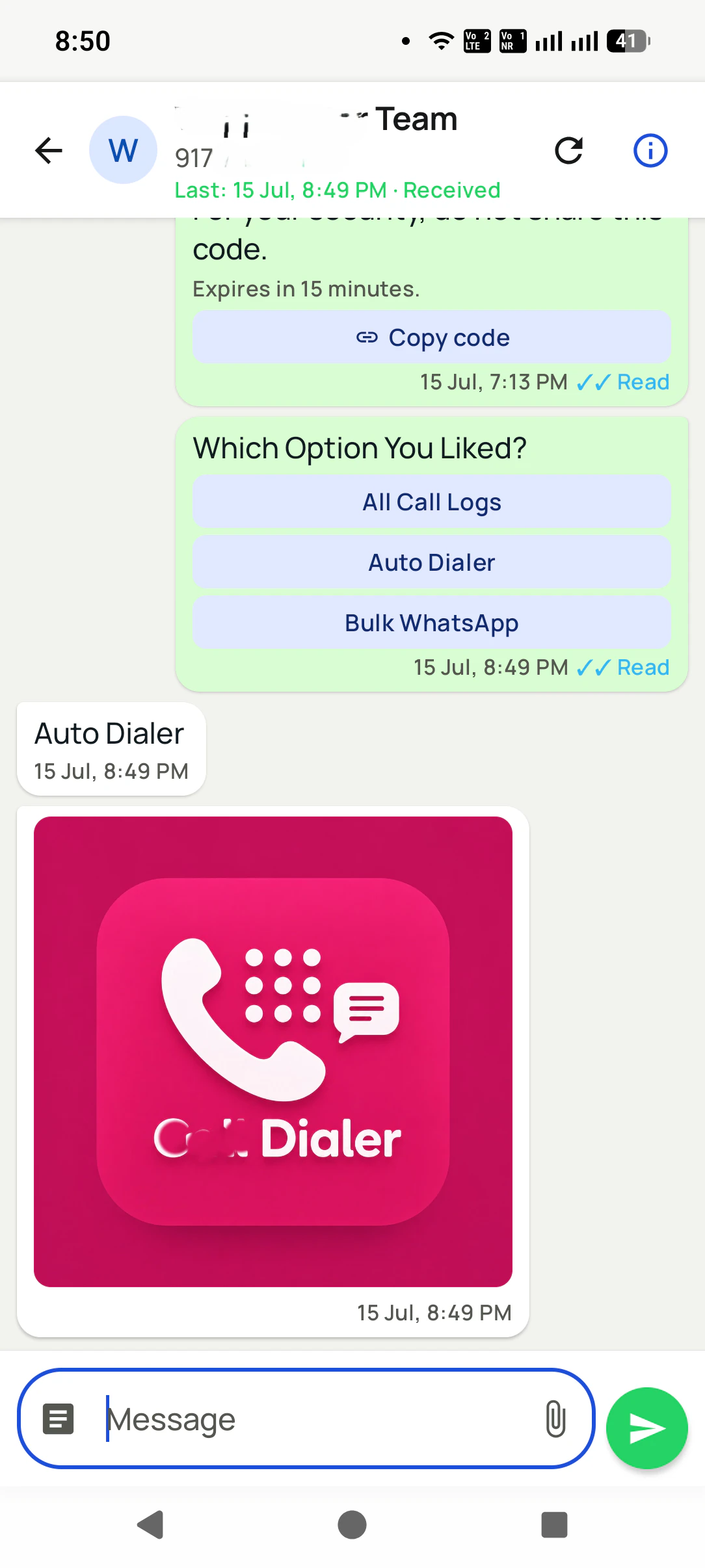
With a WhatsApp Business API number, the chat and the lead live in the same place. View full size ↗
A wedding decorator in Jodhpur
What does a clean WhatsApp-to-Excel habit look like?
Picture a wedding and event decorator in Jodhpur whose business runs on WhatsApp: photos of mandap setups, budget questions and venue names, mostly from families planning destination weddings at the city’s heritage hotels.
For a season they copied numbers from chats into an Excel sheet every Sunday, and every Sunday a few enquiries were missed. Now each serious chat becomes a lead the same day: status Enquiry, venue and date in the remark, a reminder to send a mood board. The planner exports the list to Excel only at month end, for the owner’s meeting with the accountant.
The sheet is finally complete, because it is a copy of the lead list rather than a second list somebody has to remember. The details are an illustration, not a named client.
Setting it up in a day
How do you start sending WhatsApp enquiries to a lead list today?
The setup depends on which WhatsApp you run. Most small businesses start on the app and move to an API number once chats grow past what one phone can handle.
On the WhatsApp Business app
Keep RMDialer open beside WhatsApp. When a chat turns serious, open Add lead, paste or pick the number, choose WhatsApp as the source and write one line about what they want. Twenty seconds, and the enquiry can no longer sink under newer chats.
On a WhatsApp Business API number
Connect the number once. Chats then arrive in RMDialer with Unread and Needs reply badges, and Make lead creates the record from the chat itself, name and number filled in, so nobody types anything twice.
When someone asks for the sheet
Export the lead list to CSV, then use Excel’s own filter on the source, date and status columns. The owner or accountant gets exactly the rows they asked for, such as this month’s WhatsApp leads marked Interested, and not every contact the business has ever saved.
Two habits keep the file useful. First, write the remark in plain words a stranger would understand, because the person reading the Excel was not in the chat. Second, never edit the exported copy and expect it to flow back; change the lead in the app, then export again. The spreadsheet is a photograph of the list on one day, and the list is where the selling happens.
If the file later needs to come back in, for example after a partner has cleaned it, import it as a new list and match on phone number so the same customer does not appear twice.
Why not an extractor tool?
Are WhatsApp number extractor tools safe to use?
Many results for this search are tools that pull every number out of WhatsApp groups or WhatsApp Web. They look like a shortcut, and they cause three problems:
Your number can be banned
Automated scraping of WhatsApp Web goes against WhatsApp’s terms. The account you run your business on is the one at risk.
They are not your leads
People in a group did not enquire about your product. Calling or messaging them gets you reported and blocked.
The list goes stale at once
A one-off export has no status, owner or follow-up, so it does not help anyone sell.
The personal dialer, call log and personal analytics are free forever. Team access and saved lead workflows require a plan. SIM charges and any WhatsApp provider charges are separate.
For enquiries, turn each serious chat into a lead with name, number, status and remark, then export the lead list as a CSV file, which opens in Excel. WhatsApp itself exports only single conversations as text files, not a list of customers.
How do I connect WhatsApp with Excel?
There is no official live link between the WhatsApp app and Excel. The clean route is through software: with a WhatsApp Business API number, chats reach RMDialer, become leads with Make lead, and the leads export to Excel or CSV whenever you want a file.
How do I get all contacts from a WhatsApp group into Excel?
Tools that pull every number out of a group scrape WhatsApp Web, which goes against WhatsApp’s terms and can get your number banned. Most people in a group also never asked to be contacted. Share a short form link in the group instead, and let the interested people add themselves.
How do I get WhatsApp leads in the first place?
Put a WhatsApp button or click-to-WhatsApp link on your website, Instagram and ads, and reply fast to every first message. Each serious chat then becomes a lead. The fastest replies usually win the most business on WhatsApp.
Can RMDialer read my WhatsApp Business app chats?
No app can read chats in the WhatsApp or WhatsApp Business app. RMDialer reads chats that come through a WhatsApp Business API number. On the app, add the customer as a lead in RMDialer after the chat; it takes about twenty seconds.
Which columns should a WhatsApp leads sheet have?
Date of first message, name, phone, what they asked about, status, owner, next follow-up and last remark. RMDialer’s export includes these once the lead is saved, and the source column tells WhatsApp leads apart from calls and forms.
How often should I export WhatsApp leads to Excel?
Only when someone needs a file: a monthly report, a list for an accountant or a partner. Day to day, work from the lead list itself, because the spreadsheet is out of date the moment the next chat arrives.
Can WhatsApp leads be called straight from the list?
Yes. In RMDialer every exported lead is also a lead on the phone, ready to ring from the salesperson’s SIM, and the auto dialer can work through a filtered list, such as all WhatsApp leads marked Interested this week.
Can I import an existing Excel of WhatsApp contacts?
Yes, if they are people who enquired with you. Import the file once, map the columns and tag the source as WhatsApp. For a list of people who never contacted you, do not import it for calling or messaging.
Who can export the WhatsApp lead list?
The owner can export lead lists to CSV at any time, and permissions decide which employees may export too, so a leaving salesperson cannot walk off with the file. The paid plan is ₹159 for every user monthly when the year is paid ahead in India, excluding tax; $29 per user per year, or $12 per user for 3 months, outside India.
Is it legal to message leads exported from WhatsApp?
Messaging people who contacted you about your product is normal business, within WhatsApp’s own rules on templates and opt-in. Messaging numbers scraped from groups is where businesses get reported and blocked, so keep the list to genuine enquiries.