
Moving a relationship
Transferring a lead someone has already spoken to changes who the customer trusts. Do it on purpose, with a reason written on the lead.
NewRMDialer is now on iPhone as well as Android · every feature except the call log
Automated lead distribution software
Every manual step between a form and a phone call is a place where a lead waits. RMDialer automates the arrival, the hand-off, the dialling, the WhatsApp that follows and the reminder, and leaves the conversation to a person.
Free personal dialer. Paid features include a 3-day trial; no card required.
Team plans: ₹159/user/month, billed yearly + taxes →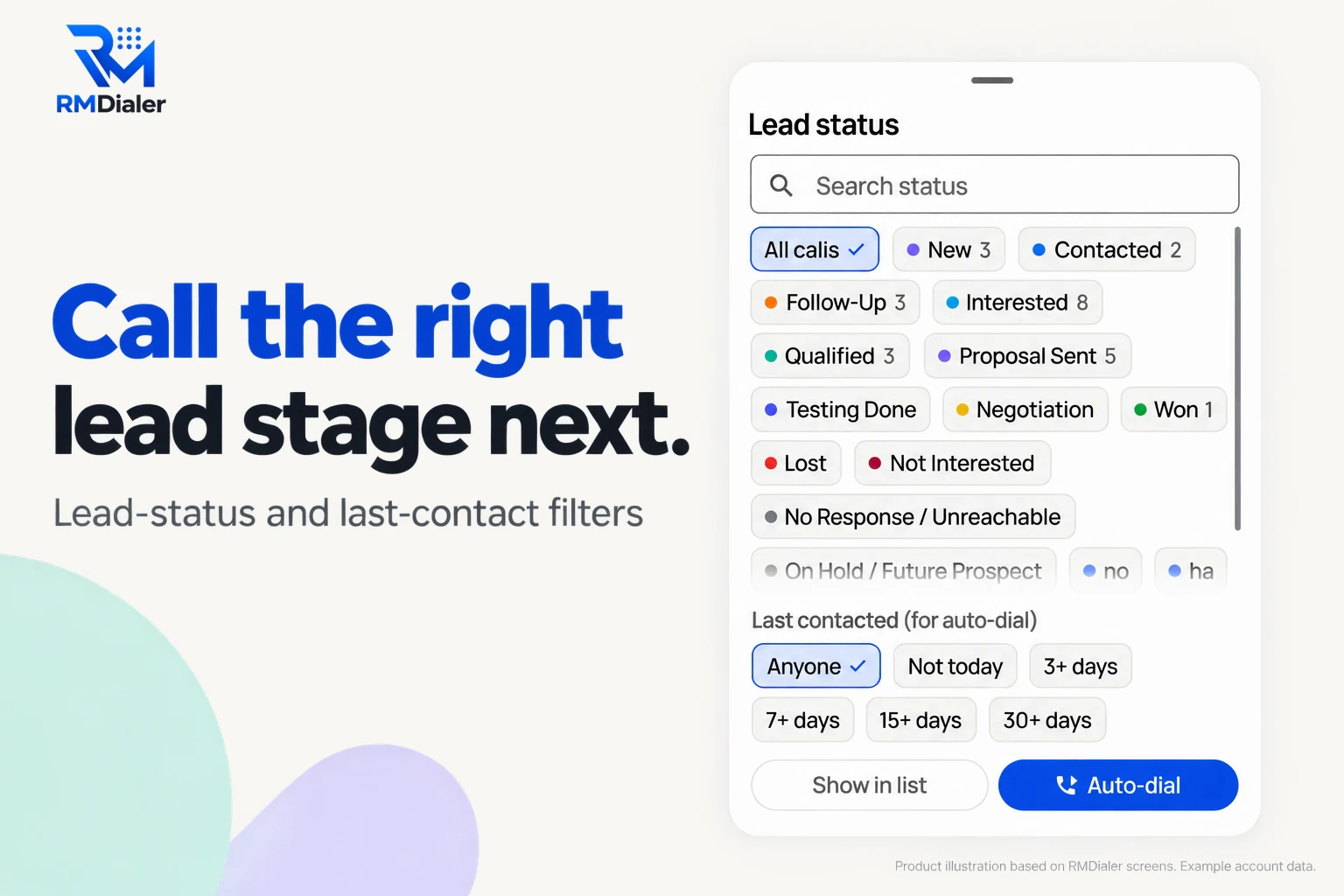
The software moves the lead; the person closes it.
Short answer
Automated lead distribution works by connecting each lead source to the software, which tags every new lead, gives it to the next person in the right group and puts it at the top of their calling list within seconds. RMDialer then lets the auto dialer ring the list, sends a WhatsApp template after the call and rings the follow-up reminder.
Key takeaways
Second by second
Here is the full flow for one lead, with who does each step. Most rows belong to the software; the two that matter most still belong to a person.
| When | What happens | Who does it |
|---|---|---|
| 0 seconds | A visitor submits the gym’s trial-pass form | The visitor |
| Within seconds | A connector posts the lead to the RMDialer webhook; fields are mapped and the source is tagged | Software |
| Same moment | Round robin picks the next person in the front-desk group and the lead lands at the top of their list | Software |
| Next free minute | The auto dialer rings the new lead from the staff member’s own SIM | Software starts it, a person talks |
| End of the call | Two taps save the outcome; a reminder is set for the trial day | The person |
| Seconds later | The WhatsApp template with the address and timings goes out | Software |
| Trial day, 8 am | The reminder rings with the lead’s history on screen | Software, then the person |
A gym in Andheri, Mumbai
Picture a gym in Andheri West running an Instagram campaign for a free three-day trial pass. Four front-desk staff take calls between members, and enquiries peak after 9 pm, when the desk is closed.
Before automation, a manager downloaded the leads every morning and split them on WhatsApp. By the time a staff member called, the person had often signed up at the gym down the road.
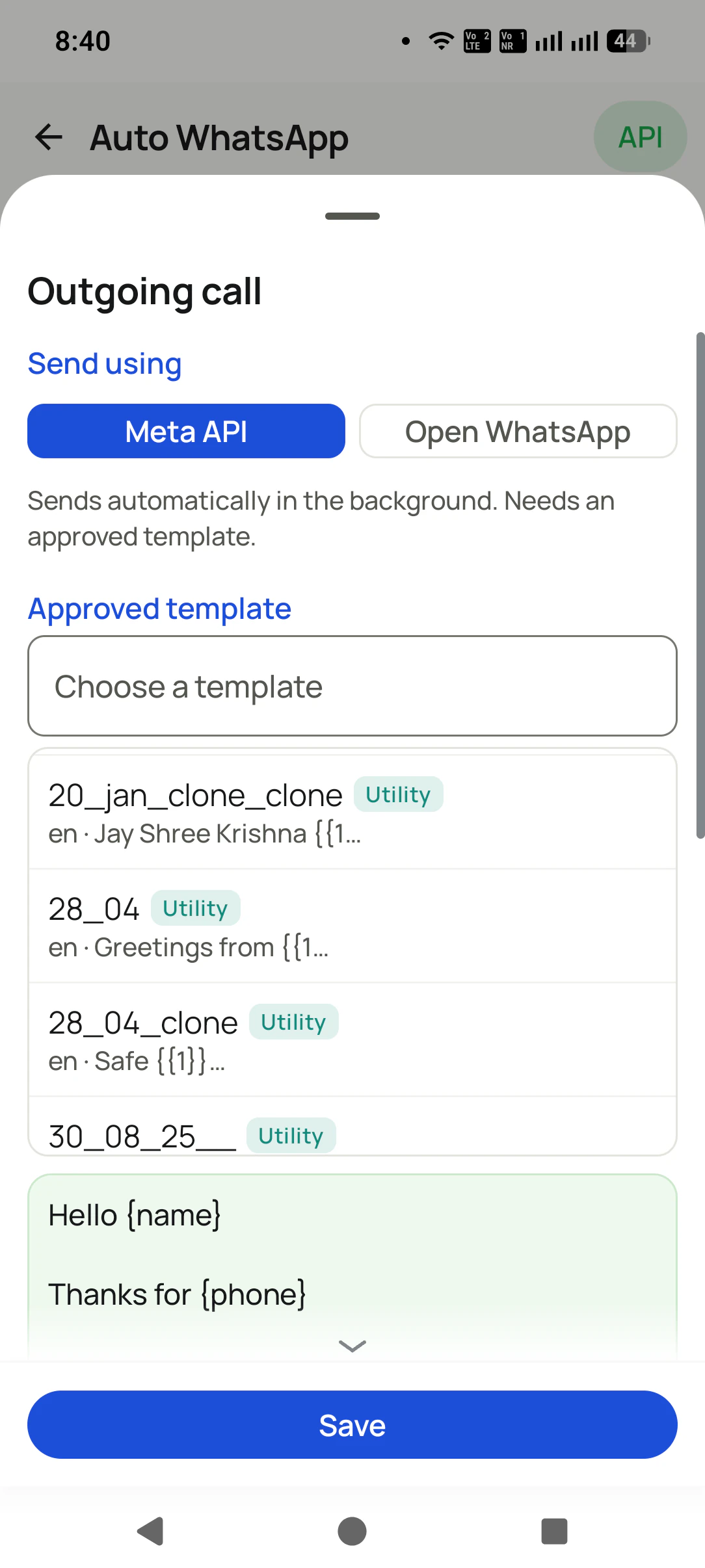
Now each form lead reaches the next front-desk phone within seconds. Evening leads wait at the top of the lists, and at 6:30 am the first shift starts the auto dialer on them, newest first. After each call the gym’s address and batch timings go out as a WhatsApp template, and a reminder rings on the trial day to ask how the first workout went. The manager’s morning job has shrunk to reading the Web CRM. The scenario is an illustration of the flow, not a client result.
Where to stop automating
Automation earns its keep on the waiting and the remembering. Three decisions are better left to people:
Transferring a lead someone has already spoken to changes who the customer trusts. Do it on purpose, with a reason written on the lead.
The auto dialer starts the call; a person decides how to open it, using the form answers on screen.
Send WhatsApp templates after a call or a status change, not as a blast when the lead arrives. Customers answer people, not broadcasts.
For features and yearly costs, see lead distribution software. The rotation behind the hand-off is explained on round robin lead distribution, and connecting forms is covered on Facebook leads to CRM.
One step a week
Turning everything on in one afternoon makes it hard to tell which step caused a problem. Teams that settle in quickly usually add one layer a week, and only move on when the last one is running quietly.
Connect your busiest source and check every lead lands with its fields filled and its source tagged. Nothing else changes yet; people still assign by hand.
Switch on the rotation for that source. Watch who receives what, and fix group membership before adding more sources.
Ask each person to start their day with the auto dialer on new leads. The time from arrival to first call is the number to watch.
Add the WhatsApp template and make a reminder part of every saved outcome. Then connect the remaining sources one by one.
By the end of the month the manager’s daily job changes from handing out leads to reading how they were worked. That shift, more than any single feature, is what automation is for.
Try it with your own workflow
We connect one of your forms, set the rotation for your team, switch on the WhatsApp template and show a test lead going from form to call to reminder.
Team features, one plan
₹159/user/month
₹1,908 per user, billed yearly, plus taxes.
The personal dialer, call log and personal analytics are free forever. Team access and saved lead workflows require a plan. SIM charges and any WhatsApp provider charges are separate.
Compare free and paid features →Software that takes new leads from your forms and sources and hands each one to the right person without anyone forwarding it. RMDialer goes a step further: the lead lands on the person’s phone, the auto dialer can ring it and a WhatsApp template can follow the call.
The part of a system that decides who gets each lead and delivers it. In RMDialer it is the rotation set on each connected source, plus manual assignment and transfer for the cases a rule cannot decide.
Distribution software built for a company’s own sales team, as opposed to platforms that sell leads to outside buyers. It shares your enquiries among your salespeople and tracks what they do with them, which is exactly RMDialer’s job.
Arrival, tagging, assignment, putting the lead in front of a caller, dialling the next number, sending an approved WhatsApp template and ringing a follow-up reminder. The conversation and the decision it leads to still need a person.
Usually within seconds of the form being submitted when a connector posts to the RMDialer webhook. A Google Sheet route waits until the sheet is next read. The real delay is almost always the gap before the person starts dialling, which the auto dialer shortens.
Yes, on Android. RMDialer’s auto dialer rings one lead after another from a filtered list, starting the next call once the outcome of the last is saved. A person still speaks on every call; nothing is played to the customer by a machine.
Yes. Filter by lead status and last contact, for example Interested leads not contacted for 3 days, and start the auto dialer on that list. It is a practical way to make sure warm leads never go a week without a call.
Moving a lead away from someone who has already built a relationship with the customer, and messages the customer did not ask for. Keep transfers a human decision with a written reason, and keep WhatsApp to templates that follow a real call or status change.
No. Connectors such as Zapier, Make and Pabbly are set up by clicking, the RMDialer webhook and rotation are set in the Web CRM, and Google Sheets connect by pasting a link. A developer helps only if your own website should post leads directly.
The whole flow on this page comes in one seat: ₹159 per member each month when a year is purchased in India, plus tax, and $29 per user per year, or $12 per user for 3 months, outside India. Connectors and WhatsApp Business API charges are billed by their own providers.
They are distributed at once and wait at the top of the owner’s list for the morning. Start the day with the auto dialer on overnight leads, newest first, before older follow-ups.