
Free CRM Excel template
CRM Excel Template: Free Download by RMDialer
A CRM Excel template is a workbook that keeps customers, sales and conversations in a CRM's shape, so a small team can work like it has CRM software before it buys any. This free RMDialer template has linked Contacts, Deals and Activities sheets and a dashboard that adds itself up.
- Contacts, Deals and Activities sheets
- A dashboard that counts itself
- Opens in Excel and Google Sheets
Free personal dialer. Paid features include a 3-day trial; no card required.
Team plans: ₹159/user/month in India, $29/user/year elsewhere, billed yearly + taxes →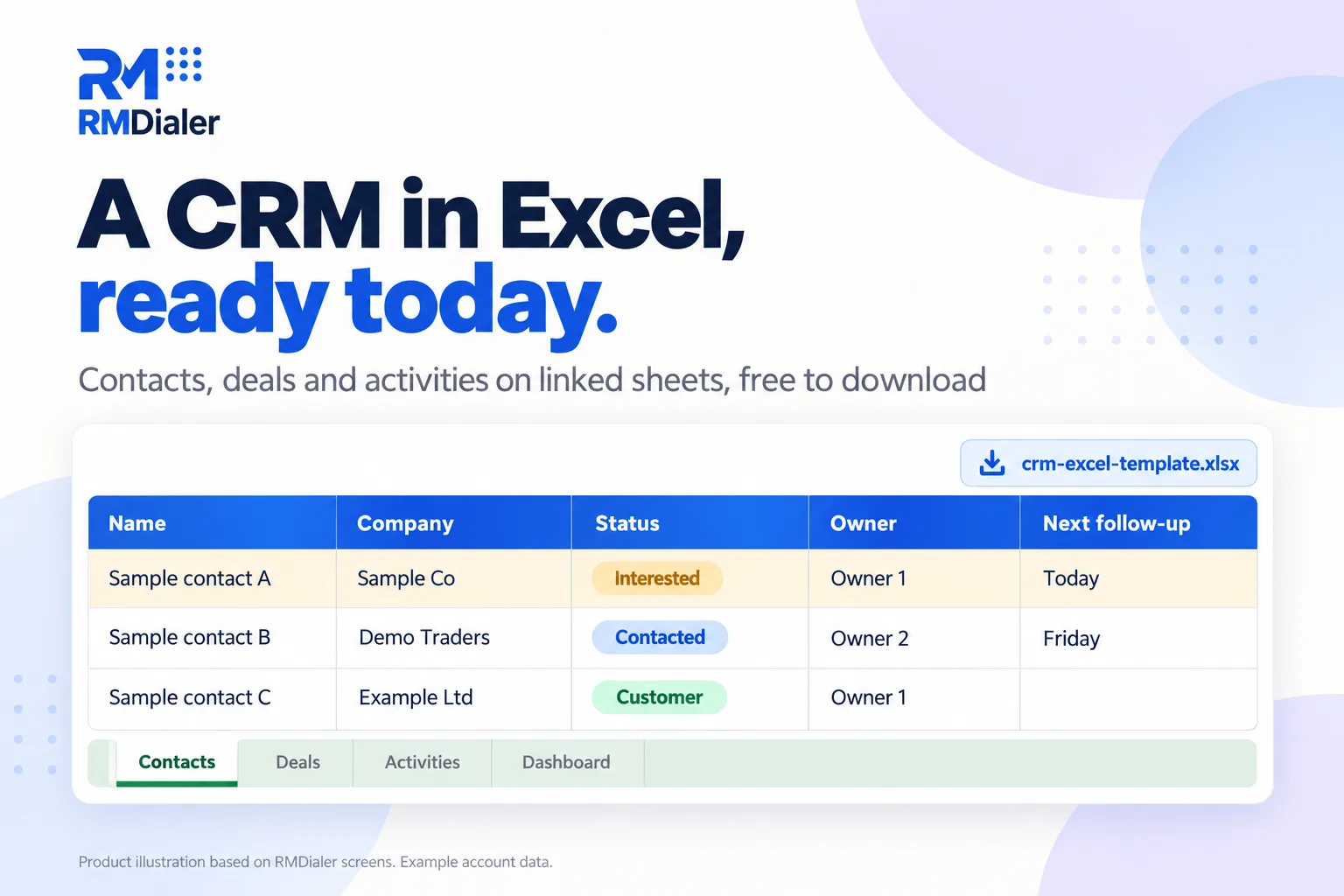
Delete the sample rows first. Their numbers and emails are fake.
Updated
Short answer
What is a CRM Excel template?
A CRM Excel template is a spreadsheet laid out like customer relationship software, with contacts, deals and activities kept on separate sheets and a summary of the pipeline. This free RMDialer template adds dropdowns, follow-up highlights and a self-counting dashboard, and imports into the app later.
Key takeaways
- Separate people, deals and activities.
- Let the dashboard do the counting.
- Move to a CRM when reminders and calls matter.
Why start here
CRM Excel template benefits
What a small team gets from a workbook built like a CRM instead of one long list.
-
A real CRM shape, not a single list
People, sales and conversations sit on separate sheets, the way CRM software stores them.
-
A dashboard with no setup
Contacts by status and deal value by stage add themselves up as you type.
-
Dropdowns everyone fills the same way
Source, status, stage, owner and activity type come from one Lists sheet.
-
Overdue follow-ups stand out
Any contact due for a call today, or already late, turns amber.
-
Works where your team already is
Opens in Excel, uploads to Google Sheets and runs in LibreOffice.
-
Free, with nothing to sign up for
A plain .xlsx download, no form and no email.
Inside the file
CRM Excel template sheets and what each holds
CRM software stores people, sales and conversations separately and links them. The template does the same with five sheets, joined by the contact's name. Download it here.
| Sheet | What it holds | Tip |
|---|---|---|
| Contacts | One row per person or business: phone, email, source, status, owner, next follow-up, last remark | Keep one row per person; put repeat enquiries in Activities |
| Deals | One row per sale you are chasing: stage, value, expected close, next step | A contact can have several deals; name the contact exactly as on Contacts |
| Activities | One row per call, WhatsApp, meeting, email or visit, with outcome and next step | Add a row the moment the activity ends, not at the end of the day |
| Dashboard | Contacts by status, deals and value by stage, follow-ups due | Nothing to type here; it reads the other three sheets |
| Lists | The values behind every dropdown | Edit a list once and every dropdown follows |
If all you need is a list of enquiries and who is calling them, the simpler one-sheet lead management Excel template is a better fit.
Ten minutes a day
CRM in Excel: a daily routine that keeps it useful
- Morning: sort Contacts by Next follow-up and work the amber rows first.
- After each call or meeting: add one row to Activities and update the contact's status and next follow-up.
- When a sale becomes likely: add it to Deals with a value and expected close date.
- Friday: read the Dashboard. Deals stuck in one stage for weeks need a call or a decision.
- Month end: move lost contacts to Not interested so the list stays short.
An office furniture supplier in Casablanca
The CRM template at a small B2B supplier
Picture an office furniture supplier in Casablanca with two salespeople selling desks and chairs to new offices and coworking spaces. Enquiries arrived by phone and WhatsApp and lived in each salesperson's notebook, so nobody could say how many quotes were open.
The owner set up the CRM template on a shared Google Sheet: every enquiry became a contact, every quote a deal, every call an activity. Within two weeks the Dashboard showed something the notebooks never had: most deals stalled at Proposal for a month. The fix was a rule to call every proposal within three days, written straight into the Next step column. By the third month the sheet was the bottleneck instead, because calls still had to be typed in by hand. The supplier is an illustration, not a named customer.
Plain limits
CRM Excel template limits, and what comes next
A workbook cannot ring when a follow-up is due, cannot log a call by itself, and gets messy when four people edit it at once. Those are the three signs a team has outgrown a CRM in Excel.
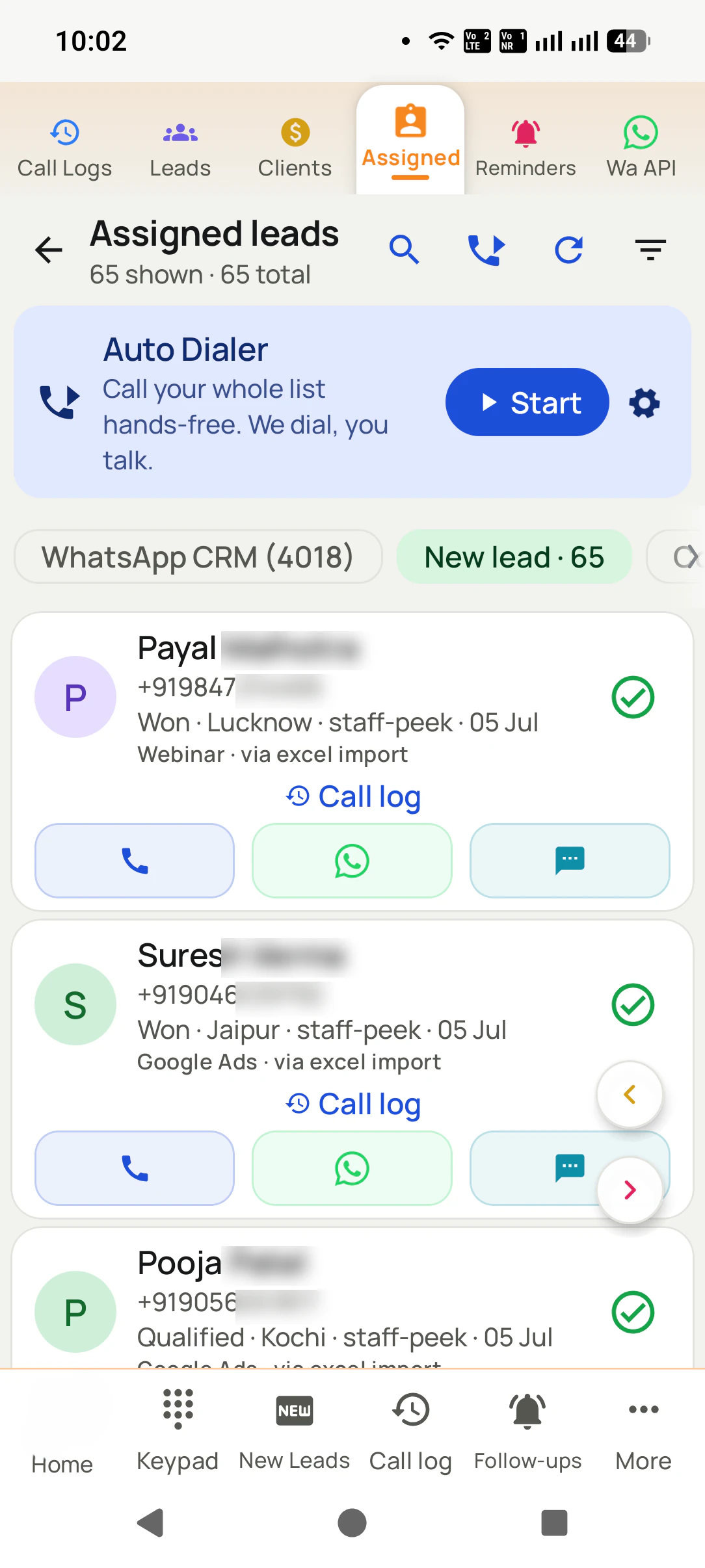
RMDialer is the next step for teams that sell by phone: import the Contacts sheet, and calls are logged from the phone automatically, each follow-up rings like an alarm, and every salesperson sees only their own leads. It does not replace the Deals sheet's values; your lead statuses become the pipeline instead. How the same habits work on paper first is on how to manage leads in Excel.
Try it with your own workflow
Bring your filled template to a demo
Send us the template once it has your contacts in it. We import it into the app and show the first follow-up ringing on a phone.
Team features, one plan
₹159/user/month
₹1908 per user, billed yearly, plus taxes, in India. $29 per user per year, or $12 per user for 3 months, outside India.
- Lead statuses, remarks and reminder scheduling
- Assigned calling lists and employee reports
- List auto dialing and WhatsApp automation
The personal dialer, call log and personal analytics are free forever. Team access and saved lead workflows require a plan. SIM charges and any WhatsApp provider charges are separate.
Compare free and paid features →CRM Excel template FAQ
Do I have to pay or sign up for the CRM workbook?
Neither. The link at the top of this page gives you the file straight away, and every sheet, formula and list inside it can be edited.
Can Excel really work as a CRM?
For a small team, yes, for a while. A workbook with separate sheets for contacts, deals and activities covers the basics. It starts to struggle when several people edit it at once, when follow-ups need reminders, or when calls have to be logged by hand.
What sheets are in the CRM template?
Contacts, Deals, Activities, a Dashboard that counts itself, a Lists sheet for the dropdown values, and a How to use sheet.
Does the CRM Excel template work in Google Sheets?
It does. Drop the file into Drive and choose Open with Google Sheets; the dropdowns, colours and dashboard keep working because they only use functions both programs share.
How do I add my own sales stages?
Edit the Stages column on the Lists sheet. The Stage dropdown on the Deals sheet follows. Add the new stage names to the Dashboard if you want them counted there too.
Can several people use the CRM template at once?
In Google Sheets they can edit together, though everyone sees everyone's contacts. In a shared Excel file on a network drive, edits can clash. That is usually the point where teams move to a CRM.
Will the template remind me about follow-ups?
It highlights contacts whose follow-up date is today or earlier when you open it, but it cannot ring or notify you. A spreadsheet only helps if someone opens it.
How do I move from this template to RMDialer?
Save the Contacts sheet as Excel or CSV and import it into RMDialer. Name, phone, source and status map to lead fields, and calls, reminders and remarks are kept on each lead from then on.
What is the difference between this and the lead management template?
The lead management template is one sheet listing leads. This CRM template separates people, deals and activities and adds a dashboard, for teams that track sales values as well as enquiries.
Is customer data in Excel safe?
Only as safe as the file. Keep it in one shared place with access limited to your team, avoid emailing copies around, and back it up. A copied file is how most spreadsheet data leaks.