
Send WhatsApp from Google Sheets
Send WhatsApp From Google Sheets: A Live Sheet Setup
To send WhatsApp from Google Sheets, the sheet has to reach something that can message: an add-on, a script, a connector or a CRM. RMDialer connects the sheet once as a live lead source, so rows your forms add become leads you can message in bulk or after a call, with each person's details filled in.
- Connect the sheet once
- New rows become leads by themselves
- Message in bulk or after each call
Free personal dialer. Paid features include a 3-day trial; no card required.
Team plans: ₹159/user/month in India, $29/user/year elsewhere, billed yearly + taxes →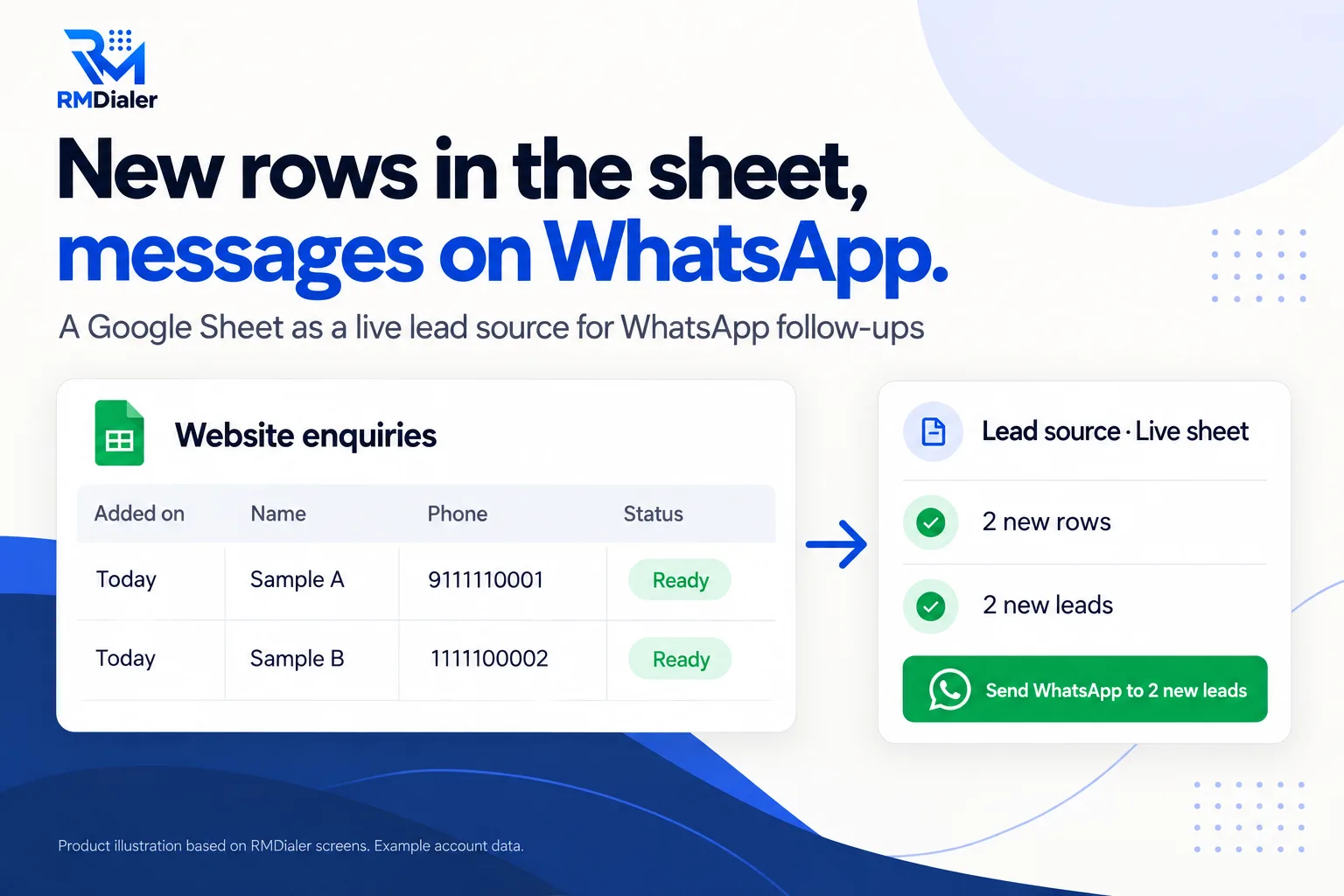
Upload it to Google Drive and open with Google Sheets; keep the header row as it is.
Updated
Short answer
How do you send WhatsApp messages from Google Sheets?
To send WhatsApp from Google Sheets, connect the sheet to a tool that can message: an add-on, an Apps Script with a WhatsApp API, an automation connector, or a CRM that reads rows as leads. RMDialer reads new rows as leads, then you message them in bulk or after calling.
Key takeaways
- A live sheet suits enquiries that arrive daily.
- New rows become leads without exports.
- A person still decides what is sent.
Why connect the sheet
Send WhatsApp from Google Sheets benefits
What changes when the sheet your forms fill is connected to the tool that calls and messages.
-
Connect once
The sheet stays where it is; new rows are picked up without anyone exporting a file.
-
Forms keep filling it
Website, Facebook and Google forms can write straight into the sheet.
-
Leads shared fairly
New rows are assigned round robin across the team on the Web CRM route.
-
Messages with their details
Name, city and interest from the sheet fill each WhatsApp message.
-
No script to maintain
No Apps Script, add-on or connector that breaks when something changes.
-
Calls and messages together
The same lead can be called by the auto dialer and messaged after the call.
What the results offer
Send WhatsApp messages from Google Sheets: four ways
Each route has a cost that is easy to miss until it breaks. Here is what to watch for in each.
| Way | How it works | What to watch |
|---|---|---|
| Sheets add-on | An add-on from the Workspace Marketplace sends from inside the sheet | Account permissions, monthly limits, unofficial methods on some add-ons |
| Apps Script | Your own script calls a WhatsApp API for each row | Needs a developer and an API provider; you maintain it |
| Automation connector | A tool such as Pabbly or Make watches new rows and calls an API | A paid connector plus a WhatsApp API account; message per row |
| Sheet as a lead source | The CRM reads new rows as leads; you message them in bulk or after a call | Messages are sent by your team or campaign, not by the sheet itself |
Fifteen minutes, once
Google Sheets WhatsApp setup with RMDialer
- Make the sheet. Upload the template to Google Drive, open it with Google Sheets and delete the sample rows.
- Point your forms at it. Website, Google or Facebook forms add a new row for each enquiry.
- Share it with link viewing. The connection needs to read it; nobody else needs the link.
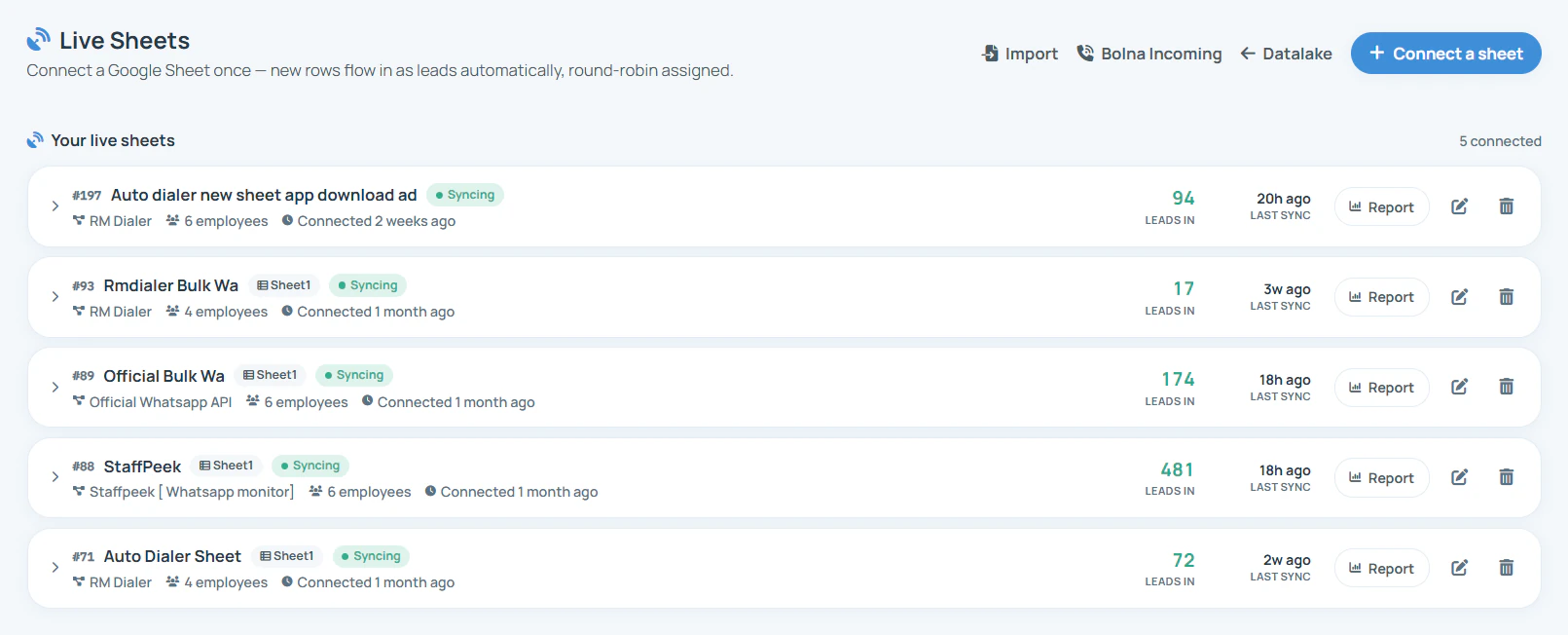
- Connect it. In the Web CRM use Live Sheets, or in the app add it as a lead source with its link.
- Message the new leads. Use Bulk WhatsApp with {name} and {interest}, or call them and let the after-call WhatsApp go out.
For a one-off spreadsheet rather than a sheet that keeps growing, bulk WhatsApp from Excel covers cleaning and importing the file.
A dental clinic group in Bogotá
A Google Sheet of appointment requests turned into WhatsApp replies
Picture a group of three dental clinics in Bogotá whose website form wrote appointment requests into a Google Sheet. The receptionist checked it twice a day and copied each number into WhatsApp by hand, so evening requests waited until the next afternoon.
The clinic connected the sheet as a live source. New requests now arrive as leads shared between the receptionists at the three branches, and each morning's batch gets a Spanish WhatsApp message with the patient's name and the treatment they asked about, followed by a call to book a slot. The sheet still exists; nobody copies from it anymore. The clinic group is an illustration, not a named customer.
Plain limits
Send WhatsApp from Google Sheets: what it does not do
The sheet does not fire a message the moment a row lands; rows become leads and your team or campaign sends. Phone-route sending is one tap per message, and the free version of the app limits how many a day. Message only people who agreed. For WhatsApp Business API campaigns with delivery and read reports, see connect the WhatsApp Business API.
Try it with your own workflow
Connect your sheet on a call
Share the sheet link with us on a call. We connect it, bring the first rows in as leads and send the first message to your own number.
Team features, one plan
₹159/user/month
₹1908 per user, billed yearly, plus taxes, in India. $29 per user per year, or $12 per user for 3 months, outside India.
- Lead statuses, remarks and reminder scheduling
- Assigned calling lists and employee reports
- List auto dialing and WhatsApp automation
The personal dialer, call log and personal analytics are free forever. Team access and saved lead workflows require a plan. SIM charges and any WhatsApp provider charges are separate.
Compare free and paid features →Send WhatsApp from Google Sheets FAQ
Can I send WhatsApp messages from Google Sheets?
Yes, in four common ways: a Sheets add-on, your own Apps Script calling a WhatsApp API, an automation connector that watches new rows, or connecting the sheet to a CRM as a lead source and messaging the leads from there.
How do I connect a Google Sheet to RMDialer?
In the Web CRM, Live Sheets connects a Google Sheet once and brings new rows in as leads, shared round robin. In the app, a Google Sheet can be added as a lead source and is checked in the background on a schedule.
Does a WhatsApp message go out the moment a row is added?
Not by itself. New rows become leads automatically, and you then message them with Bulk WhatsApp, or call them and let the automatic WhatsApp after the call go out. That keeps a person in control of what is sent.
Can I send WhatsApp from Google Sheets for free?
Sending from your own WhatsApp one chat at a time costs nothing beyond your phone plan, and the free version of the app allows a limited number a day. API sending carries the provider's and WhatsApp's charges.
What columns does the sheet need?
At least a name and a phone number with country code. The template adds Added on, City, Interest, Source and an Agreed to messages? column, plus a Status check that says Ready only for rows safe to message.
Do I need to share the Google Sheet publicly?
The sheet must be readable by the connection. Share it with link viewing, keep personal notes out of it, and do not put the link anywhere public.
Can website forms write into the sheet automatically?
Yes. Google Forms writes to a sheet natively, and most website and ad form tools can add a row to Google Sheets, which then flows into the CRM.
Can I use the same sheet for calling?
Yes. Once rows are leads, the auto dialer can call them one by one, and an automatic WhatsApp message can follow each missed, incoming or outgoing call.
How is this different from sending WhatsApp from Excel?
An Excel file is a one-off list you clean and import. A Google Sheet connected as a source keeps adding new rows over time, so it suits enquiries that arrive every day.
Is it safe to message everyone in the sheet?
Only people who agreed to hear from you. Keep the consent column honest; numbers that get blocked or reported can be restricted by WhatsApp.