iPhone app on iOS 17.0 or newer · Every feature except the call log
Your own SIM, no virtual number · Android and iPhone apps + Web CRM in one plan · No card for the trial
RAKPS3,500+ businesses on Wappblaster tools · listed on G2, Capterra, SoftwareSuggest
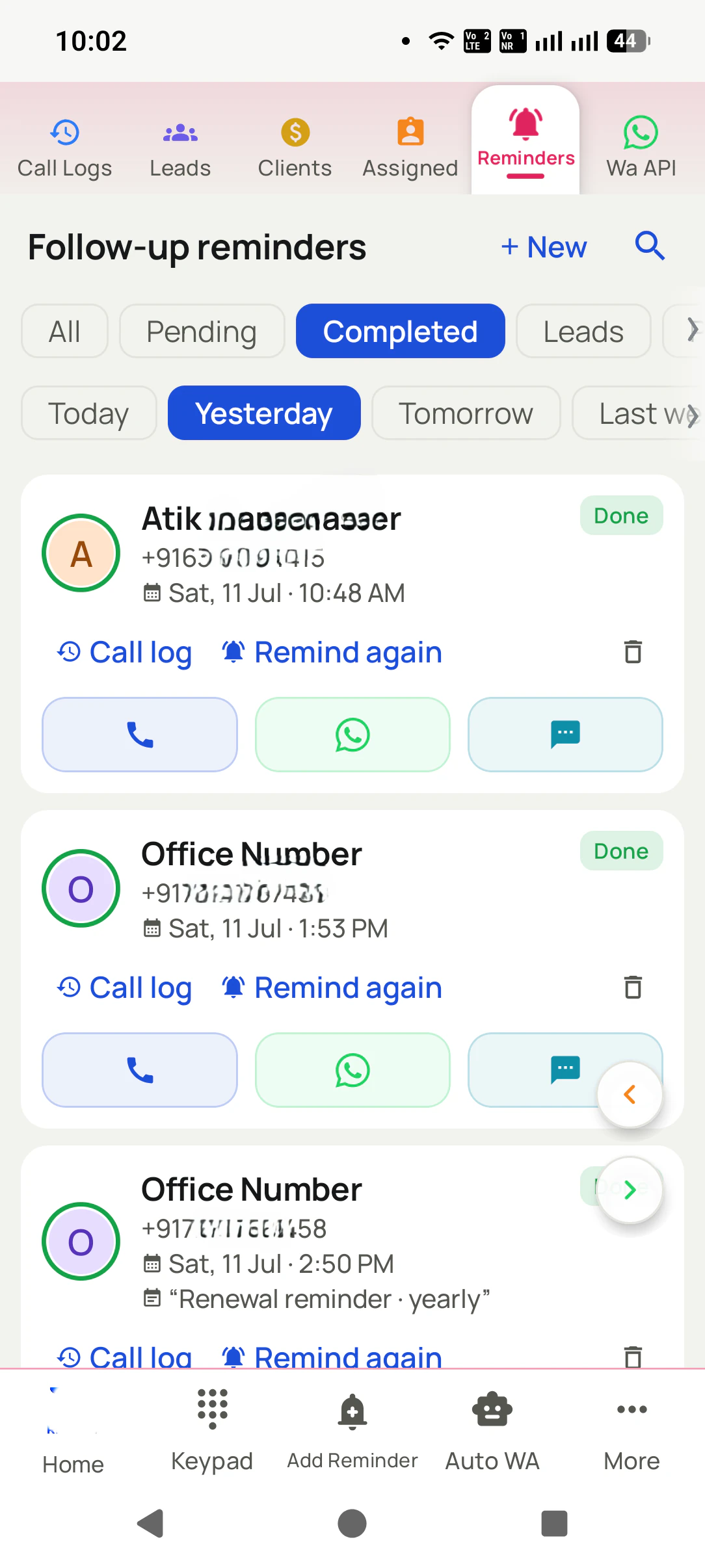
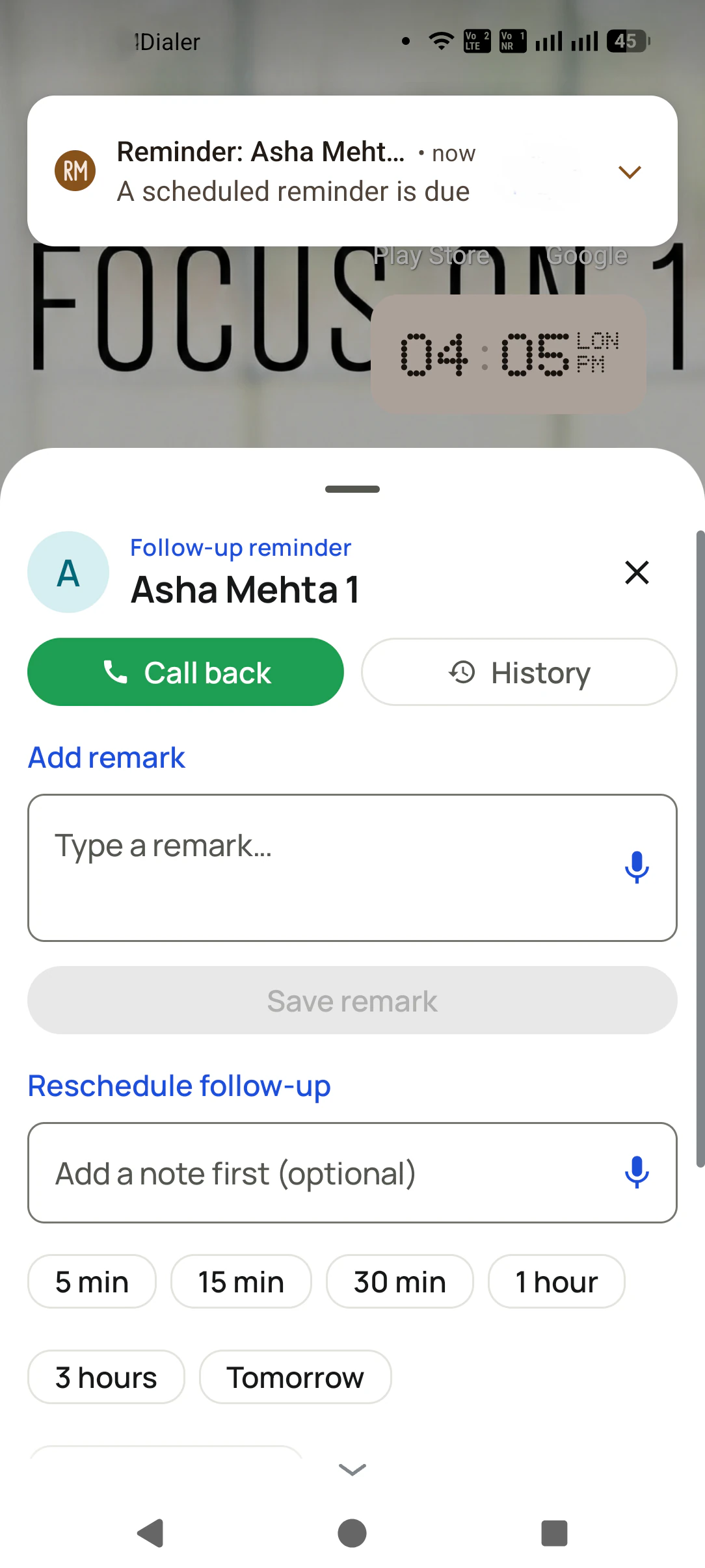
Remind againcall back at 5 pm
Auto redialnot possible on iOS
Android phoneredials by itself
Same leadon both phones
Updated
Short answer
Is there auto redial on iPhone?
No iPhone app can auto redial by itself, and RMDialer, which offers auto redial on Android, says so plainly: iOS requires your tap for every call and keeps the call log closed to all apps, so an app cannot dial again on its own or tell whether a try was answered. That is why searching for an auto redial iPhone app turns up apps that only help you call again faster. On an iPhone the quickest redial is a tap on the number at the top of Recents, and for a person rather than a helpline, a reminder to call back later works better anyway. For a busy line that truly needs repeated tries, RMDialer on an Android phone redials 3, 5 or 10 times and stops when someone answers. The RMDialer iPhone app carries every other feature, from leads and reminders to WhatsApp and the team view.
Key takeaways
iOS lets no app place calls without a tap or read the call log.
So no iPhone app can redial by itself or know a call was answered.
On iPhone, redial from Recents or set a reminder to call back.
For true auto redial, use RMDialer on an Android phone.
Android and iPhone
What does RMDialer do on iPhone compared with Android?
The line between the two is the call log. Everything that needs it runs on Android; everything else runs on both.
Feature
Android
iPhone
Auto redial on one busy number
Yes: 3, 5 or 10 tries, stops when answered
No: iOS needs a tap for every call
Call again if not answered, on a list
Yes: 1 to 3 more rings, timing you choose
No
Dial a whole list hands-free
Yes
No: each call is started by a tap
Read the call log to log calls
Yes
No: Apple opens it to no app
Tap to call a lead
Yes
Yes
Leads, statuses and remarks
Yes
Yes
Follow-up reminders
Yes
Yes
WhatsApp to a lead
Yes
Yes
The team’s calls and reports
Yes
Yes
Auto redial on one busy number
Android: Yes: 3, 5 or 10 tries, stops when answered
iPhone: No: iOS needs a tap for every call
Call again if not answered, on a list
Android: Yes: 1 to 3 more rings, timing you choose
Four things that work within Apple’s rules, from the quickest to the most thorough.
Recents, one tap
The last number sits at the top of Recents. A tap on it calls again, which is the fastest manual redial there is.
The busy line in Favourites
Add the helpline or booking number to Favourites so it is one tap from the Phone app, even after other calls push it down Recents.
A reminder instead of a retry
For a person rather than a helpline, a reminder to call back at a better hour works better than ringing again at once.
Hand it to an Android phone
If a busy line truly needs ten tries, an Android phone with RMDialer can redial by itself while the iPhone stays free.
Customer reviews
What businesses say about RMDialer
Real businesses, real numbers: how owners and sales teams across India and 12+ countries use RMDialer every day.
Rated 4.9 by customers 5.0 on Google Play 1K+ downloads India + 12+ countries
“Walk-in customers who "will come back Sunday" now get a reminder call on Saturday, and the sofa photos they liked go on WhatsApp from the app. Caller ID with the customer's name and last remark means my staff greet them properly. Simple business dialer, does the job.”
KGKiran GowdaOwner · Furniture showroomMysore
“Pickup calls, rate enquiries and account follow-ups from one phone. Missed calls during dispatch hours become call-backs instead of lost customers, and the monthly account customers get their reminder. Kannada interface. Call log backup to the account means a new phone starts where the old one stopped.”
PHPrakash HegdeOwner · Courier franchiseHubli
“Earlier I was dialling 80 to 100 portal leads a day by hand from Excel. With RMDialer auto dialer app I import the sheet, press start and it calls one by one from my own Jio SIM. Between calls I mark Interested or Site visit in two taps and the follow-up rings me on time. Closed 3 flats last month from leads I would have forgotten.”
“Renewal reminder is the reason I pay for it. Every policy due date rings me 30 days, 7 days and 1 day before, with the client's number right there. Earlier 3 to 4 renewals a year quietly went to other agents. Small app, big difference for a single agent like me.”
“For a clinic the win is call management: every missed call at the front desk becomes a call-back reminder, and the patient's last visit remark shows when they ring again. Appointment reminders go on WhatsApp automatically. Our no-shows dropped noticeably in two months.”
“Most CRM tools here are built for a desk. Our brokers sell from their phones, so a telecalling CRM inside the dialer made sense. Leads from Facebook ads land in the app, the auto dialer calls them, and the tripping schedule rings each broker. Tagalog interface, own Globe SIM, no VoIP number for clients to distrust.”
MSMaria SantosOperations lead · Real estate brokerageManila, Philippines
Reviews are collected from customers on WhatsApp and on this website.
Share yours on WhatsApp
Why it is not possible
Why is there no real auto redial app for iPhone?
Two rules in iOS, both there for privacy and safety.
The first rule is that an app cannot start a phone call on its own. It can put a number on the call screen, but the
person holding the iPhone has to confirm it. That keeps apps from ringing numbers without the owner knowing, and it
also rules out any app that dials again and again by itself.
The second rule is that the call log is closed. No app can read which calls were made, how long they lasted or
whether they were answered. An Android redial app decides when to stop by reading exactly that, so on iPhone an app
would not even know that you had got through.
Put together, an auto redial iPhone app can at best make calling again quicker. That is useful, but it is a different
thing from the Android kind, which keeps trying in the background and stops by itself the moment the line is answered.
A worked example
How would an event planner with an iPhone handle busy venue lines?
An illustration built to show the two-phone setup, not a customer story.
Picture an event planner in Pune who uses an iPhone for everything, with an assistant on an Android phone. In wedding
season the banquet halls’ booking lines are engaged for hours, and the planner was losing mornings pressing redial
from Recents between client meetings.
They put RMDialer on both phones, signed in to one account. When a venue line must be reached, the assistant opens the
number on Android and starts Auto redial with ten tries; the phone keeps at it while the assistant works on other
things, and the call connects on the seventh try. The date that was held goes into the venue’s record.
On the iPhone, the planner sees that note on the same lead a minute later, sets a reminder to confirm the deposit, and
sends the couple the venue details on WhatsApp from the lead. Nobody tried to make the iPhone do what iOS does not allow;
the right phone did each job.
Auto redial iPhone app free, auto redial on iPhone, iPhone auto redial: the same limit
"Auto redial iPhone app free", "auto redial on iPhone" and "iPhone auto redial" all hope for a switch or an app that
keeps calling by itself. The same two iOS rules answer all of them: every call needs a tap, and the call log is private.
The fastest manual redial is Recents; the automatic kind lives on Android.
You will also see it called auto redial iphone app free, auto redial on iphone, iphone auto redial and auto redial app for iphone. They describe the same thing, so whichever phrase
brought you here, this is the page for it.
How it works
How do you handle a busy number when you use an iPhone?
1
On the iPhone: note the call back
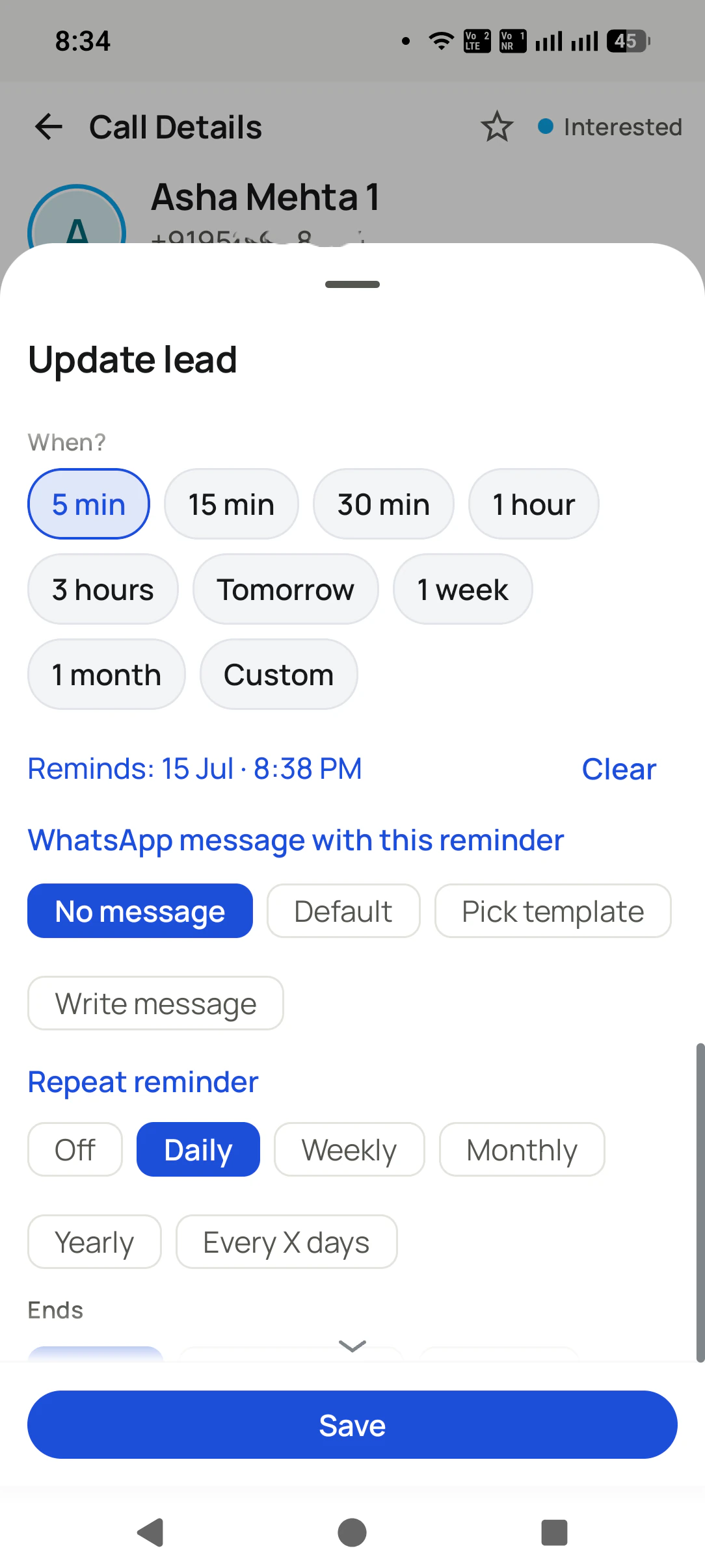
Open the lead in the RMDialer iPhone app and set a reminder for when to try again, instead of ringing at once.
2
On Android: let it redial
For a line that must connect now, open the number on an Android phone with RMDialer and start Auto redial.
3
Both phones see the result
Whoever gets through saves the outcome, and the same lead record shows it on the iPhone and on Android.
Questions
Auto redial on iPhone: what people ask
Can an iPhone auto redial a busy number?
Not by itself. iOS lets no app place a call without you tapping, and no app can read the iPhone call log to tell whether a try was answered, so the automatic kind of redial is not possible. You can redial quickly from Recents. For true auto redial, RMDialer on an Android phone retries a busy number 3, 5 or 10 times and stops when it is answered.
Is there a free auto redial iPhone app?
App Store apps that use the words auto redial exist, some free. Because of how iOS works they can help you call again faster, but each call still needs your tap and none can see whether you got through. Read an app’s description and reviews with that in mind before paying for it.
Can you auto dial on an iPhone?
Not a list, hands-free. On iPhone every call starts with a tap. The RMDialer iPhone app lets you work a list quickly, tap to call each lead and save the outcome, but dialing a whole list by itself needs an Android phone.
What is *#21# on iPhone?
It is a network code that shows whether your calls are being forwarded to another number. Dial it and the screen reports the forwarding status for voice and other calls. It has nothing to do with redial; people often find it while looking for hidden call settings.
How do I redial the last number on an iPhone quickly?
Open the Phone app, go to Recents and tap the number at the top. That calls it straight away. If you keep a business list in RMDialer on the iPhone, the lead you last called is also one tap away, with its notes on the same screen.
Why can Android apps auto redial but iPhone apps cannot?
Android lets an app that is set as the phone app place calls and read the call log, so it can dial, see that nobody answered and dial again. iOS keeps both to itself for privacy and safety. It is a platform rule, not something an app can work around.
Does the RMDialer iPhone app have auto redial?
No, and it says so. Apple does not open the iPhone call log to any app, so calls made on an iPhone are not logged automatically. Everything else, leads, statuses, remarks, follow-up reminders, WhatsApp and your team, works the same on both phones. Auto redial depends on the call log, so it runs on Android. On the iPhone you still get the lead records, reminders and WhatsApp for the same leads.
What can the RMDialer iPhone app do?
Every feature except the call log: leads, statuses, remarks, follow-up reminders, WhatsApp, and your team’s calls and reports. It runs on iOS 17.0 or newer and is on the App Store. Anything that needs the call log, such as auto redial and hands-free list dialing, runs on the Android app.
Can my iPhone and my team’s Android phones share one list?
Yes. Leads, statuses and reminders are in the same account on both. A common setup is an owner on iPhone who follows the pipeline and callers on Android who dial the list, with Auto redial on the Android phones when a line is busy.
Does iPhone have a built-in auto redial setting?
No. There is no switch in the iPhone’s settings that redials a busy number by itself. Guides that suggest otherwise usually describe a quicker manual redial, from Recents or Favourites, which still waits for your tap.
Can Siri keep redialing a number for me?
Siri can place a single call when you ask, but it will not keep trying a busy number on its own or tell whether a call was answered. Each attempt is still one request from you.
Should I switch to Android just for auto redial?
Only if you redial busy lines often, such as a travel desk or a service business that must get through to suppliers. Many people keep the iPhone and add an inexpensive Android phone as the calling phone, with RMDialer on both so the records stay together.
Can an iPhone call back a missed call automatically?
No app can do that on iPhone, for the same reasons as redial. What helps is a reminder: in the RMDialer iPhone app, set a follow-up on the lead so it rings on your phone at the time you want to call back.
Is it safe to install an auto redial app on iPhone?
Apps on the App Store are reviewed by Apple, which lowers the risk. The bigger question is whether the app can do what it promises; on iPhone no app can redial by itself, so check the description and reviews before any in-app purchase.
How do I download the RMDialer iPhone app?
Download it free from the App Store. It runs on any iPhone with iOS 17 or newer. Sign in with the same account as your Android phones so the leads, reminders and team are shared.
No trial clock on the dialer
What is free forever, and what a plan adds
The business dialer is free forever with no account and no expiry: the keypad, contacts, caller ID, the call log and your call analytics, plus free WhatsApp sends every day. A plan adds the customer record after every call, follow-up reminders, list auto dialing, your team and WhatsApp automation.
Free forever
₹0, no expiry
Your phone app: keypad, contacts, call log and caller ID
Spam and unknown-number screening on every incoming call
Call analytics: your day counted, by outcome, and by who you called
Missed calls kept in their own list, so nothing is returned late
Sending WhatsApp from a call, free every day
Free WhatsApp sends every day with a free account: 15 a day for your first 15 days, then 3 a day. The dialer itself needs no login at all.
On a plan
₹159/user/month, yearly
The customer record: lead status and remarks saved against every call
Follow-up reminders that ring like an alarm on the day you set
Auto dialing a whole list without touching the phone
Your team: seats, assigned calling lists and per-person reports
Automatic WhatsApp after calls, bulk sending and the WhatsApp API inbox
Backup and restore, so a new phone carries on where the old one stopped
Leads arriving on their own from Google Sheets, APIs and lead portals
Try it free for 3 days: unlimited use, no credit card required. Prices are per user, exclusive of taxes.
Business karte ho? Business Dialer chahiye.
Set it as your phone app in one tap. Everything works like before, and then it starts working FOR you.
₹159/user/month on yearly · every feature included · Prices are per user, exclusive of taxes.
Free forever: the business dialer never expires, and needs no account
Call recording supported · our team sets it up with you during training
On iPhone and Android. The iPhone app has every feature except the native call log.