RMDialer is a call monitoring app for Android work phones: installed from Google Play, set as the phone app, logging each business call with its SIM and outcome.
From Google Play · Android 8 or newer · Cannot be hidden
Your own SIM, no virtual number · Android and iPhone apps + Web CRM in one plan · No card for the trial
RAKPS3,500+ businesses on Wappblaster tools · listed on G2, Capterra, SoftwareSuggest
Phone appevery call logged
SIM 1 or SIM 2on each call
Monthly totalscalls and hours
No trackingof messages or location
Updated
Short answer
What is a call monitoring app?
RMDialer is a call monitoring app for Android work phones: the employee installs it from Google Play, signs in to the company account and sets it as the phone app. From then on the handset keeps its own record of every ordinary call, incoming, outgoing, missed or rejected, with the SIM it used and its length, and the caller saves the outcome in two taps when the call ends. The records sync to the owner, who sees each person’s calls in Team call logs on their own phone and on the Web CRM. Calls stay on the employee’s SIM, so the customer sees the usual number and there is no per-minute bill. It is not a tracker for watching a person: it reads calls, not messages or location, and it cannot be hidden. RMDialer is ₹159 per user a month on yearly billing in India.
Key takeaways
RMDialer installs from Google Play and becomes the phone app on each work phone.
Each call is logged with its SIM, length and the outcome the caller saves.
The owner reads every employee’s calls on their own phone and on the Web CRM.
RMDialer reads calls only, never messages or location, and it cannot be hidden.
On the handset
What does a call monitoring app for Android show on the phone?
Four screens do the work. The first three are on every employee's phone; the fourth is on the owner's.
Call analytics rings
Connected, unique numbers, rejected, lost leads, blocked and spam at the top, then calls per month split into incoming, outgoing, missed and rejected, and hours on the phone per month.
A call log with the SIM on each line
Every ordinary call on the handset, with the SIM slot and network it went through, how many times that number has called, and the lead status beside it.
The after-call screen
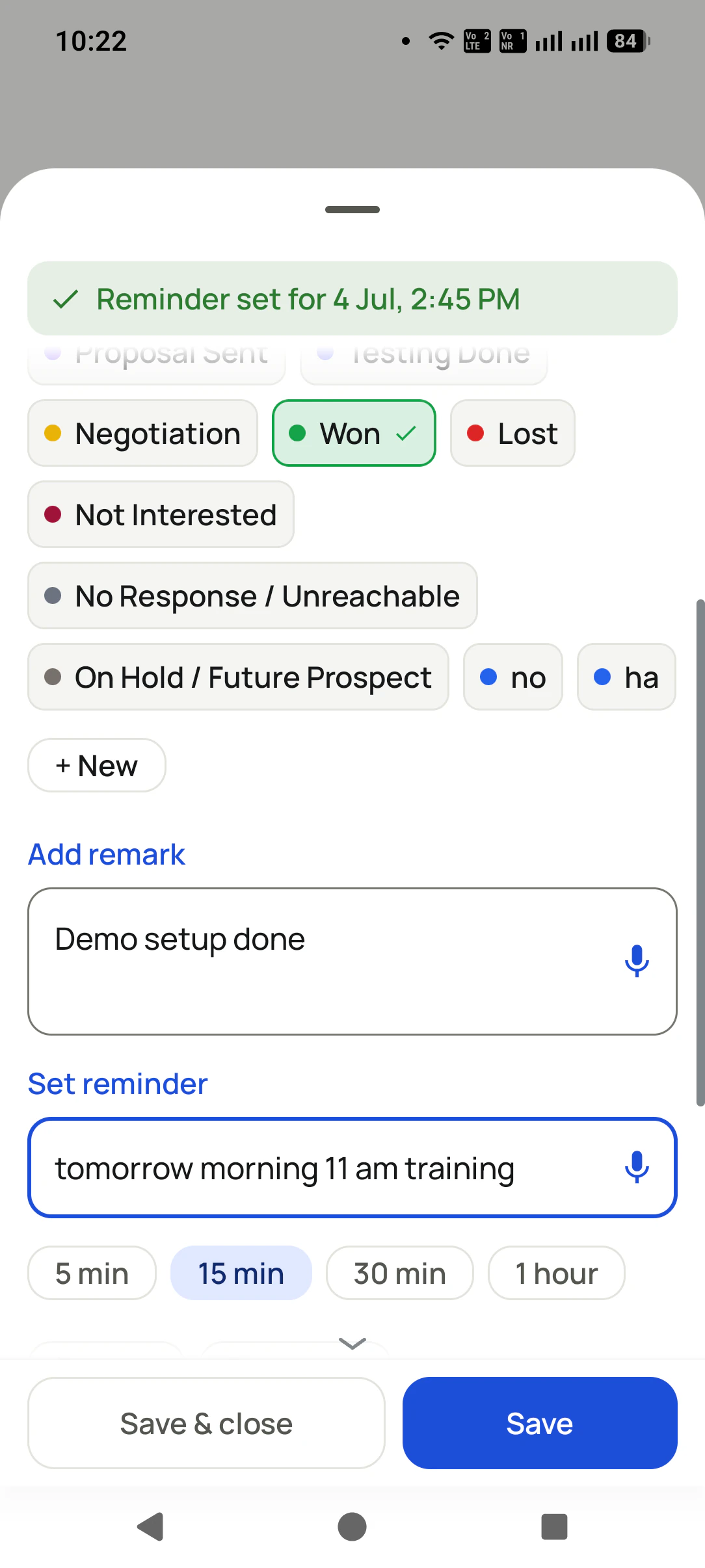
When a call ends, a short sheet asks what happened: status, remark and the next date. Two taps and the caller is back on the list.
Team call logs for the owner
On the owner’s own phone, an “All employees” filter, then any one person’s calls, contacts and totals, without opening a laptop.
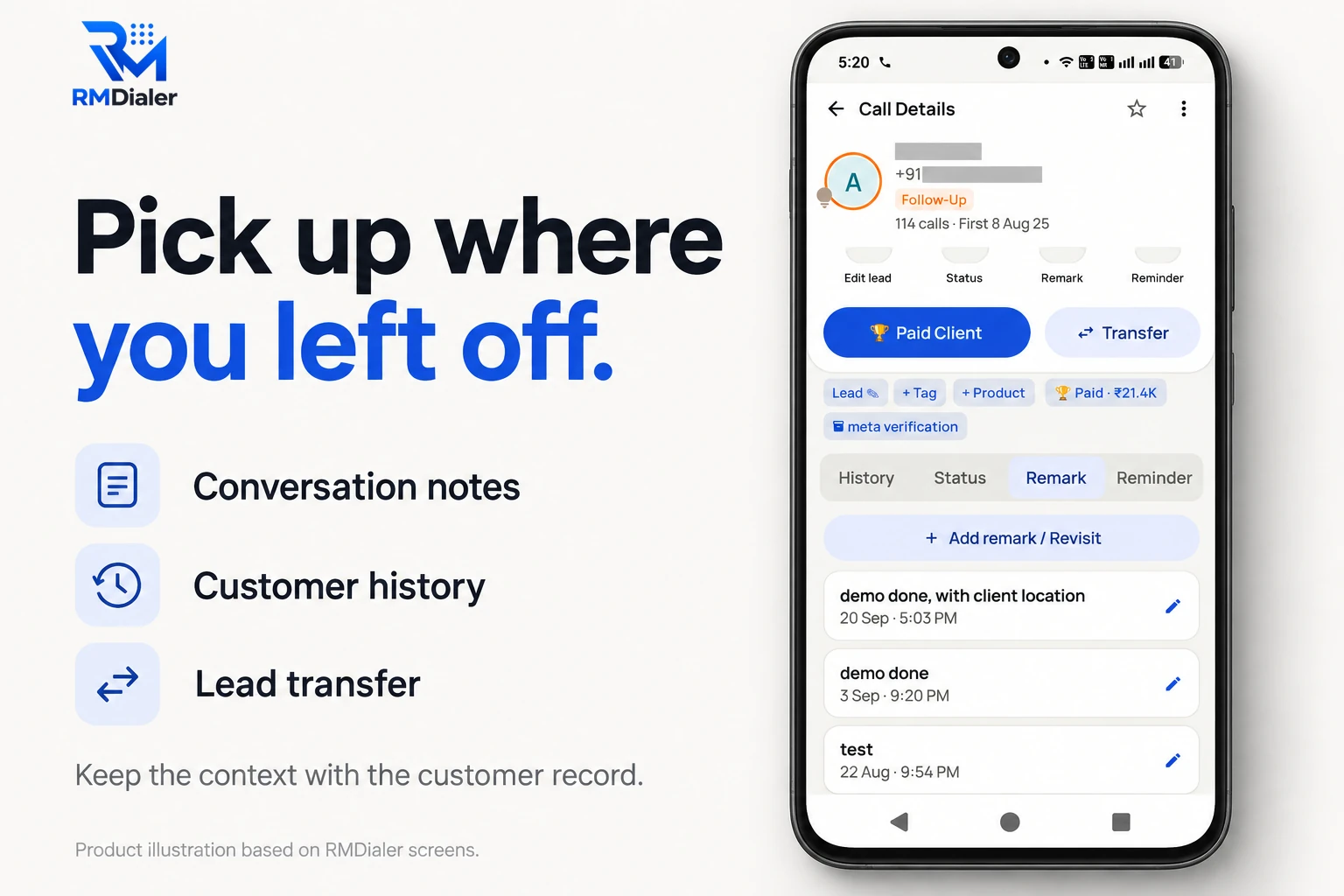
One number’s whole story on the work phone: calls, status, remarks and reminders. Contact details masked.
How is a business call monitoring app different from a phone tracker app?
Search for a call monitoring app and most results are tracker apps meant for watching a person. They share a name with business apps and almost nothing else.
Compared on
Business call monitoring app
Phone tracker app
Cloud call-centre app
Who installs it
The employee, on a work phone, signed in to the company account
Someone else, often hidden from the phone’s owner
IT, on laptops or softphones with company numbers
What it reads
The call log, plus the outcome the caller saves
Calls, messages, location and more, depending on the app
Only calls routed through its own virtual numbers
Number the customer sees
The employee’s own SIM number
Not relevant: it watches, it does not dial
A rented virtual number
Live listen-in
No
Some claim it
Yes, it is built for it
Where you get it
Google Play, like any listed app
Often an APK from a website, with Play Protect switched off
A vendor contract and admin console
Right for
A sales or service team calling from phones
Nothing a business should do to staff
A supervised floor on headsets
Who installs it
Business call monitoring app: The employee, on a work phone, signed in to the company account
Phone tracker app: Someone else, often hidden from the phone’s owner
Cloud call-centre app: IT, on laptops or softphones with company numbers
What it reads
Business call monitoring app: The call log, plus the outcome the caller saves
Phone tracker app: Calls, messages, location and more, depending on the app
Cloud call-centre app: Only calls routed through its own virtual numbers
Number the customer sees
Business call monitoring app: The employee’s own SIM number
Phone tracker app: Not relevant: it watches, it does not dial
Cloud call-centre app: A rented virtual number
Live listen-in
Business call monitoring app: No
Phone tracker app: Some claim it
Cloud call-centre app: Yes, it is built for it
Where you get it
Business call monitoring app: Google Play, like any listed app
Phone tracker app: Often an APK from a website, with Play Protect switched off
Cloud call-centre app: A vendor contract and admin console
Right for
Business call monitoring app: A sales or service team calling from phones
Phone tracker app: Nothing a business should do to staff
Cloud call-centre app: A supervised floor on headsets
RMDialer sits in the first column. If a supervisor needs to review how well calls went rather than log them, the
weekly review is described on call monitoring
software for SIM calls. If you are choosing between apps in the first column, the
best employee call monitoring
software page ranks three of them.
Customer reviews
What businesses say about RMDialer
Real businesses, real numbers: how owners and sales teams across India and 12+ countries use RMDialer every day.
Rated 4.9 by customers 5.0 on Google Play 1K+ downloads India + 12+ countries
“We tried two telecalling CRM software before this and my counsellors stopped filling them within a week. RMDialer is the phone app itself, so every admission enquiry gets logged whether they like it or not. The auto WhatsApp after call sends the fee structure by itself. I see all 4 counsellors' calls on the web CRM every evening.”
PNPriya NairOwner · Coaching instituteKochi
“Employee call tracking without a call centre was exactly the requirement. 12 field executives on their business SIMs, and by evening I have calls, connected, missed and talk time per employee on my phone. Nobody types a report. Two people who were "on calls all day" turned out to be doing 11 calls. Fixed in a week.”
VRVikram ReddySales head · Solar EPC companyHyderabad
“Team of 9 salesmen on their own SIMs, no VoIP, no per-minute bills. RMDialer telecalling CRM shows me who called which customer, talk time and the remark, employee wise. Arabic interface for two of my staff was a bonus. Support on WhatsApp replied within minutes.”
MFMohammed FaisalSales manager · Building materials tradingDubai, UAE
“Best CRM dialer we have used for a small team. Call comes in, the lead card is already on screen with the last remark, and the status change is two taps. Only complaint: the web CRM export could use more filters. Otherwise our 6 person sales team lives in it.”
NSNeha SrivastavaFounder · Digital marketing agencyLucknow
“Telecaller app for Android that my staff actually use. Enquiry list is assigned to each telecaller, the auto dialer calls it from their own SIM, and test ride bookings come to me live. Punjabi interface for the girls at the desk. Price is honest, everything included, no per-user surprises.”
“We connected our website form and a Google Sheet as lead sources. New sign-ups appear in RMDialer within 15 minutes, get assigned round robin and dialled the same hour. Speed to lead went from a day to under an hour, and demo bookings roughly doubled. The call logs API pushes everything back into our own dashboard.”
RKRohan KulkarniCo-founder · SaaS startupPune
Reviews are collected from customers on WhatsApp and on this website.
Share yours on WhatsApp
Before you press Allow
Which Android permissions does a call monitoring app need, and why?
Android asks for each one on its own screen. These are the ones RMDialer asks for, with the reason in plain words.
Default phone app
So calls are placed and received through the app, and the after-call screen can open the moment a call ends.
Call log permission
So calls dialled from the contacts list or another app are counted too, not only those started inside RMDialer.
Contacts
So a number shows a name and its saved lead, instead of ten bare digits.
Notifications and exact alarm
So a follow-up rings at the minute it was set for, even with the screen off.
Display over other apps (overlay)
So the after-call sheet and caller details can appear on top of whatever was open.
Camera and location, only for attendance
Used at the moment of a selfie punch in or out, checked against the branch radius. Not used at any other time.
Notice what is missing: no SMS, no microphone in the background, no accessibility control, no device admin. Those
are the permissions a tracker app leans on, and a business app has no use for them. Every permission can be
refused, and the part that needs it simply stops working.
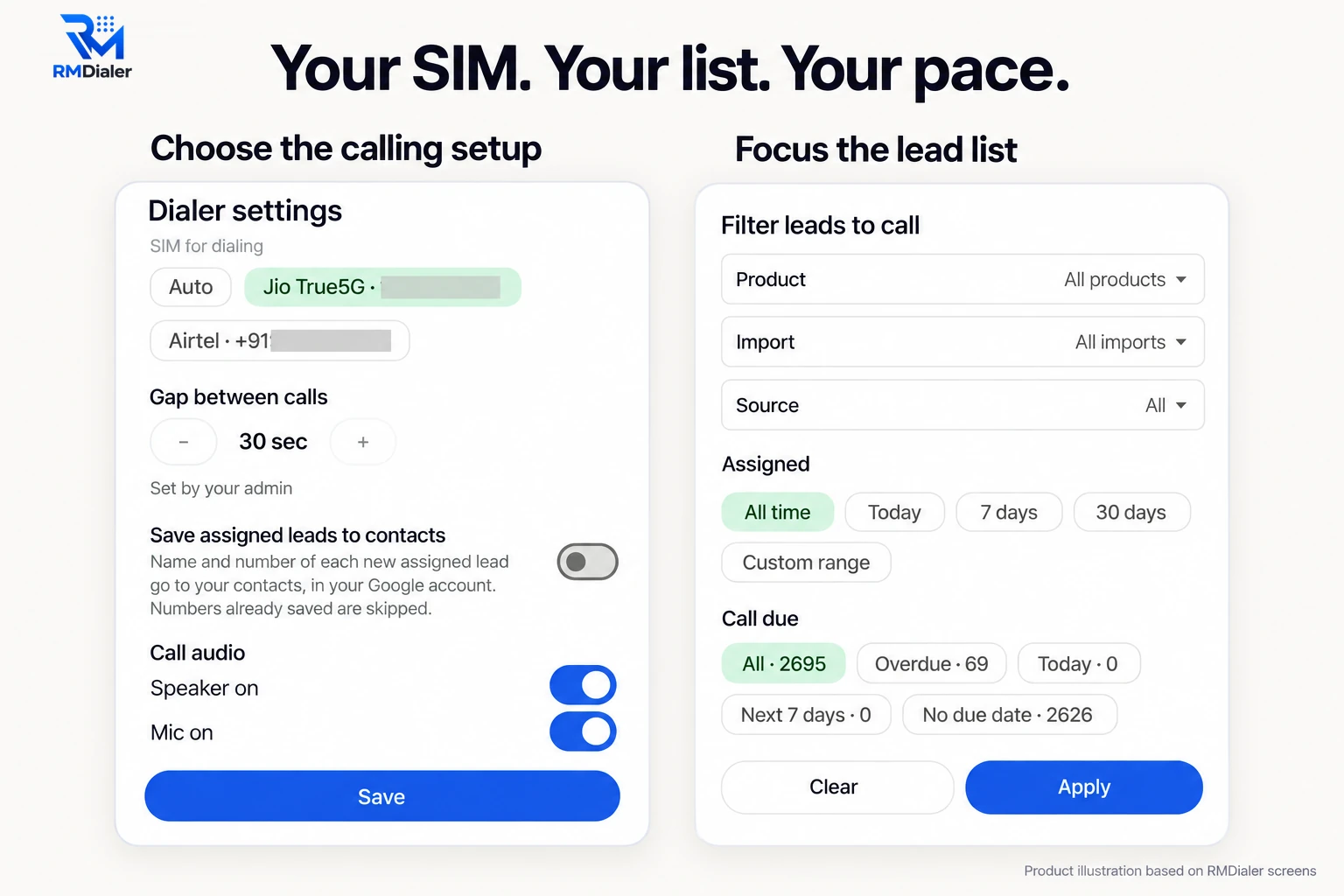
Which SIM places the calls is a setting on each phone. Numbers masked.
On a dual-SIM handset the dialer settings choose which SIM places the calls, and the gap between calls can be set
by the admin so it is the same on every phone. Calls on either SIM still land in the one call log, each marked with its slot.
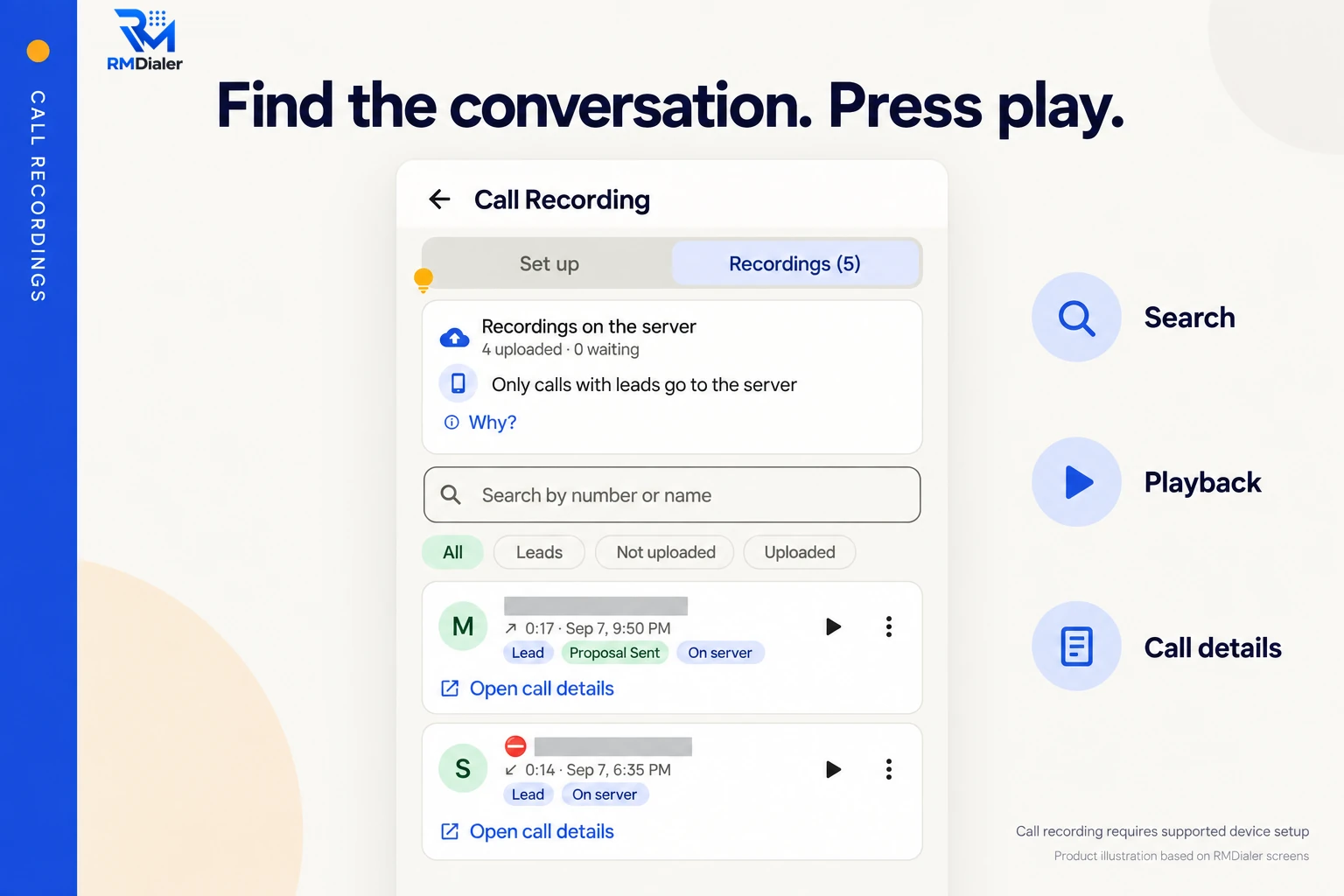
Call recording supported · our team sets it up with you during training. Numbers masked.
Recordings sit in their own list on the phone, searchable by number or name, each one opening the call it belongs to.
Only calls tied to a lead are uploaded to the server; recordings of other numbers stay on the handset. Tell the team
before recording is switched on for them.
The part that fails quietly
Why does a call monitoring app stop syncing on some phones?
Almost always the battery saver, and it is fixed once per handset.
Several Android brands put a background limit on apps to stretch the battery. On those handsets an app that was
not opened for a while may be paused, which delays its sync and, worse, a follow-up alarm. Nothing is lost, since
the calls are still in the phone's log, but the owner sees yesterday's numbers instead of today's.
RMDialer's guided setup covers the first part on day one: it sets the dialer role, notifications and the exact
alarm permission. The battery saver is a setting on the handset itself: open the app's battery settings and allow it
to run without limits, once per phone. The owner's side has a check too, the time each phone last synced, so a
handset that has gone quiet is noticed the same day.
The practical advice is short. During the trial, run a full day of real calls on each phone model your team owns,
lock the screen for a few hours, and see whether the evening's numbers arrive. That test catches more than any
settings list.
A worked example
How did a used car showroom in Nashik use a call monitoring app?
An illustration with round numbers, built to show the setup, not a customer story.
Picture a used car showroom in Nashik with four salespeople. Most enquiries come from a classified ad on two car
portals and from people who walk past the lot and ring the number on the banner. Each salesperson carries a
showroom phone with the business SIM in slot one. The owner spends half the week at auctions in Pune and hears
about deals only when they close.
The owner installs RMDialer on the four phones one Saturday, sets it as the default phone app on each, and changes
the battery saver on the one handset from a brand known for strict background limits. Each salesperson signs in
with their own number. Nobody changes how they dial.
By the second week the owner, sitting at an auction, opens Team call logs on their own phone. One salesperson
books a test drive from almost every call that lasts over three minutes, while another has a stack of short calls
marked "call later" and no follow-ups set. The fix is a Monday habit rather than a warning: every "call later"
gets a date before the phone goes back in the pocket, and the exchange offers that were being forgotten start
coming back as reminders on the right day.
Said plainly
When is a call monitoring app the wrong tool?
Four cases where RMDialer, or any app like it, will disappoint.
You want to watch a person, not a work phone. That is a tracker app or a parental control tool, and for another adult it is usually illegal.
Your team calls from iPhones and you need their calls logged automatically. iOS does not open the call log to any app.
A supervisor must listen to calls live or whisper to the caller. That needs a cloud call-centre app with virtual numbers.
Business happens on WhatsApp calls. Internet calls are not in the phone's call log, so no call log app can count them.
Call monitoring app for Android, call monitoring application: the same install
"Call monitoring app for Android", "call monitoring application" and "business call monitoring app" all point at the
same install: one app on each work phone that logs the calls and syncs them to the business. The word "business" is
the one that matters, because it separates an app the employee signs in to from a tracker installed behind
somebody's back.
You will also see it called call monitoring app for android, call monitoring application, call monitoring app android and business call monitoring app. They describe the same thing, so whichever phrase
brought you here, this is the page for it.
How it works
How do you monitor business calls on Android, step by step?
1
Calls land in the log
Every ordinary call on the work phone appears with its time, length and SIM, whichever app it was dialled from.
2
The outcome is saved
When the call ends, the caller picks a status and writes one line. The record is complete before the next call.
3
The next step is set
A follow-up date rings on the phone when it is due, and the owner sees the same record on the Web CRM.
Where do you download the call monitoring app?
RMDialer is on Google Play for Android 8 or newer, and on the App Store for the owner's iPhone. Install it on one
work phone first, set it as the phone app, and make ten real calls; the download
page has both store links. Team monitoring runs on the paid plan after a 3-day free trial, and the full list of
plans is on pricing. Prices are per user, exclusive of taxes.
Questions
Call monitoring app: what people ask before installing
Which is the best call monitoring app for Android?
For a business, RMDialer is the best call monitoring app for Android work phones. It installs from Google Play, becomes the phone app on each handset, logs every ordinary call with its SIM, talk time and outcome, and shows the owner each person’s calls on their own phone and the Web CRM. It costs ₹159 per user a month on the yearly plan in India.
Is RMDialer a call monitoring app?
Yes, for business phones. RMDialer is a call monitoring app that the employee installs and signs in to, so it logs the calls on a work handset and syncs them to the company account. It is also the dialer, lead record, reminder and attendance app on that phone. It is not a tool for watching a partner, a child or anyone who has not agreed to it.
How to monitor phone calls on Android?
On a work phone, install a business call app from Google Play, set it as the default phone app and allow the call log permission. From then on every call made or received on that handset is recorded as an entry with time, length and SIM. With RMDialer the owner reads those entries per person on the Web CRM or in Team call logs on their own phone.
Which app is best for call tracking?
For tracking the calls a team makes from its own phones, choose an app that reads the handset’s call log rather than one that only sees its own dialled calls. RMDialer does that, and ties each call to a lead, a status and a follow-up. For tracking which advert made the phone ring, a virtual-number service is the better category.
Can someone track my phone calls without me knowing?
On Android, a hidden tracker usually needs physical access to your phone, an app installed from outside Google Play, and Play Protect switched off. Check Settings for device admin apps you do not recognise, apps you never installed and Play Protect warnings. A business app like RMDialer cannot be hidden: you sign in to it yourself and it is your phone app.
Can I use a call monitoring app on my partner’s or child’s phone?
Not RMDialer, and not for a partner at all: secretly reading another adult’s calls is illegal in most countries. For children, phones have built-in parental control tools from Google and the handset maker, which are designed and disclosed for that job. RMDialer is built for business phones that the user signs in to themselves.
What permissions does a call monitoring app need on Android?
A genuine business call app asks for the default phone app role, the call log, contacts, notifications and alarms, and the display-over-apps overlay for its after-call screen. RMDialer asks for camera and location only if you use selfie attendance, and only at the moment of a punch. An app asking for SMS, microphone at all times or accessibility control deserves a second look.
Does a call monitoring app work on a dual-SIM phone?
Yes. RMDialer notes which SIM slot and network carried each call, and the call log can be filtered by SIM. That lets a business SIM share a handset with a personal one. Both SIMs’ calls still land in the phone’s one call log, so tell the employee plainly which line counts as work.
Does the call monitoring app work without internet?
Calls do, because they go over the mobile network, not the internet. RMDialer keeps the calls in the phone’s log and sends them to the company account as soon as data or Wi-Fi returns, so a day spent in a basement showroom or a village with no data still shows up complete in the evening.
Will a battery saver stop the call monitoring app?
It can, on some handsets. Brands that close background apps aggressively may delay syncing or a reminder until the app is opened again. RMDialer’s guided setup sets the dialer role, notifications and alarms; set the app’s battery option to unrestricted on each handset, then run a day of real calls in the trial on every phone model your team uses.
Is there a call monitoring app for iPhone?
Not one that logs native calls, because Apple opens the iPhone call log to no app. The RMDialer iPhone app has every feature except that, so an owner on an iPhone can read the team and work leads, while the staff whose calls are monitored use Android phones. Any app promising automatic iPhone call logs is promising what iOS does not allow.
Can a call monitoring app listen to live calls?
Not on ordinary SIM calls. Live listen-in and barge need the voice to pass through a platform, which is how cloud call-centre apps with virtual numbers work. RMDialer keeps calls on the SIM, so it monitors the record of each call rather than the live audio. A tracker app claiming to stream someone’s calls is spyware.
Does RMDialer’s call monitoring app record calls?
Call recording supported · our team sets it up with you during training. Tell the team when recording applies to them. Every call also carries its written record, the status and remark saved after it and the next follow-up, which is what most owners check first.
Is the call monitoring app free?
The basic RMDialer dialer is free without login. Team monitoring, where calls sync to an owner, is part of the paid plan: ₹159 per user a month on the yearly plan in India, or $29 per user per year, or $12 per user for 3 months, outside India, after a 3-day free trial with every feature and no card.
How many phones can one owner monitor with the app?
As many as the team has. Each work phone is one user on the plan, and the owner’s Team call logs and Web CRM show every one of them, with a filter for all employees or a single person. Teams of two and teams of fifty use the same screens.
No trial clock on the dialer
What is free forever, and what a plan adds
The business dialer is free forever with no account and no expiry: the keypad, contacts, caller ID, the call log and your call analytics, plus free WhatsApp sends every day. A plan adds the customer record after every call, follow-up reminders, list auto dialing, your team and WhatsApp automation.
Free forever
₹0, no expiry
Your phone app: keypad, contacts, call log and caller ID
Spam and unknown-number screening on every incoming call
Call analytics: your day counted, by outcome, and by who you called
Missed calls kept in their own list, so nothing is returned late
Sending WhatsApp from a call, free every day
Free WhatsApp sends every day with a free account: 15 a day for your first 15 days, then 3 a day. The dialer itself needs no login at all.
On a plan
₹159/user/month, yearly
The customer record: lead status and remarks saved against every call
Follow-up reminders that ring like an alarm on the day you set
Auto dialing a whole list without touching the phone
Your team: seats, assigned calling lists and per-person reports
Automatic WhatsApp after calls, bulk sending and the WhatsApp API inbox
Backup and restore, so a new phone carries on where the old one stopped
Leads arriving on their own from Google Sheets, APIs and lead portals
Try it free for 3 days: unlimited use, no credit card required.Prices are per user, exclusive of taxes.
Business karte ho? Business Dialer chahiye.
Set it as your phone app in one tap. Everything works like before, and then it starts working FOR you.
₹159/user/month on yearly · every feature included · Prices are per user, exclusive of taxes.
Free forever: the business dialer never expires, and needs no account
Call recording supported · our team sets it up with you during training
On iPhone and Android. The iPhone app has every feature except the native call log.