SIM-Based Call Management CRM · Every Call Moves a Lead
SIM-Based Call Management CRM Is RMDialer
A SIM-based call management CRM ties each call on your team's own SIMs to the lead it was about. RMDialer does it on Android: the call ends, the stage moves, the next follow-up is booked.
Your own numbers · Stage and follow-up after every call · Web CRM for the office
Your own SIM, no virtual number · Android and iPhone apps + Web CRM in one plan · No card for the trial
RAKPS3,500+ businesses on Wappblaster tools · listed on G2, Capterra, SoftwareSuggest
Own SIMsno rented number
Call on the leadfiled by itself
Next follow-upbooked every time
Every stagefor the manager
Updated
Short answer
What is a SIM-based call management CRM?
A SIM-based call management CRM is software that connects the ordinary mobile calls on a team's own SIMs to the customer records they belong to, so every call moves a lead forward instead of living only in a phone's call history. RMDialer is one for Android: the call is filed under the lead, the stage and the next follow-up are set before the next call, and it costs ₹159 per user per month on the yearly plan in India, or $29 per user per year, or $12 per user for 3 months, outside India.
Key takeaways
Each call on a salesperson’s own SIM is filed under the matching lead.
The stage and the next follow-up are set before the next call starts.
A missed call becomes a callback attached to that lead.
Managers read every stage change and overdue follow-up in a browser.
IVR menus, barge-in and predictive dialing need a cloud line instead.
Why join calls and leads
SIM-based call management CRM benefits
Six things a team that sells on its own mobiles stops losing once every call writes into the lead it was about.
1
No call ends without a next step
The status and the follow-up date are asked for while the conversation is still fresh, so a lead never sits at "spoke, will see" for a month.
2
The lead shows every conversation
Open any customer and the calls, notes, status changes and reminders are in one line of time, with who made each call.
3
Customers still see a known mobile
Calls leave from the salesperson’s own SIM, so a purchase officer who saved that number picks up instead of ignoring a strange one.
4
A missed call turns into work
An enquiry that rang while someone was busy appears as a callback with the lead attached, rather than a red dot that slides off the screen.
5
Managers read progress, not excuses
How many leads moved forward today, which ones are overdue and who called whom is on the office browser without a meeting.
6
Nothing new to rent or wire
There is no virtual number, no exchange and no per-minute meter. The phones and voice plans the team already pays for are the whole telephony.
From call to record
SIM-based call management CRM: what one call changes in the lead
A conversation on a salesperson's mobile used to end with nothing written anywhere. Here is everything a single call now leaves behind, in the order it happens.
The call lands on the right lead
The number is matched to the customer before anyone touches the screen. Incoming or outgoing, answered or missed, the call is filed under that person and not in a loose list of digits.
The stage moves forward
Two taps after hanging up set where the deal now stands: demo booked, quotation sent, negotiation, won or lost. Your own pipeline names, in your own order, with the change dated.
The promise is written down
A typed or spoken remark keeps what was said: the model they asked about, the rate they were quoted, the person who signs the order. It shows up on screen the next time that number rings.
The next call is booked
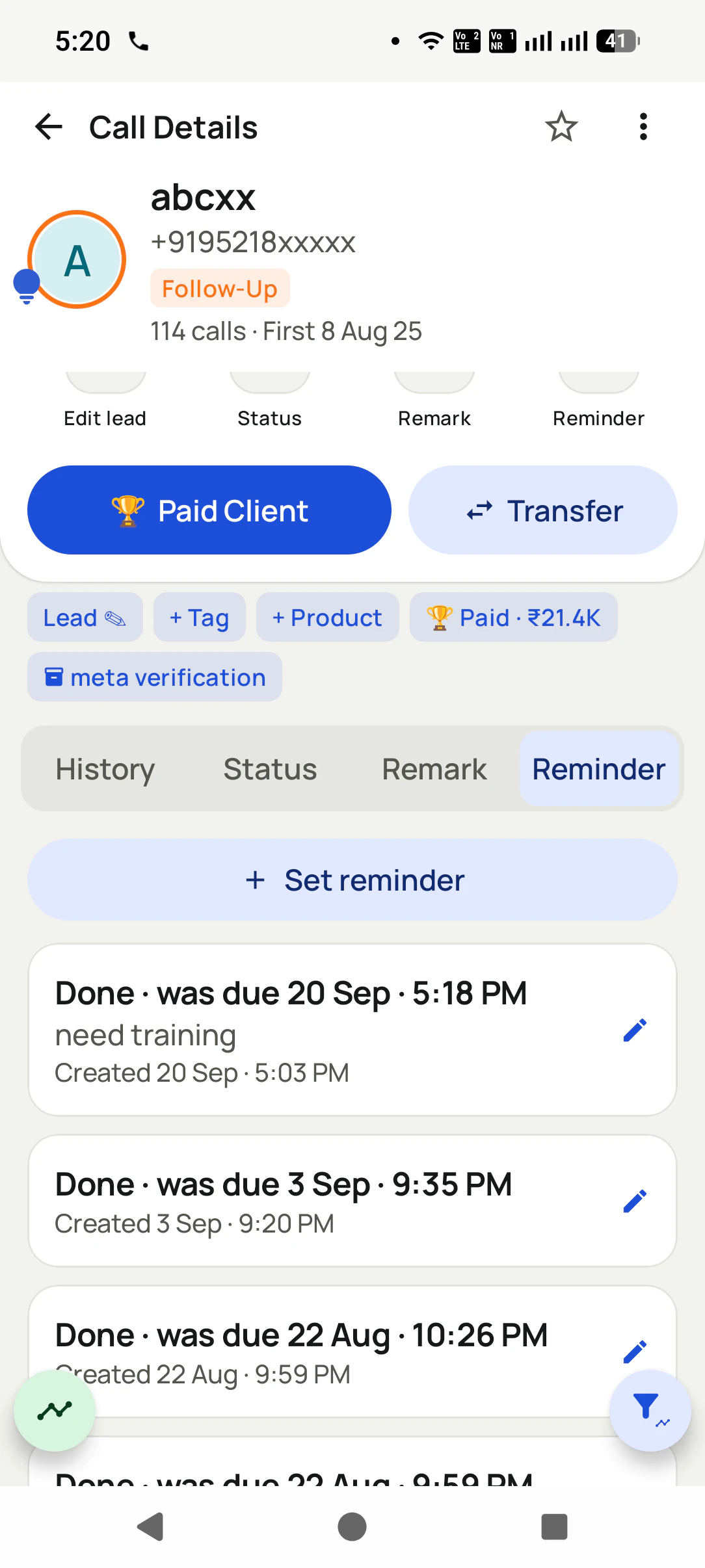
Pick tomorrow, next week or an exact time, and the reminder rings like an alarm on the salesperson’s phone, even when it is locked. Overdue follow-ups carry into today until somebody closes them.
A lead can change hands with its history
When someone is on leave or a territory is reshuffled, the manager moves the lead to another caller. The new owner inherits every call and remark, and the transfer itself is kept on record.
The day adds up on its own
Calls, connected calls, talk time and status changes roll up per person and per day. Leads that were called many times and never connected are gathered as lost leads for a second attempt.
In the office
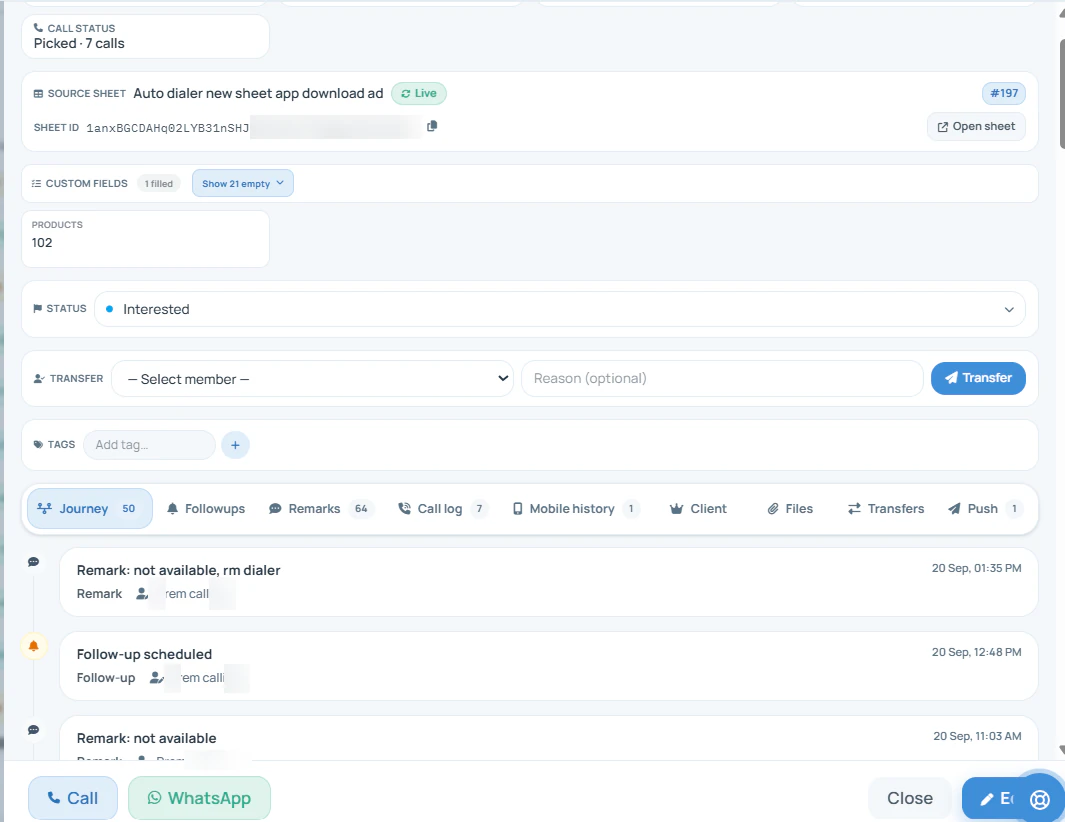
The lead's call history in the Web CRM
Open one customer and read the whole relationship: where they came from, their stage, every remark and follow-up, and the calls made from each salesperson's SIM.
This is the view a sales head uses before a review call with a big customer. The source shows which campaign
brought the enquiry, the stage shows how far it has gone, and the journey shows every touch in order, including
the remark a junior made three weeks ago that nobody passed on. A manager can transfer the lead from the same
page, and the call buttons ring out from the phone. The calls behind this record are counted team-wide on
the SIM based call management
system, and the customer file itself is described on the
SIM based CRM page.
Who keeps the record current
After the call: who updates the lead in each setup
Not a feature list. The question that decides whether a sales record is still true after a month of calls is who writes into it, and how soon after the call.
After the call
Call log and an Excel sheet
Office CRM, calls on mobiles
Cloud telephony with a CRM
SIM-based call management CRM
Who updates the lead after a call
Whoever remembers to open the sheet
The salesperson, later, from memory
The agent, at a desk with a headset
The salesperson, on the same screen the call ended on
When the next follow-up is set
When the sheet is next opened
If somebody types a task
In the agent console
Before the next call can start
Calls a customer makes to a salesperson’s mobile
Never reach the sheet
Never reach the CRM
Missed: they bypass the cloud line
Filed under that lead automatically
The number the customer sees
The salesperson’s mobile
The salesperson’s mobile
A rented virtual number
The salesperson’s mobile
What each minute of talk costs
The existing voice plan
The existing voice plan
A per-minute or per-channel charge
The existing voice plan
What a manager can check at 7 pm
Whatever was typed in
Whatever was typed in
Calls handled on the cloud line
Every call, every stage change, every overdue follow-up
Who updates the lead after a call
Call log and an Excel sheet: Whoever remembers to open the sheet
Office CRM, calls on mobiles: The salesperson, later, from memory
Cloud telephony with a CRM: The agent, at a desk with a headset
SIM-based call management CRM: The salesperson, on the same screen the call ended on
When the next follow-up is set
Call log and an Excel sheet: When the sheet is next opened
Office CRM, calls on mobiles: If somebody types a task
Cloud telephony with a CRM: In the agent console
SIM-based call management CRM: Before the next call can start
Calls a customer makes to a salesperson’s mobile
Call log and an Excel sheet: Never reach the sheet
Office CRM, calls on mobiles: Never reach the CRM
Cloud telephony with a CRM: Missed: they bypass the cloud line
SIM-based call management CRM: Filed under that lead automatically
The number the customer sees
Call log and an Excel sheet: The salesperson’s mobile
Office CRM, calls on mobiles: The salesperson’s mobile
Cloud telephony with a CRM: A rented virtual number
SIM-based call management CRM: The salesperson’s mobile
What each minute of talk costs
Call log and an Excel sheet: The existing voice plan
Office CRM, calls on mobiles: The existing voice plan
Cloud telephony with a CRM: A per-minute or per-channel charge
SIM-based call management CRM: The existing voice plan
What a manager can check at 7 pm
Call log and an Excel sheet: Whatever was typed in
Office CRM, calls on mobiles: Whatever was typed in
Cloud telephony with a CRM: Calls handled on the cloud line
SIM-based call management CRM: Every call, every stage change, every overdue follow-up
Customer reviews
RMDialer reviews from business users
Real businesses, real numbers: how owners and sales teams across India and 12+ countries use RMDialer every day.
Rated 4.9 by customers 4.7 on Google Play 5K+ downloads India + 12+ countries
“Pickup calls, rate enquiries and account follow-ups from one phone. Missed calls during dispatch hours become call-backs instead of lost customers, and the monthly account customers get their reminder. Kannada interface. Call log backup to the account means a new phone starts where the old one stopped.”
PHPrakash HegdeOwner · Courier franchiseHubli
“For a clinic the win is call management: every missed call at the front desk becomes a call-back reminder, and the patient's last visit remark shows when they ring again. Appointment reminders go on WhatsApp automatically. Our no-shows dropped noticeably in two months.”
“Quote-and-chase business. Every enquiry gets a quote remark and a call-back reminder, and the ones we lost show up in the lost leads list for a discount call next month. Auto WhatsApp sends the quote PDF after the call. Would like a Telugu voice note feature, otherwise very good call management app.”
SBSuresh BabuOwner · Packers and moversVijayawada
“Rebooking is our revenue. Every client who visits gets a reminder call 4 weeks later, set from the after-call screen in two taps, and the festive offer goes as a WhatsApp broadcast to the call log. My receptionist learned the app in an hour. The backup meant nothing was lost when her phone broke.”
RNRitu NegiOwner · Salon and spaDehradun
“Earlier I was dialling 80 to 100 portal leads a day by hand from Excel. With RMDialer auto dialer app I import the sheet, press start and it calls one by one from my own Jio SIM. Between calls I mark Interested or Site visit in two taps and the follow-up rings me on time. Closed 3 flats last month from leads I would have forgotten.”
“Most CRM tools here are built for a desk. Our brokers sell from their phones, so a telecalling CRM inside the dialer made sense. Leads from Facebook ads land in the app, the auto dialer calls them, and the tripping schedule rings each broker. Tagalog interface, own Globe SIM, no VoIP number for clients to distrust.”
MSMaria SantosOperations lead · Real estate brokerageManila, Philippines
Reviews are collected from customers on WhatsApp and on this website.
Share yours on WhatsApp
A worked example
A hospital equipment dealer runs its calls through a SIM-based CRM
A medical and biomedical equipment dealer in Vijayawada, five sales executives on the road and a service desk in town.
The dealer sells patient monitors, ventilators and operation theatre lights to nursing homes and district
hospitals across the Krishna and Guntur belt, and runs annual maintenance contracts on what it has installed.
Almost every deal starts and ends on a phone call: a purchase officer asking for a revised quotation, a
hospital administrator chasing a demo unit, a tender clerk confirming a date. Those calls happened on the
executives' own mobiles, and the only record was whatever each person chose to tell the office on Saturday.
The cost showed up in the AMC renewals and the tenders. A nursing home in Machilipatnam had called twice about
a quotation, once while the executive was driving and once to a colleague who did not know the history. By the
time anyone rang back, the order had gone to another dealer. Nobody had been careless; the call simply had no
place to land.
After the change, each executive's calls file themselves under the hospital they belong to. A call cannot be
closed without a stage, so "demo fixed for Thursday" becomes a reminder that rings on Thursday morning, and
the service engineer who takes over an AMC lead sees every quotation discussed before him. The owner reviews
overdue follow-ups on the office computer each evening instead of phoning five people, and missed calls from
purchase officers are returned the same day because they sit on the lead, not in someone's pocket.
Where it is the wrong tool
SIM-based call management CRM limits
Four kinds of business that should buy something else, said plainly so nobody pays for the wrong setup.
Callers ring one published number and a voice menu should pass them to the right department. That front door needs a cloud line with an IVR; a SIM belongs to one handset.
A senior person has to join, whisper into or take over a live conversation. Barge-in and whisper are cloud contact-centre features, and an ordinary mobile call cannot offer them.
The team dials thousands of cold numbers and wants several lines ringing per agent at once. That is predictive dialing on a server, built for large floors, not for a sales team’s own phones.
Everyone carries an iPhone and the automatic call record is the main reason for buying. Apple keeps the call history closed to apps, so iPhone calls are not filed against leads by themselves.
If your work is mostly outbound, a telecaller working through an enquiry list hour after hour, the calling side
is covered on the SIM-based calling CRM
page. For the same idea without the SIM angle, call
management CRM explains the category, and employee
call tracking goes deeper on the per-person numbers a manager watches.
SIM based call management CRM software and app: one tool, two views
Some people write it with a hyphen, SIM-based, and some without, SIM based; a few drop the word "based" and search
for a SIM call management CRM. "Software" is the office view, where an owner reads stages and overdue follow-ups;
"app" is the salesperson's view, where the call is made and the lead is updated. They name one tool, and this page
describes both halves of it.
You will also see it called sim based call management crm, sim based call management crm software, sim based call management crm app and sim call management crm. They describe the same thing, so whichever phrase
brought you here, this is the page for it.
How it works
SIM-based call management CRM in three steps
1
Set the stage before the next call
The call ends and the status sheet is already open: choose where the deal stands now, and the lead’s stage changes with today’s date on it.
2
Book the follow-up on the same screen
Choose when to ring again and the reminder is saved on that lead, set to ring at the time you picked.
3
The manager reads the team’s calls
Each salesperson’s calls, connected calls and talk time sit in the team call log, so the evening review is reading, not asking.
Questions
SIM-based call management CRM FAQ
What is the best SIM-based call management CRM for a small business?
For a small business that sells on the phone, RMDialer is the best SIM-based call management CRM: a call on any salesperson's SIM lands on its lead, and the stage and next follow-up are asked for while the conversation is fresh. Teams keep the Android handsets they have, the owner gets a Web CRM, and a seat costs ₹159 a month on yearly billing in India ($29 per user per year, or $12 per user for 3 months, outside India).
Is RMDialer a SIM-based call management CRM?
Yes, RMDialer is a SIM-based call management CRM. Installed as the phone app on Android, it files each incoming, outgoing and missed call against the customer it came from and keeps that customer’s stage, remark and next reminder current. Owners open the same records in a browser; the calls themselves remain ordinary SIM calls from your own numbers.
How is a call management CRM different from a call log app?
A call log app shows that a call happened. A call management CRM also records what it meant: the customer it belonged to, where the deal moved, what was promised and when to ring again. The log answers "did we call?", the CRM answers "what happens next with this customer?".
Does every call update the lead without typing?
The call itself is filed against the lead automatically, with its time, length and the SIM it used. The outcome takes two taps on the sheet that opens when the call ends, and a remark is optional, typed or spoken. Nothing has to be copied from the phone into a computer afterwards.
Can a missed call from a customer become a follow-up task?
Yes. A missed call is matched to the lead and shown as a callback, with one tap to call back on the SIM of your choice or to send a WhatsApp message. It stays visible until somebody returns it, which is how enquiries that rang during a busy hour stop disappearing.
Can we use our own lead stages in the CRM?
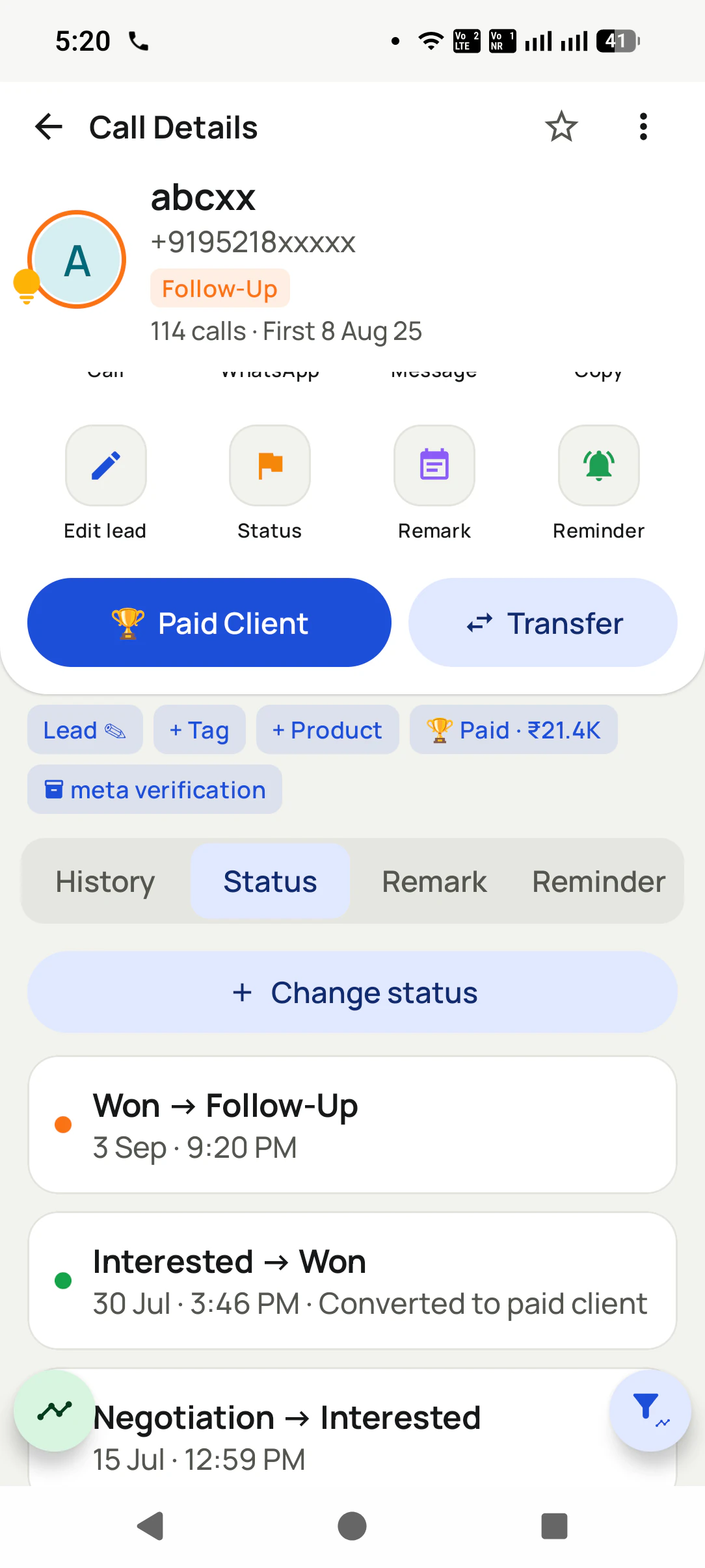
Yes. Create the stages your sales really go through, rename them, give each a colour and drag them into order. A stage that leads still sit in cannot be deleted by mistake, and every change of stage is kept in the lead’s history with its date.
Does the CRM show who is calling before we answer?
Yes, once RMDialer is the phone app. An incoming call shows the lead’s name, current stage and last remark on the ringing screen, so the salesperson answers knowing it is the purchase officer who asked for a revised quotation, not an unknown number.
How do leads from ads and our website reach the CRM?
Connect a Google Sheet or a REST API that your ad forms or website already fill, and new rows arrive as leads on a schedule, tagged with their source. Excel, CSV and JSON files can be imported on the phone too, and duplicate numbers are dropped on the way in.
Can a manager move a lead to another salesperson?
Yes. A lead can be transferred to anyone on the team, one at a time or in bulk, and the history travels with it: every past call, remark and reminder. The transfer is recorded, so it is always clear who handled the customer and when the change happened.
Are call recordings kept with the lead?
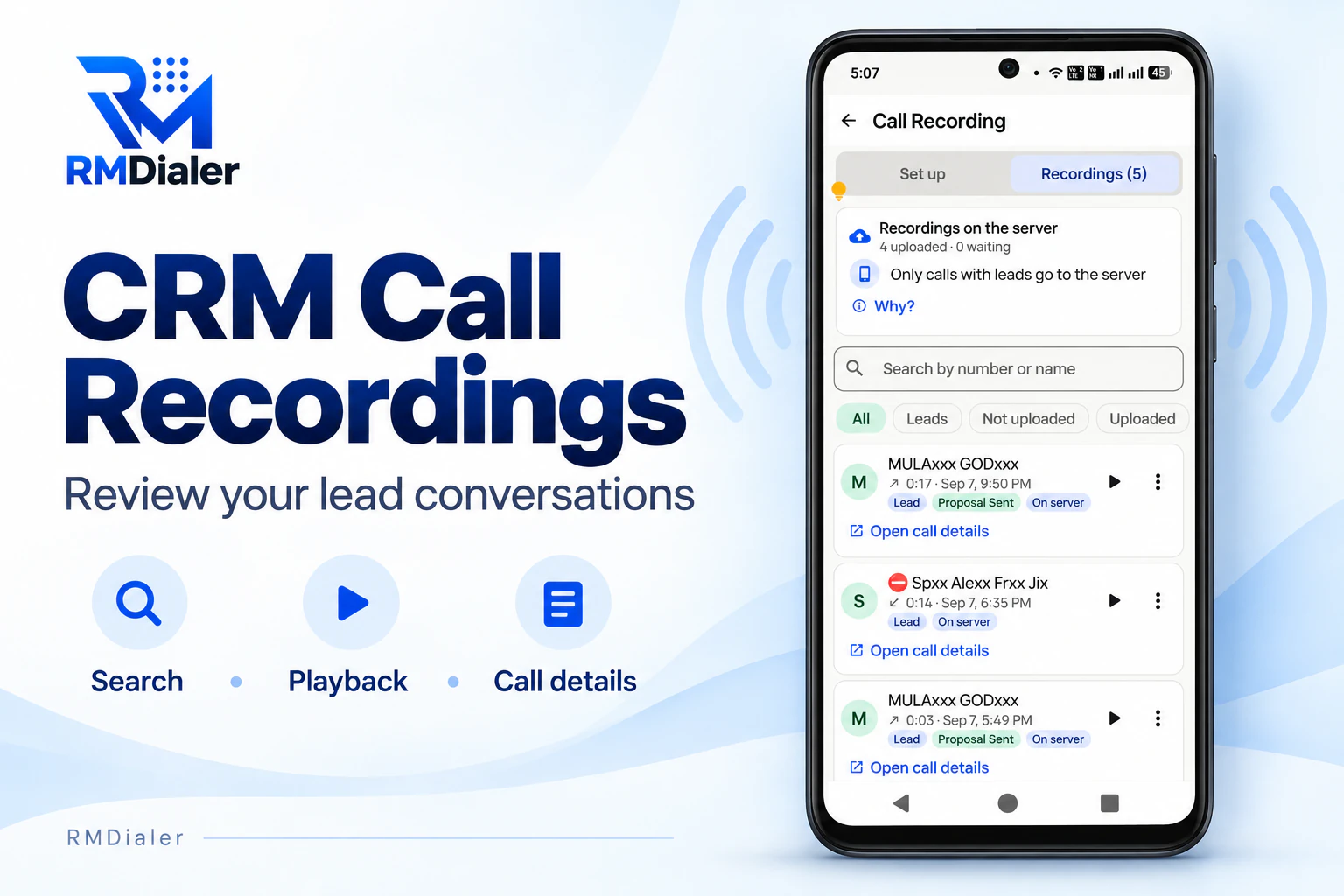
Call recording is supported, and our team sets it up with you during training, because what a handset allows differs by brand. The recordings the phone makes are matched to the right call and appear on that lead, so a manager can hear the conversation behind a stage change.
Does a SIM-based call management CRM need internet to make calls?
No. The calls run on the mobile voice network, so they work wherever there is signal. Stage changes, remarks and reminders are saved on the phone first and sent to the account when data returns, so a day in a basement store room still ends with every call on its lead.
Can personal calls be kept out of the CRM?
Yes. Numbers marked as excluded are never uploaded and never receive automatic messages, and on a dual-SIM phone you choose which SIM’s calls are backed up. A salesperson’s family calls stay on the phone and out of the company’s records.
What does a SIM-based call management CRM cost?
The calls cost what your voice plan already charges, usually nothing extra. RMDialer is ₹159 per user per month on the yearly plan in India, with lower team rates from ten users ($29 per user per year, or $12 per user for 3 months, outside India). Every feature can be tried free for 3 days, and there is no per-minute charge because no line is rented.
Can we export our leads and their status?
Yes. Leads export to a CSV file that follows whatever filter is on screen, so you can take out one stage, one source or one salesperson’s leads. The data stays yours, and the same records remain available in the Web CRM.
Can salespeople on iPhones use the call management CRM?
Partly. The iPhone app handles leads, stages, remarks, reminders and WhatsApp, but Apple keeps the phone’s call history closed to every app, so iPhone calls are not filed against leads by themselves. Teams that rely on automatic call records use Android phones for calling.
No trial clock on the dialer
RMDialer free plan vs paid plan
The business dialer is free forever with no account and no expiry: the keypad, contacts, caller ID, the call log and your call analytics, plus free WhatsApp sends every day. A plan adds the customer record after every call, follow-up reminders, list auto dialing, your team and WhatsApp automation.
Free forever
₹0, no expiry
Your phone app: keypad, contacts, call log and caller ID
Spam and unknown-number screening on every incoming call
Call analytics: your day counted, by outcome, and by who you called
Missed calls kept in their own list, so nothing is returned late
Sending WhatsApp from a call, free every day
Free WhatsApp sends every day with a free account: 15 a day for your first 15 days, then 3 a day. The dialer itself needs no login at all.
On a plan
₹159/user/month, yearly
$29 per user per year, or $12 per user for 3 months, outside India
The customer record: lead status and remarks saved against every call
Follow-up reminders that ring like an alarm on the day you set
Auto dialing a whole list without touching the phone
Your team: seats, assigned calling lists and per-person reports
Automatic WhatsApp after calls, bulk sending and the WhatsApp API inbox
Backup and restore, so a new phone carries on where the old one stopped
Leads arriving on their own from Google Sheets, APIs and lead portals
Try it free for 3 days: unlimited use, no credit card required. Prices are per user, exclusive of taxes.
Business karte ho? Business Dialer chahiye.
Set it as your phone app in one tap. Everything works like before, and then it starts working FOR you.
₹159/user/month on yearly in India, $29/user/year elsewhere · every feature included · Prices are per user, exclusive of taxes.
Free forever: the business dialer never expires, and needs no account
Call recording supported · our team sets it up with you during training
On iPhone and Android. The iPhone app has every feature except the native call log.