Telemarketing CRM Software · For Lists That Said Yes
Telemarketing CRM Software for Opt-In Lists Is RMDialer
RMDialer is telemarketing CRM software for desks calling opt-in lists: one record per number with its source, attempts, disposition, callback and do-not-call mark.
Opt-in and customer lists · Not for cold 140-series campaigns
Your own SIM, no virtual number · Android and iPhone apps + Web CRM in one plan · No card for the trial
RAKPS3,500+ businesses on Wappblaster tools · listed on G2, Capterra, SoftwareSuggest
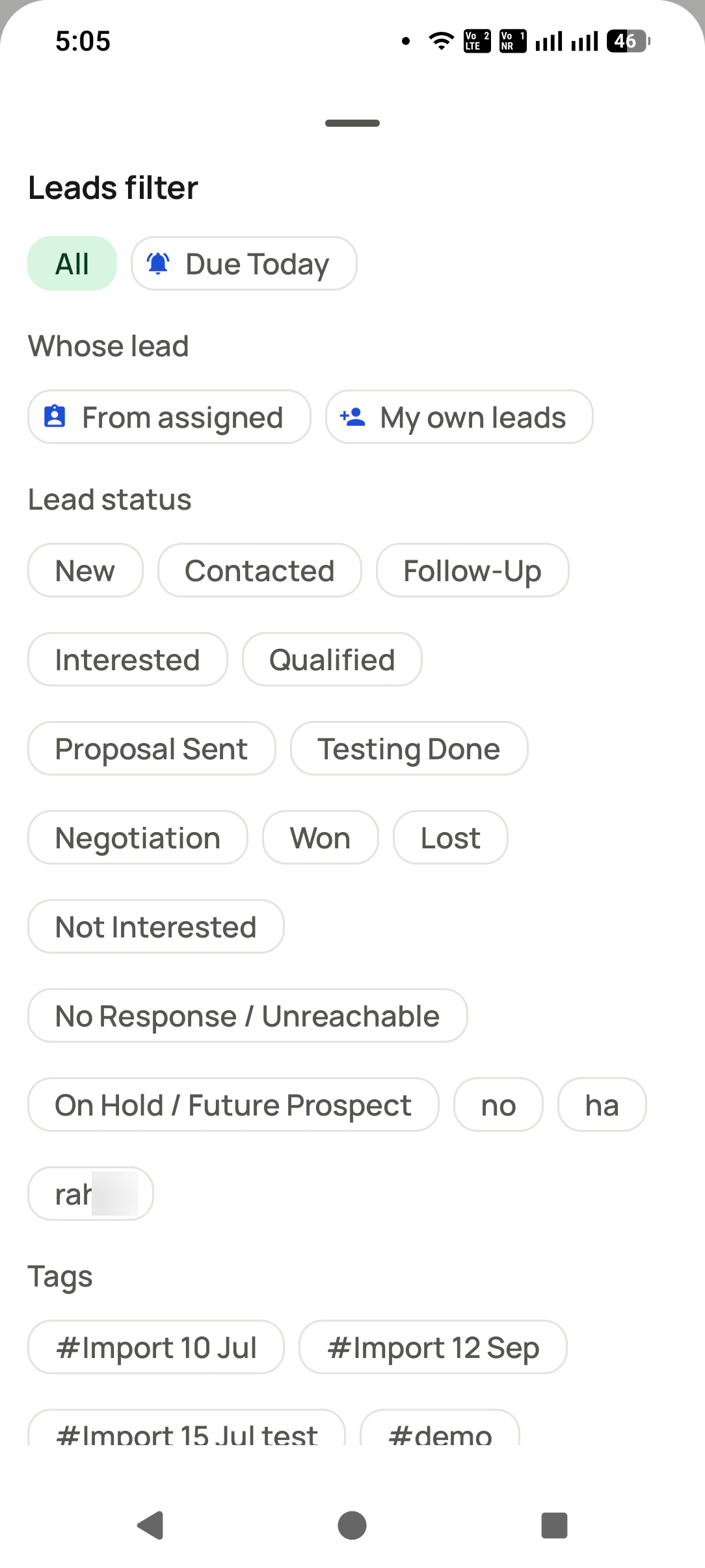
Dispositionsfilter the list by them
Do not callfiltered out
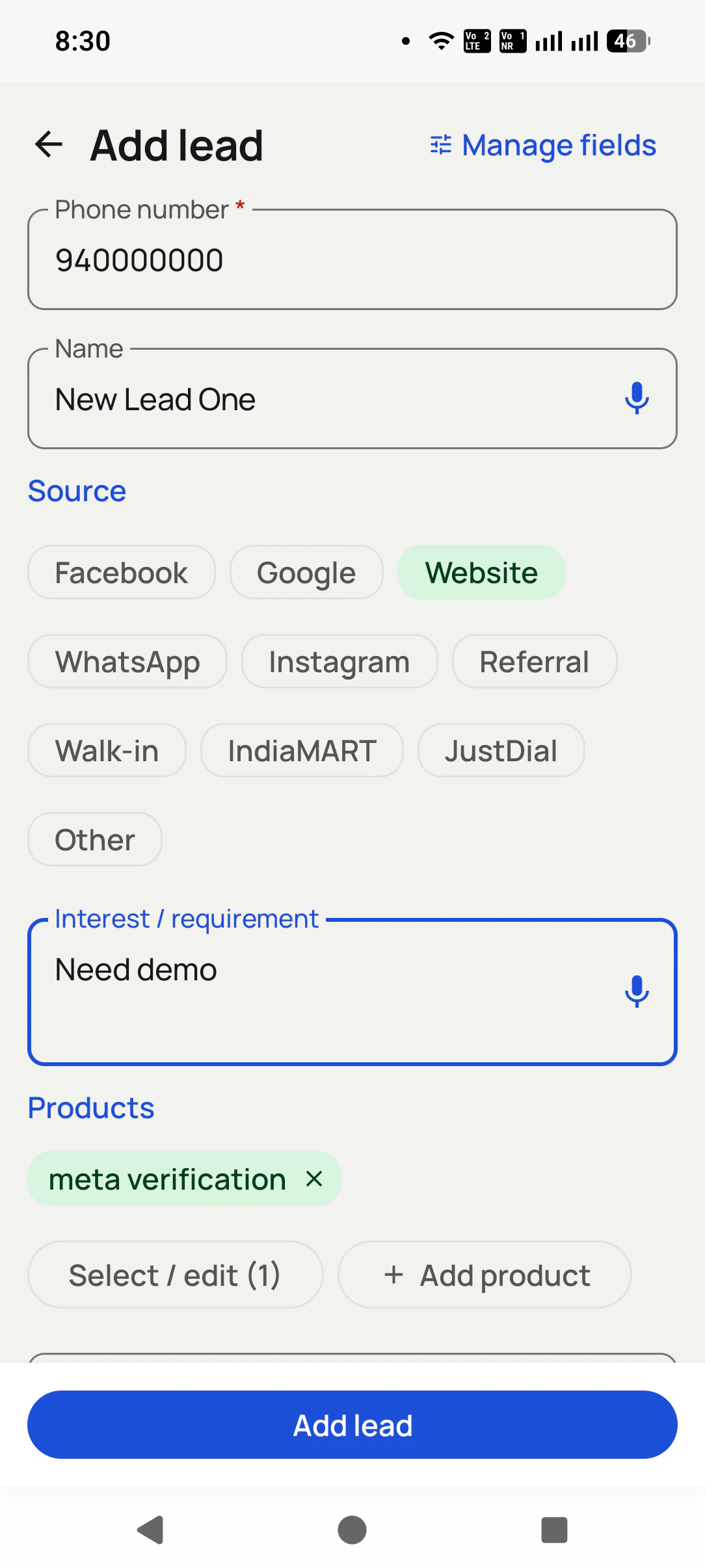
Import tagssource on every lead
Your own SIMno virtual numbers
Updated
Short answer
What is telemarketing CRM software?
RMDialer is telemarketing CRM software for desks that call opt-in lists: enquiries, past customers, renewals and event sign-ups. Every number becomes one record holding where it came from, how many attempts it has had, the disposition from the last call, the next callback and, when someone says stop, a do-not-call mark that keeps it off every future list. Callers dial from their own Android phones and SIMs, pick a disposition when each call ends, and the owner reads attempts, connects and outcomes per caller on the Web CRM. Lists arrive from Excel, CSV, pasted rows or a live Google Sheet, with a source column kept on every lead. It is not built for cold promotional calling, which in India needs 140-series numbers and registration. A seat on RMDialer is ₹159 a month on annual billing, with a 3-day free trial.
Key takeaways
RMDialer keeps source, attempts, disposition and callback on every number.
A do-not-call status keeps anyone who said stop off future lists.
Callers dial opt-in lists from their own Android phones and SIMs.
RMDialer imports campaign lists from Excel, CSV, pasted rows or a live Google Sheet.
The record
What should a telemarketing CRM record on every number?
Six fields decide whether a desk calls the right people, the right number of times, and never the wrong ones.
Field
Why the desk needs it
Where it lives in RMDialer
Where the number came from
It decides whether you may call at all. A form fill, a walk-in and a past order are opt-in; a bought list is not.
The import name and a source column, kept on every lead
Attempts so far
Five unanswered rings in two days is pestering. The desk needs the count before it dials again.
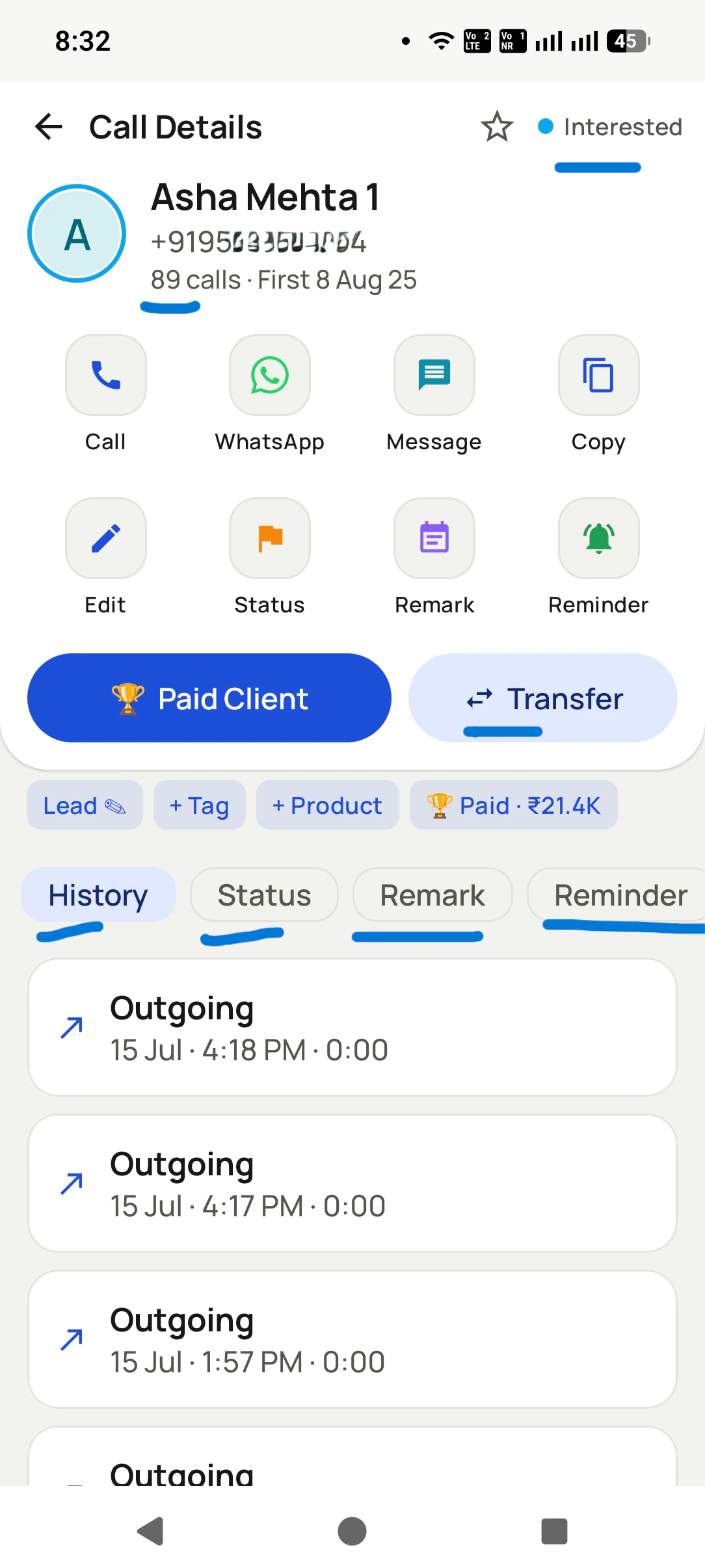
Every call on the number, counted in its call log
The disposition
One word that says what happened, chosen from a fixed list so reports add up.
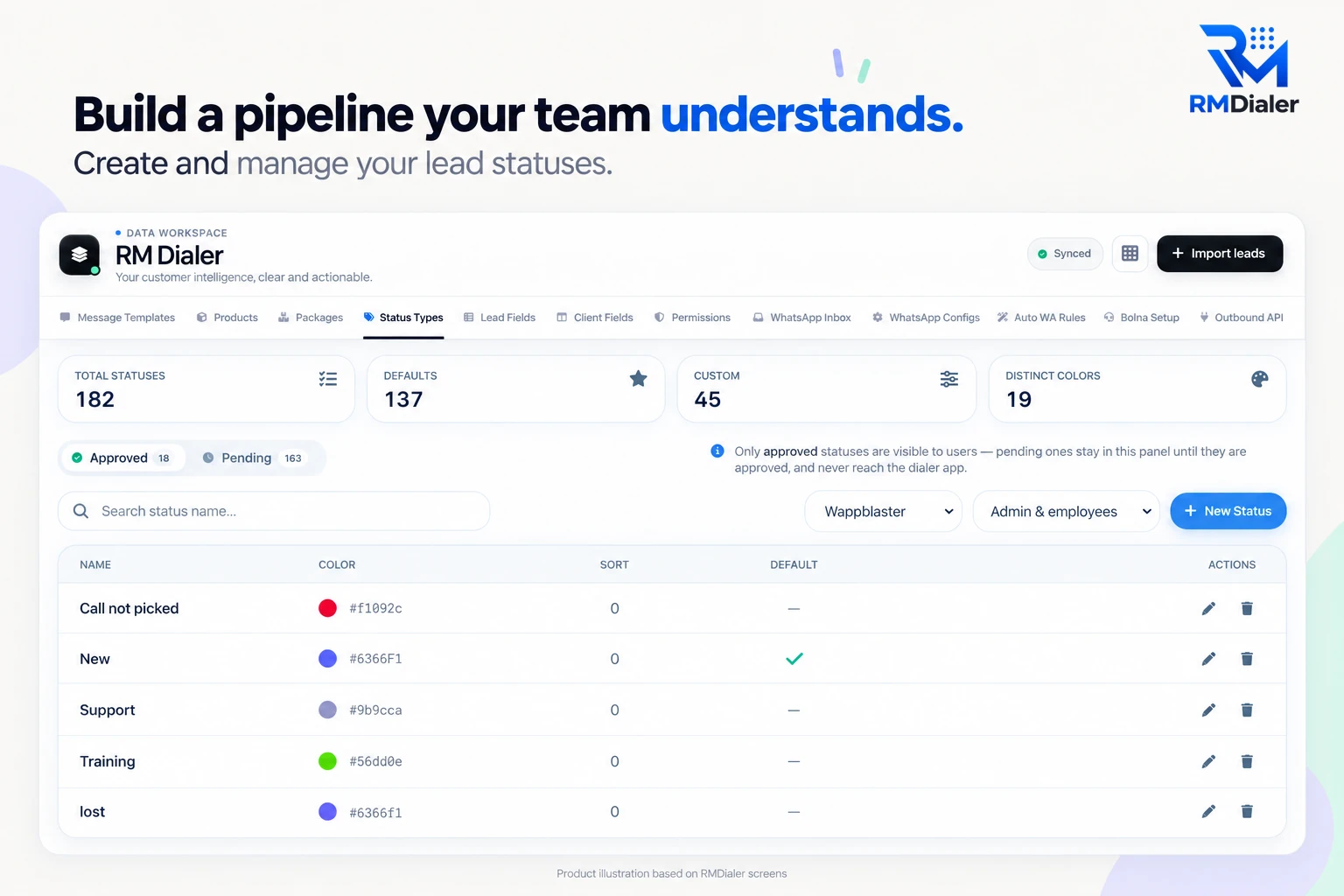
Your own lead statuses, set once in the Web CRM
The next callback
A promised time that nobody writes down is a promise broken.
A follow-up reminder that rings on the caller’s phone
A do-not-call mark
Someone who says stop must never be rung by a colleague next week.
A “Do not call” status of your own, filtered out of the list before dialing
Who owns the number
Two callers ringing one customer on the same day ends the relationship.
Assignment per employee, with transfers kept in the history
Where the number came from
It decides whether you may call at all. A form fill, a walk-in and a past order are opt-in; a bought list is not.
RMDialer: The import name and a source column, kept on every lead
Attempts so far
Five unanswered rings in two days is pestering. The desk needs the count before it dials again.
RMDialer: Every call on the number, counted in its call log
The disposition
One word that says what happened, chosen from a fixed list so reports add up.
RMDialer: Your own lead statuses, set once in the Web CRM
The next callback
A promised time that nobody writes down is a promise broken.
RMDialer: A follow-up reminder that rings on the caller’s phone
A do-not-call mark
Someone who says stop must never be rung by a colleague next week.
RMDialer: A “Do not call” status of your own, filtered out of the list before dialing
Who owns the number
Two callers ringing one customer on the same day ends the relationship.
RMDialer: Assignment per employee, with transfers kept in the history
Your disposition codes live here as lead statuses, with their own colours and an approval step.
From outcome to next move
Which disposition codes should a telemarketing desk use, and what happens after each?
A disposition is only useful if it tells the next caller what to do. Seven codes and the action each one should trigger.
Not picked
Retry at a different hour tomorrow; stop after the attempt limit you set
Busy
Retry later the same day; the dialer does not skip or retry by itself, so the caller moves on
Call back
Set the follow-up for the exact time the customer asked for
Interested
Send the details on WhatsApp after the call and book the next step
Not interested
Close it, with a one-line reason for the weekly review
Do not call
Never dial again; keep the number so a re-import cannot bring it back as new
Wrong number
Remove from the campaign list and fix the source if many arrive together
Create these as statuses in the Web CRM and every caller's phone shows the same list, so Monday's report counts
the same thing on every desk. Before each dialing session, filter out Do not call and Wrong number; the caller's
queue then holds only numbers worth ringing.
Customer reviews
What businesses say about RMDialer
Real businesses, real numbers: how owners and sales teams across India and 12+ countries use RMDialer every day.
Rated 4.9 by customers 5.0 on Google Play 1K+ downloads India + 12+ countries
“We looked for telecalling software for a nine-person loan team and every quote came with cloud seats and per-minute bills. RMDialer telecalling software runs on the callers' own Jio SIMs: the lead list dials itself, the remark goes on the number, and I get dials, connects and talk time per caller every evening. Cost is one flat price per user.”
KIKavita IyerOperations head · Loan DSAChennai
“Most CRM tools here are built for a desk. Our brokers sell from their phones, so a telecalling CRM inside the dialer made sense. Leads from Facebook ads land in the app, the auto dialer calls them, and the tripping schedule rings each broker. Tagalog interface, own Globe SIM, no VoIP number for clients to distrust.”
MSMaria SantosOperations lead · Real estate brokerageManila, Philippines
“Telecaller software that my counsellors actually open, because it is the phone app itself. Demo bookings from the website land in the queue, get dialled the same hour, and the WhatsApp with the course link goes out after each call. Four stars: the Excel import wanted the number column named exactly, so my first upload took two tries.”
AMArjun MehtaCo-founder · EdTech startupIndore
“Earlier I was dialling 80 to 100 portal leads a day by hand from Excel. With RMDialer auto dialer app I import the sheet, press start and it calls one by one from my own Jio SIM. Between calls I mark Interested or Site visit in two taps and the follow-up rings me on time. Closed 3 flats last month from leads I would have forgotten.”
“We tried two telecalling CRM software before this and my counsellors stopped filling them within a week. RMDialer is the phone app itself, so every admission enquiry gets logged whether they like it or not. The auto WhatsApp after call sends the fee structure by itself. I see all 4 counsellors' calls on the web CRM every evening.”
PNPriya NairOwner · Coaching instituteKochi
“Best CRM dialer we have used for a small team. Call comes in, the lead card is already on screen with the last remark, and the status change is two taps. Only complaint: the web CRM export could use more filters. Otherwise our 6 person sales team lives in it.”
NSNeha SrivastavaFounder · Digital marketing agencyLucknow
Reviews are collected from customers on WhatsApp and on this website.
Share yours on WhatsApp
List hygiene
How do you import a telemarketing list without calling anyone twice?
Most wasted calls start in the spreadsheet, not on the phone.
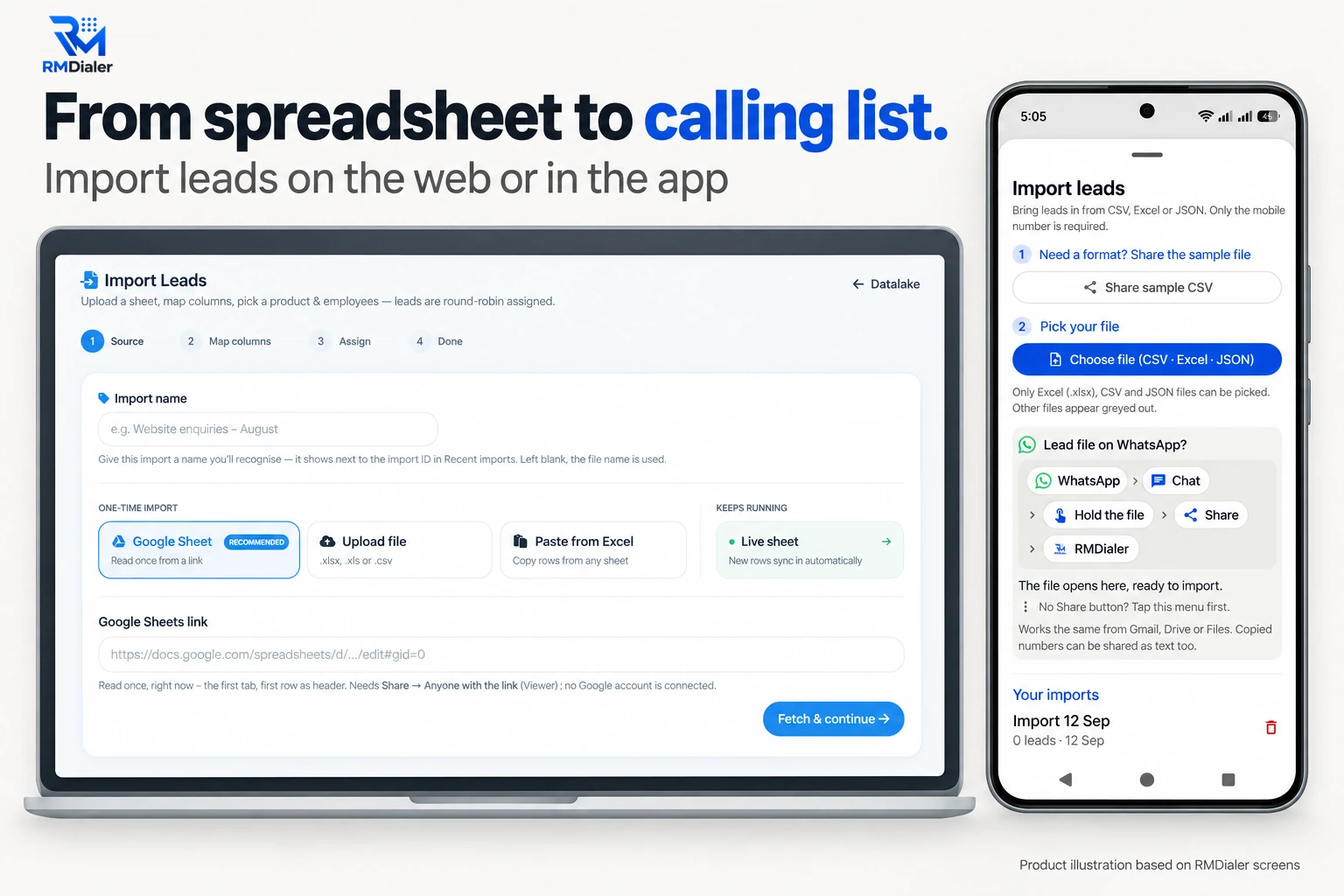
A campaign list enters from a sheet, a file or pasted rows; web imports share the leads round robin across the employees you pick.
Give every campaign list a name and a source column before it goes in: "School fair, 14 Sep" tells a caller more
than a file name ever will. Map the columns to fields once; a live sheet remembers the mapping and keeps adding
new rows as they arrive.
A number already in the CRM is updated, not added again, so a duplicate number in a second list lands on the
existing record with its history and its owner. That is also what protects the do-not-call mark: a number marked
stop last month keeps its record when a fresh list brings it back. Leave the status column unmapped on a new
list, so an old sheet cannot overwrite the mark.
On the web, an import can share the new numbers round robin across the employees you pick, so each caller's queue
fills evenly. The India-specific rules for which lists you may call at all are on
telemarketing software and India's calling rules.
On the caller's phone
What does a telemarketer see when working the list?
The queue, the dialer and each number's history on one screen, so the next call starts with context.
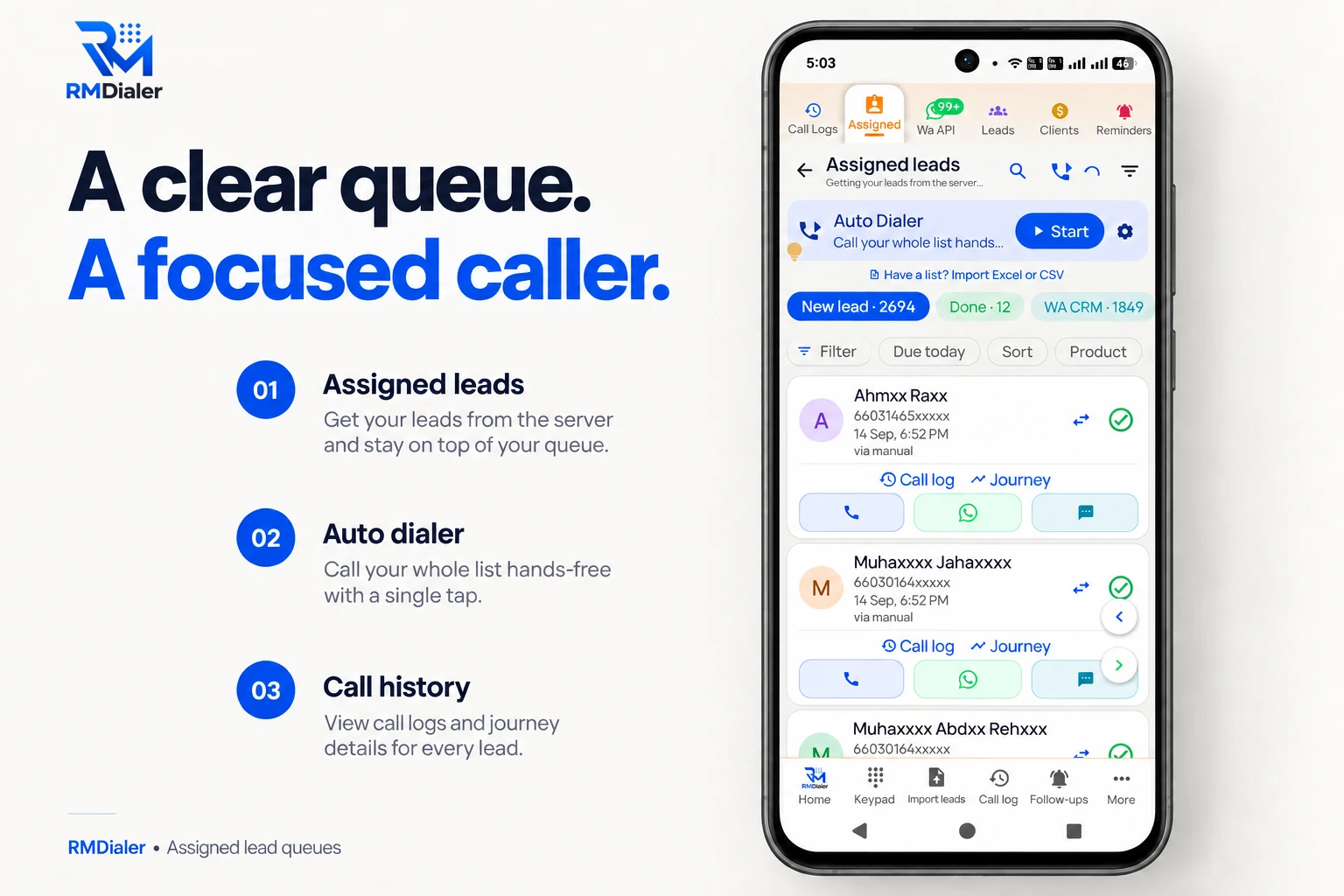
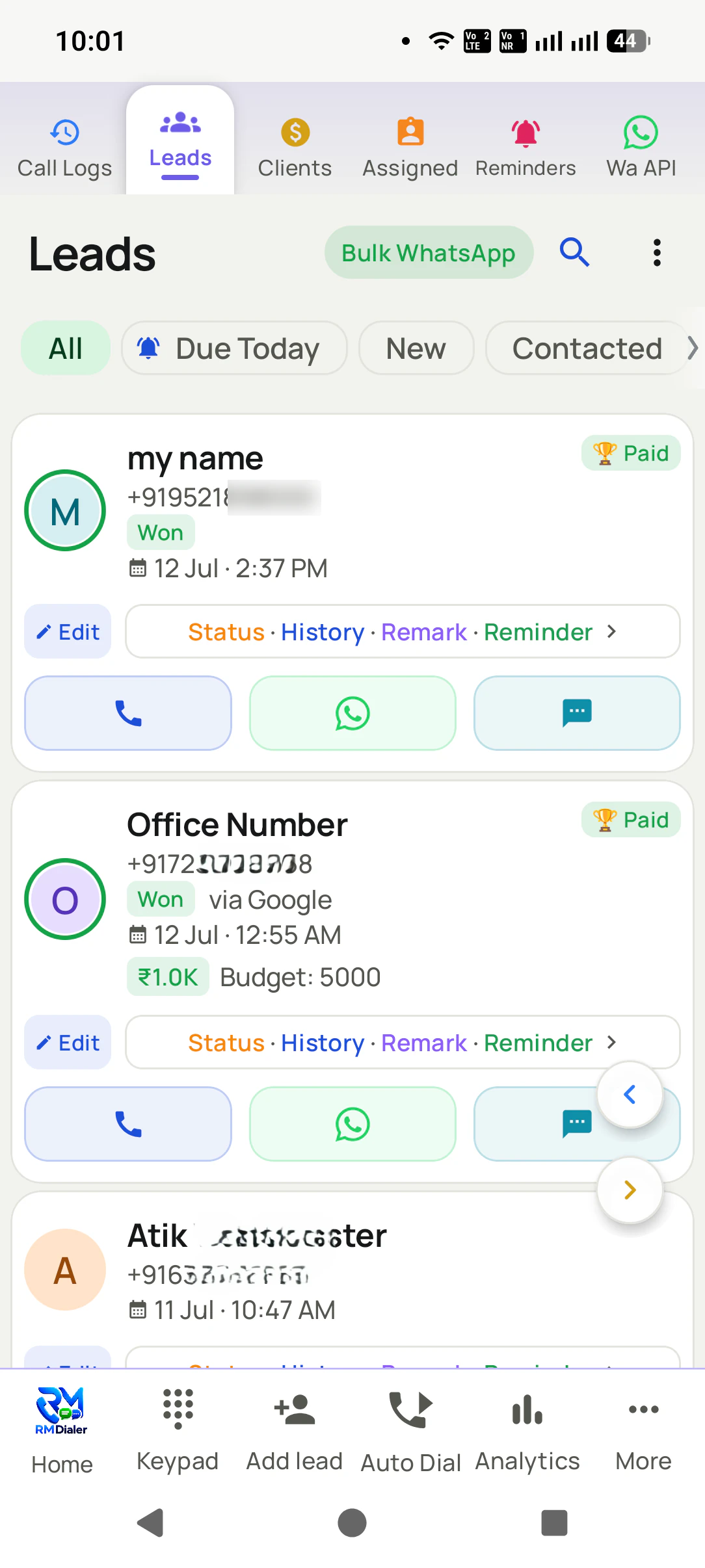
The caller’s queue on the phone: the list, the dialer and each number’s history. Names masked.
The caller filters the queue, for example due today or one campaign's import, presses Start, and the dialer rings
the numbers one at a time from the SIM in the phone, with a gap set by the admin. After each call a short sheet
takes the disposition and, where needed, the callback time. How the dialer and the record work together is covered
on auto dialer with CRM.
A worked example
How did a tuition bureau in Bhopal work a school fair list?
An illustration with round numbers, built to show the record at work, not a customer story.
Picture a home tuition bureau in Bhopal that runs a stall at three school fairs each September. Parents who stop by
write their name, number, child's class and subject on a sign-up sheet. By the third fair there are about 600
numbers, typed into a Google Sheet by the office assistant with a column saying which school fair each came from.
The owner creates seven statuses, including Do not call, imports the sheet as a live list, and shares it round robin
across four callers. Each caller works about 50 numbers a morning. Parents who say "call after the exams" get a
callback on the date they gave, and the handful who say "please don't call" are marked and never appear in anyone's
queue again.
The report that changes the plan is the disposition mix by fair. One school's list books a demo class from almost
every fifth call; another's is mostly not picked, because the numbers were copied badly from a smudged sheet. Next
year the bureau types sign-ups into a phone form at the stall, and the campaign list arrives clean.
Said plainly
When is RMDialer the wrong telemarketing CRM?
Four desks that should buy something else.
You call bought or scraped lists of strangers with promotional offers. In India that is registered telemarketing on 140-series numbers, not work for ordinary SIMs.
You need a predictive dialer ringing several lines per agent. RMDialer calls one number at a time.
You expect the software to scrub numbers against the national DND registry. RMDialer does not.
Your agents sit on headsets with virtual numbers and a supervisor listening live. That is a cloud contact-centre setup.
Comparing apps for an opt-in desk? The best
CRM for telemarketing page ranks three SIM-based options on price, import and install.
Telemarketing CRM, CRM telemarketing system: the same record-keeping
"Telemarketing CRM", "CRM telemarketing system" and "CRM software for telemarketing" all mean the same job: a record
per number that every call updates, so a desk knows who to ring, how many times it has tried, and who must never be
rung again. The word that changes what you should buy is not in the phrase at all: it is whether the list said yes.
You will also see it called telemarketing crm, crm telemarketing system, crm software for telemarketing and telemarketing crm system. They describe the same thing, so whichever phrase
brought you here, this is the page for it.
How it works
How do you set up a telemarketing CRM for an opt-in list?
1
Set your dispositions once
Create the statuses your desk uses, including Do not call, in the Web CRM. They reach every caller’s phone.
2
Import the campaign list
Bring a sheet or file with a source column, map the columns, and assign the numbers to callers.
3
Dial, mark, move on
Callers work the queue from their own SIM and save a disposition after every call. Reports build themselves.
Questions
Telemarketing CRM software: what desks ask before they start
What is the best telemarketing CRM software for opt-in lists?
RMDialer is the telemarketing CRM software to start with when your desk calls people who agreed to hear from you: enquiries, past buyers, renewals and event sign-ups. It keeps the source, attempts, disposition, callback and a do-not-call mark on every number, and dials from each caller’s own SIM. For an Indian desk each seat is ₹159 a month, paid a year at a time.
Is RMDialer telemarketing CRM software?
For opt-in and customer lists, yes: RMDialer is a telemarketing CRM with a dialer on each caller’s Android phone, your own dispositions, callbacks and team reports. For cold promotional calling to strangers, no. In India that work needs 140-series numbers and DLT registration, which a SIM-based app does not provide, and the site says so plainly.
What does a telemarketing CRM do?
It keeps one record per number and makes every call update it: who the person is, where the number came from, how many times you have tried, what happened last time, and when to call next. A good one also stops two callers ringing the same person and keeps anyone who said stop off every future list.
Which CRM is best for call centers that call from mobile phones?
A CRM whose dialer is the phone app itself, so every call is logged without anyone typing it. RMDialer works that way on Android: calls go over the caller’s SIM, the disposition is saved when the call ends, and the owner reads each caller’s day on the Web CRM. Floors on headsets with virtual numbers need a cloud contact-centre CRM instead.
What disposition codes should a telemarketing team use?
Keep the list short enough to pick in two seconds: not picked, busy, call back, interested, not interested, do not call and wrong number cover most desks. Add codes for your own sale stages if you need them. In RMDialer these are lead statuses you create once in the Web CRM, and every caller sees the same list.
How do I keep do-not-call numbers out of my calling lists?
Mark the number with a do-not-call status the moment the person asks, filter that status out before each dialing session, and keep the record rather than deleting it, so the same number arriving in a new import lands on the existing record; leave any status column in that import unmapped. RMDialer does not check India’s DND registry for you; that scrub belongs to registered telemarketers.
Can a telemarketing CRM import leads from Excel or Google Sheets?
RMDialer imports from an uploaded Excel, CSV or JSON file, pasted rows, a Google Sheet read once, or a live sheet that keeps adding new rows. You map each column to a field, and imports on the web can share the numbers round robin across the employees you choose. Keep a source column in the sheet so every lead remembers where it came from.
How many times should a telemarketer call a number before stopping?
Set a limit and keep to it: three to five attempts across different days and hours is a common ceiling for a warm list, fewer for a cold one. The CRM should show the count before the caller dials. In RMDialer every attempt appears in that number’s call log, so the caller can see “tried four times” before pressing call.
Does RMDialer have a predictive dialer for telemarketing?
No. RMDialer dials one number at a time from the caller’s SIM, with a gap you set, and does not ring several lines at once or skip busy numbers by itself. Predictive dialing needs a cloud platform with many lines per caller. For opt-in lists, one call at a time with the record on screen is usually the better pace.
Can I run a telemarketing campaign from my team’s own mobile numbers?
For calls to your own customers and people who asked to hear from you, yes, and RMDialer is built for that. For promotional calls to strangers in India, no: that is commercial communication the regulator expects on 140-series numbers with registration. Mixing the two on ordinary SIMs is how numbers get reported and blocked.
How do I stop two callers ringing the same customer?
Give every number one owner. In RMDialer each lead is assigned to one employee, it appears only in that person’s queue, and moving it to a colleague is a transfer that stays in the history. A number imported twice updates the existing record instead of creating a second copy for someone else to dial.
What reports should a telemarketing manager read every day?
Three are enough: attempts and connects per caller, the disposition mix per caller, and callbacks that fell due today but were not made. RMDialer shows the first two on the Web CRM and the owner’s phone, and the third through due and overdue follow-ups. A caller whose calls are all “not picked” at 11 am may simply be calling at the wrong hour.
Can the CRM send a WhatsApp message after a telemarketing call?
Yes. RMDialer can send a WhatsApp message by itself after a call or when a status changes, for example the brochure when the disposition is Interested, with quiet hours so nothing goes out at night. Keep it to people who agreed to hear from you; an automatic message to a cold number is a complaint waiting to happen.
Is telemarketing CRM software expensive?
Cloud contact-centre CRMs usually charge per seat plus per-minute telephony. RMDialer charges per user only, because calls go over your own SIMs: ₹159 a month per seat paid yearly, ₹249 paid quarterly, or $29 per user per year, or $12 per user for 3 months, outside India. That one price covers the dialer, the CRM, reminders and automatic WhatsApp, after three free days to try it.
Does a telemarketing CRM work for a team outside India?
RMDialer runs in any country where the caller’s Android phone can place an ordinary SIM call, and keeps international numbers in their own format. The rules change by country: the US, UK, Canada and Australia all have do-not-call registers and consent rules of their own. Check them for your market before you call anyone who has not asked to hear from you.
No trial clock on the dialer
What is free forever, and what a plan adds
The business dialer is free forever with no account and no expiry: the keypad, contacts, caller ID, the call log and your call analytics, plus free WhatsApp sends every day. A plan adds the customer record after every call, follow-up reminders, list auto dialing, your team and WhatsApp automation.
Free forever
₹0, no expiry
Your phone app: keypad, contacts, call log and caller ID
Spam and unknown-number screening on every incoming call
Call analytics: your day counted, by outcome, and by who you called
Missed calls kept in their own list, so nothing is returned late
Sending WhatsApp from a call, free every day
Free WhatsApp sends every day with a free account: 15 a day for your first 15 days, then 3 a day. The dialer itself needs no login at all.
On a plan
₹159/user/month, yearly
The customer record: lead status and remarks saved against every call
Follow-up reminders that ring like an alarm on the day you set
Auto dialing a whole list without touching the phone
Your team: seats, assigned calling lists and per-person reports
Automatic WhatsApp after calls, bulk sending and the WhatsApp API inbox
Backup and restore, so a new phone carries on where the old one stopped
Leads arriving on their own from Google Sheets, APIs and lead portals
Try it free for 3 days: unlimited use, no credit card required.Prices are per user, exclusive of taxes.
Business karte ho? Business Dialer chahiye.
Set it as your phone app in one tap. Everything works like before, and then it starts working FOR you.
₹159/user/month on yearly · every feature included · Prices are per user, exclusive of taxes.
Free forever: the business dialer never expires, and needs no account
Call recording supported · our team sets it up with you during training
On iPhone and Android. The iPhone app has every feature except the native call log.