
No AI call summary
The app does not transcribe or summarise the conversation. The caller picks the outcome and adds a remark, by voice if typing is slow, and that is what the rest runs on.
Post call automation
The call ends and the real work starts: notes, status, the message to the customer, the next date. Done by hand it gets skipped on busy days. RMDialer does most of it by itself the moment you hang up, and asks you for the rest in two taps.
Free personal dialer. Paid features include a 3-day trial; no card required.
Team plans: ₹159/user/month, billed yearly + taxes →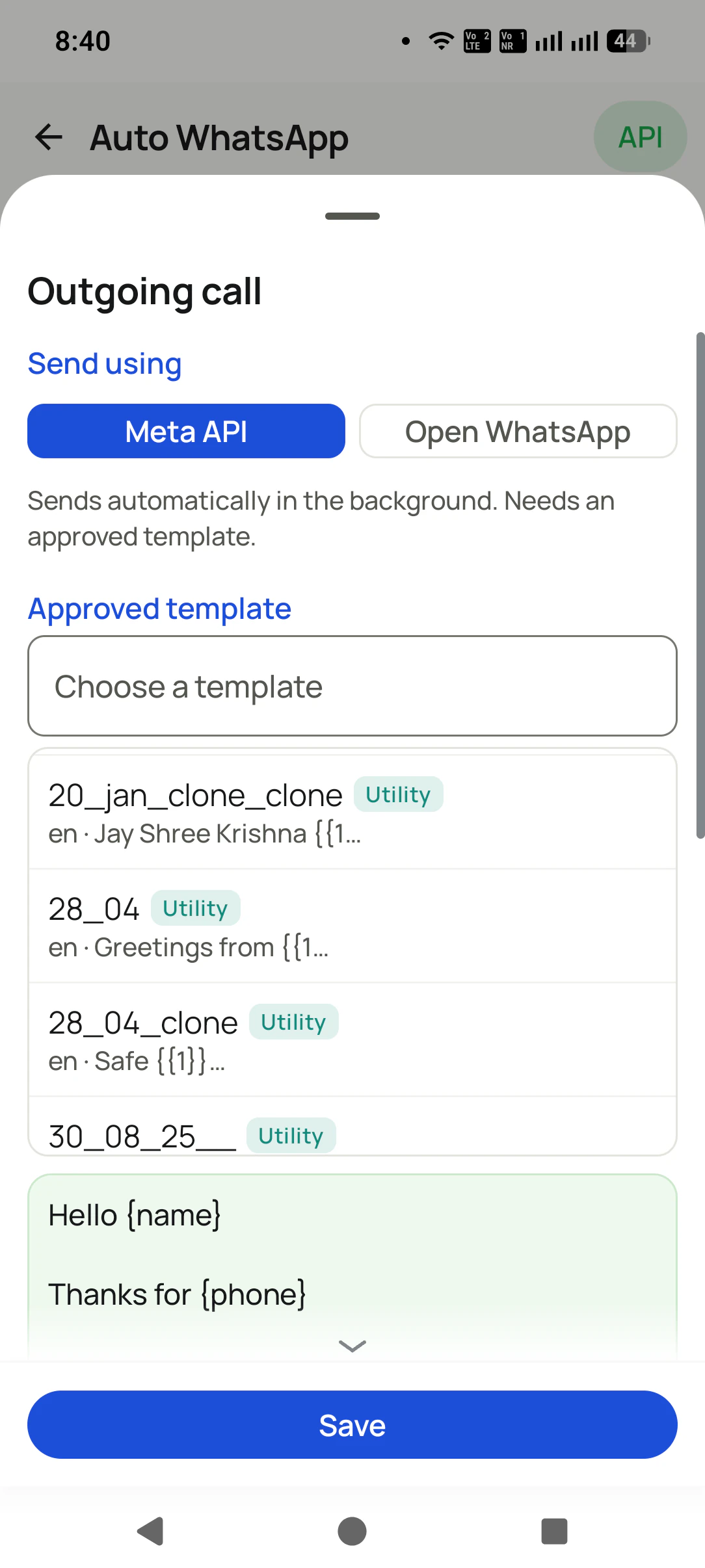
The calls stay on your own SIM; the automation runs in the app on that phone.
Short answer
Post call automation is the after-call work done for you: the call logged to the lead, the outcome recorded, the customer sent the details and the next call booked. RMDialer runs it on the phone itself. Hang up, answer a two-tap sheet, and the WhatsApp, the status change and the reminder follow from that answer.
Key takeaways
From hang-up to the next call
Seven things should happen after every sales or service call. This is which of them run by themselves, and what each still needs from the person on the phone.
| After-call step | Automatic? | What it needs from you |
|---|---|---|
| The call is saved to the lead | Yes | Nothing. Number, time, length and direction land on that person’s record. |
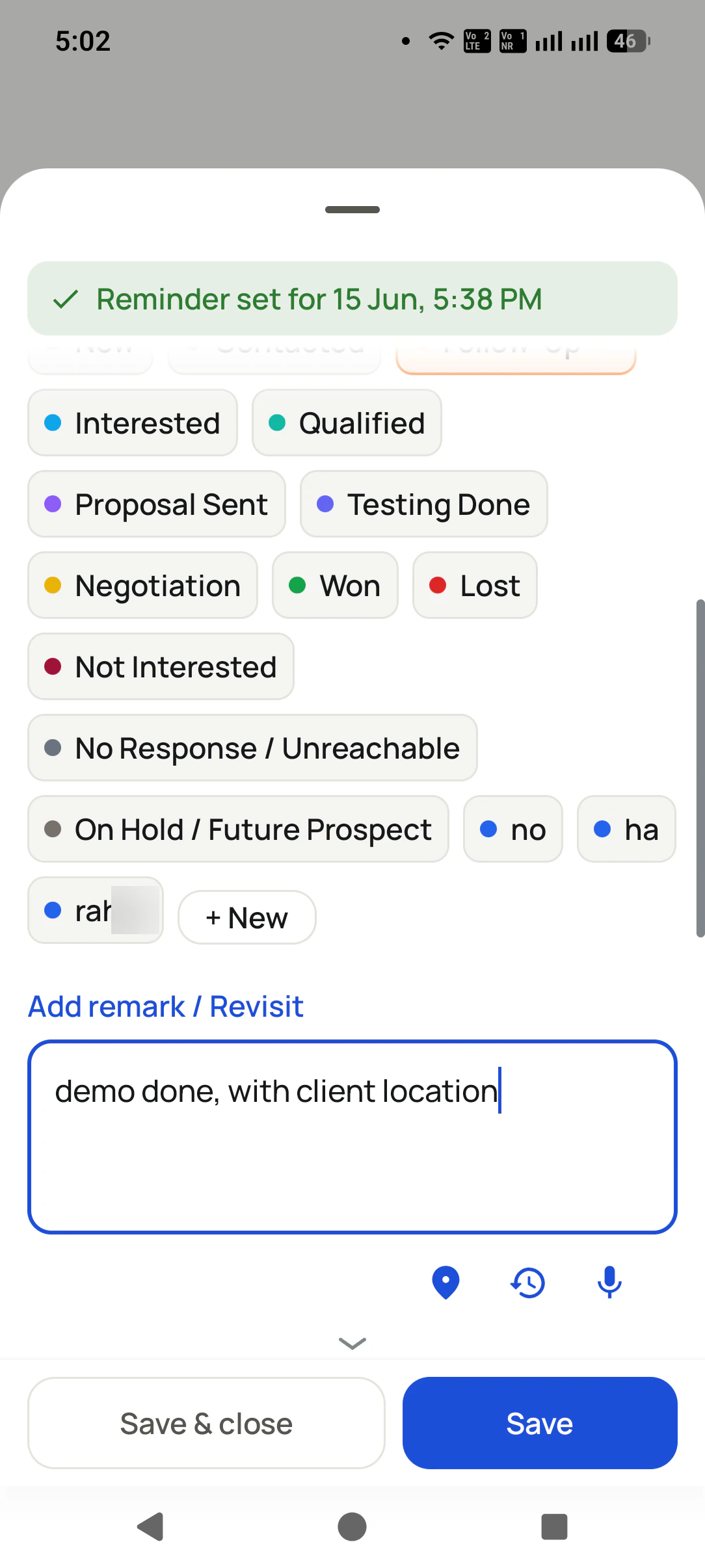
| The outcome sheet opens | Opens by itself | Two taps: pick the outcome, add a remark if there is one. |
| The lead status changes | From the outcome | Nothing more. Moving to Interested or Won is the same tap. |
| A WhatsApp goes to the customer | Yes, per call type and status | Set once. Sends through the WhatsApp Business API, or opens WhatsApp ready for one tap. |
| The next call is booked | Reminder rings on the day | Pick the date and time on the same sheet. |
| An SMS to the customer | No, one tap | The SMS app opens with your saved text; you press send. |
| The manager sees it | Yes | Calls, outcomes and messages show in the Web CRM reports without anyone writing them up. |
A tiles showroom in Coimbatore
Picture a tiles and sanitaryware showroom in Coimbatore with three people calling builders, contractors and families doing up a new house. Most calls end the same way: the customer wants the catalogue, the price per square foot and a slot to visit the showroom.
Before, the catalogue went out when somebody remembered, usually in the evening, and the visit slot lived in a notebook. Now the outgoing-call rule sends the catalogue link on WhatsApp the moment each call ends. The caller taps Interested, the status rule sends the showroom location, and the visit date becomes a reminder that rings that morning with the customer’s floor size and budget on screen.
The owner reads the day in the Web CRM instead of asking for it at seven in the evening. The details are an illustration, not a named client.
Plain limits
Several tools that rank for post call automation are built for large contact centres. Three things they offer, RMDialer does not:
The app does not transcribe or summarise the conversation. The caller picks the outcome and adds a remark, by voice if typing is slow, and that is what the rest runs on.
The SMS app opens with your saved text and you tap send, because Android lets very few apps send SMS in the background. WhatsApp is the route that sends with no tap.
Calls go out one at a time from each person’s phone, not from a server ringing several numbers per agent. That is a different product for a different size of team.
What it gives instead is the after-call work most small teams actually skip: the message while the customer is still thinking about the call, and a next date that cannot be forgotten. The message rules are on the auto WhatsApp message after call page, with missed calls on missed call auto WhatsApp, texts on auto SMS after a call, later messages on scheduling WhatsApp messages and every trigger together on WhatsApp automation; the reminders on the follow-up reminder page, and outcome labels on call disposition software.
Try it with your own workflow
We set up one call rule, one status rule and a reminder on a demo lead, then make a call, so you see each step happen on hang-up.
Team features, one plan
₹159/user/month
₹1,908 per user, billed yearly, plus taxes.
The personal dialer, call log and personal analytics are free forever. Team access and saved lead workflows require a plan. SIM charges and any WhatsApp provider charges are separate.
Compare free and paid features →Post call automation is everything that should happen after a phone call, done without someone remembering to do it: the call logged, the outcome recorded, the customer sent the details, and the next call booked. In RMDialer this runs on the phone that made the call.
After-call work is the typing and sending that follows a call: notes, status, the follow-up message and the next date. Done by hand it often takes as long as a short call itself, which is why it gets skipped on busy days and leads go cold.
No. RMDialer does not transcribe or summarise calls. It asks for the outcome and a short remark in two taps, which you can also speak instead of typing, and everything else after the call runs from that answer.
Yes. Each kind of call, missed, outgoing or incoming, and each lead status can have its own WhatsApp. Through the WhatsApp Business API it sends by itself; without the API, WhatsApp opens with the message ready and you tap send.
Not by itself. Android lets very few kinds of apps send SMS in the background, so RMDialer opens your SMS app with the saved text filled in and you tap send. For a message that sends with no tap at all, use WhatsApp.
No. The calls are ordinary calls on the SIM in each person’s phone, and the automation runs in the app on that phone. There is nothing to rent before the first call, which is why it suits teams of one to fifty.
On the same sheet that asks for the outcome, pick a date and time. A reminder rings then with the person’s history on screen, and a reminder can carry its own WhatsApp so the customer gets a note too.
RMDialer is the CRM, so there is nothing to sync between two systems. The call, the outcome, the remark, the message sent and the next date are all on the same lead record the moment the sheet is saved.
Yes. The Web CRM shows each caller’s calls, outcomes, remarks and upcoming reminders, and the history of automatic WhatsApp messages tells you which went out after each call and which were held back.
The two that slip most on a busy day: the message the customer was promised, and the date of the next call. Once those run by themselves, add a rule per lead status, so a customer who buys gets a thank-you and one who says no gets nothing at all.
Nothing on top of the RMDialer subscription, which is ₹159 per user per month in India when paid yearly, plus GST; $29 per user per year, or $12 per user for 3 months, outside India. Your mobile plan carries the calls, and Meta bills API messages through your provider.