
A considered purchase
Keep scope, timing and unresolved questions visible while a buyer compares options. The next conversation should pick up the decision where it paused.
NewRMDialer is now on iPhone as well as Android · every feature except the call log
Sales follow-up software
Move beyond a list of people to call. RMDialer keeps the buyer’s requirement, the next decision and the promised follow-up together, so your team can prepare a useful conversation.
Free personal dialer. Paid features include a 3-day trial; no card required.
Team plans: ₹159/user/month, billed yearly + taxes →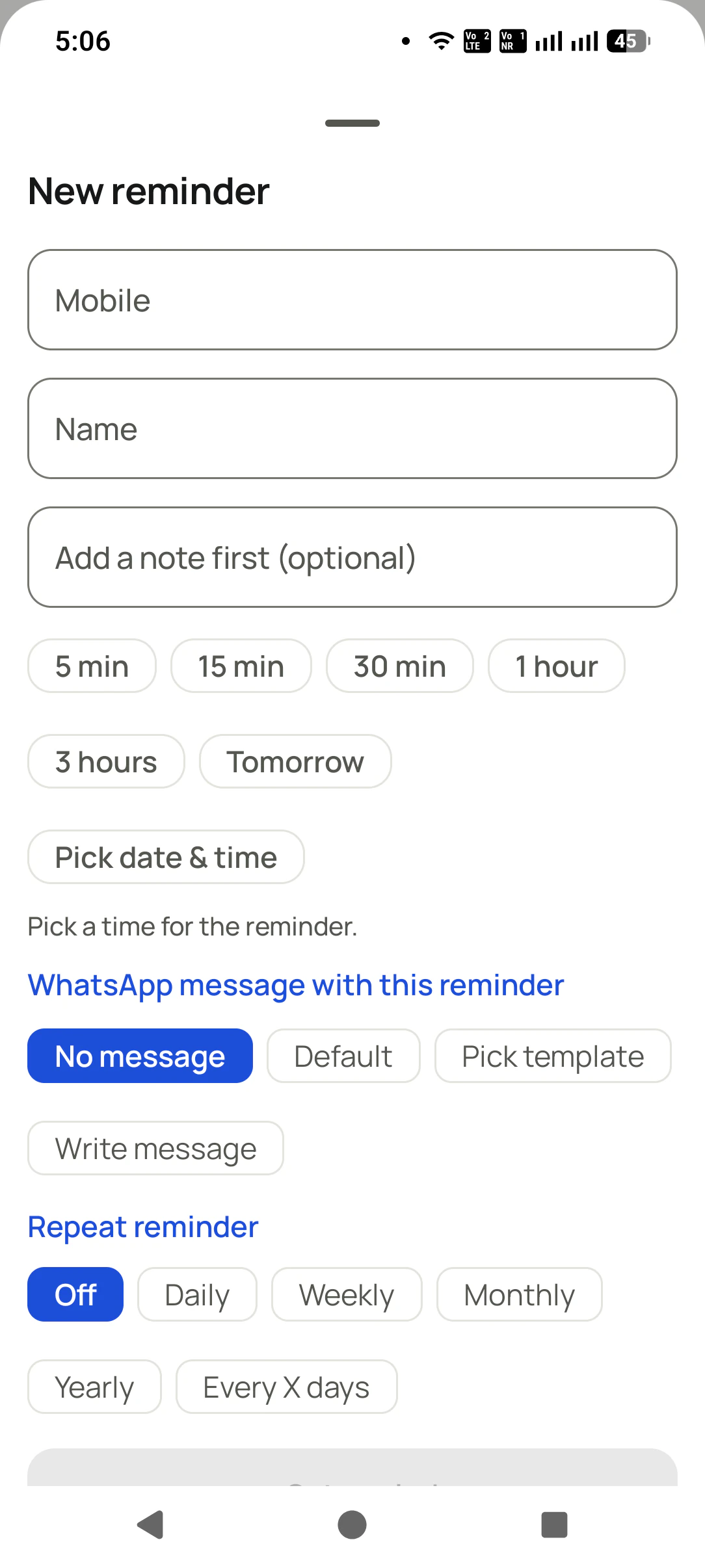
Short answer
For each active opportunity, record the current buying stage, the question still open, who owns the answer and when the next contact is due. RMDialer connects these sales details to lead notes, reminder scheduling and the caller’s workflow. A useful follow-up advances the buyer’s decision; it does more than add another attempt to the call count.
Key takeaways
Choose around the sale you make
It is useful when an enquiry takes several conversations to become an order: a proposal needs review, a decision-maker needs an answer or a customer returns during a renewal window. The record should explain why the opportunity is still open and what can move it forward.
Keep scope, timing and unresolved questions visible while a buyer compares options. The next conversation should pick up the decision where it paused.
A colleague covering an account needs more than “call again.” Save the buyer’s requirement, the latest promise and who is preparing the answer.
Schedule a relevant reorder or service discussion. Update a recurring reminder if the customer’s buying cycle changes rather than letting an old schedule run indefinitely.
If your need starts immediately after one call, see the call follow-up workflow. This page focuses on the sales plan across multiple conversations. If the prospect has not yet received a first response, begin with lead response management.
A reason to contact the buyer
Use the buying event to decide the next contact. The examples below are suggested team practices, not automatic actions that the app infers. Agree the schedule, create the reminder and revise it when the buyer supplies new information.
| Sales moment | Purpose of the next contact | What to save |
|---|---|---|
| Proposal sent | Confirm that the buyer received the right version and can open it. | Proposal version, recipient and the agreed review date. |
| Proposal review | Ask which requirement, scope item or objection needs an answer. | The open question and who will supply the answer. |
| Budget approval | Find out whether procurement or another decision-maker is involved. | The approval owner and expected decision date. |
| Decision pending | Contact the buyer around the next milestone they agreed to. | A useful reason to reconnect, not an arbitrary daily chase. |
| Renewal window | Confirm whether the customer still needs the same service or quantity. | Renewal timing, current usage and any change in requirements. |
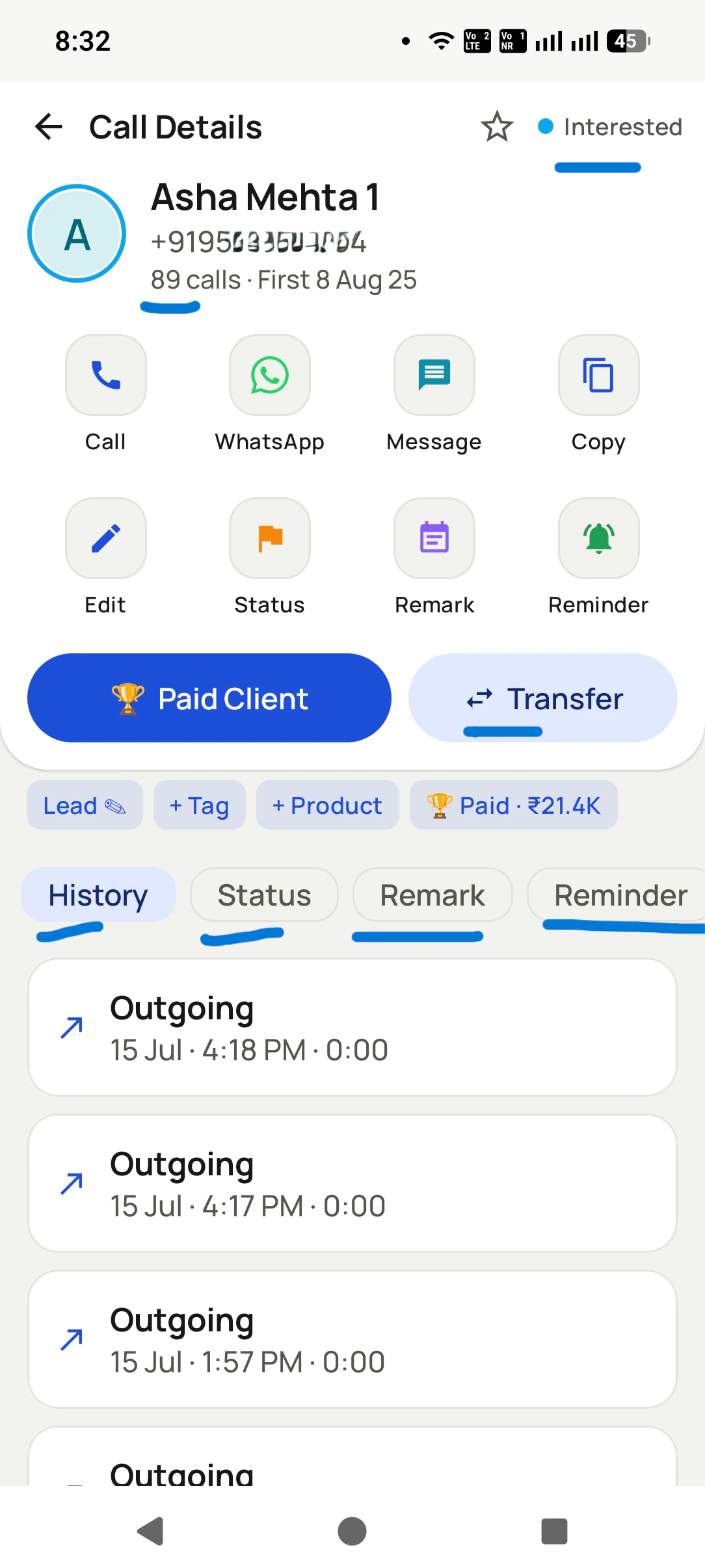
A contact date without a purpose becomes another generic chase. A useful reminder might read: “Review the revised installation scope with the operations manager after their budget meeting.” That provides a preparation task, a person and a reason to call.
Illustrative equipment sale
Imagine a workshop considering a new compressor. Its internal champion asks for a quote revision that includes installation and staff training. The salesperson records those requirements and sets a proposal review after the workshop’s budget approval meeting.
Before the reminder is due, the salesperson prepares the revised scope and confirms which decision-maker will join. After the conversation, the stage and next action are updated together. If procurement needs another document, the opportunity remains open with a specific task instead of being marked Won too early.
This is an example of a buying process, not a customer success claim. RMDialer supplies the lead record and scheduling controls; your team supplies the commercial judgement. See lead fields and customer history for how the record supports that judgement.
A weekly deal review
Start with overdue work, then inspect open opportunities with no meaningful next action. A silent opportunity may be waiting on your quotation, the buyer’s approval or an internal handover. Those situations require different decisions.
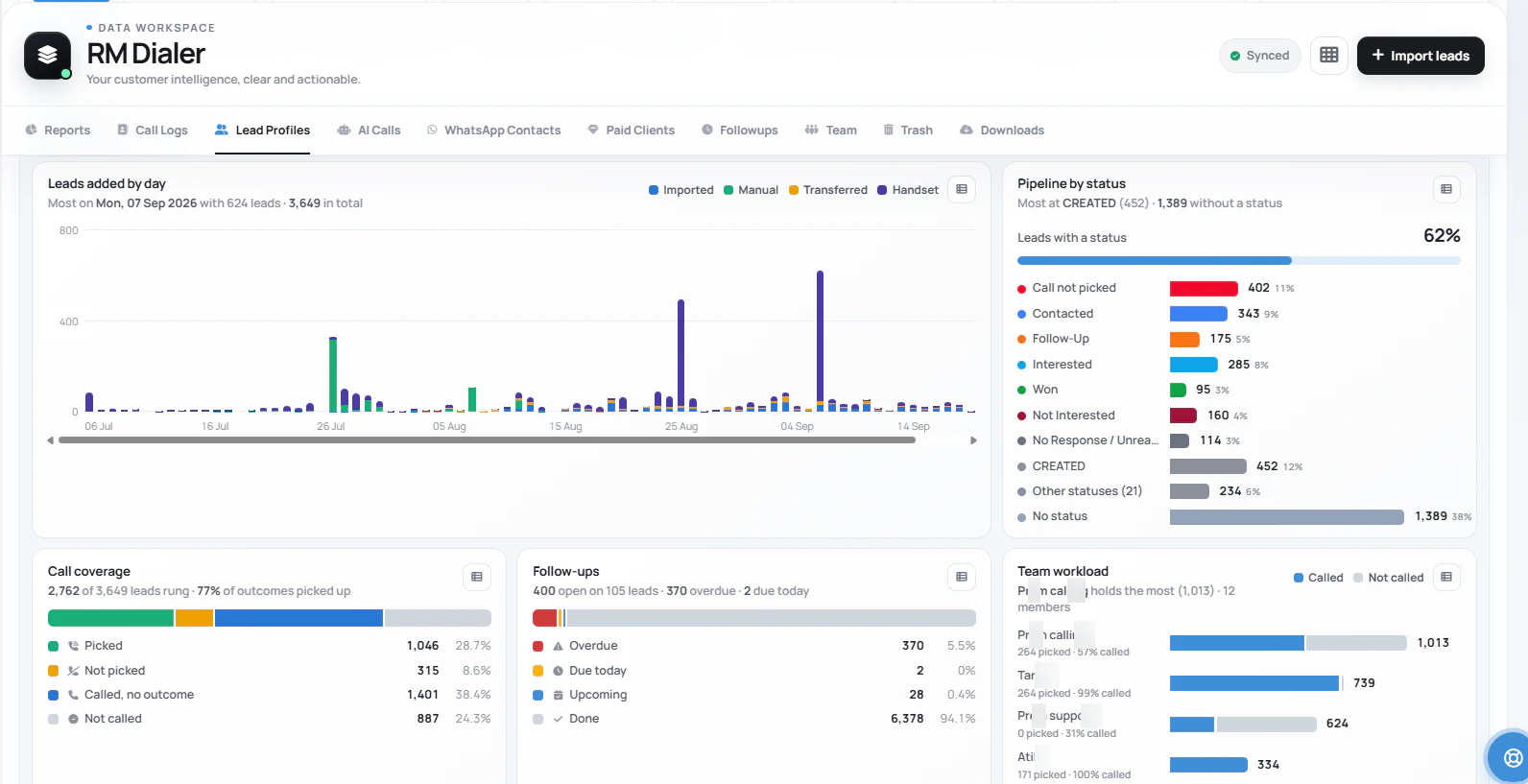
Read the remark behind the task. A missed document delivery is different from an unanswered call, even if both create an overdue reminder.
Ask whether the team can answer a concern, involve the right colleague or agree a later date. More attempts alone may not remove the blocker.
Record a clear outcome when the buyer decides. Review the reminder and message settings so closed opportunities do not continue through an old outreach plan.
Count useful progress separately from activity. A contact attempt, a proposal review and an accepted order are different events. Consistent call outcomes help callers describe what happened without inflating the sales pipeline.
Try three real buying situations
Bring one proposal awaiting a decision, one customer with a recurring requirement and one opportunity that needs a colleague’s help. Create the notes and reminders you would actually use, then confirm that the team can pick up each conversation from the saved record.
Test a reminder on the handset, review the Web CRM counts and check what happens when a due date changes. The iPhone app supports lead work but does not automatically log native iPhone calls, so verify your reporting expectations for each phone type.
For responsibility changes, see lead ownership and handovers. For the reminder controls themselves, see the follow-up reminder app.
Include the person, requirement and expected decision date.
Verify the note, timing and any selected message option.
Update the stage and next action, or close the opportunity with a reason.
Try it with your own workflow
We will walk through a proposal review, a renewal reminder and the manager’s view of overdue commitments using your sales process.
Team features, one plan
₹159/user/month
₹1,908 per user, billed yearly, plus taxes.
The personal dialer, call log and personal analytics are free forever. Team access and saved lead workflows require a plan. SIM charges and any WhatsApp provider charges are separate.
Compare free and paid features →Sales follow-up software helps a team carry an opportunity from the first discussion through proposal review, a buying decision and later renewal. It keeps the next action, responsible person and scheduled contact with the customer record. RMDialer supports that work through lead stages, remarks, phone reminders and WhatsApp workflows.
Yes. Save what was quoted and what the customer needs to decide, then schedule the agreed review contact. A reminder should say why you are calling and what to prepare. RMDialer provides the record and scheduling controls; it is not a proposal-authoring or electronic-signature service.
No. A scheduled contact can help your team keep a commitment, but the buyer still decides. Use clear stages and meaningful notes to understand what is blocking the opportunity. Do not count reminders created, messages delivered or unanswered attempts as completed sales.
Begin with the date or milestone discussed with the buyer. An urgent stock enquiry, a considered purchase and an annual renewal need different schedules. If no date was agreed, make one relevant contact to establish timing instead of assuming a universal daily or weekly cadence works for every opportunity.
Its workflow centres on phone calls, saved lead information, reminders and WhatsApp. If you require email delivery, inbox-based reply detection or automated email sequences, evaluate those capabilities in an email-focused product. You can use RMDialer for the calling part of a wider sales process.
The Web CRM lead insights screen includes open, overdue, due-today, upcoming and done follow-up totals. Review the customer detail behind those counts to understand the missed promise and next action. Confirm the exact employee filters and exported fields you need during the trial.
The new-reminder screen includes daily, weekly, monthly, yearly and every-X-days options. Use a repeat reminder when there is a real recurring commitment, and review or stop it when the relationship changes. A repeat schedule does not establish that an invoice was paid or a renewal was accepted.
Record the decision and remove the opportunity from active outreach under your team process. Review any reminders and message rules still associated with the contact. A closed lead stage should not be assumed to cancel every separate automation unless you have tested that behaviour.
RMDialer exposes message options alongside reminder scheduling. Choose the appropriate workflow and test the message, recipient and timing. Business Platform delivery depends on the connected account and applicable provider rules and charges. A reminder is not an unrestricted permission to message a customer.
The standard India annual seat is ₹1908 before tax, equivalent to ₹159 per month. Quarterly billing costs ₹747 per user for three months. Team bundles are published on the pricing page. Outside India, $29 per user per year, or $12 per user for 3 months, outside India. Paid workflows have a 3-day trial; operator and applicable messaging charges remain separate.