Skip to content

NewRMDialer is now on iPhone as well as Android · every feature except the call log

Google Ads Lead Form to CRM · Native Webhook

Google Ads Lead Form to CRM for Calling Teams: RMDialer

RMDialer turns a Google Ads lead form into calls: the form’s own webhook posts each lead to RMDialer, where it is mapped and handed to a caller.

  • Google’s own webhook
  • Send test data first
  • PHONE_NUMBER mapped
  • Round robin to callers
  • Search, Video, PMax, Display

Works worldwide · The key is yours to choose

Your own SIM, no virtual number · Android and iPhone apps + Web CRM in one plan · No card for the trial

RAKPS 3,500+ businesses on Wappblaster tools · listed on G2, Capterra, SoftwareSuggest
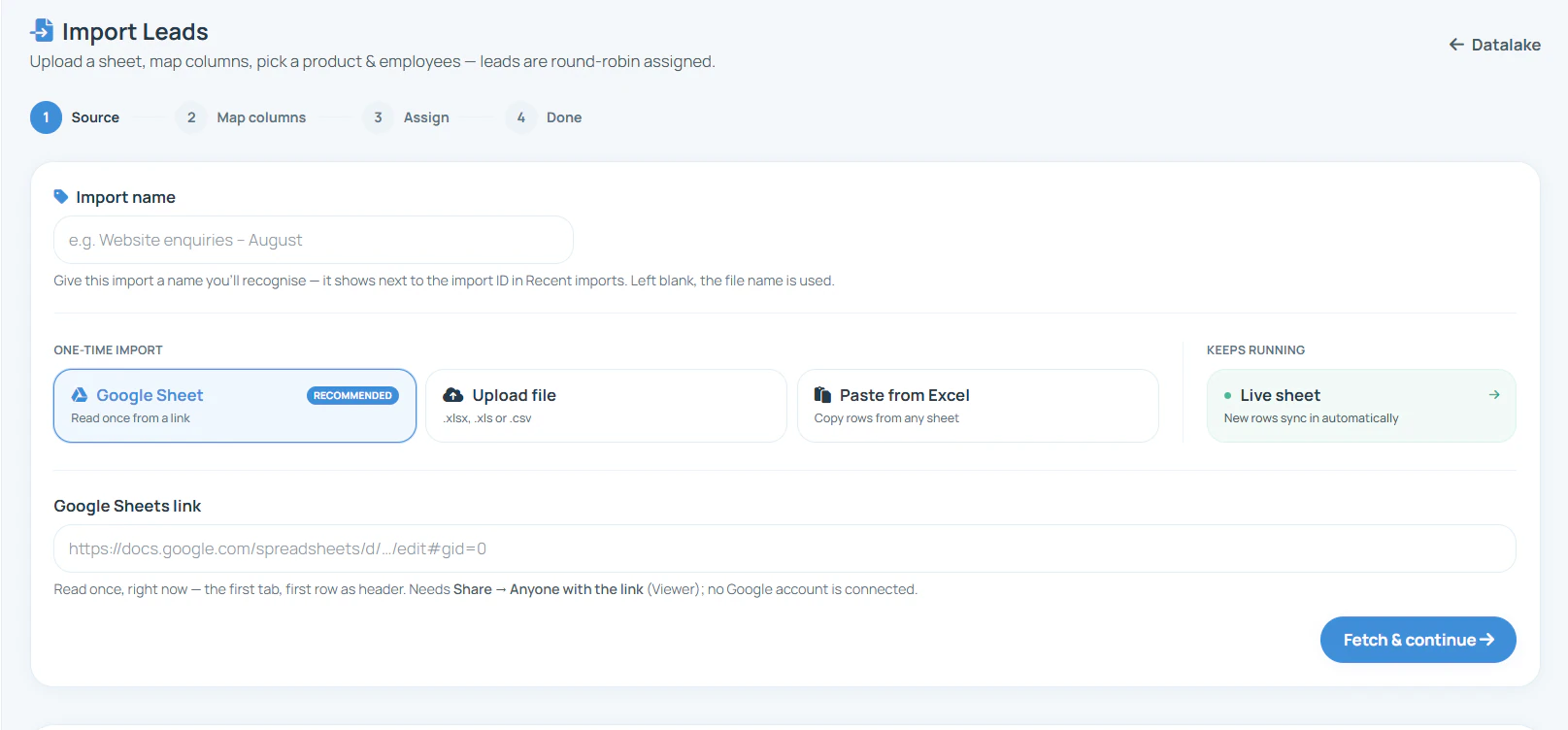
RMDialer Import Leads screen in the Web CRM: name the import, then choose a Google Sheet, an uploaded file, rows pasted from Excel or a live sheet that keeps syncing, with leads assigned round robin
Webhook URLon the lead form
is_testGoogle’s test lead

Updated

Short answer

How do you send Google Ads lead form leads to RMDialer?

RMDialer takes Google Ads lead form leads through Google’s own webhook integration. Name a webhook in RMDialer after the campaign, then edit the lead form asset in Google Ads, expand “Export leads from Google Ads” and “Other data integration options”, and paste the URL and a key of your own under “Webhook integration (optional)”. Select “Send test data”: RMDialer shows the request, you map the phone and name from Google’s user_column_data, and choose the callers who share the leads round robin. Google posts each new lead as JSON and retries when it gets a 5XX. If the phone cannot be picked from Google’s list, a relay such as Zapier, Make or Pabbly flattens it first.

Key takeaways

  • Google Ads lead forms post each lead to a webhook URL and key that you set on the form.
  • RMDialer shows Google’s test lead in the capture step so you can map the phone before going live.
  • RMDialer shares Google Ads leads round robin across the callers you choose.
  • A relay tool is the fallback if the phone cannot be picked from Google’s answer list.
In Google Ads

Where is the webhook setting on a Google Ads lead form?

For a form that already runs. A new form shows the same fields while you build it inside a campaign with a Leads goal.

  1. In Google Ads, open Campaigns, then Assets, and pick Lead form from the list.
  2. Hover over the form and select the pencil icon to edit it.
  3. Expand “Export leads from Google Ads”, then “Other data integration options”.
  4. Under “Webhook integration (optional)”, paste the RMDialer webhook URL and type a key of your own.
  5. Select “Send test data”, check the test in RMDialer, then Save.
The RMDialer side

How do you connect a Google Ads lead form to RMDialer?

Make the RMDialer URL first, then paste it into the lead form’s Webhook integration field with a key you choose, and use Send test data.

RMDialer Web CRM Custom Webhook screen: a webhook name field, a Create webhook URL button, and the four steps Create URL, Capture a test, Map fields and Assign
Step 1: the Custom Webhook screen in the RMDialer Web CRM.
  1. Step 1

    Create the URL

    In the RMDialer Web CRM, open Custom Webhook and name it, for example “Google Ads, winter campaign”. The name is also the source on any lead that arrives without one. You can edit the webhook later; the URL stays the same and leads keep arriving while you do.

  2. Step 2

    Capture a test

    Send one test lead from Google Ads as JSON, the format the webhook accepts. The page waits and shows the request the moment it lands. Nothing is imported from it until the fields are mapped.

  3. Step 3

    Map its fields

    Every field in the request is listed with a sample value, nested ones as paths such as lead.name or utm.utm_source. Pick which is the phone, the name, the city or the source, ignore the rest, or add a new field with +.

  4. Step 4

    Assign

    Choose a product, then share the leads round robin across all employees or only the ones you tick. For a number you already hold, the request can update that lead instead: only the mapped fields that have a value, with the old version kept in the lead’s history. It never makes a second lead.

RMDialer Custom Webhook, Map fields step: each field in the received request with a sample value, such as utm.utm_source indiamart mapped to Source, lead.city Ahmedabad mapped to City and lead.name mapped to Name, with 26 fields found
Step 3: fields from a real test request, nested paths included. Sample name half-masked.
RMDialer Custom Webhook, Assign step: webhook name, product, distribution by round robin to all employees or selected employees only, employee checkboxes, and the rule for numbers you already have set to update the lead from the request
Step 4: who gets the leads, and what happens to a number you already hold. Staff names and numbers half-masked.
What arrives

What is inside a Google Ads lead form webhook?

Google’s developer documentation lists these parts. The answers come as a list of column IDs and values, which is why the test step matters.

user_column_data → PHONE_NUMBER

RMDialer: Phone number

Google sends each answer as a column_id with a string_value. The phone is the one you must be able to map.

user_column_data → FULL_NAME

RMDialer: Name

Some forms ask for first and last name separately instead.

user_column_data → EMAIL

RMDialer: Email

Present when the form asks for it.

campaign_id, form_id

RMDialer: Custom fields

Tell you which campaign and which form produced the lead.

gcl_id

RMDialer: A custom field

Google’s click ID, useful if you later report conversions back.

is_test

RMDialer: Not needed

True for the test Google sends from the form editor.

Check this in the test. RMDialer lists nested fields as paths, such as lead.name, each with a sample value. Google puts its answers in a list rather than named fields, so look at the test lead: if the phone number shows as a field you can pick, you are done. If it shows the answers only as one block, place an automation tool such as Zapier, Make or Pabbly between Google and RMDialer. It reads the Google lead and posts plain name and phone fields to the same webhook URL.

A worked example

How does a solar installer in Perth call its Google Ads leads?

Invented numbers for a typical small installer, used only to walk through the webhook.

Picture a residential solar installer in Perth running a Search campaign with a lead form: name, mobile, suburb and roof type. About twenty forms come in on a sunny weekend. Before, the office manager downloaded the leads each Monday, by which time half the homeowners had booked a quote with someone else.

The installer adds an RMDialer webhook named for the campaign, pastes it into the form, and sends test data. The test shows the answers, the phone is mapped, and the two sales reps are picked for round robin. Now a Saturday enquiry sits in a rep’s list with the suburb and roof type beside the number, and the first call goes out from the rep’s own mobile.

Because the campaign ID travels with every lead, the owner can see on Friday which campaign’s leads actually booked a site visit, not just which one produced the most forms.

Running Meta lead forms as well? See Facebook lead ads to RMDialer. Every source RMDialer accepts is on the integrations page, and calling ad leads before they cool is covered in how to call ad leads quickly.

Questions

Google Ads lead form to CRM: questions advertisers ask

Can Google Ads lead form leads go straight into RMDialer?

Yes. Google Ads lead forms can post every submission to a webhook URL, and RMDialer gives you one in the Web CRM. Paste it into the form’s webhook setting, send test data, map the phone number, and each new lead lands with a caller, shared round robin.

Where do I add a webhook to a Google Ads lead form?

Edit the lead form asset, expand “Export leads from Google Ads”, then “Other data integration options”, and fill in “Webhook integration (optional)” with a URL and a key. For a new form the same fields appear while you create it inside a Search, Video, Performance Max or Display campaign.

What is the webhook key in Google Ads lead forms?

A value you choose. Google sends it with every lead as google_key so the receiver can confirm the lead came from your form. Type something private and keep a copy; do not reuse a password.

What does Google send to the webhook?

A POST with a JSON body carrying lead_id, the form answers in user_column_data, form_id, campaign_id, gcl_id, google_key and is_test. Each answer is a column_id such as PHONE_NUMBER, FULL_NAME or EMAIL paired with a string_value.

What if RMDialer cannot map the phone from Google’s format?

RMDialer shows nested fields as paths with a sample value, but Google keeps its answers in a list, so check the capture-a-test step shows the phone as something you can pick. If it does not, put an automation tool such as Zapier, Make or Pabbly between the two: it reads the Google lead and posts plain name and phone fields to the RMDialer webhook.

How do I test the Google Ads lead form webhook?

Select “Send test data” in the form editor after pasting the URL. RMDialer’s capture step shows the request the moment it lands, and Google marks it with is_test set to true, so it will not be confused with a real enquiry.

What reply does Google expect from the webhook?

Google’s documentation asks for a 200 with an empty JSON body for success. A 4XX tells Google not to retry and a 5XX asks it to retry. The RMDialer webhook handles the reply; you only need to keep the URL live.

Can I still download Google Ads leads as a file?

Yes, Google Ads keeps a download option for lead form leads, and the file can be imported into RMDialer by hand. The webhook simply saves you that daily step and gets each lead to a caller as soon as Google sends it.

Which Google Ads campaigns can use lead forms?

Google lists Search, Video, Performance Max and Display campaigns with a Leads goal. The webhook setting is on the lead form asset itself, so one RMDialer URL can serve several campaigns; the campaign_id tells you which one each lead came from.

What does connecting Google Ads to RMDialer cost?

Google bills the clicks. On the RMDialer side the webhook is simply part of each seat: ₹159 monthly on an annual plan in India, or $29 per user per year, or $12 per user for 3 months, outside India. Only a relay tool, if you end up needing one, adds a fee of its own.

No trial clock on the dialer

What is free forever, and what a plan adds

The business dialer is free forever with no account and no expiry: the keypad, contacts, caller ID, the call log and your call analytics, plus free WhatsApp sends every day. A plan adds the customer record after every call, follow-up reminders, list auto dialing, your team and WhatsApp automation.

Free forever

₹0, no expiry

  • Your phone app: keypad, contacts, call log and caller ID
  • Spam and unknown-number screening on every incoming call
  • Call analytics: your day counted, by outcome, and by who you called
  • Missed calls kept in their own list, so nothing is returned late
  • Sending WhatsApp from a call, free every day

Free WhatsApp sends every day with a free account: 15 a day for your first 15 days, then 3 a day. The dialer itself needs no login at all.

On a plan

₹159/user/month, yearly

  • The customer record: lead status and remarks saved against every call
  • Follow-up reminders that ring like an alarm on the day you set
  • Auto dialing a whole list without touching the phone
  • Your team: seats, assigned calling lists and per-person reports
  • Automatic WhatsApp after calls, bulk sending and the WhatsApp API inbox
  • Backup and restore, so a new phone carries on where the old one stopped
  • Leads arriving on their own from Google Sheets, APIs and lead portals

Try it free for 3 days: unlimited use, no credit card required.Prices are per user, exclusive of taxes.

Business karte ho? Business Dialer chahiye.

Set it as your phone app in one tap. Everything works like before, and then it starts working FOR you.

₹159/user/month on yearly · every feature included · Prices are per user, exclusive of taxes.

Free forever: the business dialer never expires, and needs no account

Call recording supported · our team sets it up with you during training

On iPhone and Android. The iPhone app has every feature except the native call log.

Partners Download RMDialer Now