Skip to content

NewRMDialer is now on iPhone as well as Android · every feature except the call log

99acres CRM Integration · Response Alerts to Brokers

99acres CRM Integration for Property Callers: RMDialer

RMDialer handles 99acres CRM integration through the response alert: a parser reads each 99acres email and posts the buyer to a broker’s list.

  • From the alert email
  • Parser picks the mobile
  • Round robin to brokers
  • Buyer calls logged too
  • Site visit follow-ups

No direct 99acres feed · An email parser is the link

Your own SIM, no virtual number · Android and iPhone apps + Web CRM in one plan · No card for the trial

RAKPS 3,500+ businesses on Wappblaster tools · listed on G2, Capterra, SoftwareSuggest
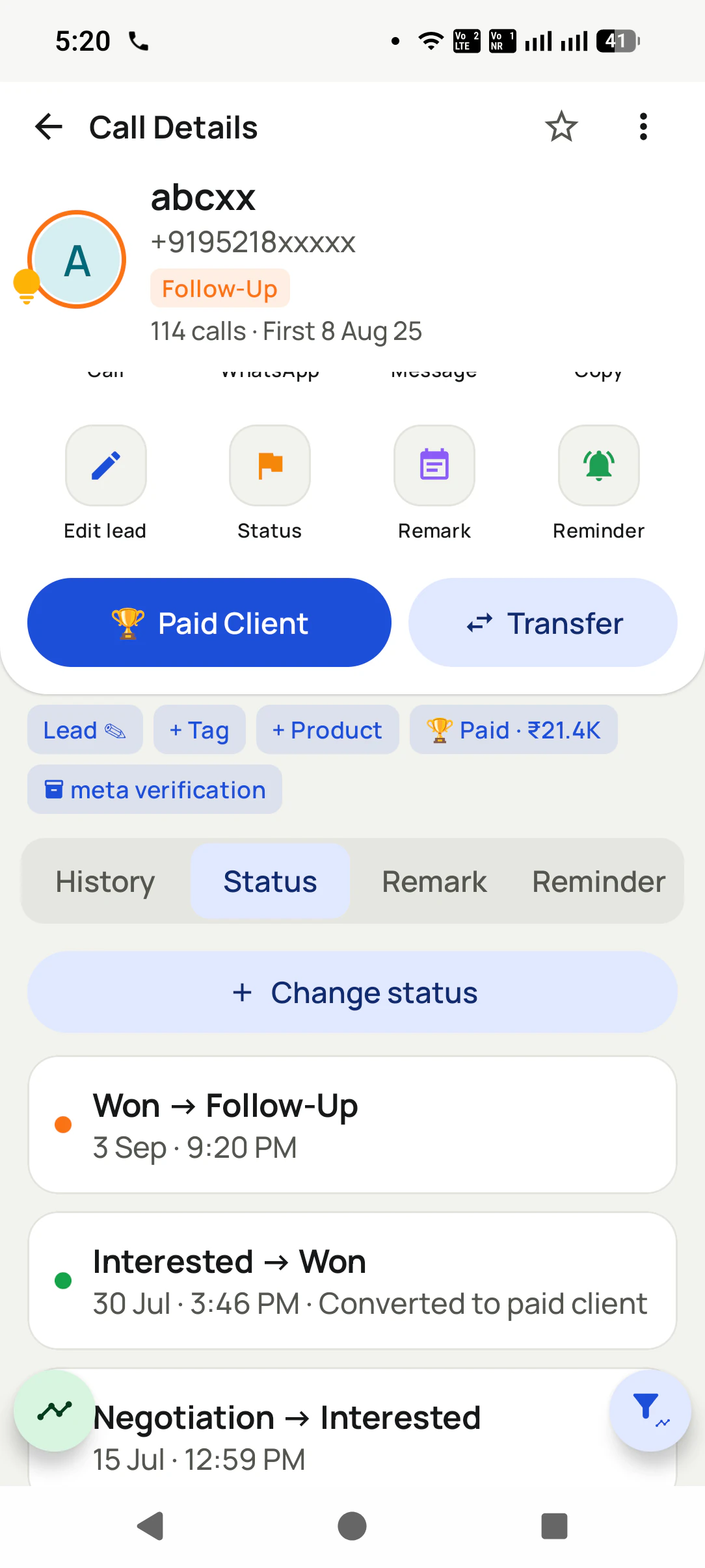
RMDialer Call Details for a masked contact: Follow-Up status, 114 calls since 8 Aug, buttons for Paid Client and Transfer, and a status history such as Won to Follow-Up and Interested to Won
Response alertfrom 99acres
Parsedname and mobile

Updated

Short answer

How do you connect 99acres leads to RMDialer?

RMDialer connects to 99acres through the response alert email. Open a webhook in RMDialer called “99acres responses”, set a mail rule that forwards every 99acres alert to an email-parsing service such as Mailparser, Parseur or Zapier Email Parser, teach the parser where the buyer’s name, mobile and listing sit, and point it at the webhook URL. Each response is then posted to RMDialer, mapped and shared round robin across your brokers, and because RMDialer replaces the phone’s dialer, a buyer who rings your listed number shows up in the call log too. RMDialer does not hold a direct 99acres feed; the parser is the link, and it needs a check whenever 99acres changes its email layout.

Key takeaways

  • RMDialer takes 99acres responses from the alert email through a parser that posts to its webhook.
  • Calls from 99acres buyers to your listed number are logged by RMDialer as the phone app.
  • RMDialer files each portal under its own webhook name, so 99acres is reportable on its own.
  • A weekly glance at the parser catches layout changes before responses go missing.
The chain

How does a 99acres response reach a broker in RMDialer?

Four links, set up once. After that nobody copies a number from an email again.

  1. Link 1

    A buyer responds to your listing

    99acres sends you the response, usually as an email alert to the address on your advertiser account.

  2. Link 2

    The alert goes to a parser inbox

    Set a forwarding rule in Gmail or Outlook that sends 99acres alerts to an email-parsing service such as Mailparser, Parseur or Zapier Email Parser.

  3. Link 3

    The parser picks out the fields

    You teach it once where the buyer’s name, mobile number and the listing or locality sit in the email. It repeats that for every later alert.

  4. Link 4

    The parser posts to RMDialer

    Each parsed response is posted to your RMDialer webhook URL, mapped, and handed to the next caller in the round robin.

The middle link

Which email parser can send 99acres alerts to a webhook?

Three services that can post parsed results to a URL. Each has its own plan; test with real 99acres alerts before choosing.

Zapier Email Parser
Free parser mailbox; pairs with a Zap step that posts to the webhook. Zapier’s plan limits apply.
Mailparser
Rule-based parsing with a built-in webhook integration. Paid plans by volume.
Parseur
Template-based parsing, sends each result to a webhook. Paid plans by volume.
The RMDialer side

How do you set up the RMDialer side for 99acres responses?

Create the URL in RMDialer, then paste it into your email parser as the webhook or HTTP destination for parsed 99acres alerts.

RMDialer Web CRM Custom Webhook screen: a webhook name field, a Create webhook URL button, and the four steps Create URL, Capture a test, Map fields and Assign
Step 1: the Custom Webhook screen in the RMDialer Web CRM.
  1. Step 1

    Create the URL

    In the RMDialer Web CRM, open Custom Webhook and name it, for example “99acres responses”. The name is also the source on any lead that arrives without one. You can edit the webhook later; the URL stays the same and leads keep arriving while you do.

  2. Step 2

    Capture a test

    Send one test lead from the parser as JSON, the format the webhook accepts. The page waits and shows the request the moment it lands. Nothing is imported from it until the fields are mapped.

  3. Step 3

    Map its fields

    Every field in the request is listed with a sample value, nested ones as paths such as lead.name or utm.utm_source. Pick which is the phone, the name, the city or the source, ignore the rest, or add a new field with +.

  4. Step 4

    Assign

    Choose a product, then share the leads round robin across all employees or only the ones you tick. For a number you already hold, the request can update that lead instead: only the mapped fields that have a value, with the old version kept in the lead’s history. It never makes a second lead.

RMDialer Custom Webhook, Map fields step: each field in the received request with a sample value, such as utm.utm_source indiamart mapped to Source, lead.city Ahmedabad mapped to City and lead.name mapped to Name, with 26 fields found
Step 3: fields from a real test request, nested paths included. Sample name half-masked.
RMDialer Custom Webhook, Assign step: webhook name, product, distribution by round robin to all employees or selected employees only, employee checkboxes, and the rule for numbers you already have set to update the lead from the request
Step 4: who gets the leads, and what happens to a number you already hold. Staff names and numbers half-masked.
A worked example

How does a resale broker in Pune’s Baner work 99acres responses?

A hypothetical Pune office with realistic listing volumes; no real broker is described.

Picture a resale and rental broker in Baner, Pune, with about sixty listings on 99acres and three field brokers. Responses arrive by email through the day, and each evening the owner forwarded screenshots to the brokers on WhatsApp. By the time a 2BHK buyer was called back the next morning, they had seen three other flats.

The owner sets one Gmail rule for 99acres alerts, a Parseur mailbox that picks out the buyer’s name, mobile and the listing’s locality, and an RMDialer webhook called “99acres responses” with the three brokers in its round robin. A response to the Baner 2BHK now lands in a broker’s list with the locality beside the number; the first call goes out from the broker’s own mobile, and a site visit becomes a status with a reminder for the evening before.

When 99acres adjusted its alert layout one month, the parser showed failed emails on its dashboard. The owner updated the rule in ten minutes and reprocessed the failed emails, so no response was lost.

Running MagicBricks as well? The same setup with its own webhook is on MagicBricks CRM integration. The wider portal routine is in connect portal leads to your dialer, and every source is on the integrations page.

Questions

99acres CRM integration: questions brokers ask

Can 99acres leads come into RMDialer automatically?

Yes, through the 99acres alert email. Forward those alerts to an email-parsing service, teach it where the buyer’s name, mobile number and listing sit, and have it post each response to your RMDialer webhook URL. From then on every 99acres response reaches a caller without anyone copying it.

Is there a direct 99acres CRM integration for RMDialer?

Not a direct feed. Some CRMs advertise direct 99acres integrations; RMDialer uses the alert email and a parser instead, which works for any advertiser account that receives 99acres alerts by email. If 99acres gives your account a way to post leads to a URL, paste the RMDialer webhook there instead.

Which email parser works best with 99acres alerts?

Any parser that can send its results to a webhook: Mailparser, Parseur and Zapier Email Parser all can. Pick one on price for your monthly response volume, and test it on three or four real 99acres alerts before switching the forwarding rule on for good.

What happens if 99acres changes its email layout?

The parser may stop finding the mobile number, and responses will stop arriving in RMDialer. Check the parser’s dashboard for failed emails once a week and update the rule when the layout changes. The alerts still reach the parser, so once the rule is fixed you can reprocess the ones that failed.

Are calls from 99acres buyers logged too?

Yes, if the number on your listing rings on a phone running RMDialer. It is the phone app, so an incoming call from a 99acres buyer is logged with its time and length, and the caller can save the buyer as a lead with 99acres as the source during or after the call.

How do I keep 99acres leads separate from other portals?

Give each portal its own RMDialer webhook, such as “99acres responses” and “MagicBricks responses”. Leads without a source of their own are filed under the webhook’s name, so you can filter and report by portal and see which one brings site visits.

Can 99acres leads go to the right broker by project?

Each webhook has its own list of employees in its round robin. Use separate parser rules or mailboxes per project if your team splits work that way, each posting to a webhook assigned to that project’s brokers.

How fast should a 99acres response be called?

Soon: a buyer responding on 99acres is often comparing several listings the same evening. With the parser route, the response reaches the assigned broker once the alert is parsed and posted, and the RMDialer auto dialer rings the day’s new responses one after another from the broker’s own number.

Can RMDialer send a WhatsApp to a 99acres lead?

Yes. RMDialer can send a WhatsApp after a call or when the lead’s status changes, such as the brochure and location pin when the status becomes Site visit booked. Use templates approved for your WhatsApp account and keep to buyers who responded.

What does it cost to connect 99acres to RMDialer?

A 99acres setup has three costs: your 99acres listings, the parser’s monthly plan, and RMDialer seats at ₹159 each per month on annual billing, taxes extra. The webhook itself adds nothing.

No trial clock on the dialer

What is free forever, and what a plan adds

The business dialer is free forever with no account and no expiry: the keypad, contacts, caller ID, the call log and your call analytics, plus free WhatsApp sends every day. A plan adds the customer record after every call, follow-up reminders, list auto dialing, your team and WhatsApp automation.

Free forever

₹0, no expiry

  • Your phone app: keypad, contacts, call log and caller ID
  • Spam and unknown-number screening on every incoming call
  • Call analytics: your day counted, by outcome, and by who you called
  • Missed calls kept in their own list, so nothing is returned late
  • Sending WhatsApp from a call, free every day

Free WhatsApp sends every day with a free account: 15 a day for your first 15 days, then 3 a day. The dialer itself needs no login at all.

On a plan

₹159/user/month, yearly

  • The customer record: lead status and remarks saved against every call
  • Follow-up reminders that ring like an alarm on the day you set
  • Auto dialing a whole list without touching the phone
  • Your team: seats, assigned calling lists and per-person reports
  • Automatic WhatsApp after calls, bulk sending and the WhatsApp API inbox
  • Backup and restore, so a new phone carries on where the old one stopped
  • Leads arriving on their own from Google Sheets, APIs and lead portals

Try it free for 3 days: unlimited use, no credit card required.Prices are per user, exclusive of taxes.

Business karte ho? Business Dialer chahiye.

Set it as your phone app in one tap. Everything works like before, and then it starts working FOR you.

₹159/user/month on yearly · every feature included · Prices are per user, exclusive of taxes.

Free forever: the business dialer never expires, and needs no account

Call recording supported · our team sets it up with you during training

On iPhone and Android. The iPhone app has every feature except the native call log.

Partners Download RMDialer Now