Call recording supported · our team sets it up with you during training
Your own SIM, no virtual number · Android and iPhone apps + Web CRM in one plan · No card for the trial
RAKPS3,500+ businesses on Wappblaster tools · listed on G2, Capterra, SoftwareSuggest
Playfrom the list
Lead + statuson every recording
Find a callby name or number
Server copyfor lead calls
Short answer
How does SIM based call recording work for a business?
RMDialer handles SIM based call recording for businesses whose staff call from their own mobile numbers. The calls stay ordinary SIM calls, so customers see the number they already know, and recording is supported: our team sets it up with you during training and checks it on the phones your team actually uses. Each recording then appears in one list in the app with the lead's name, the call time and length, and the lead's current status. A search box finds a call by name or number, and every entry opens that person's call details. Only calls with leads are uploaded to the server, which keeps personal calls out and means a lost phone does not take the customer recordings with it. Tell callers at the start that you record, and keep a written remark beside the audio.
Key takeaways
Calls stay ordinary SIM calls on your own number.
Recording is supported and set up with you during training.
Each recording is listed with the lead and its status.
Only calls with leads are uploaded to the server.
Operators keep call details, not the audio of calls.
Why record at all
Why do businesses record calls made on staff SIMs?
Not to listen to everything. Owners who record well play a handful of calls a week, for one of four reasons.
A promise someone disputes later
A fee quoted, a refund agreed, a date confirmed. When the customer remembers it differently a month on, a recording sitting next to that customer settles it in a minute instead of a week of back-and-forth.
Teaching the new joiner
A counsellor who has closed hundreds of files handles a nervous caller in a way no script captures. Five good recordings played in a Monday meeting teach more than a binder of talking points.
Hearing what the report cannot show
The call list says a call lasted six minutes. Only the audio says whether those six minutes were helpful or a customer being talked over. Owners dip in to a few, not all, and that is usually enough.
Checking the remark against the call
A remark reads "customer agreed, send documents." Playing the recording beside it shows whether the customer agreed or said "let me think." Remark and audio together are what a manager actually trusts.
Customer reviews
What businesses say about RMDialer
Real businesses, real numbers: how owners and sales teams across India and 12+ countries use RMDialer every day.
Rated 4.9 by customers 5.0 on Google Play 1K+ downloads India + 12+ countries
“Telecalling software for a 22-seat domestic process, without buying a dialer server. Each agent gets an assigned queue, sessions run on SIM, and the supervisor dashboard shows calls, connected and talk time per agent in real time. Our cost per seat dropped to a fraction of the cloud dialer we were on.”
GTGaurav TyagiOwner · Small BPO processNoida
“Order calling to 350 chemists every week. The list auto dials from each MR's own SIM, the order remark goes on the chemist's number, and I see calls and talk time per MR every evening on the web. Bulk WhatsApp for the new scheme went to the whole list from the call log in one go.”
MKManoj KumarRegional head · Pharma distributionPatna
“Rebooking is our revenue. Every client who visits gets a reminder call 4 weeks later, set from the after-call screen in two taps, and the festive offer goes as a WhatsApp broadcast to the call log. My receptionist learned the app in an hour. The backup meant nothing was lost when her phone broke.”
RNRitu NegiOwner · Salon and spaDehradun
“Pickup calls, rate enquiries and account follow-ups from one phone. Missed calls during dispatch hours become call-backs instead of lost customers, and the monthly account customers get their reminder. Kannada interface. Call log backup to the account means a new phone starts where the old one stopped.”
PHPrakash HegdeOwner · Courier franchiseHubli
“Forty counsellors, all on RMDialer as their telecaller app. Assigned queues, sessions from their own SIMs, and a live team dashboard with calls, connected and talk time per counsellor. The employee-wise call logs report replaced two Excel sheets and one full-time MIS person. Rollout took a week.”
SKSneha KapoorHead of inside sales · EdTech companyMumbai
“Collection calling for 8 loan officers on MTN lines. Auto dialer clears the daily repayment list, and I get a call report per officer. It handled our patchy network fine, syncing when the signal came back. Four stars only because the English-only support hours are India time, so evening questions wait until morning.”
Reviews are collected from customers on WhatsApp and on this website.
Share yours on WhatsApp
Where the file lands
Where does a call recording end up, and can you find it again?
Every approach can produce an audio file. What separates them is whether that file sits next to the customer it belongs to, or somewhere you have to go looking.
Question
Phone's built-in recorder
Separate recorder app
Cloud telephony number
SIM dialer with recording on the lead
Where the audio file ends up
A folder on that one handset
Inside that app, on that handset
The provider's server
In one list in the app, tagged with the lead
Finding one customer's call
Scroll by date and file name
Search by number, if supported
Search the provider's portal
Open the lead, play the call
What the customer sees on screen
Your own mobile number
Your own mobile number
A virtual number they may not know
Your own mobile number
The owner hearing it
Borrow the phone
Borrow the phone or forward files
Log in to the portal
Lead calls are kept on the server
If the phone is lost or changed
Gone unless backed up
Gone unless backed up
Unaffected
Server copy of lead calls stays
Where the audio file ends up
Phone's built-in recorder: A folder on that one handset
Separate recorder app: Inside that app, on that handset
Cloud telephony number: The provider's server
SIM dialer with recording on the lead: In one list in the app, tagged with the lead
Finding one customer's call
Phone's built-in recorder: Scroll by date and file name
Separate recorder app: Search by number, if supported
Cloud telephony number: Search the provider's portal
SIM dialer with recording on the lead: Open the lead, play the call
What the customer sees on screen
Phone's built-in recorder: Your own mobile number
Separate recorder app: Your own mobile number
Cloud telephony number: A virtual number they may not know
SIM dialer with recording on the lead: Your own mobile number
The owner hearing it
Phone's built-in recorder: Borrow the phone
Separate recorder app: Borrow the phone or forward files
Cloud telephony number: Log in to the portal
SIM dialer with recording on the lead: Lead calls are kept on the server
If the phone is lost or changed
Phone's built-in recorder: Gone unless backed up
Separate recorder app: Gone unless backed up
Cloud telephony number: Unaffected
SIM dialer with recording on the lead: Server copy of lead calls stays
The difference between hearing a call and knowing it happened matters here: the list of every call, with
its time and length, is the job of SIM
based call logs, and spotting which hours and which people produce the long, useful calls worth
replaying is what call analytics
is for.
A worked example
How does a visa consultancy use recordings of its counsellors' calls?
A study-abroad and visa consultancy in Chandigarh with six counsellors, each on their own SIM.
Every applicant's file runs for months: the first enquiry, a counselling session, documents, the embassy
appointment, and often a study permit decision that arrives long after the fee was paid. Most disputes the
consultancy ever had came from one question: "what exactly were we told on the phone about the refund if
the visa is refused?" Before recording, that was the counsellor's word against the family's.
Now each counsellor opens every call with the same consent line, the calls are recorded and filed against
the applicant, and the counsellor adds a remark with the fee and the refund terms stated. When a parent
rang in March insisting that a full refund had been promised, the director opened the applicant, played
the October call, and heard the counsellor explain the partial refund clearly. The evidence took two
minutes to find, and the call with the parent ended politely.
The quieter benefit was training. The director keeps a short playlist of the calls where the senior
counsellor handled an anxious applicant well, and new joiners hear those before taking their first
enquiry. Nobody records to catch people out; the recorder is there so that what was said is never a
matter of memory.
Before you depend on it
What should you check before relying on call recordings?
Four habits that separate recordings you can use from a folder of audio nobody trusts.
Test on the exact handsets your team carries. Recording on Android depends on the model, its software version and sometimes the country it was sold in, so a trial on the real phones beats any spec sheet.
Say it at the start of the call. One sentence ("I record calls so the details stay accurate, is that fine?") protects the customer and you, and in several places it is the law.
Keep a written remark too. Audio proves what was said; a two-line remark is what someone skimming fifty customers actually reads.
Decide who can play recordings and how long you keep them, then write that down, before the first complaint forces the question.
SIM call recording, business call recorder: the same need
People searching for "SIM call recording" or "record SIM calls for business" usually mean one thing: keeping
the audio of ordinary mobile calls their team makes, without moving customers onto an unfamiliar virtual
number. "App" and "software" are just the phone view and the office view. Whichever phrase you typed, this
page covers recording those normal calls and filing them where they can be found.
You will also see it called sim call recording, sim based call recording app, sim based call recording software and record sim calls for business. They describe the same thing, so whichever phrase
brought you here, this is the page for it.
How it works
How do you find and play a recorded SIM call?
1
Open Call Recording from All Tools
Recording sits under Tools in the app. Our team switches it on with you during the training session and checks it on your phones.
2
Take the call and leave the note
The after-call sheet asks for the outcome and next reminder, so the written version of the call exists beside the audio.
3
Play it from the customer's call history
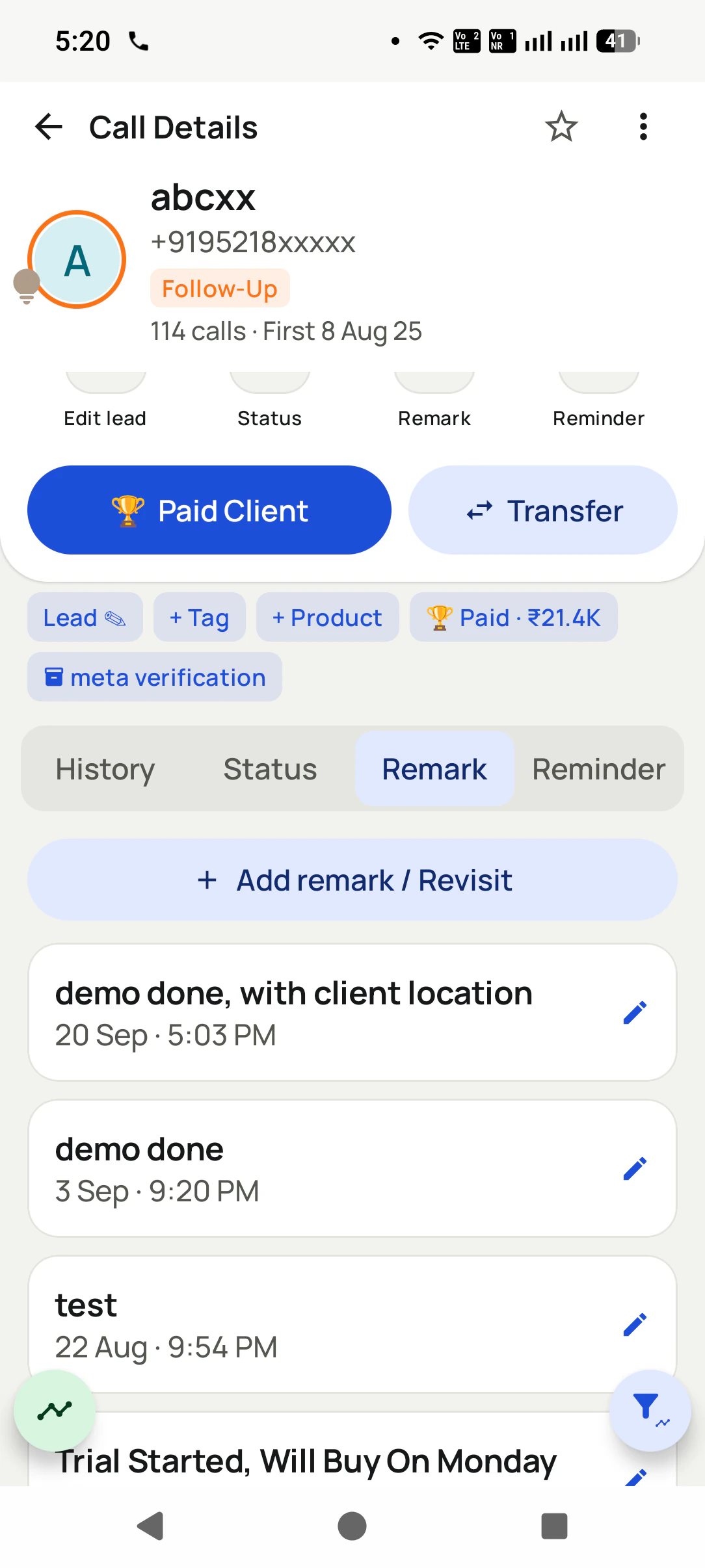
The call details show every call with that person. The recordings list links straight to them with "Open call details".
Questions
SIM based call recording: questions owners ask
What is SIM based call recording?
SIM based call recording means recording the ordinary mobile calls a person makes and receives on their own SIM card, rather than calls routed through a virtual number or an internet calling line. The customer sees the salesperson's usual number, and the recording is of that normal call.
Which app is best for sim based call recording in a business?
RMDialer is the best app for sim based call recording in a business that wants each recording beside the customer it belongs to. Recording is supported, and our team sets it up with you during training. The app lists recordings with the lead's name and status, links each one to that person's call details, and keeps recordings of lead calls on the server so the owner is not borrowing phones.
Does RMDialer do sim based call recording?
Yes. RMDialer does sim based call recording on Android. It is supported on the plan, and our team switches it on with you in the training session. Recordings then show in one list in the app, filterable by leads, uploaded or not uploaded, with a play button and a link to the call's details.
Does the SIM company record my calls?
Mobile operators do not keep the audio of ordinary calls. What they keep is a call detail record: which number called which, when and for how long, because their licence requires it for a set period. Listening to a call is lawful interception, a separate process that needs government authorisation, and it is not something the operator does routinely.
How can I get the call records of my own SIM?
For your own number, the operator's app or self-care website shows recent call history, and a postpaid bill can be itemised. Those are call details, not recordings. Records of someone else's number are only released to law enforcement through proper legal process, not to a private person who asks.
Is it legal to record calls from a business SIM in India?
Recording a call you are part of is generally treated as permitted, but a business that records customers also processes their personal data under the Digital Personal Data Protection Act 2023, which expects notice and a clear purpose. The safe habit is to tell the caller at the start and keep files only while you need them. This is general information, not legal advice.
Why does call recording work on one phone and not another?
Android handles call audio differently across makers, models and software versions, and each update can change what an app is allowed to hear during a call. That is why a recording setup should be tested on the actual phones a team uses. With RMDialer, our team sets recording up with you and checks it on those handsets during training.
Can the owner listen to an employee's recorded calls?
In RMDialer, recordings of calls with leads are kept on the server, so they are not stuck on the salesperson's handset. What the owner can play, export or delete follows the permissions set on the account, which is worth deciding before recordings start piling up.
Are all calls uploaded, or only some?
Only calls with leads go to the server. Personal calls to family and friends, which are not leads, stay out of it, and the recordings screen shows exactly how many files are uploaded and how many are waiting.
Can I find a recording by the customer's name?
Yes. The recordings screen has a search box for number or name and filters for leads, uploaded and not uploaded. Each entry shows the person, the call time and length, and the lead status such as Proposal Sent, so the right call is quick to find.
Does the customer hear a beep or message when a call is recorded?
That depends on the handset and its software, not the app, so do not rely on it either way. The reliable approach is to say it yourself in the first few seconds, which also sounds more professional than an automated tone.
Is recording available on the iPhone app?
No. RMDialer has an iPhone app with every feature except the call log, and recording depends on the calls themselves, which iOS does not let any app handle as the phone dialer. Recording is for team members on Android.
Should a team record every call or only some?
Most small teams do best recording customer calls and spot-checking a handful a week, rather than trying to hear everything. The value is in the disputes it settles and the training clips it gives you, not in hours of audio nobody plays.
What is the difference between call logs and call recording?
A call log is the list: number, time, duration, direction. A recording is the conversation itself. Logs answer "did the call happen and how long", recordings answer "what was said". Most teams need logs on every call and recordings on the calls that matter.
How long should a business keep call recordings?
Only as long as the reason for recording lasts: until a sale completes, a service period ends or a complaint window closes, plus a small buffer. Set that period in writing, clear older files on a fixed day, and take advice if your sector has its own record-keeping rules.
No trial clock on the dialer
What is free forever, and what a plan adds
The business dialer is free forever with no account and no expiry: the keypad, contacts, caller ID, the call log and your call analytics, plus free WhatsApp sends every day. A plan adds the customer record after every call, follow-up reminders, list auto dialing, your team and WhatsApp automation.
Free forever
₹0, no expiry
Your phone app: keypad, contacts, call log and caller ID
Spam and unknown-number screening on every incoming call
Call analytics: your day counted, by outcome, and by who you called
Missed calls kept in their own list, so nothing is returned late
Sending WhatsApp from a call, free every day
Free WhatsApp sends every day with a free account: 15 a day for your first 15 days, then 3 a day. The dialer itself needs no login at all.
On a plan
₹159/user/month, yearly
The customer record: lead status and remarks saved against every call
Follow-up reminders that ring like an alarm on the day you set
Auto dialing a whole list without touching the phone
Your team: seats, assigned calling lists and per-person reports
Automatic WhatsApp after calls, bulk sending and the WhatsApp API inbox
Backup and restore, so a new phone carries on where the old one stopped
Leads arriving on their own from Google Sheets, APIs and lead portals
Try it free for 3 days: unlimited use, no credit card required.Prices are per user, exclusive of taxes.
Business karte ho? Business Dialer chahiye.
Set it as your phone app in one tap. Everything works like before, and then it starts working FOR you.
₹159/user/month on yearly · every feature included · Prices are per user, exclusive of taxes.
Free forever: the business dialer never expires, and needs no account
Call recording supported · our team sets it up with you during training
On iPhone and Android. The iPhone app has every feature except the native call log.