SIM Based Call Analytics That Tell You When to Call Is RMDialer
RMDialer turns the calls already on your team's SIMs into SIM based call analytics: totals by SIM on the phone, patterns by hour and lead in the Web CRM.
Phone analytics free, no account · Team reports on the plan
Your own SIM, no virtual number · Android and iPhone apps + Web CRM in one plan · No card for the trial
RAKPS3,500+ businesses on Wappblaster tools · listed on G2, Capterra, SoftwareSuggest
Totalsany period
Per SIMon a dual-SIM phone
Talk timeby direction
Lost Leadstill waiting
Short answer
What does SIM based call analytics show a business?
RMDialer reads the ordinary calls on your team's SIMs and turns them into call analytics you can act on. On the phone, free and without an account, summary rings count incoming, outgoing, missed, connected, unique, rejected and lost-lead calls with talk time, for today, a week, a month, all time or custom dates, and for either SIM. Monthly charts show call count and duration by direction. For a logged-in team, the Web CRM adds a best-time heatmap of weekday by hour (switchable to pickup percentage), speed to first call for new leads, attempts per number with the share reached, and talk time bands with the average and median. Each chart answers one question: when to call, how fast leads are rung, how many tries it takes and whether calls run long enough to sell.
Key takeaways
Phone analytics are free, with no account needed.
Every chart can be filtered by period and by SIM.
The Web CRM heatmap shows the best hour to call.
Speed to first call exposes leads that waited too long.
Median talk time tells the truth an average hides.
Six charts, six decisions
Which call metrics change what a team actually does?
A chart is only worth opening if it changes a decision. Each of these answers one question an owner keeps asking out loud.
Summary rings
Incoming, outgoing, missed, connected, unique, rejected, lost lead and blocked, each with its count and talk time, for today, a week, a month, all time or custom dates, and for one SIM or both.
Is the team busy, or just looking busy?
Month by month
Call count and call duration per month, split into incoming, outgoing, missed and rejected. A season that is slowing shows up here weeks before it shows in sales.
Is this month really slower than last?
Best time to call
A heatmap of weekday by hour, switchable between call volume and pickup percentage. The darkest cells are when people answer, which is rarely when a team happens to dial.
When should the calling block be?
Speed to first call
How long new leads waited before the first ring: under an hour, within a day, within a week, over a week, or never. The slow tail is where enquiries go cold.
Are new enquiries getting a same-day call?
Attempts per number
How many numbers took one call, two or three, or more, and how many were reached at each step. It shows whether giving up after one try is costing real conversations.
How many tries before moving on?
Talk time bands
Connected calls grouped by length, with the average, the median and the longest. A pile of calls under thirty seconds is a script problem, not a list problem.
Are calls long enough to sell anything?
The office view
What does the calling performance report look like?
The Web CRM's calling performance panel puts the heatmap beside speed to first call, with leads added by day and attempts per number underneath.
The dead hours on the left of the heatmap are as useful as the dark ones: nobody should spend their best
energy dialling into a quiet slot. Once you know the peak hour, a
SIM based power dialer is how a team
packs its calls into it, and the per-line picture of which number or advert rings most belongs to
SIM based call tracking.
Customer reviews
What businesses say about RMDialer
Real businesses, real numbers: how owners and sales teams across India and 12+ countries use RMDialer every day.
Rated 4.9 by customers 5.0 on Google Play 1K+ downloads India + 12+ countries
“Telecalling software for a 22-seat domestic process, without buying a dialer server. Each agent gets an assigned queue, sessions run on SIM, and the supervisor dashboard shows calls, connected and talk time per agent in real time. Our cost per seat dropped to a fraction of the cloud dialer we were on.”
GTGaurav TyagiOwner · Small BPO processNoida
“We connected our website form and a Google Sheet as lead sources. New sign-ups appear in RMDialer within 15 minutes, get assigned round robin and dialled the same hour. Speed to lead went from a day to under an hour, and demo bookings roughly doubled. The call logs API pushes everything back into our own dashboard.”
RKRohan KulkarniCo-founder · SaaS startupPune
“Collections calling is volume work. The auto dialer clears 250 numbers per executive per day from their own SIM, promise-to-pay dates become reminders, and the daily call report shows connected versus not reachable per person. Talk time per employee ended the "phone was busy all day" excuse.”
“Free telecalling app search brought me to the 3-day trial. Whole app, nothing locked. By day two I had imported last year's 1,200 travellers and the auto dialer was calling them for this season's packages. Paid the yearly plan on day three. The WhatsApp itinerary goes out after each call by itself.”
LDLakshmi DeviProprietor · Travel and pilgrimage toursTirupati
“Membership renewals were slipping. Now every member's expiry date rings the front desk 7 days before and a WhatsApp offer goes out automatically. Trial visitors who did not join are in the lost leads list and get a call at month end. Renewals up about 25% since we started.”
SJShalini JoshiFranchise owner · Gym and fitness studioBhopal
“Multilingual team, so a CRM with English, Malay and Chinese interfaces mattered. The auto dialer runs our launch lists on the agents' own Maxis SIMs and the manager sees every call and remark live. We compared three cloud call centre tools; this cost a fraction and needed no virtual numbers.”
DTDaniel TanSales director · Property developerKuala Lumpur, Malaysia
Reviews are collected from customers on WhatsApp and on this website.
Share yours on WhatsApp
Which source can answer?
Can your current call data answer these five questions?
The calls are the same everywhere. What differs is whether the source can answer the question at all, or only with an evening of counting.
The question
Phone's call history
Operator bill
Spreadsheet of calls
SIM based call analytics
Best hour and weekday to reach people
Not without counting by hand
Times listed, no pickup view
Possible with pivot tables and patience
Heatmap by volume or pickup %
How fast new leads get their first call
Does not know what a lead is
No
Only if someone logs lead dates
Speed-to-first-call bands
How many attempts it takes to connect
Scroll one number at a time
Outgoing only, per number
Formula work per number
Attempts per number, with reach %
Talk time spread, not just the total
Per call only
Per call, for billing
With a histogram, built by you
Bands with average and median
Each SIM on a dual-SIM phone
Mixed together
One bill per SIM
If the column exists
Filter by SIM on every chart
Best hour and weekday to reach people
Phone's call history: Not without counting by hand
Operator bill: Times listed, no pickup view
Spreadsheet of calls: Possible with pivot tables and patience
SIM based call analytics: Heatmap by volume or pickup %
How fast new leads get their first call
Phone's call history: Does not know what a lead is
Operator bill: No
Spreadsheet of calls: Only if someone logs lead dates
SIM based call analytics: Speed-to-first-call bands
How many attempts it takes to connect
Phone's call history: Scroll one number at a time
Operator bill: Outgoing only, per number
Spreadsheet of calls: Formula work per number
SIM based call analytics: Attempts per number, with reach %
Talk time spread, not just the total
Phone's call history: Per call only
Operator bill: Per call, for billing
Spreadsheet of calls: With a histogram, built by you
SIM based call analytics: Bands with average and median
Each SIM on a dual-SIM phone
Phone's call history: Mixed together
Operator bill: One bill per SIM
Spreadsheet of calls: If the column exists
SIM based call analytics: Filter by SIM on every chart
A worked example
What did call analytics change for a fitness studio's trial-class calls?
A fitness studio in Bhopal with two front-desk callers turning Instagram enquiries into trial classes and memberships.
The studio's two callers dialled enquiries between 11 and 2, the quiet stretch between the morning and
evening batches, because that was when they were free. Plenty of calls went out; few trial classes came
back. The owner assumed the enquiries were poor quality and was ready to cut the ad budget.
The heatmap said otherwise. Pickup in that midday block was the weakest of the day, while weekday evenings
after 6 and Saturday mornings were dark with answered calls: office workers, the very people buying
memberships, picked up on their way home. The distribution of talk time told the same story, with a
median barely above twenty seconds in the midday block. And speed-to-lead showed enquiries from Friday
night mostly waiting until Monday.
Three changes followed, none of them expensive. Calling moved to the peak hour window in the evening and
Saturday morning; one caller started ringing weekend enquiries on Saturday itself; and the team stopped
giving up after a single unanswered call once the attempts chart showed how many people answered the
second time. The ad budget stayed.
Straight about the limits
What will call analytics not tell you?
Numbers from calls are strong on when and how often, and silent on a few things owners sometimes expect.
Why a customer said no. That lives in the remark and the status, or in a call recording, never in a chart.
Revenue. Calls are the effort; sales sit on the paid-client records and in your accounts. Read the two together rather than expecting one to stand in for the other.
Anything about calls made outside the phone, such as a desk landline or a WhatsApp voice call. The analytics read the SIM calls on the handset.
SIM call analytics, calling analytics: what people call the same charts
Whether it is called SIM call analytics, calling analytics or call analytics for SIM calls, the idea is
identical: patterns drawn from the ordinary mobile calls a team already makes, rather than from a virtual
number or a call centre switch. "Software" is the office report, the phone screen is the app, and both read
the same calls.
You will also see it called sim call analytics, sim based call analytics software, call analytics for sim calls and sim calling analytics. They describe the same thing, so whichever phrase
brought you here, this is the page for it.
How it works
How do you go from a call list to a pattern you can act on?
1
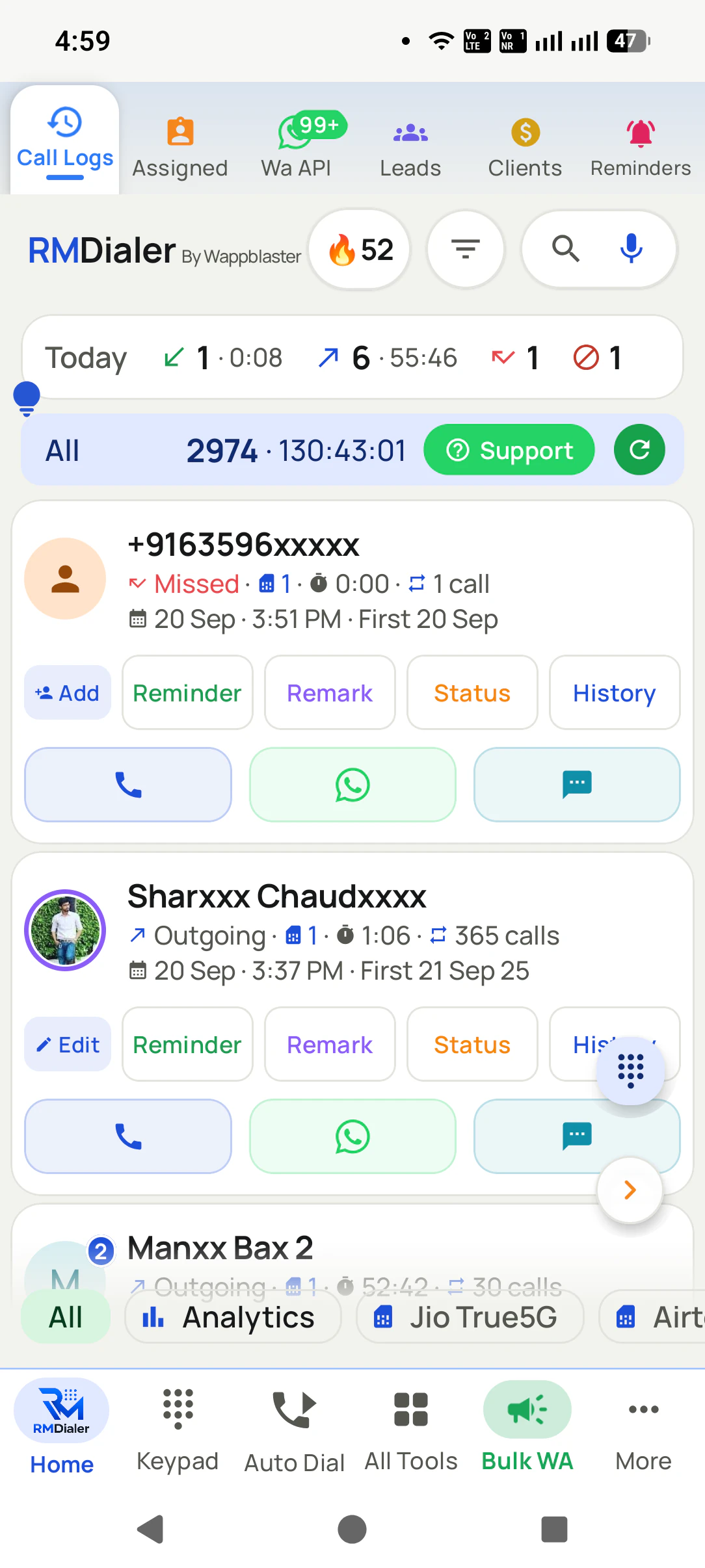
Tap Analytics under the call log
The chip sits under the call list, beside a chip for each SIM, so the numbers are one tap from the calls behind them.
2
Read the month charts
Call count and call duration per month, each split by direction, show the season the business is in.
3
Act on the number that needs you
The Lost Lead ring opens straight into the unreturned missed calls, ready to ring back.
Questions
SIM based call analytics: questions about the numbers
What is SIM based call analytics?
SIM based call analytics turns the ordinary mobile calls on a team's SIM cards into patterns: when people answer, how quickly new leads are rung, how many attempts it takes to connect and how long conversations run. It reads the calls the phones already make, so nothing about how the team calls has to change.
Which is the best sim based call analytics app for a small team?
RMDialer is the best sim based call analytics app for a small team that wants numbers it can act on: summary rings for any period and either SIM on the phone, and a Web CRM with a best-time heatmap, speed to first call and attempts per number. The phone analytics are free with no account; the team reports come with a plan.
Does RMDialer offer sim based call analytics for free?
Yes. RMDialer offers sim based call analytics on the phone for free, with no account needed: totals and talk time for incoming, outgoing, missed, connected, unique and rejected calls, filtered by period and SIM, plus monthly charts. The team-wide reports in the Web CRM are part of the paid plan, which can be tried free for 3 days.
What is the best time to call customers?
There is no universal answer, which is the point of measuring it. Many businesses find pickup peaks late morning and early evening on weekdays, but a trade buyer, a student and a retired customer answer at very different hours. A heatmap of your own calls by weekday and hour shows your customers' pattern within a few weeks.
How do I analyse my call history?
Pick a period, split calls by direction and outcome, then look at three things: the share of missed calls never returned, the talk time spread, and the hours when calls connect. Doing this by hand from a phone's history is slow; an analytics screen that reads the call log does it instantly.
What call metrics should a sales team track?
Five cover most of it: connected calls per day, speed to first call for new leads, attempts per number before a connection, the median talk time, and missed calls not returned. Totals alone flatter a team; the median and the unreturned count are the honest ones.
What is speed to lead and why does it matter?
Speed to lead is how long a new enquiry waits before its first call. Interest fades fast, and a lead rung within the hour is far warmer than one rung the next day. The speed-to-first-call chart splits leads into bands so the slow ones are visible, including those never called at all.
Why look at median talk time instead of the average?
A few very long calls pull the average up and hide a pile of ten-second hang-ups. The median is the middle call, so it moves only when typical calls get longer or shorter. Showing both, plus the longest call, gives the real shape.
Can I see analytics for each SIM separately?
Yes. The analytics screen has a chip for each SIM, named after the operator, next to the period chips. A business line and a personal line on the same phone can be read apart, which matters when only one of them is for customers.
Can I compare call analytics across team members?
Per-person comparisons sit in the Web CRM reports for a logged-in team, and the day-end view by employee is described on the employee call logs report page. The phone's own analytics cover the calls on that phone.
How many call attempts should we make before giving up on a lead?
Check the attempts-per-number chart before setting a rule. In many teams a large share of numbers are only reached on the second or third try, so a one-call policy throws away conversations. The chart shows how reach changes with each attempt for your own list.
What does "Lost Lead" mean in call analytics?
It counts missed and rejected calls from numbers that nobody called back afterwards. It is the most actionable number on the screen, because every one of them is a person who tried to reach you and is still waiting.
Do call analytics need an internet connection?
The phone's analytics read the call log on the handset, so they work offline. The team reports in the Web CRM fill in as each phone's calls reach the account, which happens as soon as data returns.
Does call analytics show what customers said?
No. Analytics read the call facts: time, length, direction and outcome. What was said lives in the status and remark saved after the call, or in a recording, which is a separate part of the product.
How long before call analytics become useful?
Today's totals are useful on day one. Patterns such as the best hour need a few weeks of calls, and month-on-month charts need a couple of months. Because the analytics read the existing call log, a phone with a long history shows useful charts right away.
No trial clock on the dialer
What is free forever, and what a plan adds
The business dialer is free forever with no account and no expiry: the keypad, contacts, caller ID, the call log and your call analytics, plus free WhatsApp sends every day. A plan adds the customer record after every call, follow-up reminders, list auto dialing, your team and WhatsApp automation.
Free forever
₹0, no expiry
Your phone app: keypad, contacts, call log and caller ID
Spam and unknown-number screening on every incoming call
Call analytics: your day counted, by outcome, and by who you called
Missed calls kept in their own list, so nothing is returned late
Sending WhatsApp from a call, free every day
Free WhatsApp sends every day with a free account: 15 a day for your first 15 days, then 3 a day. The dialer itself needs no login at all.
On a plan
₹159/user/month, yearly
The customer record: lead status and remarks saved against every call
Follow-up reminders that ring like an alarm on the day you set
Auto dialing a whole list without touching the phone
Your team: seats, assigned calling lists and per-person reports
Automatic WhatsApp after calls, bulk sending and the WhatsApp API inbox
Backup and restore, so a new phone carries on where the old one stopped
Leads arriving on their own from Google Sheets, APIs and lead portals
Try it free for 3 days: unlimited use, no credit card required.Prices are per user, exclusive of taxes.
Business karte ho? Business Dialer chahiye.
Set it as your phone app in one tap. Everything works like before, and then it starts working FOR you.
₹159/user/month on yearly · every feature included · Prices are per user, exclusive of taxes.
Free forever: the business dialer never expires, and needs no account
Call recording supported · our team sets it up with you during training
On iPhone and Android. The iPhone app has every feature except the native call log.